nw-staging
 Monin Modi
this is the requirement doc I'll extract the actual colors from your screenshot rather than guessing.Here's the full color palette extracted directly from your screenshot's pixels — ready to copy into a prompt for an AI design tool: Backgrounds Color Hex Use Sage green #EAF0E2 Header/top background White #FFFFFF Card backgrounds Cream/peach #FCEFDE "Start Journaling" card Light blue #EFF8FB "New Habit Suggestions" card, mascot tab bg Light gray #D5D5D5 Progress bar track (unfilled) Primary Accent (Orange) Color Hex Use Primary orange #F0983C CTA links, arrows, active nav, underline Orange (icons) #EC6F31 Flame/streak icon Deep orange #E64925 Badge icon edge Light orange #EF9252 Secondary CTA buttons Status / Other Accents Color Hex Use Success green #5AC539 Progress bar fill Teal #75B9C5 Card bottom border accent Gold #ECA554 NP (points) coin icon Gradient text (used on "New Habit Suggestions Available") Start: #3F68CE → End: #4798B3 Badge icon (Total Badges) Dark maroon: #963F18 Gold star: #F6C744 Text Color Hex Use Primary text #17191D Headlines, numbers Secondary text #4B4B4B Labels, body copy Mascot (brain character) Pink body: #F2AABD Red-orange glasses: #CA5840 Just paste this whole block into your AI design prompt — it'll have everything it needs to match the app's look. use this color pallets fro design

Comments (0)
Sign in to leave a comment
System Requirements
System Requirements Document
1. Introduction
This document outlines the system requirements for enhancing the NEURO World Flutter application. The project involves upgrading the existing app with a dynamic AI chatbot, integrating clinical AI features, and modernizing the backend infrastructure for scalability and performance.
2. System Overview
The NEURO World app is a Flutter-based mobile application that currently includes features such as login, registration, notifications, profile management, subscription handling, feedback, badges, goal tracking, gamification, a static chatbot, and Summit features for posts and events. The enhancement project aims to improve user experience, integrate advanced AI capabilities, and deploy a modernized backend using Kubernetes.
3. Functional Requirements
Authentication and Registration
- As a user, I want to log in using the existing authentication method.
- As a user, I want to register with the required profile information.
- As a user, I want to reset my password.
- As a user, I want to verify my email/phone if applicable.
- As a user, I want my session to persist securely.
- As a user, I want to see clear error messages for invalid credentials.
- As a user, I want my authentication tokens to be stored securely.
- As a user, I want to clear session data upon logout.
- As a user, I want new clinical or AI features to respect my authenticated user context.
Profile and Account Settings
- As a user, I want to view and edit my profile information.
- As a user, I want to manage my notification preferences.
- As a user, I want to manage my subscription status.
- As a user, I want to manage my privacy and data permissions.
- As a user, I want to request account deletion.
- As a user, I want to view connected devices or data connections if enabled.
- As a user, I want to manage clinical AI consent if the clinical module is enabled.
Subscription
- As a user, I want to view my current plan.
- As a user, I want to subscribe or upgrade my plan.
- As a user, I want to restore purchases.
- As a user, I want to see premium feature access.
- As a user, I want the app to restrict premium-only features based on entitlement.
- As a user, I want the backend to validate my subscription status securely.
- As a user, I want my subscription status to sync across devices.
Notifications and Goal Reminders
- As a user, I want to receive goal reminders.
- As a user, I want to receive badge/reward notifications.
- As a user, I want to receive Summit event reminders.
- As a user, I want to receive post engagement notifications.
- As a user, I want to receive AI nudge notifications, if enabled.
- As a user, I want to manage my notification preferences.
- As a user, I want notifications to support deep links to the relevant screen.
Goals, Island Goals, and Goal-Based Gamification City
- As a user, I want to create/select goals.
- As a user, I want to see island-based goal progress.
- As a user, I want to receive goal reminders.
- As a user, I want to earn badges.
- As a user, I want to see city progress based on goal completion.
- As a user, I want to view streaks and achievements.
- As a user, I want clear progress feedback.
- As a user, I want optimized gamification animation/assets for performance.
Feedback
- As a user, I want to submit feedback.
- As a user, I want to categorize my feedback.
- As a user, I want to optionally attach a screenshot or description.
- As an admin, I want to receive and review feedback.
- As a user, I want feedback submission to confirm success.
- As a user, I want a retry option for failed feedback submission.
Badges and Rewards
- As a user, I want to view earned badges.
- As a user, I want to view locked badges.
- As a user, I want badge unlock rules to be configurable.
- As a user, I want badge unlocks to connect to goals, streaks, Summit participation, and clinical/wellness milestones where appropriate.
Summit Posts
- As a user, I want to create posts with defined types such as general update, question, progress share, event discussion, and resource share.
- As a user, I want posts to support text, image/media, tags/categories, visibility rules, and comments/reactions.
- As a user, I want post validation to prevent empty/invalid posts.
- As a user, I want to report inappropriate content.
- As an admin, I want to review posts.
Summit Events
- As a user, I want to view upcoming events and their details.
- As a user, I want to register/RSVP for an event.
- As a user, I want to add event reminders and receive notifications.
- As an admin, I want to support event creation and editing.
Dynamic AI Chatbot
- As a user, I want a dynamic AI assistant for conversation.
- As a user, I want suggested prompts and conversation history.
- As a user, I want context from my goals and app activity.
- As a user, I want safe response rules and fallback if AI service fails.
- As a user, I want app navigation help, goal coaching, wellness guidance, and Summit/event guidance.
- As a user, I want the AI chatbot to integrate with backend services for enhanced functionality.
Clinical AI Companion Module
- As a user, I want a Clinical AI Home to show my latest health status, AI insights, wearable sync status, and goal/cognitive trend summary.
- As a user, I want a Health Overview to display key health indicators and wearable metrics.
- As a user, I want AI Insights to show trends, recommendations, confidence indicators, and evidence sources.
- As a user, I want a Clinical Summary with structured outputs.
- As a user, I want Cognitive Trends to show game-based cognitive scores and trends.
- As a user, I want Wearables to show connected devices and data permissions.
- As a user, I want a Health Timeline to show goals, cognitive scores, wearable data, AI insights, nudges, and clinical summaries.
- As a user, I want Clinical Nudges to show AI-generated nudges and suggested actions.
- As a user, I want Data Connections to show connected data sources and wearable data sync.
- As a user, I want Privacy and Consent settings to manage data-sharing permissions and AI feature consent.
Backend and Infrastructure
- As a developer, I want to build a backend AI chat service to support dynamic conversations.
- As a developer, I want to build clinical AI backend APIs to support health insights and summaries.
- As a developer, I want to build a graph memory foundation and AI orchestration for clinical AI.
- As a developer, I want to set up a CI/CD pipeline for automated build and deployment.
- As a developer, I want to create Kubernetes manifests or Helm charts for deployment.
- As a developer, I want to dockerize backend services and workers for containerized deployment.
- As a developer, I want to add Redis for caching and async processing.
- As a developer, I want to define the chatbot scope, including safety rules and allowed responses.
- As a developer, I want to optimize APIs for performance and scalability.
- As a developer, I want to establish a core API gateway for unified access to backend services.
- As a developer, I want to ensure compliance readiness with audit logs and data export capabilities.
UI/UX and Design
- As a designer, I want to conduct a codebase review to identify areas for improvement.
- As a designer, I want to perform an app navigation cleanup for better user experience.
- As a designer, I want to create a clickable prototype to demonstrate app functionality.
- As a designer, I want to ensure the app architecture supports new features and enhancements.
- As a designer, I want to integrate a card bottom border accent for visual consistency.
- As a designer, I want to include a flame/streak icon as part of the gamification elements.
Quality Assurance
- As a QA engineer, I want to conduct feature-level QA for improved existing modules.
- As a QA engineer, I want to perform clinical AI QA and backend API testing to ensure functionality and reliability.
4. User Personas
- General User: Engages with the app for personal health tracking, goal setting, and wellness improvement.
- Admin: Manages content moderation, feedback review, and event creation.
- Developer: Implements and maintains backend services and infrastructure.
- Designer: Enhances UI/UX for improved user experience.
- QA Engineer: Ensures the quality and reliability of the app through testing.
5. Core User Flows
General User
- Log in to the app.
- Set or update personal goals.
- Engage with the AI chatbot for guidance.
- Participate in Summit events and discussions.
- Track progress and receive notifications.
Admin
- Log in to the admin panel.
- Review and moderate user-generated content.
- Manage event details and user feedback.
Developer
- Implement backend services and APIs.
- Deploy services using Kubernetes.
- Monitor and optimize system performance.
Designer
- Conduct UX audits and design improvements.
- Develop prototypes and design systems.
- Collaborate with developers for implementation.
QA Engineer
- Conduct feature-level testing.
- Perform regression and performance testing.
- Validate compliance and security measures.
6. Visuals Colors and Theme
- Backgrounds:
- Sage green (#EAF0E2) - Header/top background
- White (#FFFFFF) - Card backgrounds
- Cream/peach (#FCEFDE) - "Start Journaling" card
- Light blue (#EFF8FB) - "New Habit Suggestions" card, mascot tab bg
- Light gray (#D5D5D5) - Progress bar track (unfilled)
- Primary Accent (Orange):
- Primary orange (#F0983C) - CTA links, arrows, active nav, underline
- Orange (icons) (#EC6F31) - Flame/streak icon
- Deep orange (#E64925) - Badge icon edge
- Light orange (#EF9252) - Secondary CTA buttons
- Status / Other Accents:
- Success green (#5AC539) - Progress bar fill
- Teal (#75B9C5) - Card bottom border accent
- Gold (#ECA554) - NP (points) coin icon
- Gradient text: Start: #3F68CE → End: #4798B3 (used on "New Habit Suggestions Available").
- Badge icon (Total Badges): Dark maroon (#963F18), Gold star (#F6C744).
- Text:
- Primary text (#17191D) - Headlines, numbers
- Secondary text (#4B4B4B) - Labels, body copy
- Mascot (brain character):
- Pink body (#F2AABD)
- Red-orange glasses (#CA5840)
7. Signature Design Concept
The design will focus on a clean, modern aesthetic with a mobile-first approach, emphasizing usability and accessibility.
8. Interaction Model & Motion Direction
The app will use smooth transitions and animations to enhance user experience, with a focus on intuitive navigation and responsive interactions.
9. Non-Functional Requirements
- Performance: Optimized for fast load times and smooth navigation.
- Security: Secure authentication, encrypted data, and audit logging.
- Scalability: Kubernetes-based deployment for horizontal scaling.
- Reliability: Graceful failure handling and retry logic.
- Compliance: User consent tracking and audit logs for sensitive data access.
10. Tech Stack
- Frontend: Flutter
- Backend: Python + FastAPI
- Database: PostgreSQL / Supabase
- AI Services: Custom AI models for chatbot and clinical insights
- Deployment: Kubernetes
11. Assumptions and Constraints
- The app will not provide autonomous medical diagnosis.
- The MVP will not include full EMR write-back or FDA-regulated workflows.
- The project will adhere to a 16-week timeline with parallel workstreams.
12. Glossary
- AI: Artificial Intelligence
- EMR: Electronic Medical Record
- MVP: Minimum Viable Product
- RSVP: Répondez s'il vous plaît (Please respond)
- UI/UX: User Interface/User Experience
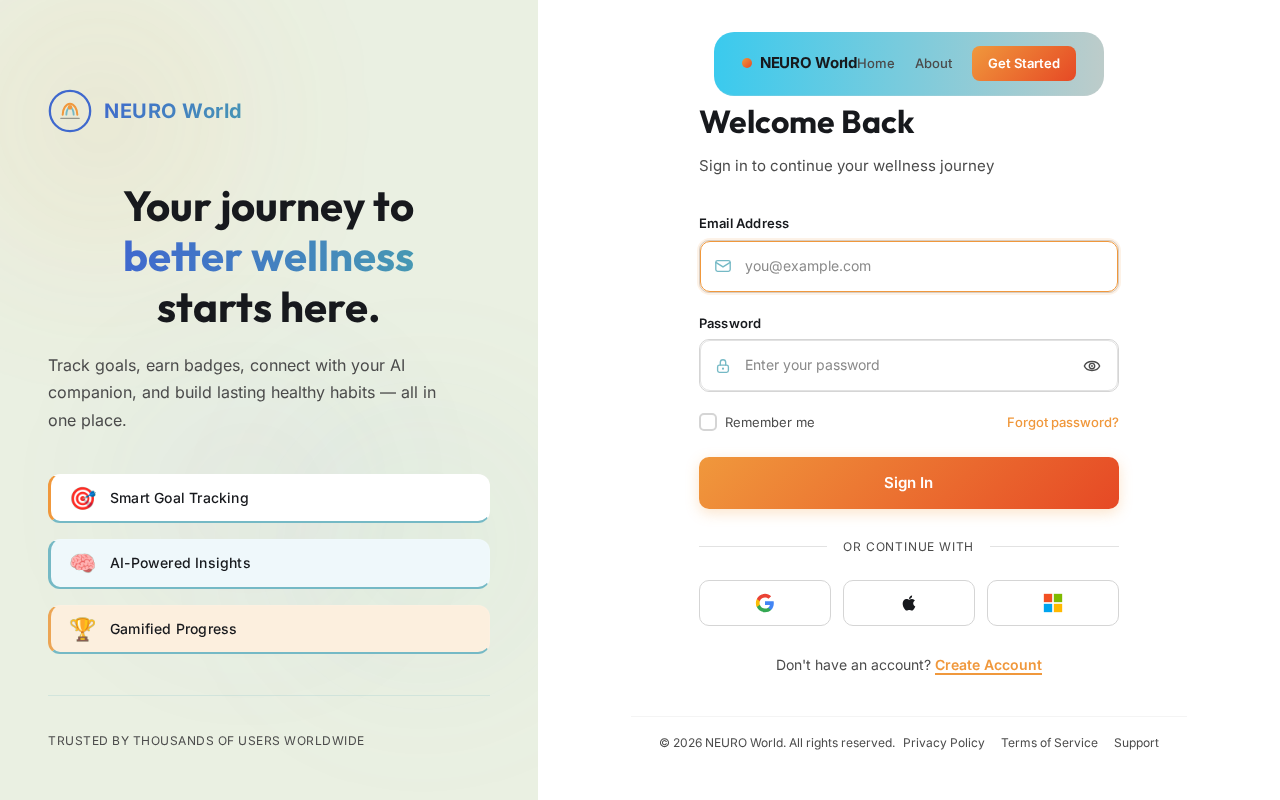
Your journey to
better wellness
starts here.
Track goals, earn badges, connect with your AI companion, and build lasting healthy habits — all in one place.
Welcome Back
Sign in to continue your wellness journey
Don't have an account? Create Account
No comments yet. Be the first!