video-generation-ai
 satya v
You are a senior Full-Stack Engineer, AI Engineer, and Motion Designer. Build a production-ready web application using: - Next.js 15 - TypeScript - TailwindCSS - Remotion - OpenAI API (or equivalent LLM) - Unsplash/Pexels APIs (for stock visuals) - ElevenLabs/Google TTS (for narration) - FFmpeg - Shadcn UI APPLICATION GOAL Create an AI-powered video generation platform that generates engaging 30-40 second videos from user-provided text. WORKFLOW 1. User enters: - Topic or text prompt - Video style - Language - Voice type - Video format (9:16, 16:9, 1:1) 2. AI analyses the input and creates: - Video title - Story script - Scene breakdown - Voiceover script - Captions - Visual prompts 3. Split content into 6-10 scenes. 4. For each scene: - Generate image prompts - Fetch relevant stock images/videos - Create motion effects - Generate captions 5. Generate narration using TTS. 6. Using Remotion: - Create cinematic animations - Zoom effects - Pan effects - Ken Burns effect - Text animations - Scene transitions - Background music 7. Export final MP4 video. VIDEO REQUIREMENTS Duration: - 30-40 seconds Structure: - Hook (0-5 sec) - Main Content (5-30 sec) - Summary/CTA (30-40 sec) Each scene should contain: { id, duration, narration, caption, visualPrompt, transition, image/videoAsset } REMOTION REQUIREMENTS Create: 1. VideoComposition.tsx 2. SceneRenderer.tsx 3. CaptionRenderer.tsx 4. TransitionManager.tsx 5. ImageAnimator.tsx 6. AudioManager.tsx 7. RenderService.ts Use: - AbsoluteFill - Sequence - spring() - interpolate() - Audio - Img - Video - useCurrentFrame() - useVideoConfig() ANIMATION STYLES - Modern social media style - Instagram Reel style - TikTok style - Dynamic subtitles - Smooth transitions - Attention-grabbing opening CAPTIONS Generate: - Word-level captions - Highlight active words - Auto line breaks - Subtitle synchronization API DESIGN POST /api/generate-video Request: { "prompt": "Benefits of drinking water" } Response: { "title": "...", "script": "...", "scenes": [...], "audioUrl": "...", "videoUrl": "...", "duration": 35 } DATABASE Store: - Projects - Scripts - Generated assets - Render history - User settings PERFORMANCE - Queue-based rendering - Progress tracking - Error handling - Asset caching - Parallel asset downloads UI PAGES 1. Dashboard 2. Create Video 3. Projects 4. Render History 5. Settings CREATE COMPLETE SOURCE CODE INCLUDING: - Folder structure - Components - API routes - Remotion compositions - Database schema - Type definitions - Environment variables - FFmpeg integration - Docker setup - Deployment guide Output clean, scalable, production-ready code following modern software architecture principles. The platform should specialise in creating viral social-media videos for: - Sports - Cricket - Football - Tennis - NBA - Current Events - Finance - Motivation - Technology AI should automatically: 1. Research the topic. 2. Generate an engaging hook. 3. Create a 30-40 second storytelling script. 4. Select matching visuals. 5. Add dynamic subtitles. 6. Add background music. 7. Generate a vertical 1080x1920 video. 8. Optimise for Instagram Reels, YouTube Shorts and TikTok. Video quality should look similar to: - MagnatesMedia - Goalcast - ESPN social clips - Modern AI short-form content creators.


Comments (0)
Sign in to leave a comment
Project Tasks
114 tasksGenerate system requirement document
Generate personas & user flows
Architecture
Workspace task plan
Create flow for Video Creator
Create flow for Content Producer
Landing
Login
Sign Up
Dashboard
Create Video
Projects
Project Details
Render History
Settings
Landing / Kinetic Stage
Landing / Topic Strip
Landing / Entry Actions
Landing / Navigation
Landing / Footer
Navigation
Footer
Fix Landing: Tablet navbar causes horizontal page overflow and clips the rightmost navigation link.…
Fix Landing: The phone preview presents fabricated scene structure that contradicts the required 6–10…
Fix Landing review findings: Tablet navbar causes horizontal page overflow and clips… (+1 more)
Login / Navigation Slot
Login / Identity Stage
Login / Credential Panel
Login / Footer Slot
Sign Up / Navigation Slot
Sign Up / Identity Stage
Sign Up / Enrollment Panel
Sign Up / Footer Slot
Dashboard / Navigation
Dashboard / Render Status Strip
Dashboard / Project Summary
Dashboard / Work Entry
Dashboard / Footer
Create Video / Navigation
Create Video / Render Stage
Create Video / Footer
Create Video / Output Reference
Projects / Navigation
Projects / Header
Projects / List
Projects / Footer
Fix Dashboard: Desktop project metadata is clipped by the fixed-width, non-scrollable column in .
Fix Dashboard: Mobile project indices overlap and hide the leading characters of each project title in .
Fix Dashboard review findings: Desktop project metadata is clipped by the fixed-width… (+1 more)
Project Details / Navigation
Project Details / Header
Project Details / Script Panel
Project Details / Scene List
Project Details / Media Panel
Project Details / Footer
Render History / Navigation
Render History / Header
Render History / Table
Render History / Footer
Settings / Navigation Slot
Settings / Header
Settings / Form Panel
Settings / Footer Slot
Fix Create Video: The scene timeline is hardcoded and disconnected from the AI result — is a fixed 7-entry…
Fix Create Video: The render progress shown in the stage is not derived from the submitted job — falls…
Fix Create Video review findings: frontend/src/components/Create Video Render Stage.jsx: the… (+1 more)
Fix Settings: Settings heading wraps mid-word at tablet; see (, ).
Fix Settings review finding: Settings heading wraps mid-word at tablet;
Create backend_modules diagram
Create er_diagram diagram
Create frontend_modules diagram
Create sequence diagram
Create service_network diagram
script and run queued renders with live progress and retry
Persist projects and assets, enforce scene count, and burn word-level captions
Start renders from the five inputs with topic specialisation and narration
Review past render outcomes and decide on retries
Create projects from submitted inputs and route failures back to retry
Browse and inspect only the signed-in user's projects, scripts and assets
Open and save user settings from signed-in navigation
Run the full background generation pipeline and export the final MP4
captions, narration, and composed video per scene
Persist user settings across sessions
Enroll new users through Sign Up
script, scenes, assets, narration, and queued render
Serve POST /api/generate-video for signed-in users
Accept generation submissions and track render progress
Serve the signed-in user's render history
Queue renders with progress, retry, and Project Details link
complete scene records and export the finished MP4
Serve finished video for playback and gate download on render completion
Run generation and scene breakdown against the LLM provider
Build the 6–10 scene breakdown with assets, captions and mixed audio
Deliver the signed-in dashboard with project and render status
List saved projects and render history from persisted records
Gate protected destinations behind a signed-in session
Show full project detail with scene assets, playback, download and retry
Project Details shows the finished video, progress and failure recovery
Styled render pipeline: scenes, cached assets and narration
End-to-end generation: research, scenes, assets, storage and vertical export
LLM calls routed through the Lite LLM gateway
Narration audio from Eleven Labs or Google TTS
Application-owned sign-up and sign-in
Stock visuals fetched from Unsplash and Pexels
Only Landing, Login and Sign Up are reachable without a session
Dashboard shows live projects and render status
Project Details plays and downloads the finished MP4
Create Video submits inputs and tracks render progress
Sign Up enrolls a new user and lands on Dashboard
Settings load, save and persist user preferences
Render History lists past renders with outcomes
Login verifies returning users and gates protected pages
Projects lists saved projects and opens details
Make the Landing hero interactive and route visitors to Sign Up and Login
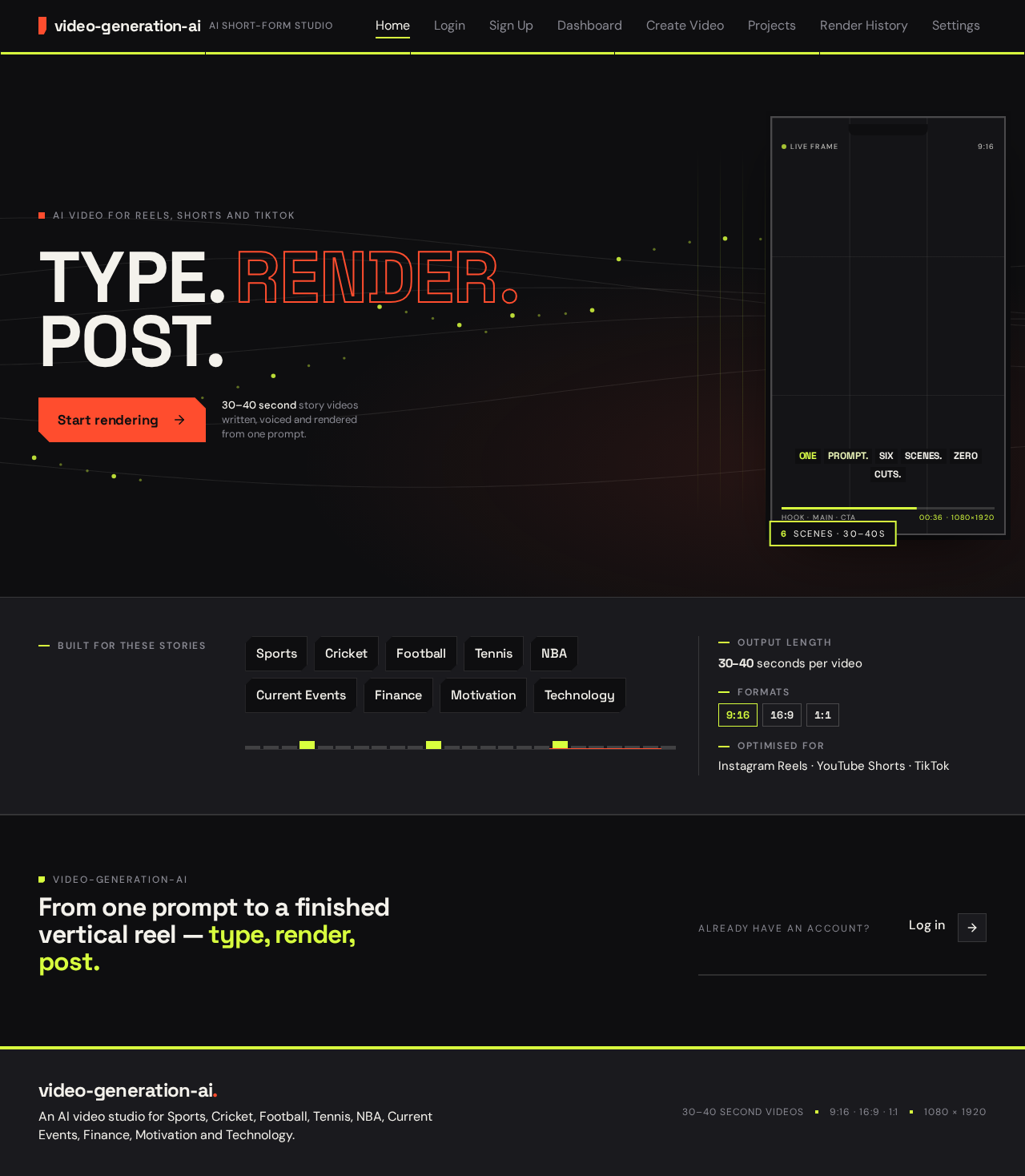
AI video for Reels, Shorts and TikTok
30–40 second story videos written, voiced and rendered from one prompt.
Built for these stories
From one prompt to a finished vertical reel — type, render, post.
AI video for Reels, Shorts and TikTok
30–40 second story videos written, voiced and rendered from one prompt.
Built for these stories
From one prompt to a finished vertical reel — type, render, post.
No comments yet. Be the first!