turbo-access
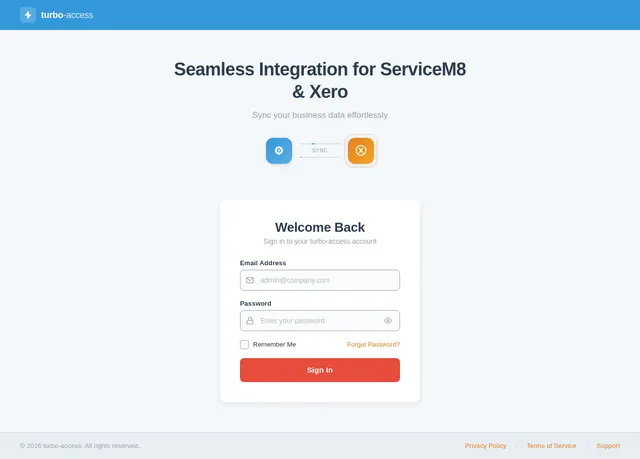
I want to create this platform with role based access which will be like Wrapper of ServiceM8 and integration of Xero on this platform. Do deep researching before building the UI and ask me questions wherever necessary.
Comments (0)
Sign in to leave a comment
System Requirements
System Requirements Document (SRD)
turbo-access
1. Introduction
The turbo-access platform is designed to serve as a role-based access system that integrates the operational workflow capabilities of ServiceM8 with the financial management features of Xero. This document outlines the system requirements for the initial phase of the project, focusing exclusively on the admin role and emphasizing seamless data exchange between the two integrated platforms.
This SRD has been tailored for the Indian market (IN), considering locale-specific defaults such as time zones (IST) and currency (INR).
2. System Overview
The turbo-access platform aims to streamline business operations by acting as a wrapper around ServiceM8 and Xero, providing a unified interface for data synchronization and management. The initial phase focuses on the admin role, enabling administrators to:
- Manage and monitor data exchange between ServiceM8 and Xero.
- View logs and reports of synchronization activities.
- Configure and manage integration settings.
The platform will adopt a modern, professional design aesthetic, ensuring ease of use and clarity for administrators.
3. Functional Requirements
- As Admin, I should be able to sync data between ServiceM8 and Xero.
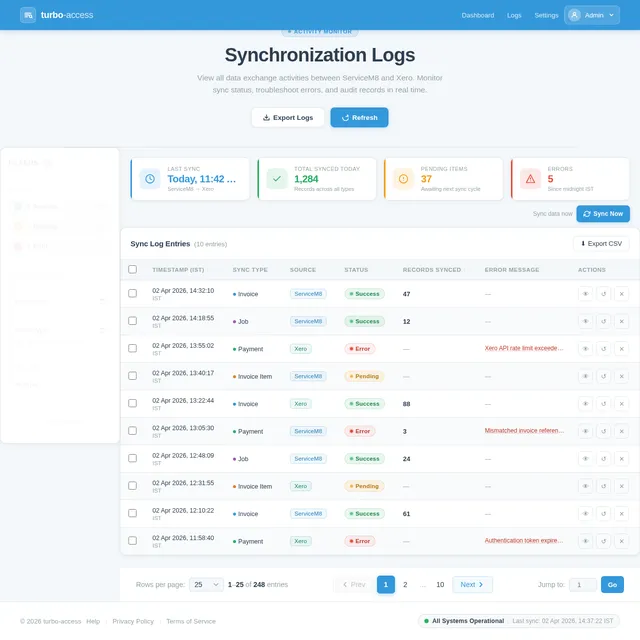
- As Admin, I should be able to view logs of all synchronization activities.
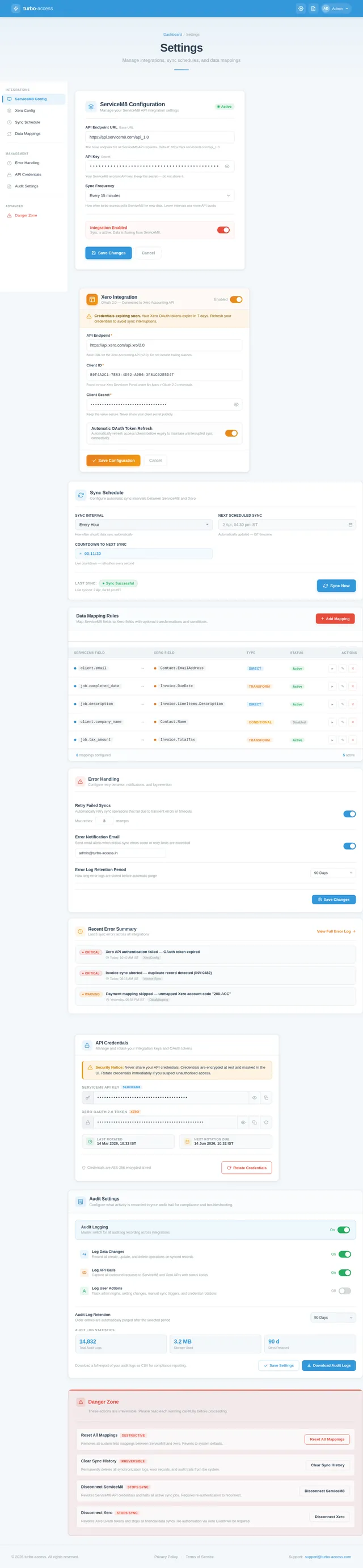
- As Admin, I should be able to configure integration settings for both ServiceM8 and Xero.
- As Admin, I should be able to monitor the status of the data exchange process.
4. User Personas
Admin
Description: The admin is the primary user of the platform in this phase. They are responsible for managing the integration between ServiceM8 and Xero, ensuring data synchronization is accurate and efficient.
Key Responsibilities:
- Configuring integration settings.
- Monitoring synchronization logs and reports.
- Troubleshooting data exchange issues.
Pain Points:
- Lack of a unified interface for managing ServiceM8 and Xero integrations.
- Difficulty in tracking synchronization errors.
5. Visuals Colors and Theme
Color Palette
The turbo-access platform will use a unique, modern color palette to reflect professionalism and clarity:
- Background:
#F4F7FA(light grayish blue for a clean, neutral backdrop). - Surface:
#FFFFFF(pure white for cards and primary surfaces). - Text:
#2C3E50(dark slate blue for high readability). - Accent:
#3498DB(vivid blue for interactive elements like buttons and links). - Muted:
#95A5A6(soft gray for secondary text and muted elements).
6. Signature Design Concept
Interactive Data Exchange Dashboard
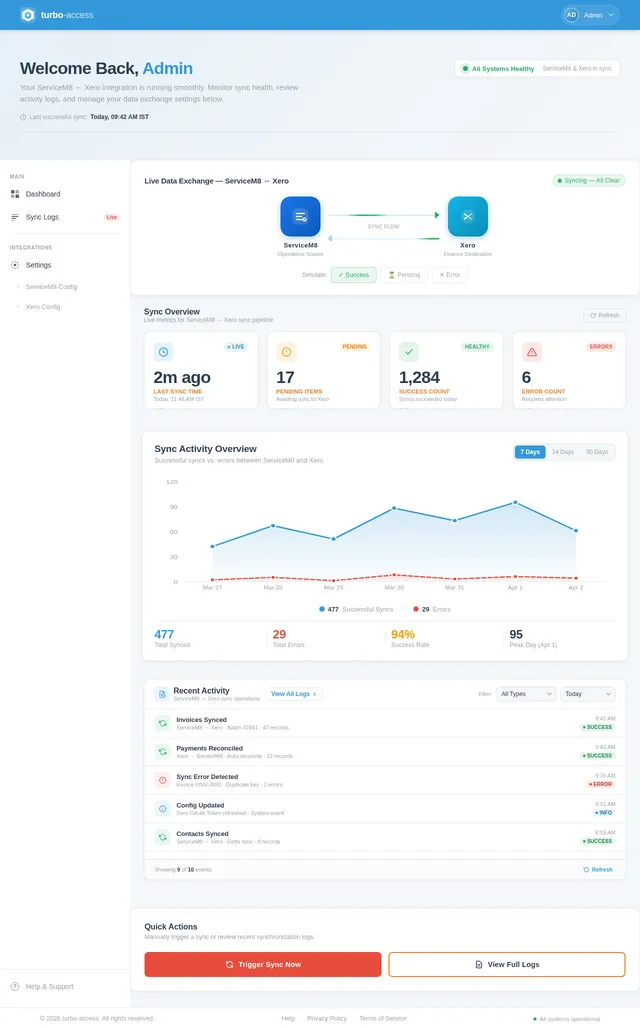
The homepage for the admin dashboard will feature an Interactive Data Exchange Dashboard that visually represents the synchronization process between ServiceM8 and Xero.
Key Features:
-
Dynamic Sync Flow Animation:
- A central animated flow diagram showing the real-time data exchange between ServiceM8 and Xero.
- Arrows and icons will light up dynamically to indicate active synchronization processes.
-
Hover-Based Insights:
- Hovering over any part of the flow diagram will display detailed tooltips with synchronization stats (e.g., "Invoices Synced: 120", "Errors: 2").
-
Interactive Cards:
- Cards representing key metrics (e.g., "Last Sync Time", "Pending Items", "Error Logs") will flip and expand when clicked, revealing more detailed information.
-
Color-Coded Status Indicators:
- Green for successful syncs, yellow for pending items, and red for errors.
-
Micro-Interactions:
- Subtle animations for button clicks, hover effects, and transitions between sections to enhance user engagement.
This bold and interactive design will make the admin dashboard visually engaging while providing critical information at a glance.
7. Non-Functional Requirements
- The system must support a minimum of 100,000 synchronization operations per day.
- The platform should load the admin dashboard within 2 seconds under normal network conditions.
- The system must comply with GDPR and Indian data protection regulations.
- The platform should be accessible on modern web browsers (Chrome, Firefox, Edge).
8. Tech Stack
Frontend
- React for Web
Backend
- Python
- FastAPI
Database
- MySQL (with Alembic for migrations)
AI Tools
- Litellm for LLM Routing
Local Orchestration
- Docker
- docker-compose
Server-Side Orchestration
- Kubernetes
9. Assumptions and Constraints
- The platform will initially support only the admin role.
- The integration will focus solely on data exchange between ServiceM8 and Xero, without additional analytics or dashboards.
- The system will operate in the Indian Standard Time (IST) timezone.
- The platform will use INR as the default currency for any financial data.
10. Glossary
- ServiceM8: A job management software for small businesses.
- Xero: A cloud-based accounting software platform.
- Data Exchange: The process of transferring data between ServiceM8 and Xero.
- Admin: The primary user role responsible for managing the platform.
- Sync Flow: The process of synchronizing data between two systems.
No comments yet. Be the first!