sky-inventory
by Sarvesh kirodiwal
For managing inventory


Comments (0)
Sign in to leave a comment
Project Tasks
33 planning tasks#1
Generate system requirement document
0m 39s0.05 cr used
Done#2
Generate personas & user flows
0m 5s0.05 cr used
Done#5
Architecture
0.05 cr needed
Paused#6
Workspace task plan
0.05 cr needed
Paused#7
Create flow for Inventory manager
0m 4sCredits in parent
Done#8
Landing
2m 32sCredits in subtasks
Done#9
Sign Up
2m 3sCredits in subtasks
Done#10
Login
2m 21sCredits in subtasks
Done#11
Inventory
2m 24sCredits in subtasks
Paused#12
New Item
2m 24sCredits in subtasks
Paused#13
Item Details
2m 24sCredits in subtasks
Paused#14
Landing / Hero
0m 25s0.85 cr used
Done#15
Landing / Start Band
0m 21s0.85 cr used
Done#16
Landing / Navigation
0m 0s0.85 cr used
Done#17
Landing / Footer
0m 1s0.85 cr used
Done#18
Navigation
0m 17sCredits in parent
Done#19
Footer
0m 16sCredits in parent
Done#20
Fix Landing: Mobile sample inventory table is broken by an unusably narrow Item column; item names…
0m 39sCredits unavailable
Done#21
Fix Landing review finding: Mobile sample inventory table is broken by an unusably…
0m 16s0 cr used
Done#22
Sign Up / Navigation Slot
0m 0s0.85 cr used
Done#23
Sign Up / Enrollment Panel
0m 56s0.85 cr used
Done#24
Sign Up / Footer Slot
0m 0s0.85 cr used
Done#25
Login / Navigation Slot
0m 0s0.85 cr used
Done#26
Login / Credential Panel
0m 41s0.85 cr used
Done#27
Login / Footer Slot
0m 0s0.85 cr used
Done#28
Inventory / Navigation Slot
0.85 cr needed
Paused#29
Inventory / Heading Band
0.85 cr needed
Paused#30
Inventory / List Panel
0.85 cr needed
Paused#31
Inventory / Footer Slot
0.85 cr needed
Paused#32
New Item / Navigation Slot
0.85 cr needed
Paused#33
New Item / Heading Band
0.85 cr needed
Paused#34
New Item / Form Panel
0.85 cr needed
Paused#35
New Item / Footer Slot
0.85 cr needed
Paused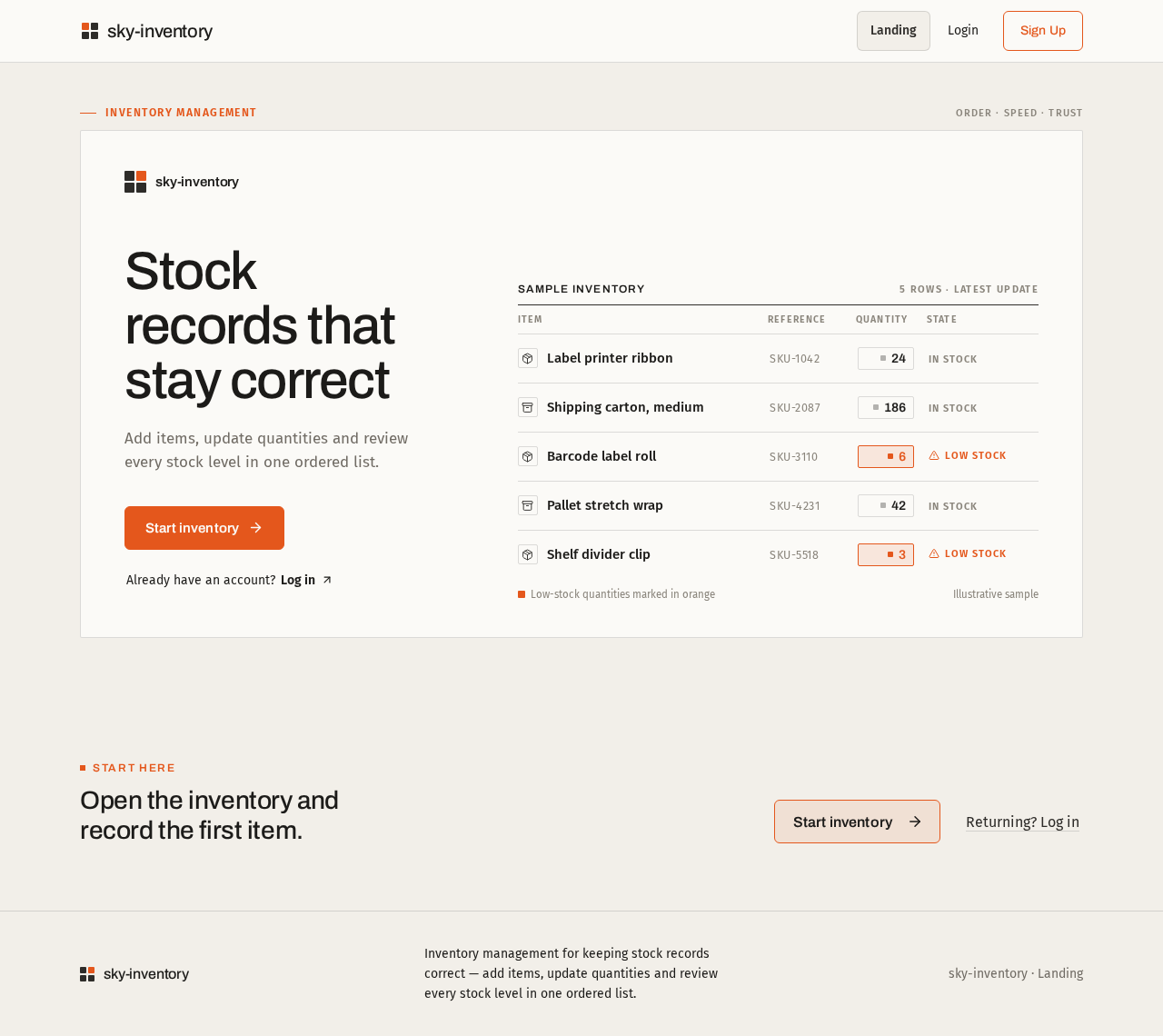
Inventory management
sky-inventory
Stock records that stay correct
Add items, update quantities and review every stock level in one ordered list.
Sample inventory5 rows · latest update
| Item | Reference | Quantity | State |
|---|---|---|---|
| Label printer ribbon | SKU-1042 | 0 | In stock |
| Shipping carton, medium | SKU-2087 | 0 | In stock |
| Barcode label roll | SKU-3110 | 0 | Low stock |
| Pallet stretch wrap | SKU-4231 | 0 | In stock |
| Shelf divider clip | SKU-5518 | 0 | Low stock |
Low-stock quantities marked in orangeIllustrative sample
Start here
Open the inventory and record the first item.
Inventory management
sky-inventory
Stock records that stay correct
Add items, update quantities and review every stock level in one ordered list.
Sample inventory5 rows · latest update
| Item | Reference | Quantity | State |
|---|---|---|---|
| Label printer ribbon | SKU-1042 | 0 | In stock |
| Shipping carton, medium | SKU-2087 | 0 | In stock |
| Barcode label roll | SKU-3110 | 0 | Low stock |
| Pallet stretch wrap | SKU-4231 | 0 | In stock |
| Shelf divider clip | SKU-5518 | 0 | Low stock |
Low-stock quantities marked in orangeIllustrative sample
Start here
No comments yet. Be the first!