sage-agent
 Shikhar Pandey
Build a agent for me who reads my emails and tells me which are improtant and are not

Comments (0)
Sign in to leave a comment
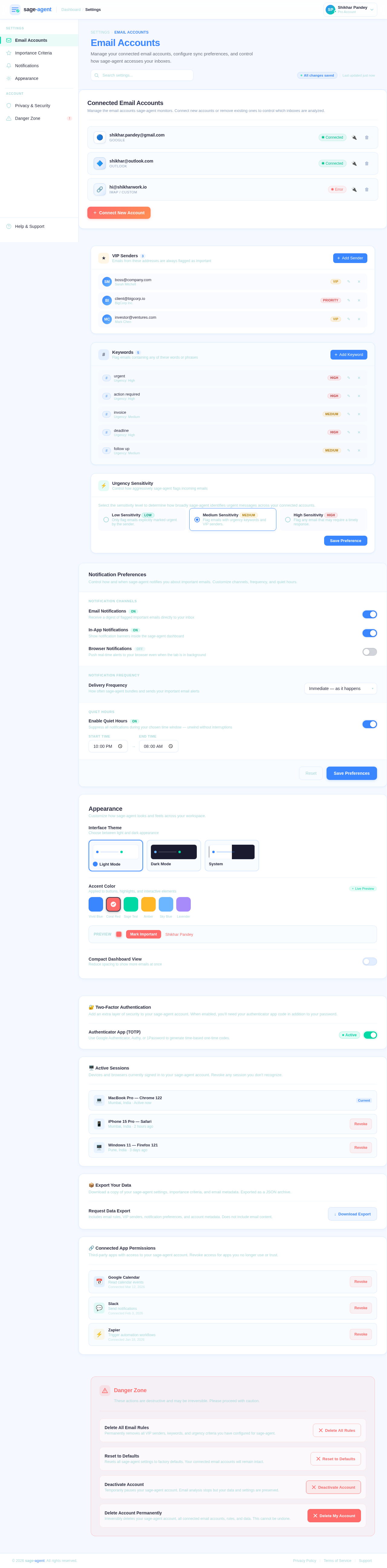
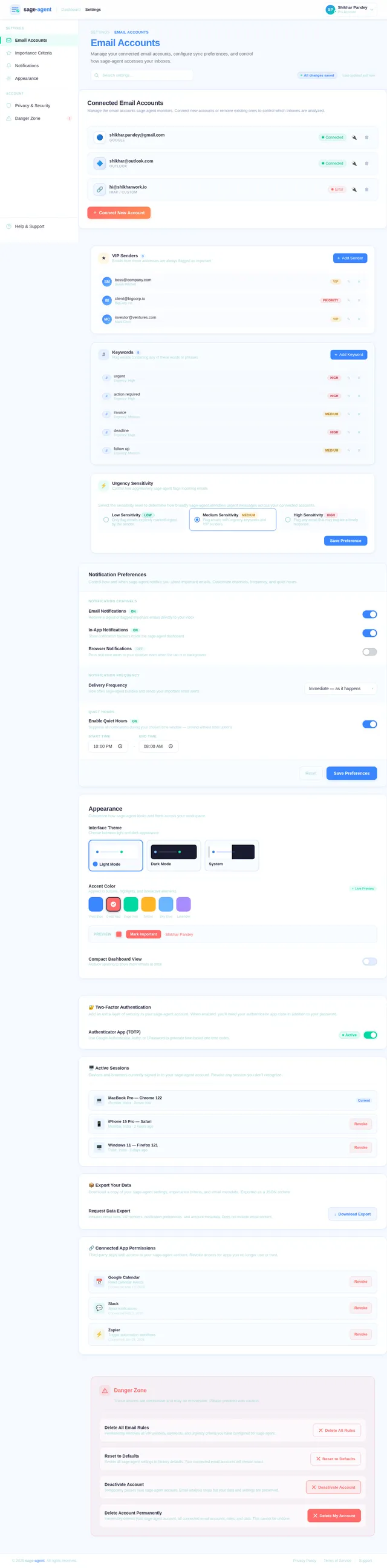
Email Accounts
Manage your connected email accounts, configure sync preferences, and control how sage-agent accesses your inboxes.
Connected Email Accounts
Manage the email accounts sage-agent monitors. Connect new accounts or remove existing ones to control which inboxes are analyzed.
VIP Senders3
Emails from these addresses are always flagged as important
- VIPSMboss@company.com
- PriorityBIclient@bigcorp.io
- VIPMCinvestor@ventures.com
Keywords5
Flag emails containing any of these words or phrases
- High#urgent
- High#action required
- Medium#invoice
- High#deadline
- Medium#follow up
Urgency Sensitivity
Control how aggressively sage-agent flags incoming emails
Select the sensitivity level to determine how broadly sage-agent identifies urgent messages across your connected accounts.
Notification Preferences
Control how and when sage-agent notifies you about important emails. Customize channels, frequency, and quiet hours.
Notification Channels
Notification Frequency
Quiet Hours
Appearance
Customize how sage-agent looks and feels across your workspace.
🔐 Two-Factor Authentication
Add an extra layer of security to your sage-agent account. When enabled, you'll need your authenticator app code in addition to your password.
🖥️ Active Sessions
Devices and browsers currently signed in to your sage-agent account. Revoke any session you don't recognize.
📦 Export Your Data
Download a copy of your sage-agent settings, importance criteria, and email metadata. Exported as a JSON archive.
🔗 Connected App Permissions
Third-party apps with access to your sage-agent account. Revoke access for apps you no longer use or trust.
Danger Zone
These actions are destructive and may be irreversible. Please proceed with caution.
Delete All Email Rules
Permanently removes all VIP senders, keywords, and urgency criteria you have configured for sage-agent.
Reset to Defaults
Resets all sage-agent settings to factory defaults. Your connected email accounts will remain intact.
Deactivate Account
Temporarily pauses your sage-agent account. Email analysis stops but your data and settings are preserved.
Delete Account Permanently
Irreversibly deletes your sage-agent account, all connected email accounts, rules, and data. This cannot be undone.
No comments yet. Be the first!