sage-agent
 Shikhar Pandey
Build a agent for me who reads my emails and tells me which are improtant and are not

Comments (0)
Sign in to leave a comment
System Requirements
System Requirements Document (SRD)
Project Name: sage-agent
1. Introduction
The sage-agent project is designed to streamline email management by identifying and prioritizing important emails for the user, Shikhar Pandey. The system will analyze emails based on sender prioritization, keywords, and urgency, ensuring that Shikhar can focus on what truly matters. The agent will notify the user about important emails through a simple dashboard or app interface.
This document outlines the system requirements for the sage-agent project, providing a comprehensive overview of its functionality, design, and technical specifications.
2. System Overview
The sage-agent system will act as an intelligent email assistant, capable of:
- Reading and analyzing emails from one or multiple email accounts.
- Determining the importance of emails based on predefined criteria such as sender, keywords, and urgency.
- Notifying the user about flagged important emails through a user-friendly dashboard or app.
The system will leverage AI models for natural language processing and prioritization, ensuring high accuracy and adaptability. It will be designed to integrate seamlessly with popular email services and provide a secure, efficient, and intuitive user experience.
3. Functional Requirements
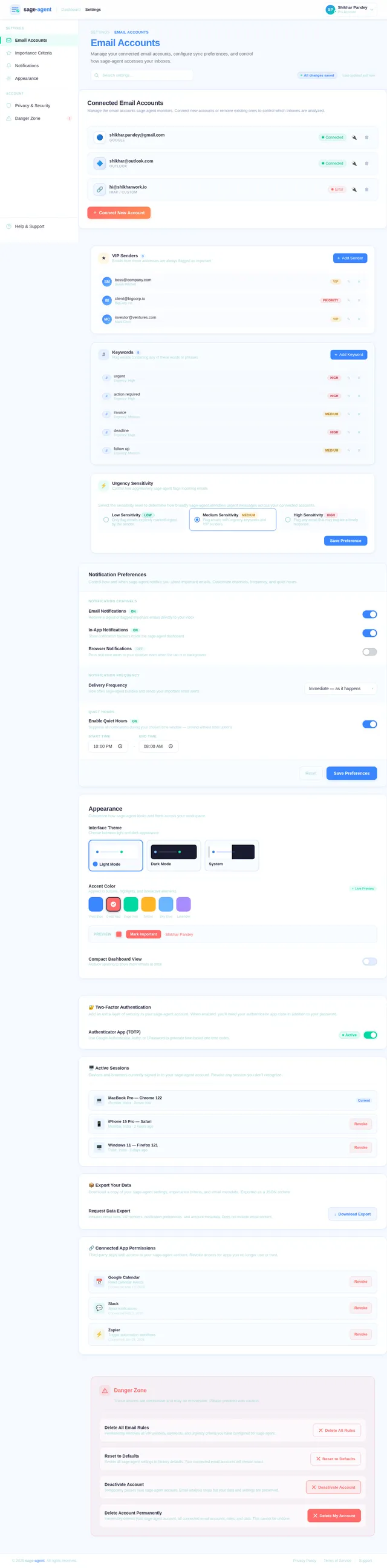
- As a User, I should be able to connect one or multiple email accounts to the sage-agent.
- As a User, I should be able to define criteria for email importance, such as specific senders, keywords, or urgency levels.
- As a User, I should be notified about important emails via a dashboard or app.
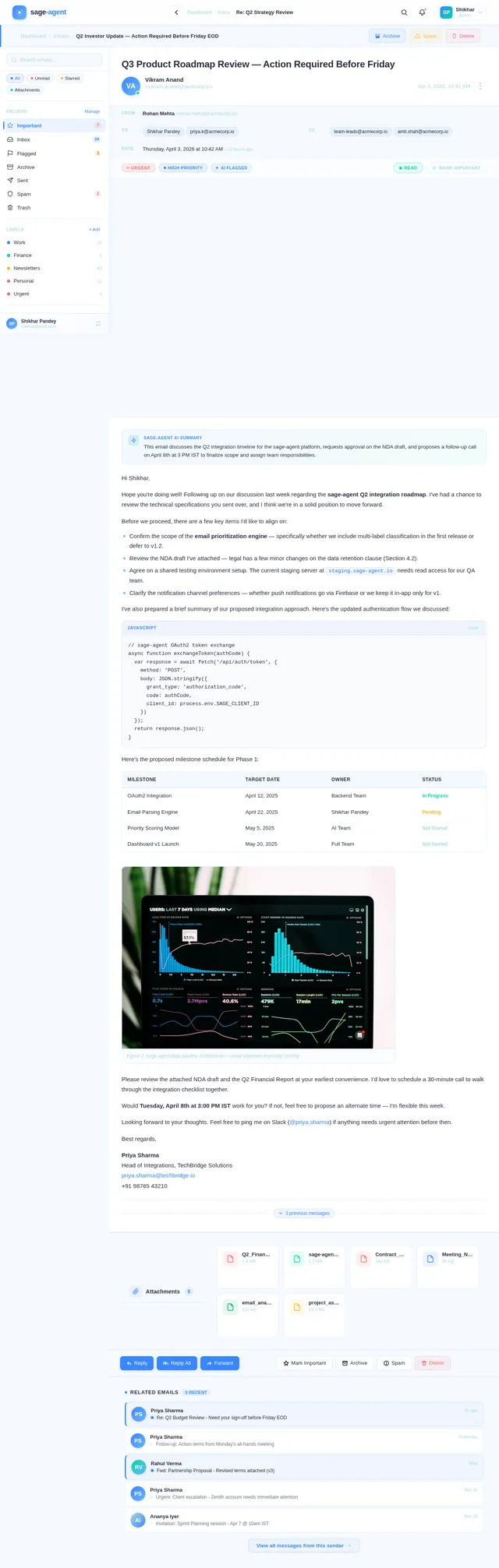
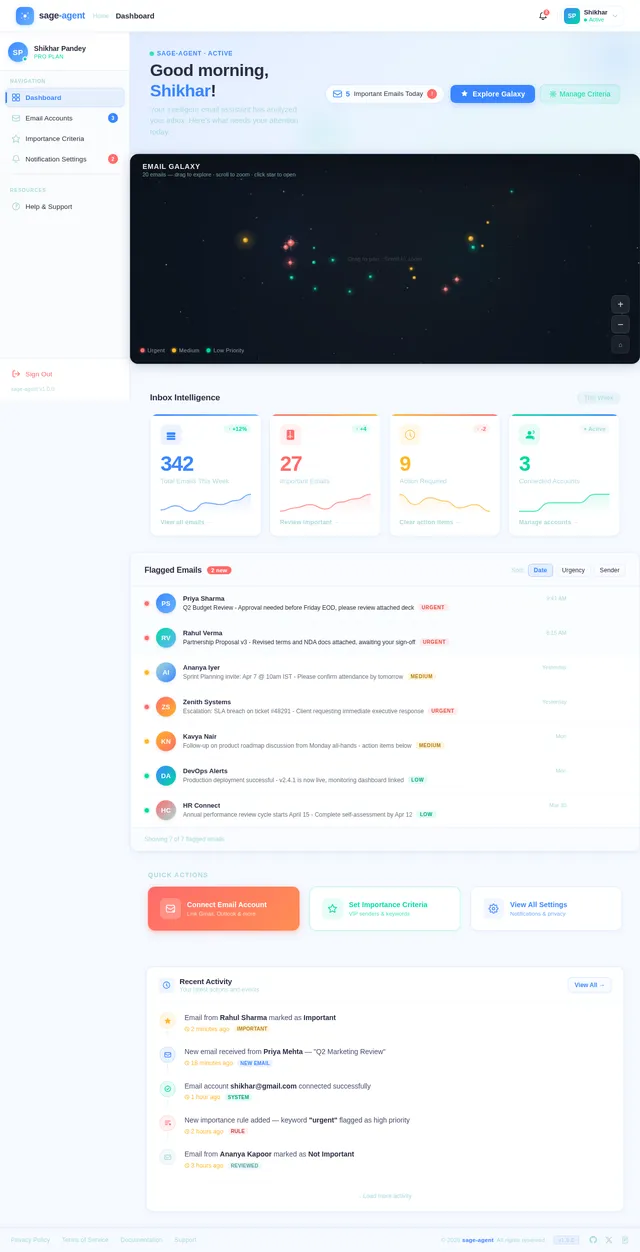
- As a User, I should be able to view a list of flagged important emails in the dashboard.
- As a User, I should be able to mark emails as important or not important to improve the agent's accuracy over time.
- As a User, I should be able to customize notification settings (e.g., frequency, channels).
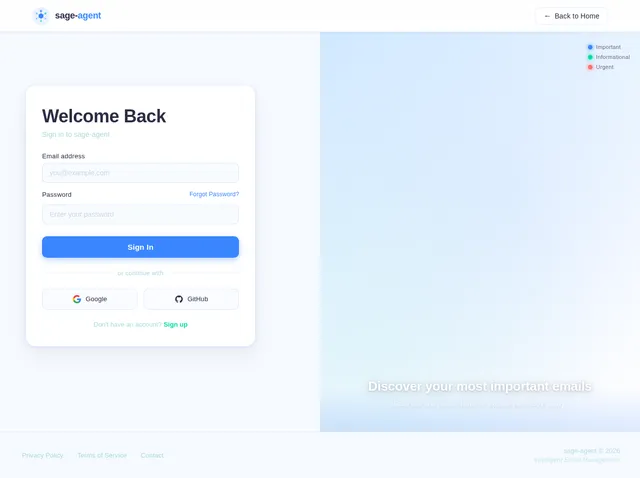
- As a User, I should be able to securely log in to the system and manage my email accounts.
4. User Personas
4.1 Primary User: Shikhar Pandey
- Role: Individual user managing multiple email accounts.
- Goals: Save time by focusing on important emails and reducing inbox clutter.
- Pain Points: Overwhelmed by a large volume of emails, difficulty identifying priority messages.
4.2 Secondary Users (Future Scope):
- Professionals: Individuals managing high volumes of emails for work.
- Small Business Owners: Users managing customer inquiries and business communications.
5. Visuals Colors and Theme
The visual design of sage-agent will focus on clarity, professionalism, and modern aesthetics. Below is the unique color palette for the project:
- Background: #F5F9FF (Soft Sky Blue)
- Surface: #FFFFFF (Pure White)
- Text: #2B2D42 (Deep Charcoal)
- Accent: #3A86FF (Vivid Blue)
- Muted: #A8DADC (Soft Teal)
This palette ensures a clean and calming interface, promoting focus and ease of use.
6. Signature Design Concept
The sage-agent homepage will feature an interactive email galaxy. Users will be greeted with a dynamic, 3D visualization of their email inbox as a constellation of stars. Each star represents an email, with brighter and larger stars indicating higher priority messages.
Key Features:
- Hover Interaction: Hovering over a star reveals a preview of the email's subject and sender.
- Zoom and Pan: Users can zoom in and pan across the galaxy to explore their inbox visually.
- Color Coding: Stars are color-coded based on urgency and importance (e.g., red for urgent, green for informational).
- Micro-Animations: Subtle animations, such as twinkling stars and smooth transitions, create a captivating experience.
This design concept not only makes email management visually engaging but also provides an intuitive way to identify important messages at a glance.
7. Non-Functional Requirements
- Performance: The system should process and analyze emails within 2 seconds of retrieval.
- Scalability: The system should support up to 5 email accounts per user.
- Security: All email data must be encrypted during transmission and storage.
- Availability: The system should maintain 99.9% uptime.
- Usability: The dashboard should be intuitive and require minimal training.
8. Tech Stack
Frontend:
- React for Web
Backend:
- Python
- FastAPI
Database:
- MySQL (with Alembic for migrations)
AI Models:
- GPT 5.4 for user-friendly responses
- Claude 4.6 Opas for email prioritization logic
- Gemini 3.1 Pro for friendly notifications
AI Tools:
- Langchain
- Litellm for LLM Routing
Orchestration:
- Docker
- Kubernetes
9. Assumptions and Constraints
Assumptions:
- Users will have active email accounts with IMAP/SMTP access.
- Users will provide consent for the system to access and analyze their emails.
Constraints:
- The system must comply with data privacy regulations, including GDPR and India’s IT Act.
- The system must operate within a limited budget for initial deployment.
10. Glossary
- IMAP/SMTP: Protocols used for email retrieval and sending.
- LLM (Large Language Model): AI models trained on vast datasets for natural language understanding.
- Dashboard: A user interface that provides an overview of important emails and system settings.
- Encryption: The process of encoding data to protect it from unauthorized access.

Intelligent Email Management
Powered by Sage
Discover your most important emails at a glance. sage-agent analyzes your inbox as a visual galaxy, so you can focus on what truly matters.
Each star represents an email in your inbox. Brighter and larger stars indicate higher priority messages. Hover to preview, drag to pan, and use controls to zoom — explore your inbox like never before.
Focus on What Truly Matters
Three core pillars power sage-agent, turning inbox chaos into clarity and giving you back the time you deserve.
Smart Prioritization
AI-driven analysis surfaces the emails that matter most, so you never miss a beat.
- AI learns your patterns and ranks emails by true urgency
- Sender reputation scoring highlights trusted contacts
- Keyword and context analysis cuts through the noise
Seamless Integration
Connect multiple email accounts in seconds and manage everything from one unified dashboard.
- One-click setup for Gmail, Outlook, and IMAP accounts
- Unified inbox consolidates all your messages
- Custom notification channels keep you in the loop
Your Data, Secured
Enterprise-grade encryption and privacy-first architecture ensure your emails stay yours.
- End-to-end encryption protects every message
- Zero-knowledge architecture means we never read your data
- GDPR and IT Act compliant by design
Everything You Need to Tame Your Inbox
Sage-agent combines intelligent prioritization, real-time alerts, and adaptive learning to put you back in control of your email.
Multi-Account Support
Connect and manage multiple email accounts from one unified dashboard. Stay on top of every inbox without switching tabs.
Custom Criteria Definition
Define your own rules for email importance based on senders, keywords, urgency levels, and more. Your priorities, your way.
Real-Time Notifications
Get instantly alerted when high-priority emails arrive. Customize notification frequency and delivery channels to suit your workflow.
Dashboard Analytics
Visualize email patterns with an intuitive analytics dashboard. Track response times, email volume, and priority distribution at a glance.
AI-Powered Learning
Mark emails as important or not to train the agent over time. Sage-agent adapts to your preferences and gets smarter with every interaction.
Privacy-First Design
Your data stays yours. Built with end-to-end encryption and zero-knowledge architecture, fully compliant with GDPR and IT Act standards.
How It Works
From inbox chaos to clarity in four simple steps. sage-agent handles the complexity so you can focus on what matters.
Connect Your Email
Link one or multiple email accounts securely to sage-agent in just a few clicks.
Define Your Criteria
Set custom rules for priority senders, keywords, and urgency levels that matter to you.
AI Analyzes Your Inbox
Our intelligent agent reads and ranks every email, learning from your preferences over time.
Get Notified Instantly
Receive real-time alerts for important emails on your dashboard or preferred channel.
Built for Real People, Real Needs
sage-agent is designed around actual user needs — starting with our primary user and expanding to serve professionals and business owners.
Shikhar Pandey
Individual user managing multiple email accounts
Goals
- Save time by focusing on important emails
- Reduce inbox clutter with smart prioritization
- Get real-time notifications for urgent messages
Pain Points
- Overwhelmed by a large volume of emails daily
- Difficulty identifying priority messages quickly
The Professional
Individuals managing high volumes of work emails
Goals
- Streamline communication across teams
- Never miss critical client or stakeholder emails
- Integrate seamlessly with existing work tools
Pain Points
- Hours lost sorting through hundreds of daily emails
- Important messages buried under newsletters and CC chains
Small Business Owner
Managing customer inquiries and business communications
Goals
- Respond to customer inquiries faster
- Track important vendor and partner emails
- Maintain organized communications at scale
Pain Points
- Customer emails lost among marketing and spam
- No easy way to prioritize business-critical messages
Your Data Privacy Is Our Top Priority
sage-agent is built with privacy at its core. Fully compliant with GDPR and India’s IT Act, we ensure your email data is protected with enterprise-grade security so you can focus on what matters.
End-to-End Encryption
All email data is encrypted in transit and at rest using AES-256. Your messages remain private from source to destination.
Zero-Knowledge Architecture
sage-agent never stores your email content in plain text. Even our team cannot access your data.
Regular Security Audits
Independent third-party audits and penetration testing ensure our infrastructure meets the highest standards.
See Sage-Agent in Action
Explore the key interfaces that make email management effortless, intelligent, and visually captivating.
Smart Dashboard
View prioritized emails at a glance with real-time analytics and AI-powered insights.
Email Galaxy
Explore your inbox as an interactive constellation where every star is an email.
Customizable Settings
Connect multiple accounts and fine-tune your notification and priority criteria.
Trusted by Professionals Everywhere
See how sage-agent helps teams and individuals reclaim their inbox and boost productivity.
sage-agent completely transformed how I handle my inbox. The email galaxy visualization makes it effortless to spot urgent messages across all my accounts. I save at least an hour every day.
Managing customer emails used to be overwhelming. With sage-agent, the AI-powered prioritization catches critical client messages instantly. My response time dropped from hours to minutes.
The smart keyword detection and sender prioritization are spot-on. I connected three work accounts and sage-agent learned my preferences within a week. Genuinely game-changing.
I was drowning in supplier and customer emails every morning. sage-agent surfaces exactly what matters first. The notification customization means I only get pinged for truly urgent items.
Ready to Tame Your Inbox?
Join thousands of professionals who save hours each week with sage-agent's intelligent email prioritization. Let your inbox work for you.
No credit card required. Free for 14 days.
No comments yet. Be the first!