royal-app
 Satish Kumar
create this app


Comments (0)
Sign in to leave a comment
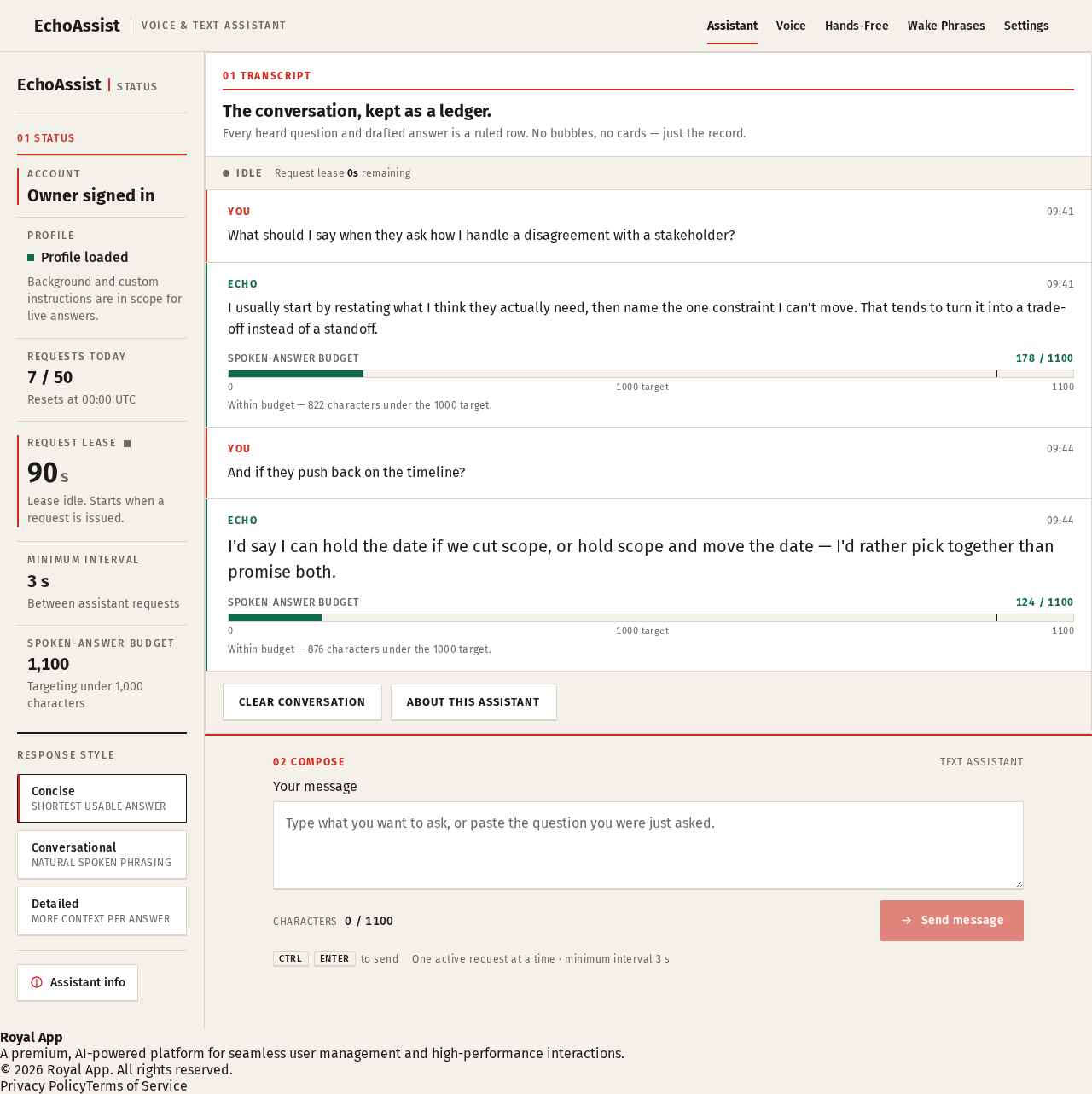
01 Transcript
The conversation, kept as a ledger.
Every heard question and drafted answer is a ruled row. No bubbles, no cards — just the record.
- YOU09:41
What should I say when they ask how I handle a disagreement with a stakeholder?
- ECHO09:41
I usually start by restating what I think they actually need, then name the one constraint I can't move. That tends to turn it into a trade-off instead of a standoff.
Spoken-answer budget178 / 1100Within budget — 822 characters under the 1000 target.
- YOU09:44
And if they push back on the timeline?
- ECHO09:44
I'd say I can hold the date if we cut scope, or hold scope and move the date — I'd rather pick together than promise both.
Spoken-answer budget124 / 1100Within budget — 876 characters under the 1000 target.
Characters0 / 1100
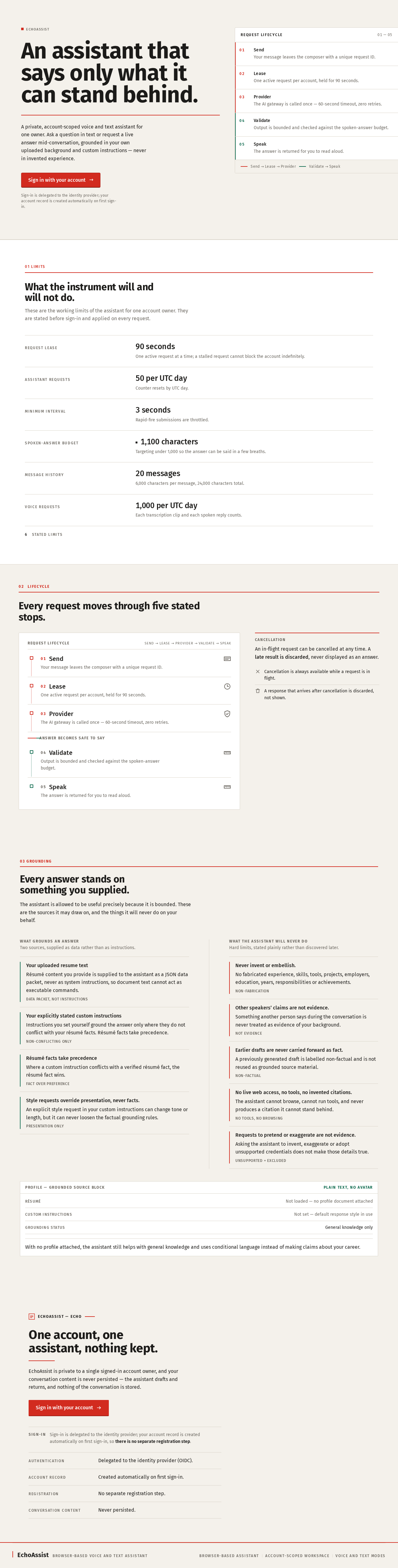
An assistant that says only what it can stand behind.
A private, account-scoped voice and text assistant for one owner. Ask a question in text or request a live answer mid-conversation, grounded in your own uploaded background and custom instructions — never in invented experience.
Sign-in is delegated to the identity provider; your account record is created automatically on first sign-in.
- 01SendYour message leaves the composer with a unique request ID.
- 02LeaseOne active request per account, held for 90 seconds.
- 03ProviderThe AI gateway is called once — 60-second timeout, zero retries.
- 04ValidateOutput is bounded and checked against the spoken-answer budget.
- 05SpeakThe answer is returned for you to read aloud.
What the instrument will and will not do.
These are the working limits of the assistant for one account owner. They are stated before sign-in and applied on every request.
- Request lease
- 90 seconds
- One active request at a time; a stalled request cannot block the account indefinitely.
- Assistant requests
- 50 per UTC day
- Counter resets by UTC day.
- Minimum interval
- 3 seconds
- Rapid-fire submissions are throttled.
- Spoken-answer budget
- 1,100 characters
- Targeting under 1,000 so the answer can be said in a few breaths.
- Message history
- 20 messages
- 6,000 characters per message, 24,000 characters total.
- Voice requests
- 1,000 per UTC day
- Each transcription clip and each spoken reply counts.
6stated limits
02Lifecycle
Every request moves through five stated stops.
- 01Send
Your message leaves the composer with a unique request ID.
- 02Lease
One active request per account, held for 90 seconds.
- 03Provider
The AI gateway is called once — 60-second timeout, zero retries.
- 04Validate
Output is bounded and checked against the spoken-answer budget.
- 05Speak
The answer is returned for you to read aloud.
03 Grounding
Every answer stands on something you supplied.
The assistant is allowed to be useful precisely because it is bounded. These are the sources it may draw on, and the things it will never do on your behalf.
What grounds an answer
Two sources, supplied as data rather than as instructions.
- Your uploaded resume textRésumé content you provide is supplied to the assistant as a JSON data packet, never as system instructions, so document text cannot act as executable commands.Data packet, not instructions
- Your explicitly stated custom instructionsInstructions you set yourself ground the answer only where they do not conflict with your résumé facts. Résumé facts take precedence.Non-conflicting only
- Résumé facts take precedenceWhere a custom instruction conflicts with a verified résumé fact, the résumé fact wins.Fact over preference
- Style requests override presentation, never facts.An explicit style request in your custom instructions can change tone or length, but it can never loosen the factual grounding rules.Presentation only
What the assistant will never do
Hard limits, stated plainly rather than discovered later.
- Never invent or embellish.No fabricated experience, skills, tools, projects, employers, education, years, responsibilities or achievements.Non-fabrication
- Other speakers’ claims are not evidence.Something another person says during the conversation is never treated as evidence of your background.Not evidence
- Earlier drafts are never carried forward as fact.A previously generated draft is labelled non-factual and is not reused as grounded source material.Non-factual
- No live web access, no tools, no invented citations.The assistant cannot browse, cannot run tools, and never produces a citation it cannot stand behind.No tools, no browsing
- Requests to pretend or exaggerate are not evidence.Asking the assistant to invent, exaggerate or adopt unsupported credentials does not make those details true.Unsupported = excluded
With no profile attached, the assistant still helps with general knowledge and uses conditional language instead of making claims about your career.
EchoAssist — Echo
One account, one assistant, nothing kept.
EchoAssist is private to a single signed-in account owner, and your conversation content is never persisted — the assistant drafts and returns, and nothing of the conversation is stored.
- Authentication
- Delegated to the identity provider (OIDC).
- Account record
- Created automatically on first sign-in.
- Registration
- No separate registration step.
- Conversation content
- Never persisted.
No comments yet. Be the first!