purple-mainactivity
 Kawsar Alam
public class MainActivity extends AppCompatActivity { private RtmpCamera1 rtmpCamera1; private Button btnStart; private String youtubeUrl = "rtmp://a.rtmp.youtube.com/live2/YOUR_KEY"; private String facebookUrl = "rtmp://live-api-s.facebook.com:80/rtmp/YOUR_KEY"; @Override protected void onCreate(Bundle savedInstanceState) { super.onCreate(savedInstanceState); setContentView(R.layout.activity_main); SurfaceView surfaceView = findViewById(R.id.surfaceView); btnStart = findViewById(R.id.btnStart); rtmpCamera1 = new RtmpCamera1(surfaceView, connectCheckerRtmp); btnStart.setOnClickListener(v -> { if (!rtmpCamera1.isStreaming()) { if (rtmpCamera1.prepareAudio() && rtmpCamera1.prepareVideo()) { // Start streaming (example: YouTube) rtmpCamera1.startStream(youtubeUrl); } } else { rtmpCamera1.stopStream(); } }); } private ConnectCheckerRtmp connectCheckerRtmp = new ConnectCheckerRtmp() { @Override public void onConnectionSuccessRtmp() { runOnUiThread(() -> Toast.makeText(MainActivity.this, "Live Started", Toast.LENGTH_SHORT).show()); } @Override public void onConnectionFailedRtmp(String reason) {} @Override public void onDisconnectRtmp() {} @Override public void onAuthErrorRtmp() {} @Override public void onAuthSuccessRtmp() {} }; }
Comments (0)
Sign in to leave a comment
System Requirements
System Requirements Document (SRD) for purple-mainactivity
1. Introduction
The purple-mainactivity project is a live-streaming application designed to enable users to broadcast video content to platforms like YouTube and Facebook using RTMP (Real-Time Messaging Protocol). This document outlines the functional and non-functional requirements, user personas, design concepts, and technical specifications for the project. The application is tailored for users in the UAE (AE) region, ensuring compatibility with local preferences and standards.
2. System Overview
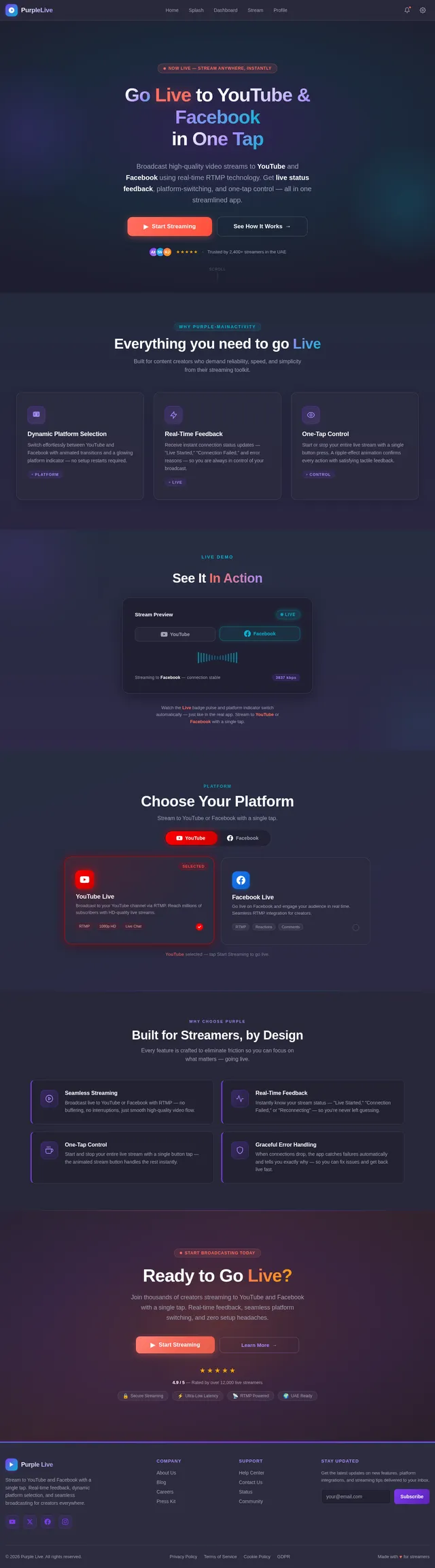
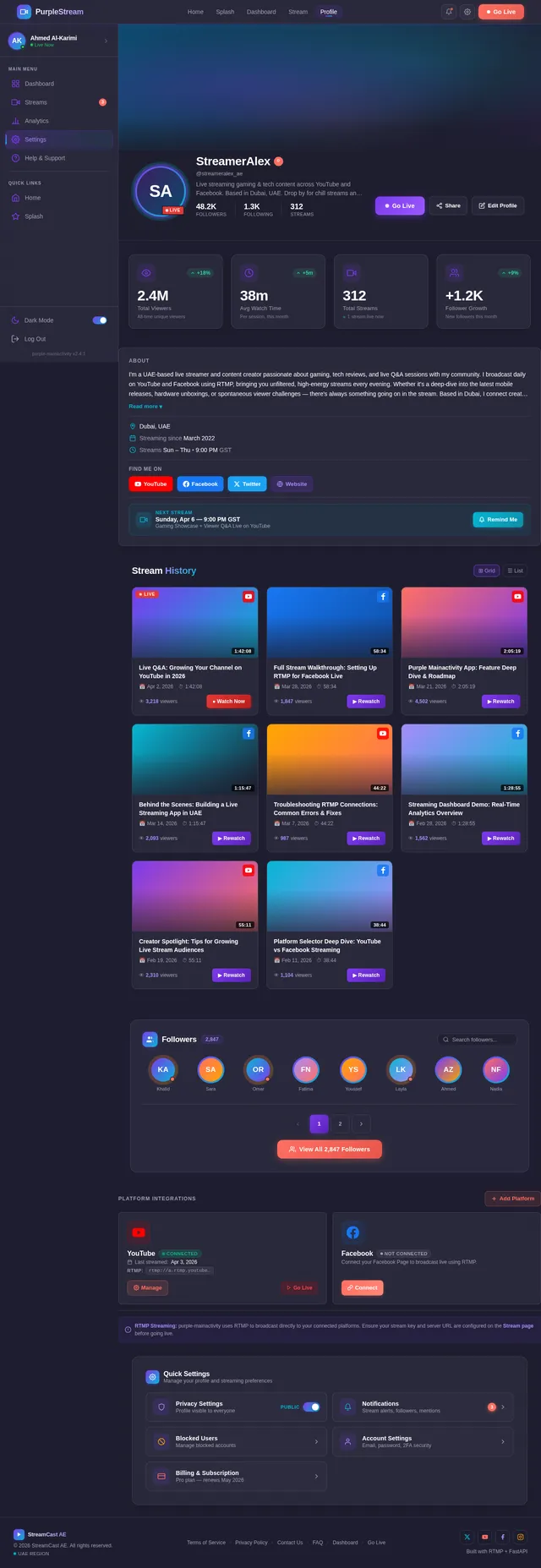
The purple-mainactivity application provides a seamless interface for live streaming. Users can select their preferred streaming platform (YouTube or Facebook), start and stop streams with a single button, and receive real-time feedback on the connection status. The system is built with a focus on simplicity, reliability, and user experience, leveraging modern technologies like React Native for mobile development and FastAPI for backend services.
Key features include:
- Dynamic platform selection for streaming.
- Real-time feedback on connection status.
- Graceful handling of connection failures.
- Integration with RTMP for high-quality video streaming.
3. Functional Requirements
- As a User, I should be able to select the streaming platform (YouTube or Facebook) dynamically.
- As a User, I should be able to start and stop live streaming with a single button.
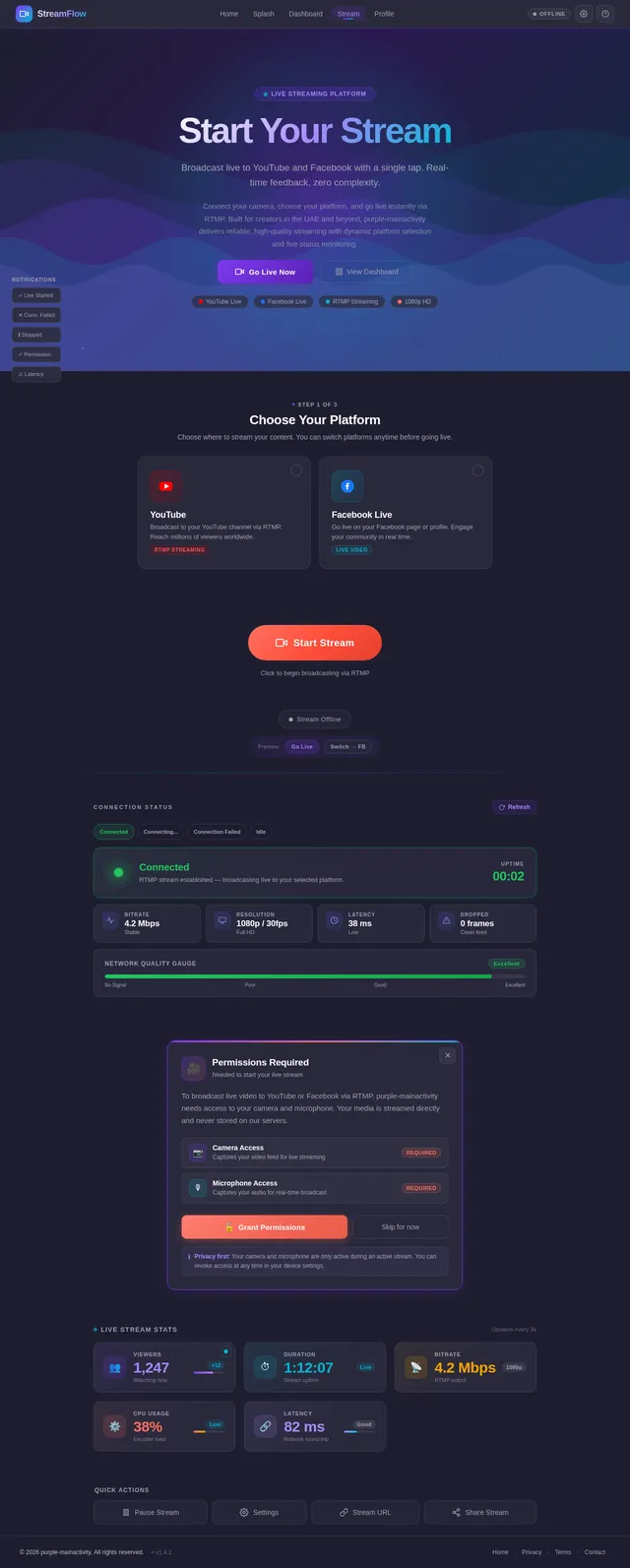
- As a User, I should receive real-time feedback on the connection status (e.g., "Live Started," "Connection Failed").
- As a User, I should be notified if the connection fails and be provided with the reason for failure.
- As a User, I should be prompted to grant camera and microphone permissions at runtime.
- As a User, I should see a live status indicator in the UI when streaming is active.
4. User Personas
4.1 Streamer
- Description: A content creator who wants to broadcast live video to platforms like YouTube and Facebook.
- Goals: Seamless streaming experience, real-time feedback, and platform flexibility.
- Pain Points: Connection failures, complex setup processes, and lack of feedback during streaming.
4.2 Viewer (Future Scope)
- Description: A user who might want to view live streams directly within the app (future feature).
- Goals: High-quality video playback and easy navigation.
- Pain Points: Buffering, low video quality, and lack of interaction options.
5. Visuals Colors and Theme
The purple-mainactivity project adopts a vibrant and modern color palette to reflect creativity and energy. The colors are designed to enhance readability and provide a visually appealing interface.
| Element | Hex Code | Description |
|---|---|---|
| Background | #1E1E2F | A deep purple for a sleek look. |
| Surface | #2C2C3E | A slightly lighter purple for cards and panels. |
| Text | #FFFFFF | Crisp white for maximum readability. |
| Accent | #FF6F61 | A bold coral for buttons and highlights. |
| Muted | #A1A1B5 | A soft gray-purple for secondary text. |
6. Signature Design Concept
Interactive Streaming Dashboard with Dynamic Animations
The home screen of the purple-mainactivity app will feature an interactive streaming dashboard. The design will include:
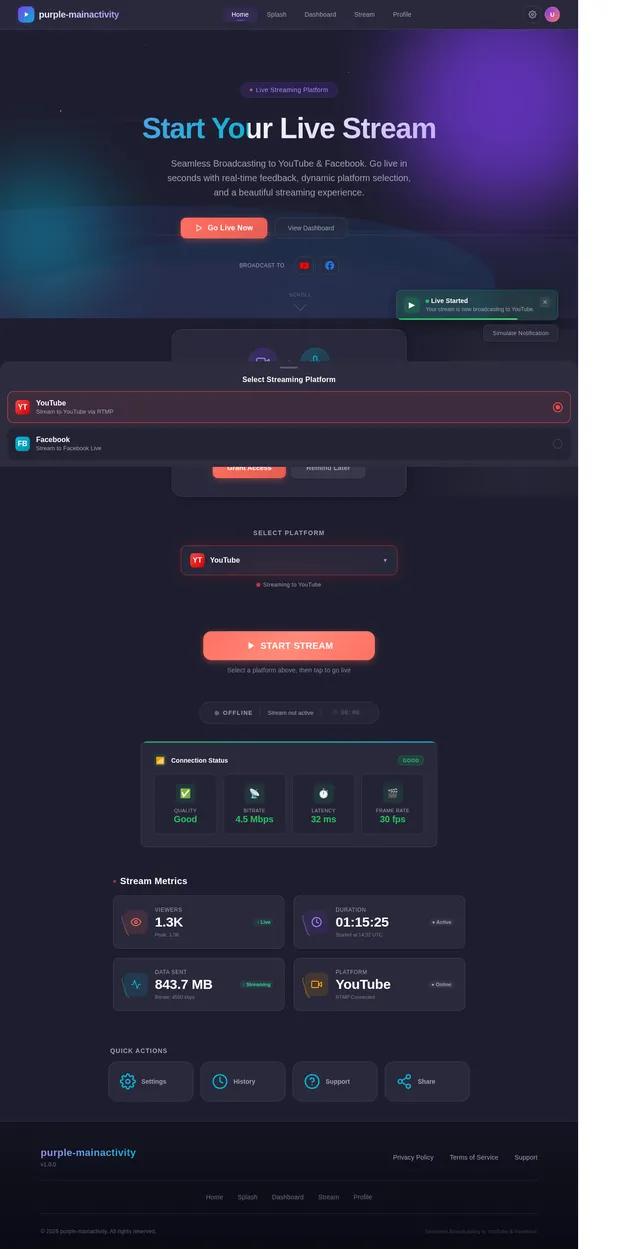
- Dynamic Platform Selector: A dropdown menu with animated transitions that visually highlight the selected platform (e.g., a glowing YouTube or Facebook logo).
- Live Status Indicator: A pulsating "Live" badge that changes color and size when streaming starts, providing a visual cue to the user.
- Animated Stream Button: The "Start/Stop Stream" button will have a ripple effect animation when pressed, giving tactile feedback.
- Background Animation: A subtle, looping animation of streaming waves (representing data flow) in the background, which changes color based on the selected platform (red for YouTube, blue for Facebook).
- Toast Notifications: Real-time notifications with slide-in animations for connection status updates (e.g., "Live Started," "Connection Failed").
This design ensures that the app is not only functional but also visually engaging, leaving a lasting impression on users.
7. Non-Functional Requirements
- The app must maintain a streaming latency of less than 2 seconds.
- The UI should load within 2 seconds on devices with 4GB RAM or higher.
- The system should handle up to 10,000 concurrent users without performance degradation.
- The app must comply with UAE data privacy regulations.
- The system should support Android 8.0 (Oreo) and above.
8. Tech Stack
Frontend
- React Native for mobile app development.
Backend
- Python with FastAPI for API development.
Database
- MySQL for relational data storage, using Alembic for migrations.
AI Models
- GPT 5.4 for user-friendly responses.
AI Tools
- LangChain for AI workflow orchestration.
Local Orchestration
- Docker and docker-compose for containerization.
9. Assumptions and Constraints
Assumptions
- Users have stable internet connections for live streaming.
- Users will grant camera and microphone permissions when prompted.
- The app will primarily target Android devices in the UAE.
Constraints
- The app must adhere to RTMP protocol limitations.
- The system must handle platform-specific streaming requirements (e.g., YouTube and Facebook).
10. Glossary
- RTMP: Real-Time Messaging Protocol, used for streaming audio, video, and data over the internet.
- FastAPI: A modern web framework for building APIs with Python.
- React Native: A framework for building mobile applications using React.
- Alembic: A lightweight database migration tool for Python.
- Docker: A platform for developing, shipping, and running applications in containers.
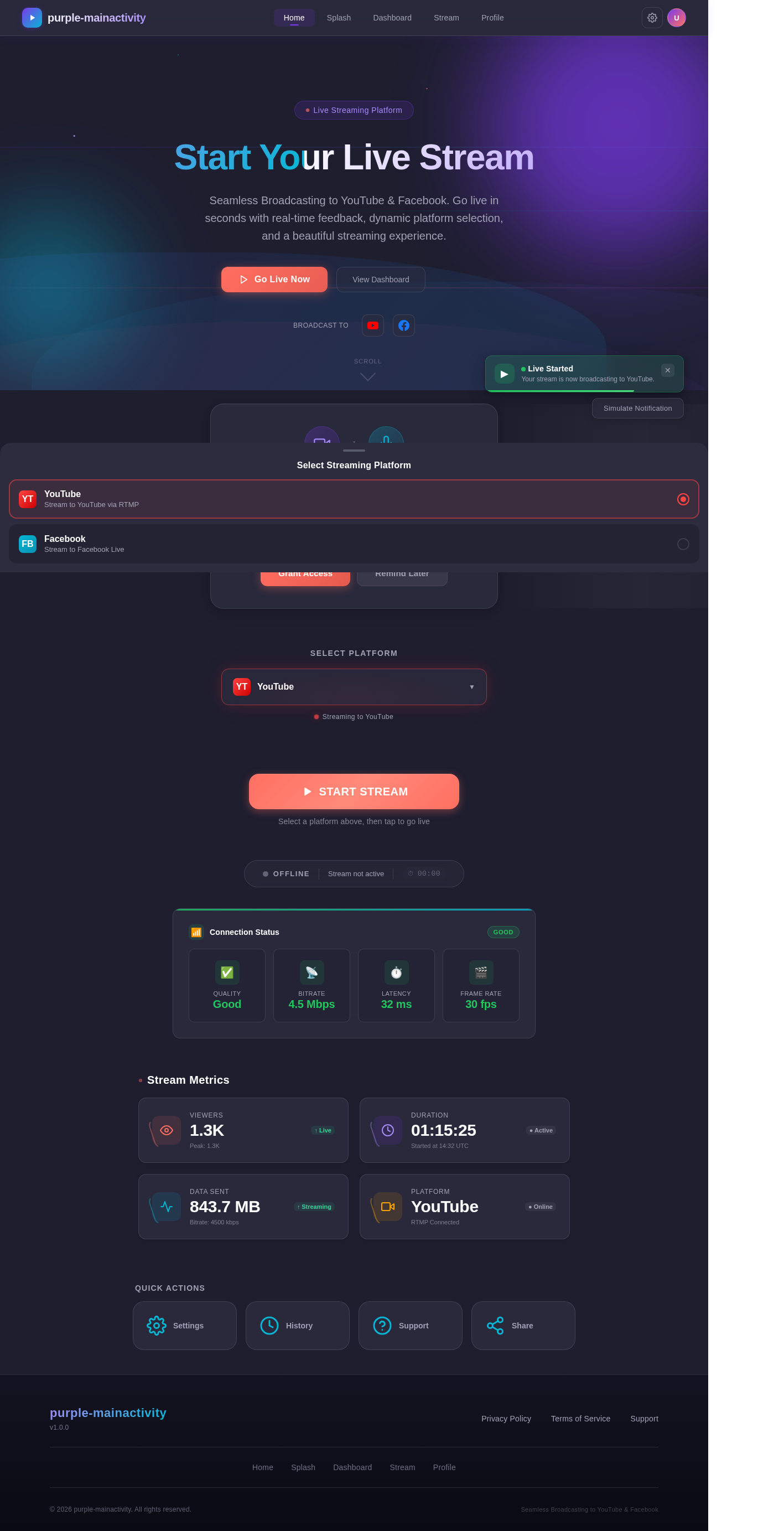
Start Your Live Stream
Seamless Broadcasting to YouTube & Facebook. Go live in seconds with real-time feedback, dynamic platform selection, and a beautiful streaming experience.
Camera & Microphone Access
To start your live stream on YouTube or Facebook, we need access to your camera and microphone. Your privacy is important — permissions are only used during active broadcasts.
Quick Actions
No comments yet. Be the first!