الكاشير
أمين الصندوق / المبيعات
تشغيل البيع اليومي على الطاولة بإيقاع سريع وواجهة هادئة.
- إصدار الفواتير وتحصيل المدفوعات
- بحث سريع عن الدواء وإضافته إلى السلة
 Ismail
Role & Task: Act as a Senior UI/UX Designer and Lead Desktop Developer. Create a modern, fully functional Desktop Pharmacy Management Application using Electron.js with HTML, CSS (Tailwind CSS or custom CSS), and JavaScript/React. Language & Typography: Language: Arabic (RTL layout support dir="rtl"). Font: Clean, elegant, and highly legible modern Arabic font (e.g., Cairo, Tajawal, or IBM Plex Sans Arabic). Visual Design & Aesthetics: Color Palette: Professional medical theme featuring soft shades of Emerald Green and Ocean Blue combined with clean white/light-gray backgrounds. UI Style: Apple-inspired design language (macOS/iOS style). Feature rounded corners (squircle shapes, border-radius: 16px to 24px), subtle drop shadows, translucent glassmorphism effects, and smooth micro-interactions/transitions. Core Features & Layout: Sidebar Navigation: Collapsible sidebar with Apple-style rounded icons for quick access to: Dashboard (Overview & Analytics) Inventory / Drug Stock (إدارة الأدوية والمخزون) Point of Sale / POS (مبيعات وفواتير) Supplier Management (إدارة الموردين) Expiry & Low-Stock Alerts (تنبيهات الصلاحية والنقص) Reports & Sales History (التقارير والمبيعات) Dashboard Overview: Stat cards with rounded edges showing daily sales, expiring medicines, low stock counts, and total inventory value. POS Section: Quick search bar for medicines, easy cart addition, discount calculation, and print invoice button. Technical Requirements: Provide the setup for Electron.js (main.js, index.html, and styles.css). Smooth state transitions and fluid UI animations. Fully responsive layout optimized for desktop screen sizes.


Sign in to leave a comment
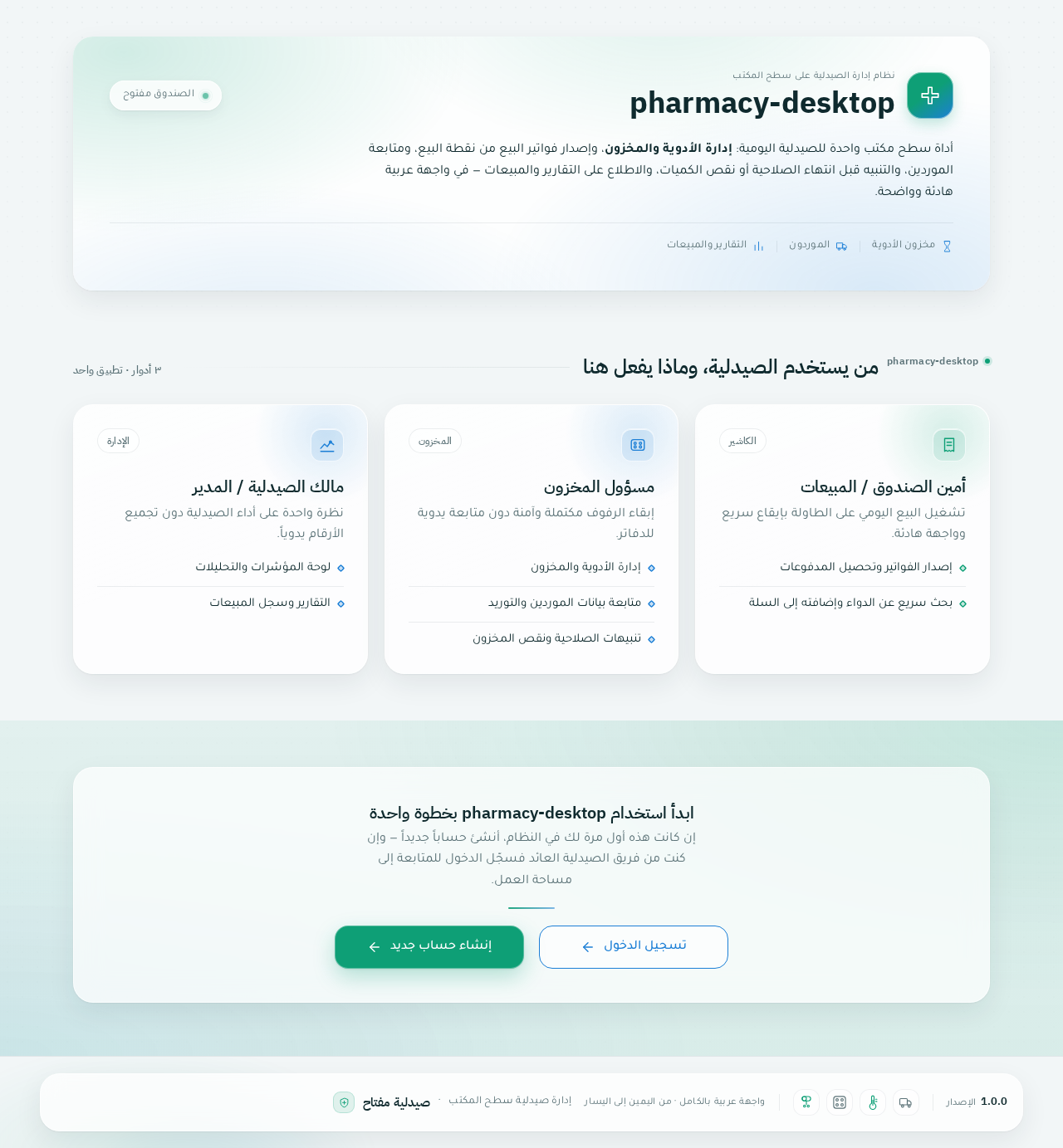
أداة سطح مكتب واحدة للصيدلية اليومية: إدارة الأدوية والمخزون، وإصدار فواتير البيع من نقطة البيع، ومتابعة الموردين، والتنبيه قبل انتهاء الصلاحية أو نقص الكميات، والاطلاع على التقارير والمبيعات — في واجهة عربية هادئة وواضحة.
تشغيل البيع اليومي على الطاولة بإيقاع سريع وواجهة هادئة.
إبقاء الرفوف مكتملة وآمنة دون متابعة يدوية للدفاتر.
نظرة واحدة على أداء الصيدلية دون تجميع الأرقام يدوياً.
إن كانت هذه أول مرة لك في النظام، أنشئ حساباً جديداً — وإن كنت من فريق الصيدلية العائد فسجّل الدخول للمتابعة إلى مساحة العمل.
أداة سطح مكتب واحدة للصيدلية اليومية: إدارة الأدوية والمخزون، وإصدار فواتير البيع من نقطة البيع، ومتابعة الموردين، والتنبيه قبل انتهاء الصلاحية أو نقص الكميات، والاطلاع على التقارير والمبيعات — في واجهة عربية هادئة وواضحة.
تشغيل البيع اليومي على الطاولة بإيقاع سريع وواجهة هادئة.
إبقاء الرفوف مكتملة وآمنة دون متابعة يدوية للدفاتر.
نظرة واحدة على أداء الصيدلية دون تجميع الأرقام يدوياً.
إن كانت هذه أول مرة لك في النظام، أنشئ حساباً جديداً — وإن كنت من فريق الصيدلية العائد فسجّل الدخول للمتابعة إلى مساحة العمل.
No comments yet. Be the first!