omega-3d
by Abhay kumar Yadav
Abhay kumar Yadavcreate a 3d website using javascript dental link

Comments (0)
Sign in to leave a comment
Project Tasks
11 planning tasks#1
Generate system requirement document
0m 53s0.1 cr used
Done#2
Generate personas & user flows
0m 4s0.1 cr used
Done#7
Create flow for Site Visitor
0m 3sCredits in parent
Done#8
Landing
6m 31sCredits in subtasks
Done#9
Landing / Content
0m 55s0.8 cr used
Done#12
Landing
8m 3sCredits in subtasks
Done#13
Repair Landing JSX
0m 58s0.2 cr used
Done#4
Design remaining pages
Not recorded0.1 cr needed
Done#11
Design remaining pages
Not recorded0.1 cr used
Done#5
Architecture
0.1 cr needed
Cancelled#6
Workspace task plan
0.1 cr needed
CancelledPreview dataChanges stay in this preview.
omega-3d
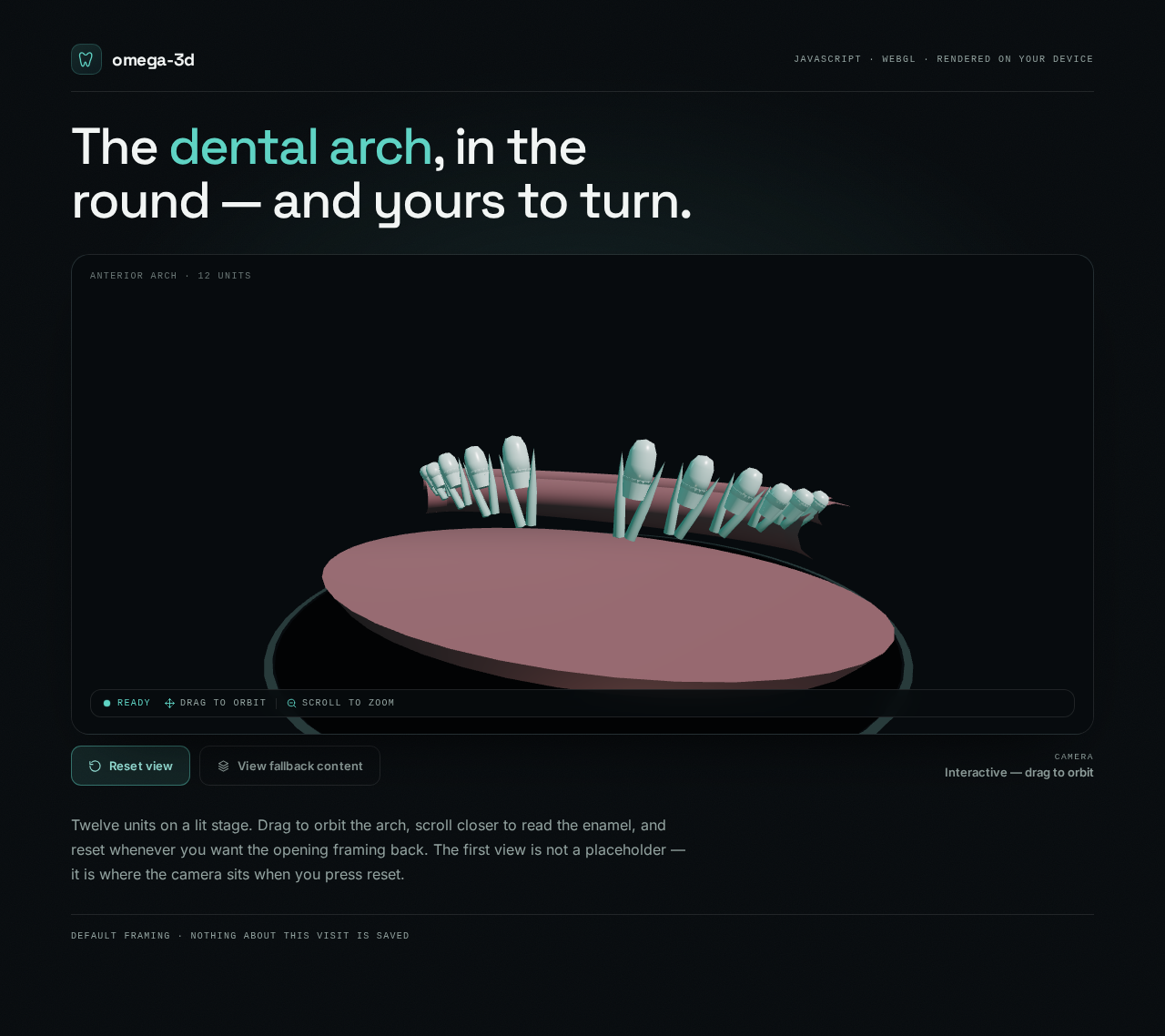
The dental arch, in the round — and yours to turn.
CameraInteractive — drag to orbit
Twelve units on a lit stage. Drag to orbit the arch, scroll closer to read the enamel, and reset whenever you want the opening framing back. The first view is not a placeholder — it is where the camera sits when you press reset.
Preview dataChanges stay in this preview.
omega-3d
The dental arch, in the round — and yours to turn.
CameraInteractive — drag to orbit
Twelve units on a lit stage. Drag to orbit the arch, scroll closer to read the enamel, and reset whenever you want the opening framing back. The first view is not a placeholder — it is where the camera sits when you press reset.
No comments yet. Be the first!