jade-d
by Chiedozie Tansley
Create d best calculator app in d world

Comments (0)
Sign in to leave a comment
Project Tasks
17 planning tasks#1
Generate system requirement document
0m 45s0.05 cr used
Done#2
Generate personas & user flows
0m 4s0.05 cr used
Done#7
Create flow for Advanced Calculator User
0m 3sCredits in parent
Done#8
Landing
4m 40sCredits in subtasks
Done#19
Fix Landing review finding: frontend/src/components/Landing Demo Readout Panel.jsx: the…
0m 20s0.02 cr used
Done#17
Fix Landing review findings: The requested landing hero composition puts the live… (+1 more)
1m 28s0.02 cr used
Done#10
Landing / Poster Hero
0m 40s0.85 cr used
Done#11
Landing / Positioning Statement
0m 17s0.85 cr used
Done#12
Landing / Demo Readout Panel
0m 23s0.85 cr used
Done#13
Landing / Footer
0m 0s0.85 cr used
Done#15
Fix Landing: The requested landing hero composition puts the live readout and CTA beside the headline…
1m 45sCredits unavailable
Done#16
Fix Landing: The demo expression and displayed result contradict each other: the expression evaluates…
1m 45sCredits unavailable
Done#18
Fix Landing: The displayed result is now , but the required demo expression evaluates to 4, not the…
0m 40sCredits unavailable
Done#14
Footer
0m 16sCredits in parent
Done#9
Calculator
Credits in subtasks
Backlog#5
Architecture
0.05 cr needed
Backlog#6
Workspace task plan
0.05 cr needed
Backlog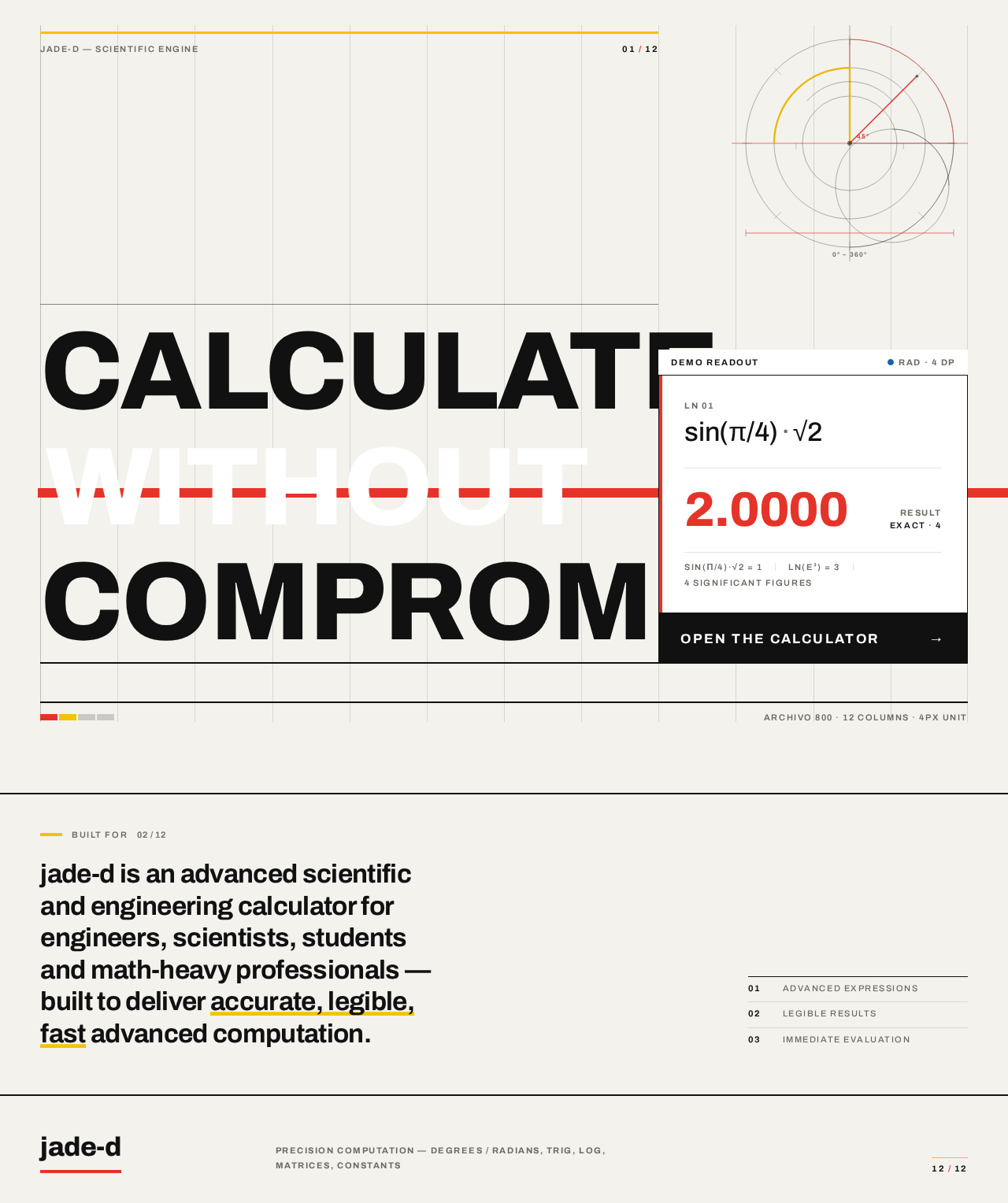
Calculate without compromise
Calculate without compromise
Archivo 800 · 12 columns · 4px unit
Built for
jade-d is an advanced scientific and engineering calculator for engineers, scientists, students and math-heavy professionals — built to deliver accurate, legible, fast advanced computation.
Calculate without compromise
Calculate without compromise
Archivo 800 · 12 columns · 4px unit
Built for
jade-d is an advanced scientific and engineering calculator for engineers, scientists, students and math-heavy professionals — built to deliver accurate, legible, fast advanced computation.
No comments yet. Be the first!