grand-todo
by Diya Trivedi
Diya Trivedistart a projetc to build a simple single page design of todo

Comments (0)
Sign in to leave a comment
Project Tasks
23 tasks#5
Generate system requirement document
0m 48s0.05 cr needed
Done#1
Generate personas & user flows
0m 5s0.05 cr needed
Done#7
Create flow for Todo User
0m 3sCredits in parent
Done#8
Todo
2m 34sCredits in subtasks
Done#14
Fix Todo review finding: Q1 as reviewed now: `Todo List.jsx` still reads and writes…
0m 15s0.02 cr used
Error#13
Fix Todo review findings: frontend/src/components/Todo List.jsx: The add action is… (+1 more)
0m 14s0.02 cr used
Done#11
Fix Todo: The add action is disconnected from the shared collection contract: uses a collection…
0m 50sCredits unavailable
Error#9
Todo / Wordmark
0m 19s0.85 cr used
Done#10
Todo / List
0m 40s0.85 cr used
Done#12
Fix Todo: Delete does not remove an item from the current view when persistence fails: the catch…
0m 22sCredits unavailable
Done#2
Design remaining pages
Not recorded0.05 cr needed
Done#4
Architecture
0m 11s0.05 cr used
Done#15
Create frontend_modules diagram
0m 11sCredits in parent
Done#3
Workspace task plan
1m 14s0.05 cr used
Done#16
Keep the list usable when browser storage fails
100 cr estimated
To Do#17
Show the ordered todo list with completion state and remaining count
80 cr estimated
To Do#18
Delete a todo item with a 200ms fade and persist the removal
80 cr estimated
To Do#19
Auto-save the list to browser storage and restore it on return
100 cr estimated
To Do#20
Complete an item in place with clay fill and strike-through
80 cr estimated
To Do#21
Rehydrate the saved list on load and refresh it on every change
80 cr estimated
To Do#22
Add a task from the written line and append it to the list
80 cr estimated
To Do#23
Keep completed items in place struck through instead of erasing
60 cr estimated
To Do#24
Wire the Todo page to live list behavior and local persistence
120 cr estimated
To Do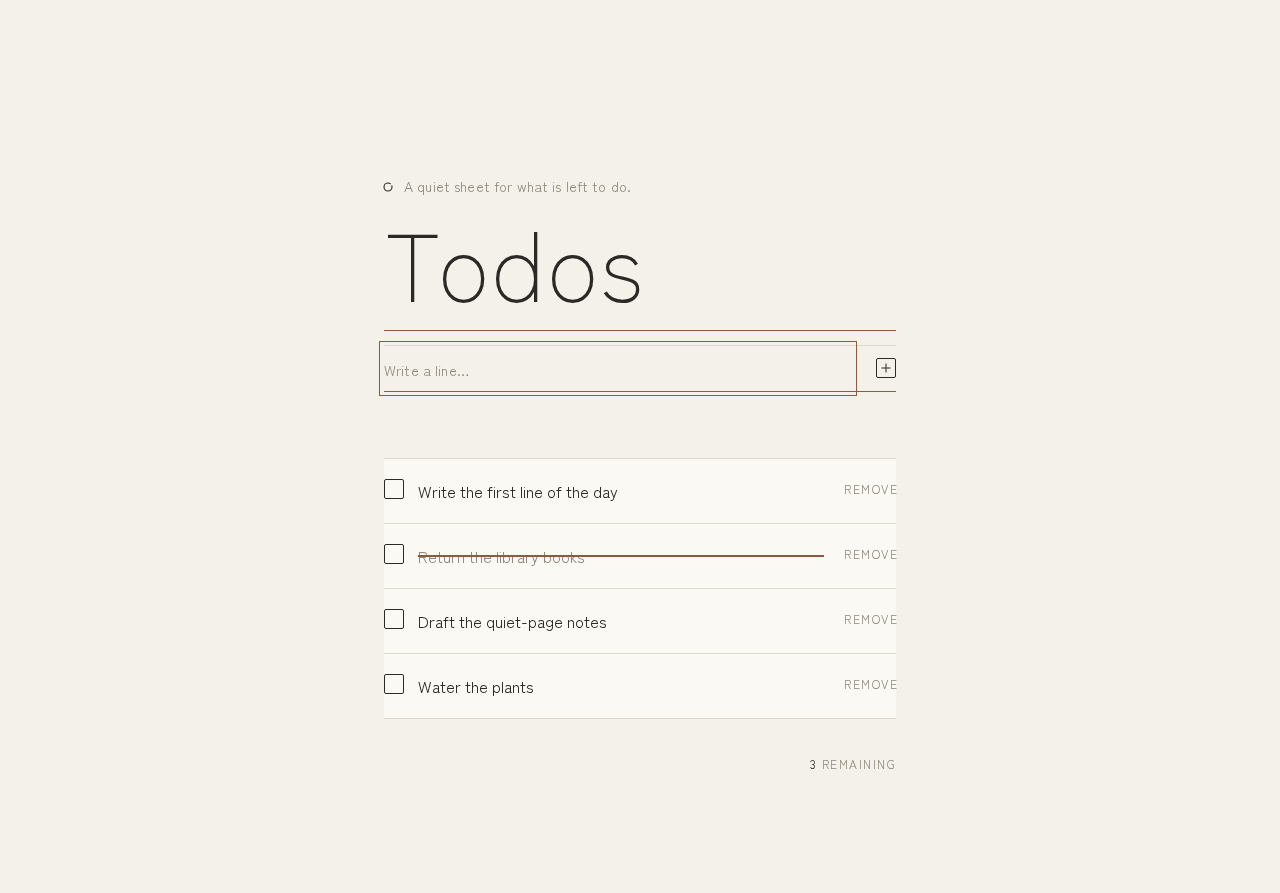
A quiet sheet for what is left to do.
Todos — grand-todo
- Write the first line of the day
- Return the library books
- Draft the quiet-page notes
- Water the plants
3 remaining
A quiet sheet for what is left to do.
Todos — grand-todo
- Write the first line of the day
- Return the library books
- Draft the quiet-page notes
- Water the plants
3 remaining
No comments yet. Be the first!