grand-todo

byDiya Trivedi

start a projetc to build a simple single page design of todo

Todo
Todo

Comments (0)

No comments yet. Be the first!

Architecture

No Services Diagrams Yet

Architecture diagrams will be automatically generated when the Project Manager creates tasks for your project.

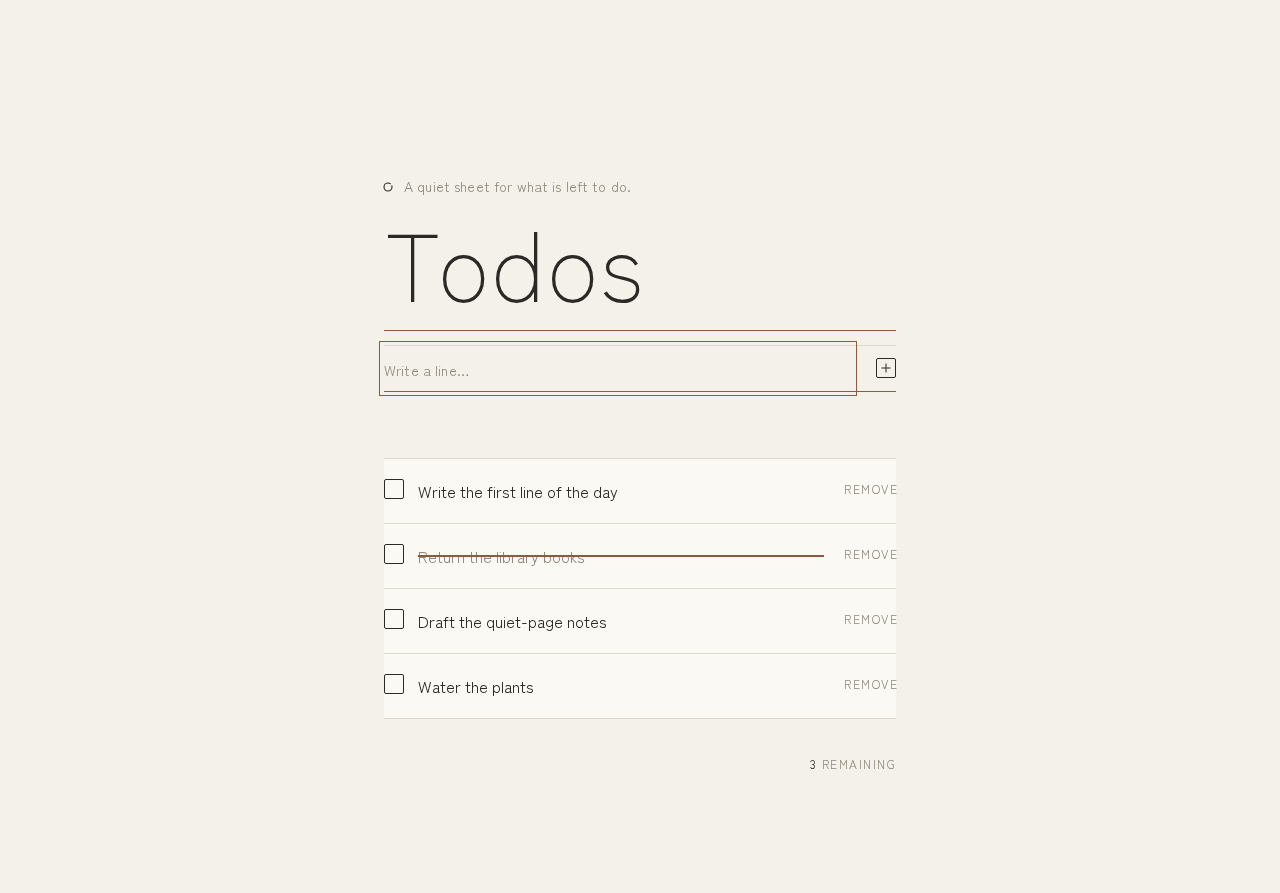
Todo design preview
Todo: Open page anonymously
Todo: View hydrated list and remaining count
Todo: 1. Type task into add field
Todo: 2. Submit new item
Todo: 3. Retype after empty submission
Todo: 4. Add further items
Todo: 5. Review items and remaining count
Todo: 6. Mark item complete
Todo: 7. Toggle item back to incomplete
Todo: 8. Delete unneeded item
Todo: 9. Continue with remaining list
Todo: 10. Reopen page and view persisted list
Todo: 11. Begin adding after empty hydration
Todo design preview
Todo: Open page anonymously
Todo: View hydrated list and remaining count
Todo: 1. Type task into add field
Todo: 2. Submit new item
Todo: 3. Retype after empty submission
Todo: 4. Add further items
Todo: 5. Review items and remaining count
Todo: 6. Mark item complete
Todo: 7. Toggle item back to incomplete
Todo: 8. Delete unneeded item
Todo: 9. Continue with remaining list
Todo: 10. Reopen page and view persisted list
Todo: 11. Begin adding after empty hydration