agile-translation
 shreyas chaudhary
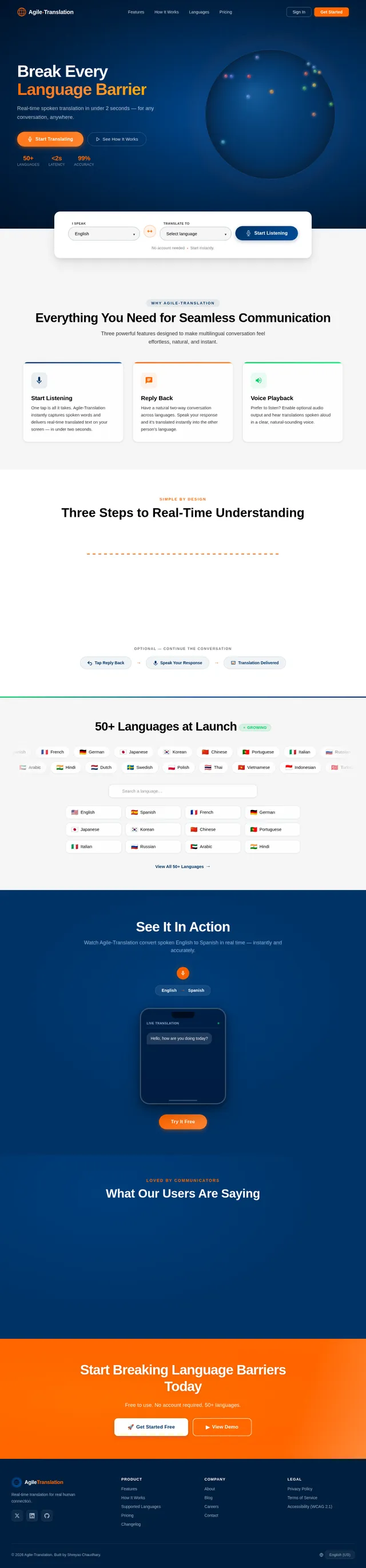
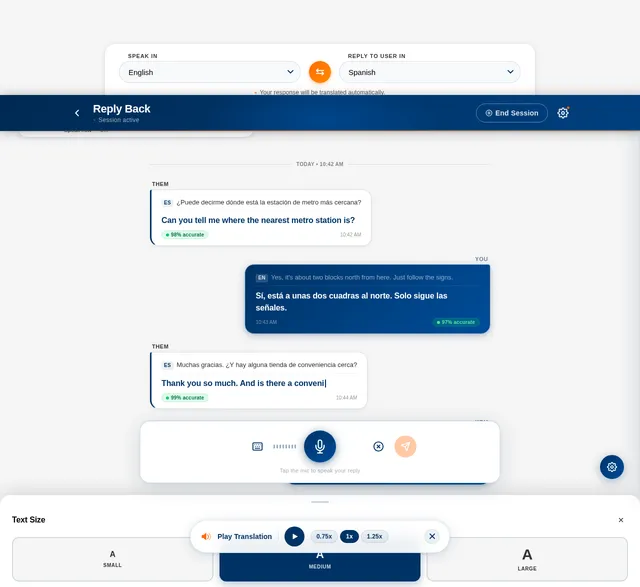
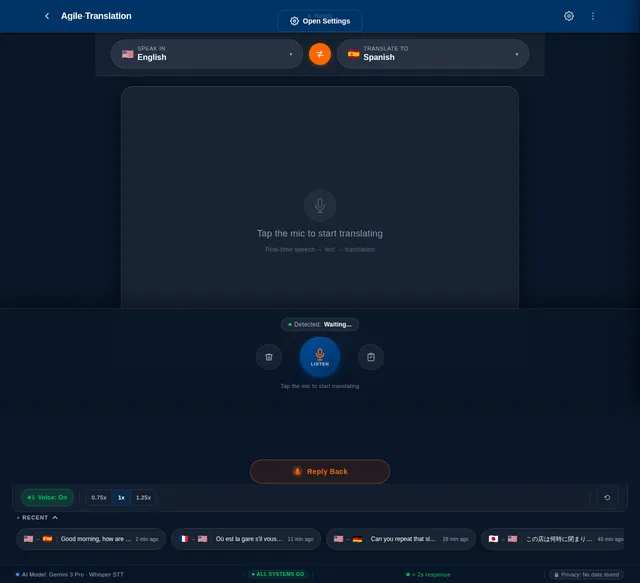
**convertUp** is a real-time language translation app that helps two people who speak different languages communicate easily. The user taps **Start Listening**, and the app listens through the microphone, converts speech to text using a real-time speech-to-text model (such as **Whisper**), automatically detects the spoken language, and instantly translates it into the user’s chosen language using a multilingual translation model. The translated text appears live on the screen as the person speaks, similar to live captions but translated. The app features a **sleek, modern, user-friendly interface that is simple yet visually polished**, with large readable text and minimal controls for quick conversations. It also includes a **Reply Back** feature: after seeing a translation, the user can tap **Reply Back**, choose **“Speak In”** (the language they will speak) and **“Reply To User In”** (the language their reply should be translated into), then speak their response. The app transcribes their speech, translates it into the selected language, and displays the translated reply on the screen (optionally with voice playback), enabling smooth back-and-forth conversations between people speaking different languages.
Comments (0)
Sign in to leave a comment
System Requirements
System Requirements Document (SRD)
Agile-Translation
1. Introduction
The Agile-Translation project, envisioned by Shreyas Chaudhary, is a real-time language translation application designed to bridge communication gaps between individuals speaking different languages. The app leverages cutting-edge speech-to-text and multilingual translation technologies to provide seamless, live translations. With a sleek, modern, and user-friendly interface, Agile-Translation ensures that users can engage in smooth, back-and-forth multilingual conversations effortlessly.
This document outlines the system requirements for Agile-Translation, including functional and non-functional requirements, user personas, design concepts, and technical specifications. The app is tailored for the US audience, with locale-specific defaults such as English as the primary language, USD as the currency for any premium features, and EST as the default timezone.
2. System Overview
Agile-Translation is a mobile-first application that enables real-time communication between users speaking different languages. The app listens to spoken input, converts it to text, detects the language, and translates it into the user’s chosen language. The translated text is displayed live on the screen, mimicking live captions but in the translated language.
Key features include:
- Start Listening: A one-tap button to initiate live translation.
- Reply Back: A feature that allows users to respond in their language, which is then translated into the recipient's language for smooth two-way communication.
- Voice Playback: Optional audio playback of translations for added convenience.
The app is designed to be intuitive, with minimal controls and a polished interface that prioritizes readability and ease of use.
3. Functional Requirements as Story Points
- As a User, I should be able to tap Start Listening to initiate real-time translation.
- As a User, I should be able to see live translated text on the screen as someone speaks.
- As a User, I should be able to tap Reply Back to respond in my language and have it translated into the recipient's language.
- As a User, I should be able to select Speak In (my language) and Reply To User In (the recipient's language) for the Reply Back feature.
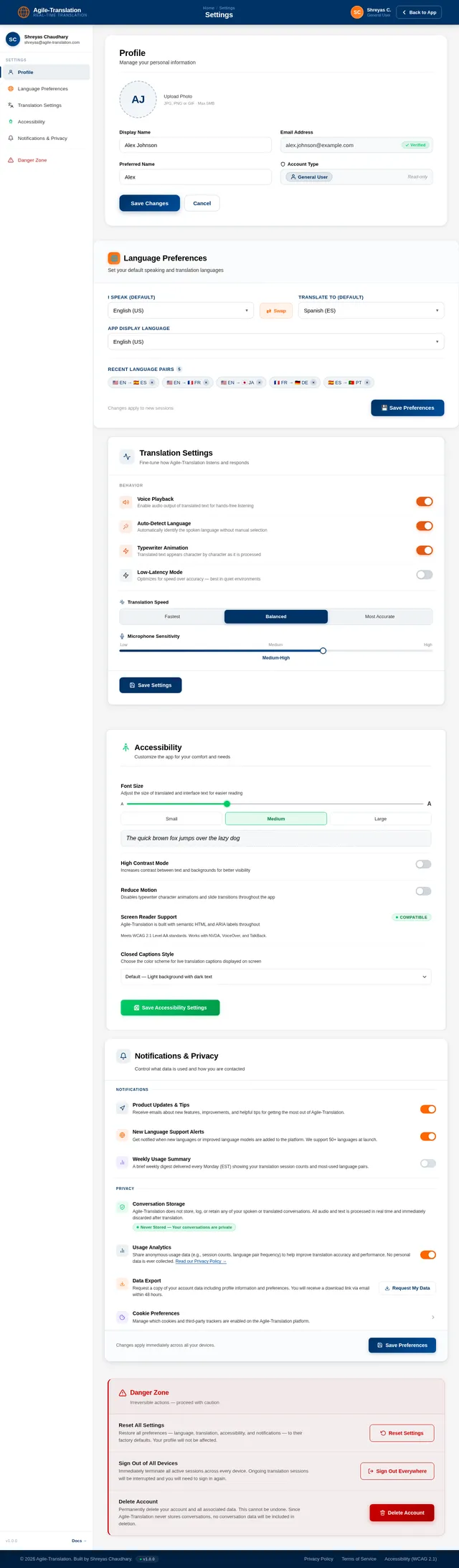
- As a User, I should be able to enable or disable voice playback for translations.
- As a User, I should be able to adjust the font size for better readability.
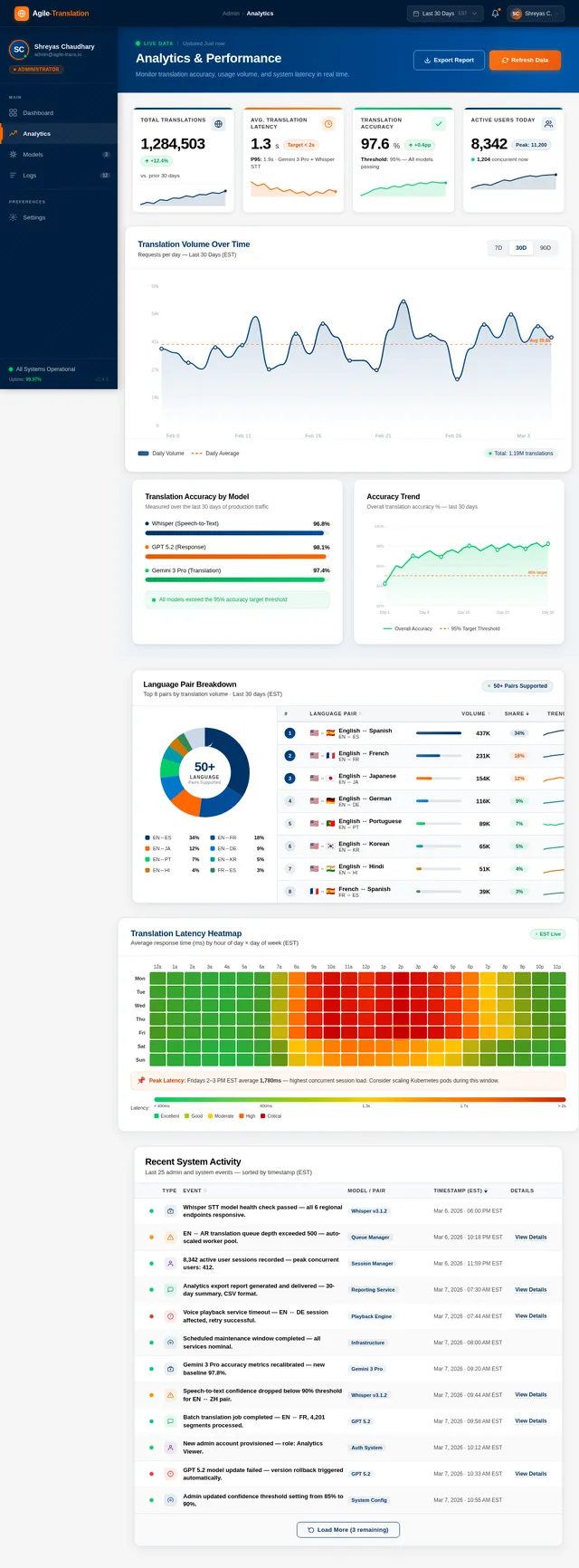
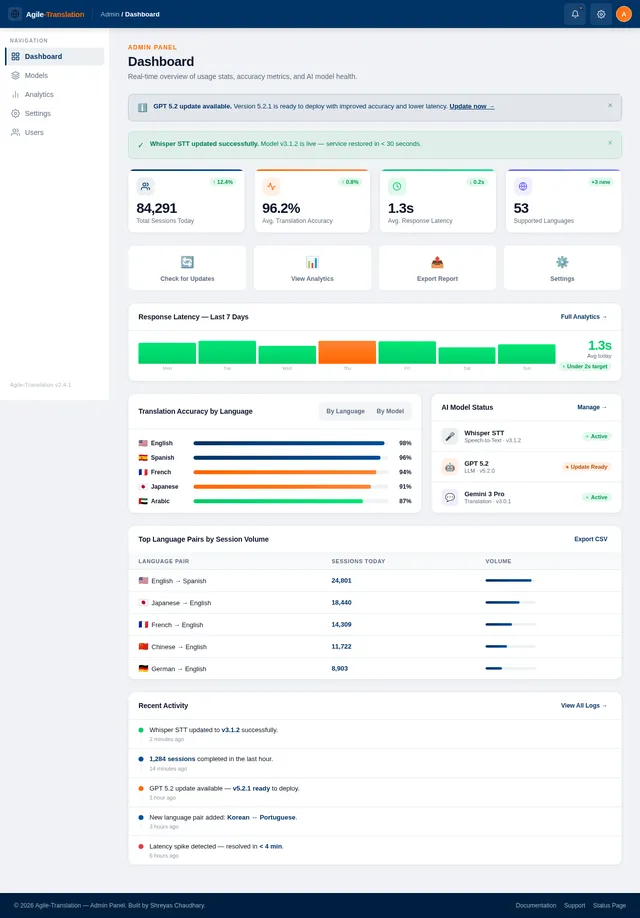
- As an Admin, I should be able to monitor app usage statistics and translation accuracy metrics.
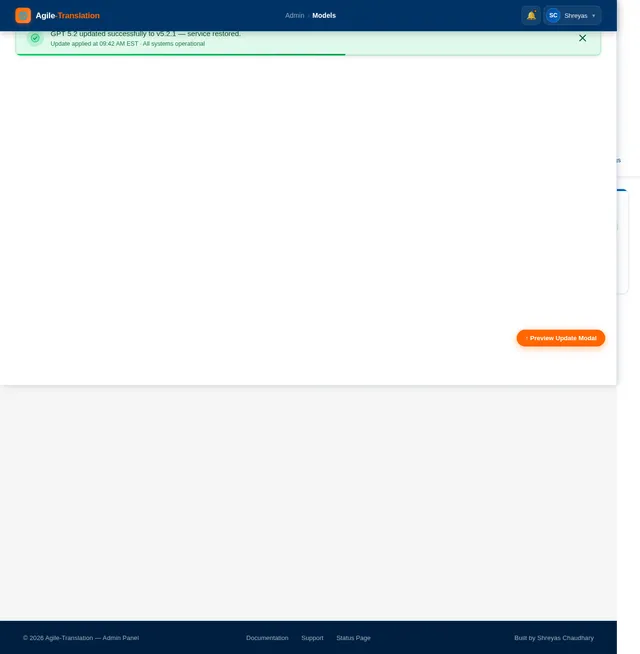
- As an Admin, I should be able to update the language models used for translation.
4. User Personas
General User:
- Primary user of the app.
- Needs real-time translation for conversations.
- Values simplicity, speed, and accuracy.
Admin:
- Oversees app performance and user experience.
- Manages updates to language models and monitors analytics.
5. Visuals Colors and Theme
The app will feature a sleek, modern, and minimalistic design with the following color scheme:
- Primary Color: Deep Blue (#003366) – conveys trust and professionalism.
- Secondary Color: Vibrant Orange (#FF6600) – adds energy and highlights key actions.
- Background: Light Gray (#F5F5F5) – ensures readability and reduces eye strain.
- Text: Black (#000000) for primary text and Dark Gray (#333333) for secondary text.
- Accent: Soft Green (#00CC66) – used for success messages and confirmations.
The typography will use Sans-serif fonts for a clean and modern look, with adjustable font sizes for accessibility.
6. Signature Design Concept
Interactive Language Globe:
The homepage will feature a 3D interactive globe that rotates slowly, showcasing different countries and languages. Users can tap on a country to see its language(s) and initiate a translation session directly.
- Animation: The globe will have a smooth rotation with subtle lighting effects, giving it a polished, futuristic look.
- Interaction: Hovering over a country will display its name and primary language(s) in a tooltip. Tapping a country will zoom in, and users can select a language to start a translation.
- Transitions: Smooth fade-ins and slide animations will guide users through the app.
- Micro-interactions: Buttons will have subtle hover effects, and translations will appear with a typewriter animation for a dynamic feel.
This design will make the app visually captivating and instantly memorable, setting it apart from competitors.
7. Non-Functional Requirements
- The app must provide translations with a latency of less than 2 seconds.
- The system should support at least 50 languages at launch.
- The app must be optimized for both iOS and Android platforms.
- The interface should be accessible, adhering to WCAG 2.1 guidelines.
- The app should handle up to 10,000 concurrent users without performance degradation.
8. Tech Stack
Frontend:
- React Native for cross-platform mobile app development.
Backend:
- Python with FastAPI for efficient API development.
Database:
- MySQL for structured data storage, with Alembic for migrations.
AI Models:
- Whisper for real-time speech-to-text conversion.
- GPT 5.2 for user-friendly responses.
- Gemini 3 Pro for translation tasks.
AI Tools:
- Langchain for managing AI workflows.
- Litellm for LLM routing.
Orchestration:
- Docker and Docker Compose for local development.
- Kubernetes for server-side orchestration and scaling.
9. Assumptions and Constraints
- The app assumes users have a stable internet connection for real-time translation.
- The system will default to English as the primary language for US-based users.
- The app will not store user conversations to ensure privacy.
- Initial deployment will support up to 50 languages, with plans to expand based on demand.
10. Glossary
- Speech-to-Text: Technology that converts spoken language into written text.
- Multilingual Translation Model: An AI model capable of translating text between multiple languages.
- Reply Back: A feature allowing users to respond in their language and have it translated for the recipient.
- WCAG 2.1: Web Content Accessibility Guidelines, a standard for making digital content accessible.
- Latency: The time delay between input and output in a system.
End of Document
No comments yet. Be the first!