polar-application
 Monish Raj
i like to make an mobile application for travel


Comments (0)
Sign in to leave a comment
Project Tasks27
Implement Theme & Design Structure
As a user I want to see the app with the correct TravelMate theme and structure so that all pages match the mock-design pages exactly. This task covers: applying the Ocean Blue (#0077B6), Sunset Orange (#F4845F), Golden Sand (#F9C74F), Deep Navy (#0D1B2A), Charcoal Slate (#1C2B3A) color palette globally; setting up Poppins + Lato typography; configuring dark/light mode toggle; establishing the 8px spacing grid; setting up glassmorphism utility classes; removing any scaffold pages not present in the design (welcome page post-login, dashboard/ai-assistant, dashboard/settings if not in design spec); and ensuring the base layout shell (bottom nav, app chrome) matches the Living Horizon design concept.
Build Signup Page
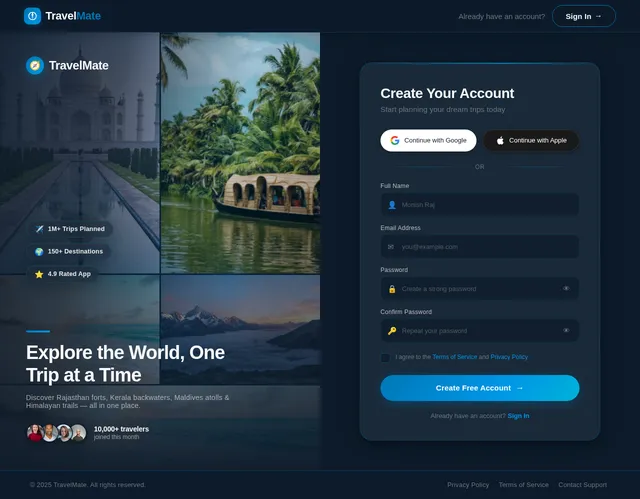
As a user I want to create a new TravelMate account so that I can access trip planning and booking features. Implement the Signup page based on the existing JSX design (v2). Signup is reached from the Guest flow (Login → Signup). Includes: SignupNavBar, SignupVisualPanel with destination photo collage and trust badges, SignupFormPanel with full-name/email/password fields, Google/Apple OAuth buttons, terms checkbox, and 'Create Free Account' CTA, plus SignupFooterStrip.
Build Splash Page
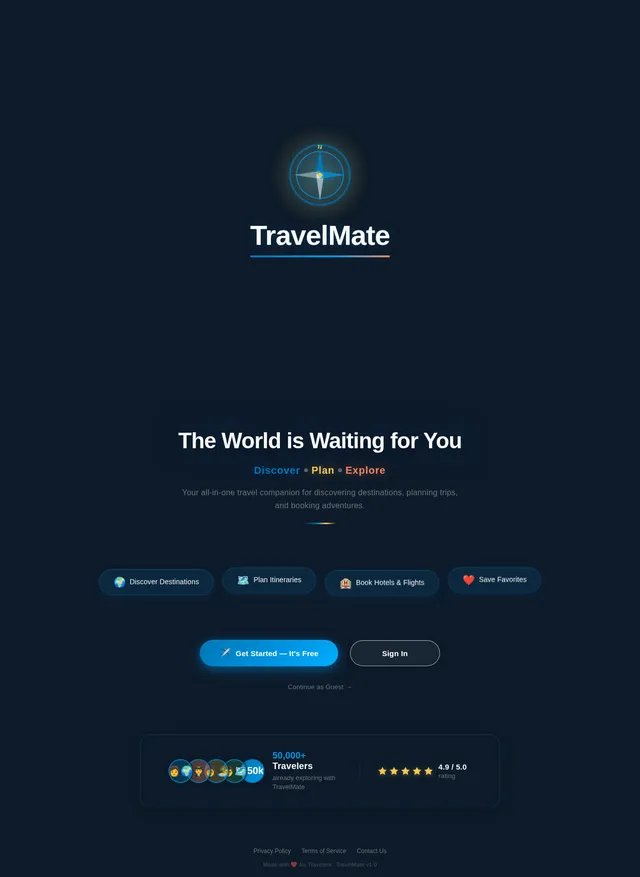
As a user I want to see an engaging splash/launch screen when I open TravelMate so that the app feels polished and branded. Implement the Splash page based on the existing JSX design (v2). The splash screen is the entry point for both Guest and Registered User flows (Splash: Launch App → Home or Login). Includes the TravelMate logo animation, Living Horizon background, and auto-navigation logic to Home or Login based on auth state.
Build Profile Page
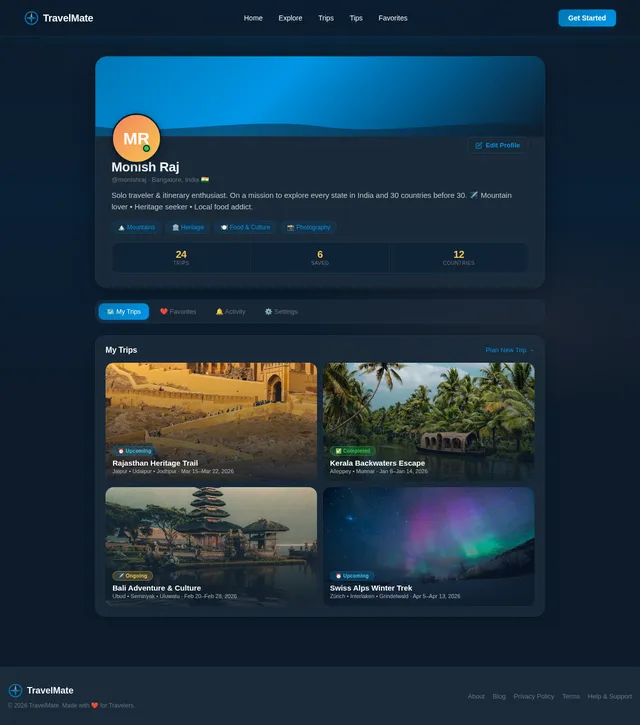
As a user I want to view and edit my personal profile including name, photo, and travel preferences so that my TravelMate experience is personalized. Implement the Profile page based on the existing JSX design (v2). Profile is reached from the Login flow (Login → Profile: Edit Profile). Includes: profile header with avatar upload, editable name/email/bio fields, travel preferences selector, dark/light mode toggle, account settings, and logout button.
Build Login Page
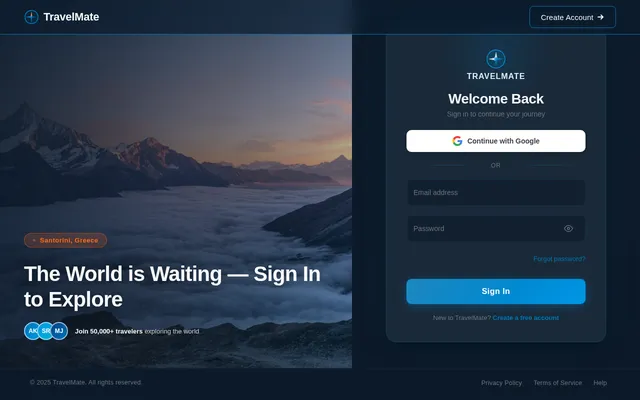
As a user I want to sign in to TravelMate using my email/password or Google OAuth so that I can access personalized features. Implement the Login page based on the existing JSX design (v2). Login is a key node in all user flows (Guest: Place Detail → Login; Registered User: Splash → Login → Home). Includes: glassmorphism form card, email/password fields with validation, Google OAuth button, forgot password link, and navigation to Signup.
Build Explore Page
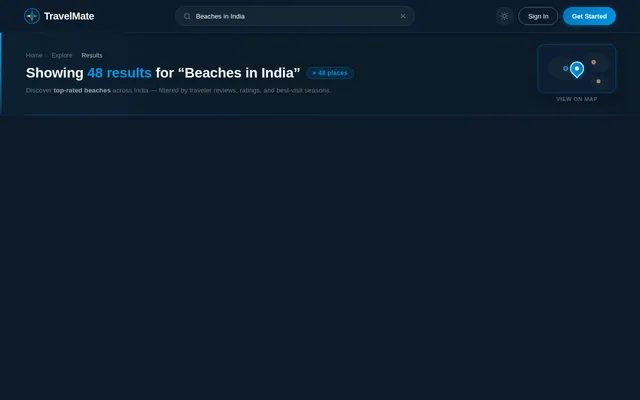
As a user I want to search and filter destinations by name, country, or category so that I can discover places matching my travel preferences. Implement the Explore page based on the existing JSX design (v2). Explore is a core navigation tab and is reached from Home. It links to Place Detail. Includes: prominent search input with autocomplete, destination type filter chips (Beach, Mountain, City, Heritage, Nature), results grid with thumbnails and descriptions, and a bottom navigation bar.
Build Admin Login Page
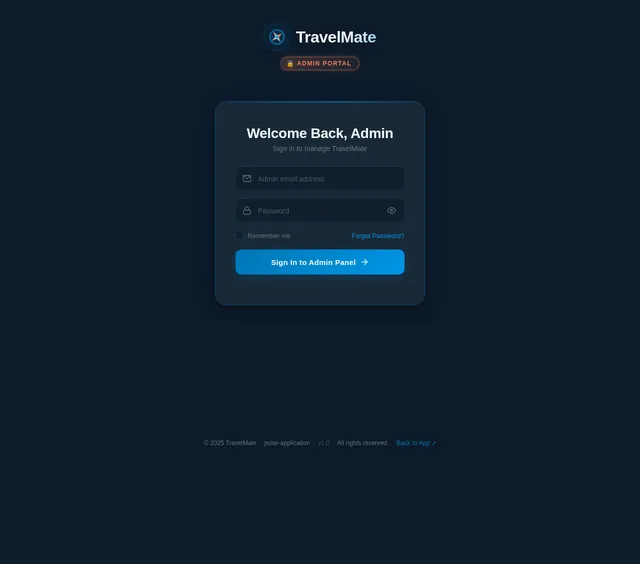
As an admin I want to sign in to the TravelMate admin panel so that I can manage users, listings, and travel tips. Implement the Admin Login page based on the existing JSX design (v2). Admin Login is the entry point for both Admin and Travel Content Editor flows. Includes: admin-specific branding, email/password login form, role-based redirect to Dashboard after successful authentication.
Build Place Detail Page
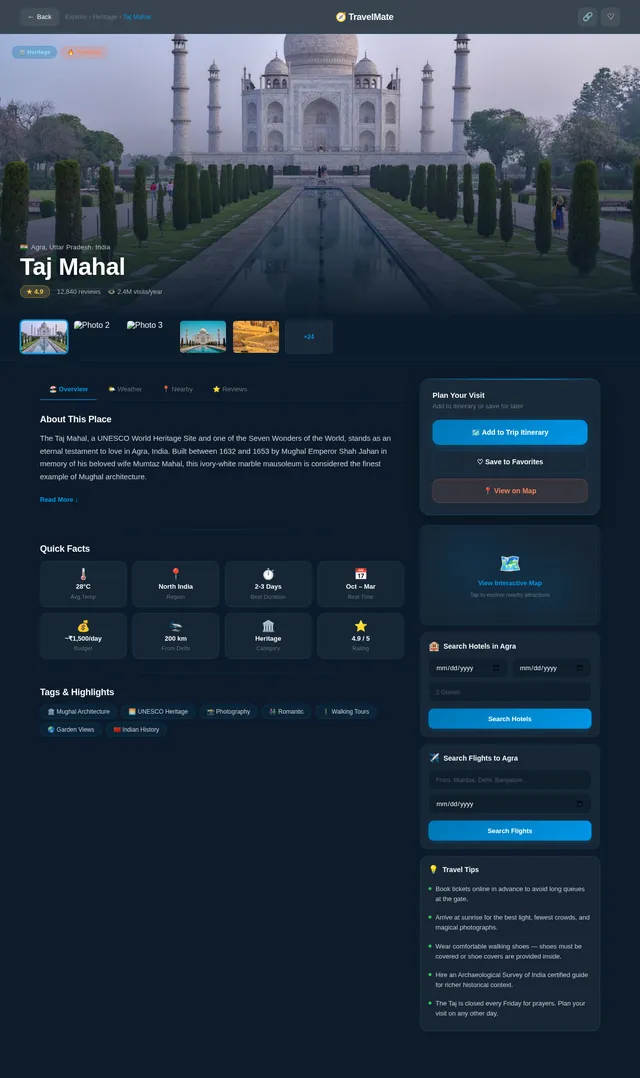
As a user I want to view detailed information about a tourist place including images, description, ratings, reviews, and nearby attractions so that I can make informed travel decisions. Implement the Place Detail page based on the existing JSX design (v2). Place Detail is reached from Explore and links to Itinerary (Plan Trip). Includes: full-bleed hero image, place info card, ratings/reviews section, nearby attractions list, add-to-itinerary CTA, and save-to-favorites button.
Build Home Page
As a user I want to browse destinations on a beautiful home screen so that I can discover trending places and start planning my trip. Implement the Home page based on the existing JSX design (v2). The Home page is the central hub for the Guest and Registered User flows — it links to Explore, Login, Map, and Favorites. Includes: NavBar, HeroHorizon with parallax carousel, SearchBar with quick-filter chips, TrendingDestinations horizontal scroll, CategoryFilters bento grid, FeaturedPlaces grid, TripPlannerTeaser, WeatherWidget strip, TestimonialsCarousel, CallToAction, BottomNavBar, and Footer sections.
Build Map Page
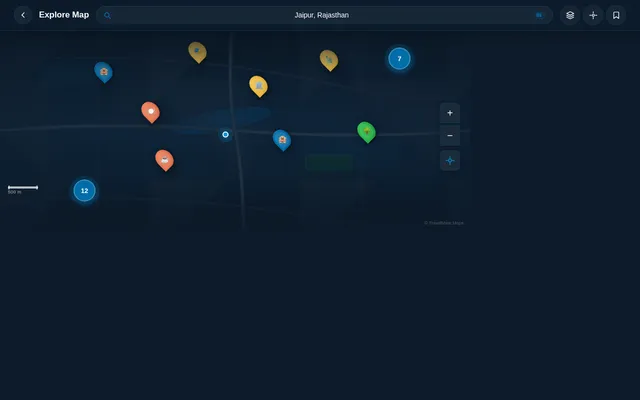
As a user I want to view an interactive map centered on my destination with nearby attractions, hotels, and restaurants marked so that I can visually explore an area and get directions. Implement the Map page based on the existing JSX design (v2). Map is reached from Home (Map: View Attractions). Includes: MapTopBar with glassmorphism (back button, search pill, layers toggle, recenter, favorites), MapCanvas with dark-themed tiles and custom markers, CategoryFilterStrip, AttractionSidePanel (desktop), NearbyBottomSheet (mobile), MarkerDetailPopup, DirectionsPanel, MapSearchOverlay, and WeatherWidget.
Build Favorites Page
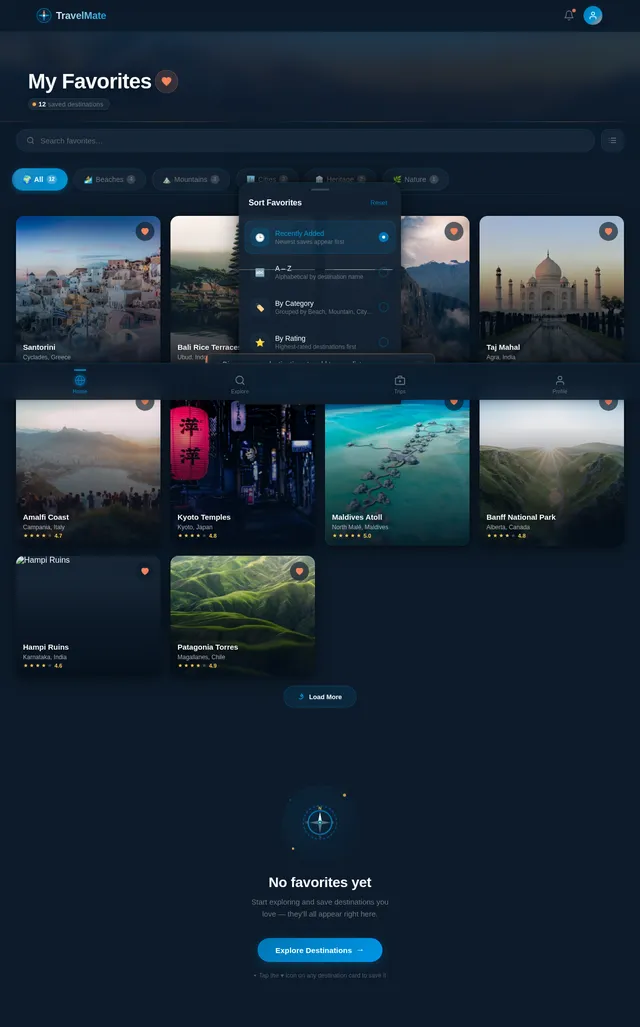
As a user I want to view and manage all my saved favorite destinations in one place so that I can quickly revisit places I love. Implement the Favorites page based on the existing JSX design (v2). Favorites is accessible from the Home/Profile flow for Registered Users. Includes: TopBar, PageHeader with saved count, SearchFilterBar, CategoryTabs (All/Beaches/Mountains/Cities/Heritage/Nature), FavoritesGrid with masonry cards, EmptyState (animated compass illustration with 'Explore Destinations' CTA), QuickAddBanner, and BottomNavBar.
Build Itinerary Page
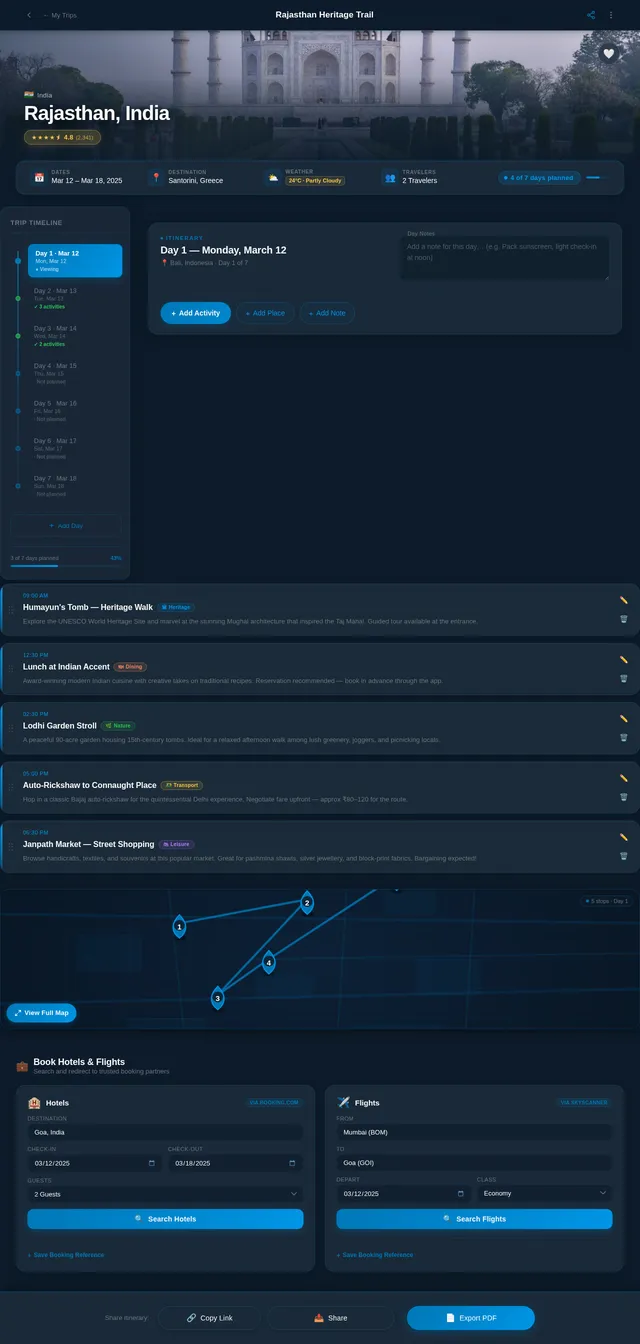
As a user I want to create and manage detailed day-by-day trip itineraries so that I can plan my travel activities in an organized way. Implement the Itinerary page based on the existing JSX design (v2). Itinerary is reached from Place Detail and links to Booking (Search Hotels). Includes: trip header with destination/dates, day-by-day activity timeline, add activity form, reorder/delete controls, share itinerary option, and a 'Search Hotels/Flights' CTA.
Implement Map & Nearby Attractions API
As a user I want to use backend APIs to fetch nearby attractions, hotels, and restaurants for a given map location so that I can explore an area interactively. Implement REST endpoints: GET /map/nearby?lat=&lng=&radius=&category=, GET /map/directions?from=&to=&mode=. Integrate with Google Maps or Mapbox Places API for POI data. Return structured marker data (name, category, coordinates, rating, thumbnail).
Implement Destinations Search API
As a user I want to use backend APIs to search destinations by name, country, or category with autocomplete suggestions and filter support so that I can quickly find places to visit. Implement REST endpoints: GET /destinations/search?q=&category=&country=, GET /destinations/autocomplete?q=, GET /destinations/trending, GET /destinations/:id. Include pagination, full-text search, and thumbnail URL responses.
Build Booking Page
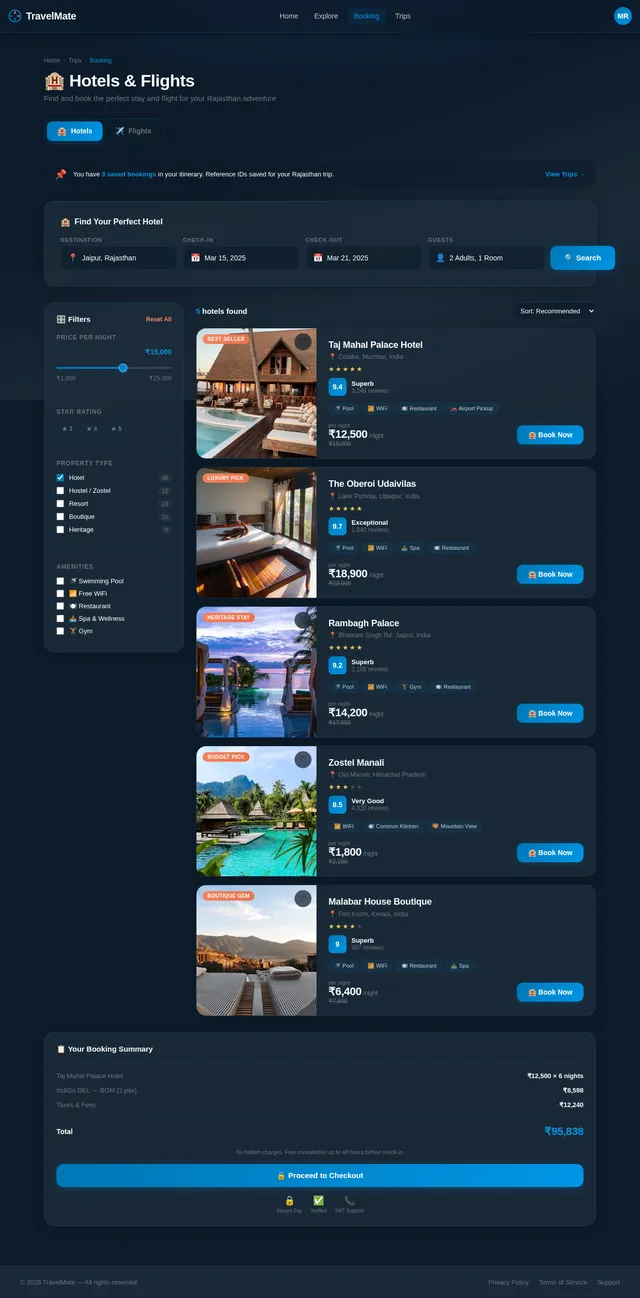
As a user I want to search for available hotels and flights at my destination so that I can complete my travel booking from within TravelMate. Implement the Booking page based on the existing JSX design (v2). Booking is reached from Itinerary and covers both hotel search (Search Hotels → Book Flight). Includes: hotel search form (destination, check-in/out dates), flight search form (origin/destination, travel dates), results listings with pricing/ratings, redirect-to-provider CTA, and save booking reference to itinerary.
Implement Auth & User Profile API
As a user I want to use backend APIs for registration, login (email/password + Google OAuth), profile view/edit, and password reset so that my account is securely managed. Implement REST endpoints: POST /auth/register, POST /auth/login, POST /auth/google, GET/PUT /users/me, POST /auth/forgot-password, POST /auth/reset-password. Include JWT token issuance, refresh token handling, and bcrypt password hashing.
Build Admin Dashboard Page
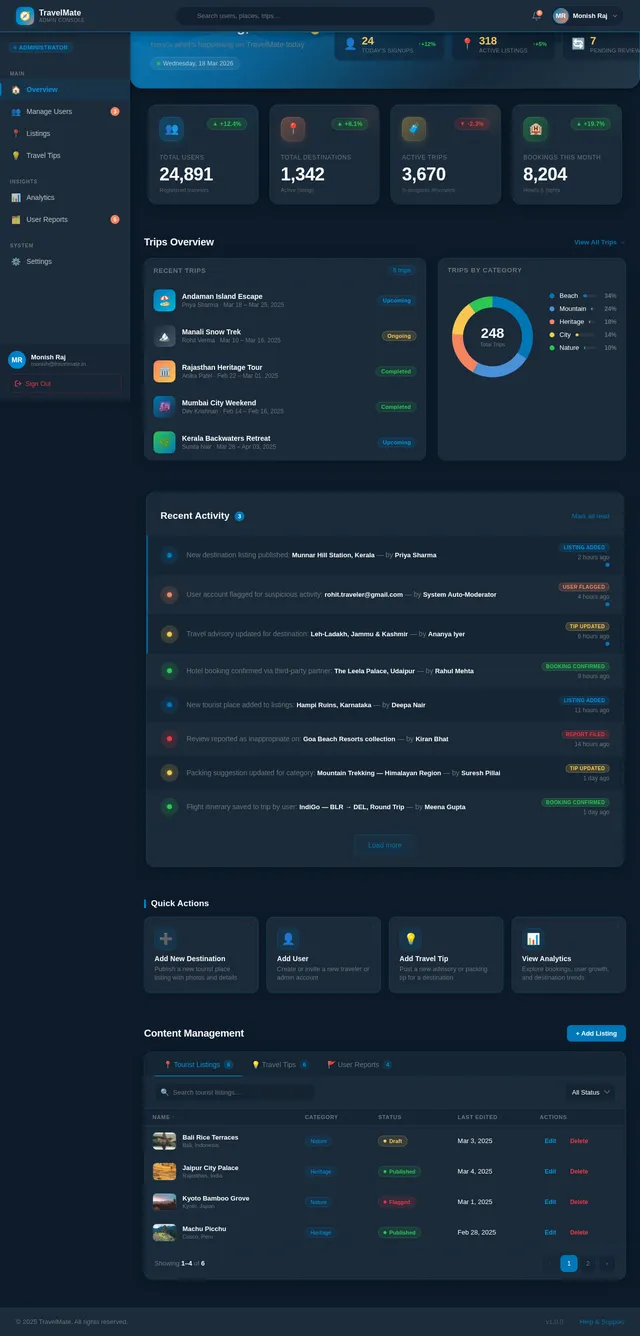
As an admin I want to view an overview of TravelMate's key metrics and access management tools so that I can efficiently administer the platform. Implement the Dashboard page based on the existing JSX design (v2). Dashboard is the landing page post Admin Login and links to Manage Users, Listings, and Tips. Includes: TopBar, Sidebar navigation (Overview, Manage Users, Listings, Travel Tips, Analytics, Settings), WelcomeBanner with daily stats, StatsCards (Total Users, Destinations, Active Trips, Bookings), TripsOverview with donut chart, RecentActivity feed, QuickActions panel, ContentManagement tabbed table, and Footer.
Implement Trip Itinerary API
As a user I want to use backend APIs to create, read, update, delete, and share trip itineraries with day-by-day activities so that my travel plans are persisted and accessible. Implement REST endpoints: GET /trips, POST /trips, GET /trips/:id, PUT /trips/:id, DELETE /trips/:id, POST /trips/:id/activities, PUT /trips/:id/activities/:actId, DELETE /trips/:id/activities/:actId, GET /trips/:id/share-link. Include itinerary export (PDF/link) support.
Build Users Management Page
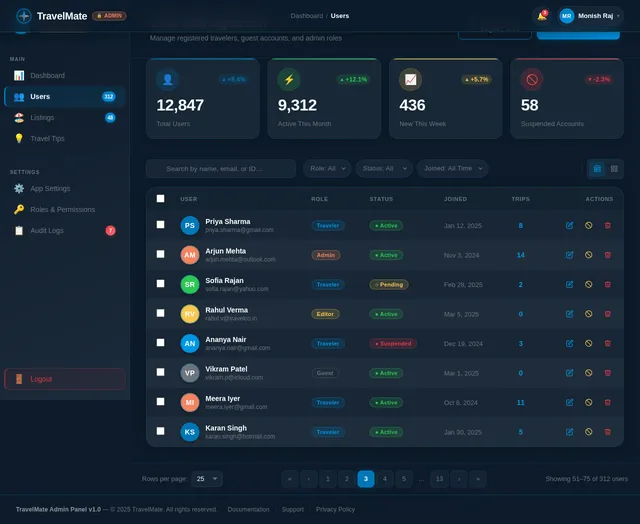
As an admin I want to view, search, and manage user accounts so that I can moderate the TravelMate platform. Implement the Users page based on the existing JSX design (v2). Users page is reached from Dashboard (Manage Users → Edit User). Includes: users data table with search/filter, user detail view with edit form (name, email, role, status), ban/activate controls, and pagination.
Implement Favorites API
As a user I want to use backend APIs to save, list, and remove favorite destinations so that my saved places are persisted across sessions. Implement REST endpoints: GET /favorites, POST /favorites (body: placeId), DELETE /favorites/:placeId. Include user-scoped results with auth middleware and conflict handling for duplicate saves.
Build Listings Management Page
As an admin I want to add, edit, and remove tourist place listings so that the TravelMate destination catalog stays accurate and up to date. Implement the Listings page based on the existing JSX design (v2). Listings page is reached from Dashboard (Add Place → Edit Place → Remove Place) and is also used by Travel Content Editor (Add Destination → Upload Images → Edit Description). Includes: sortable listings table with thumbnails/category/status, add/edit listing form with image upload, rich text description editor, category tag selector, and delete confirmation modal.
Build Tips Management Page
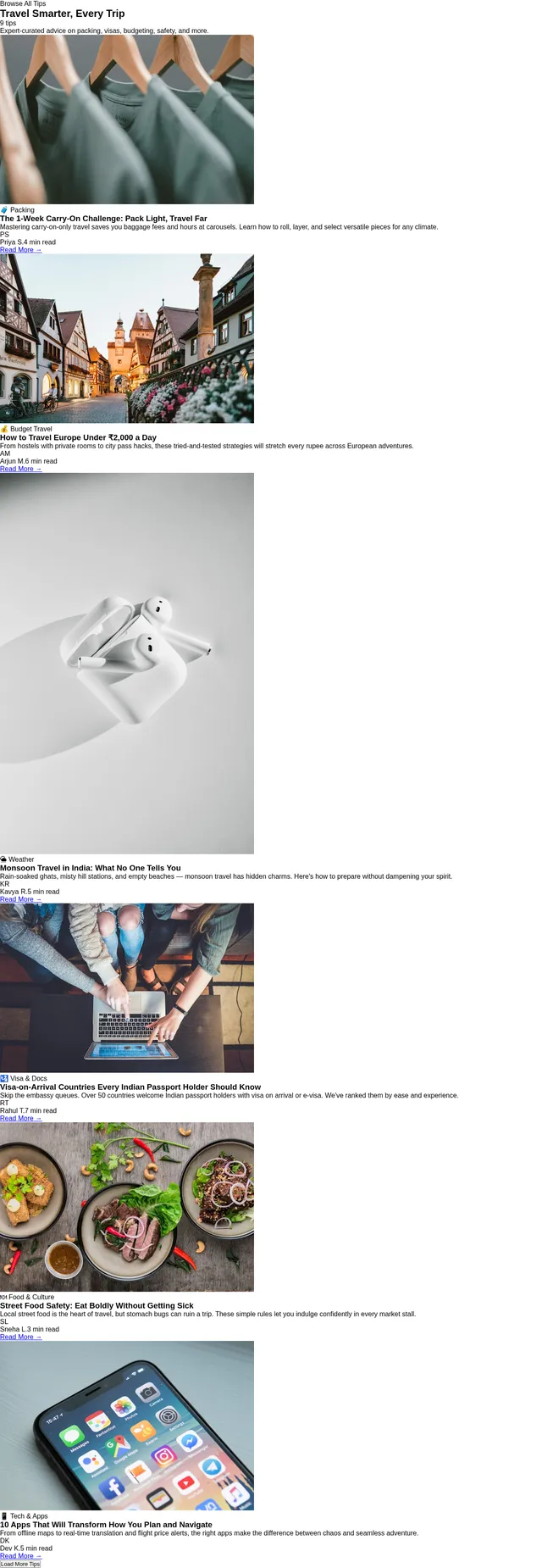
As an admin I want to manage travel tips and advisories for destinations so that users receive accurate and helpful travel guidance. Implement the Tips page based on the existing JSX design (v2). Tips page is reached from Dashboard (Manage Travel Tips) and also by Travel Content Editor (Add Travel Tips → Update Advisory). Includes: tips list with destination filter, add/edit tip form with category and advisory level, publish/draft toggle, and delete controls.
Implement Admin Users Management API
As an admin I want to use backend APIs to list, search, edit, activate, and ban user accounts so that I can moderate the TravelMate platform effectively. Implement REST endpoints: GET /admin/users (with search/filter/pagination), GET /admin/users/:id, PUT /admin/users/:id, POST /admin/users/:id/ban, POST /admin/users/:id/activate. Include admin role guard middleware.
Implement Booking Integration API
As a user I want to use backend APIs to search hotels and flights and be redirected to third-party booking providers so that I can complete reservations without leaving the TravelMate experience. Implement REST endpoints: GET /booking/hotels?destination=&checkin=&checkout=, GET /booking/flights?origin=&destination=&date=, POST /trips/:id/bookings (save reference). Integrate with a third-party travel API (e.g. Amadeus or RapidAPI Hotels). Include rate limiting and error handling for external API failures.
Implement Travel Tips & Weather API
As a user I want to use backend APIs to fetch travel tips, advisories, and real-time weather data (current conditions, 7-day forecast, packing suggestions) for a destination so that I am well-prepared for my trip. Implement REST endpoints: GET /tips?destinationId=, POST /tips (admin/editor), PUT /tips/:id (admin/editor), DELETE /tips/:id (admin), GET /weather?lat=&lng= (proxy to OpenWeatherMap or similar). Include weather-based packing suggestion logic.
Implement Tourist Places CRUD API
As a user I want to use backend APIs to browse tourist places with filtering by category, rating, and region, and as an admin I want to add, edit, and remove listings so that the destination catalog is manageable. Implement REST endpoints: GET /places (with filters), GET /places/:id, POST /places (admin), PUT /places/:id (admin), DELETE /places/:id (admin). Include image upload handling (S3 or equivalent) and role-based access control.
Wire Frontend Pages to Backend APIs
As a user I want all frontend pages to fetch real data from the backend APIs so that the app is fully functional end-to-end. Connect all designed pages (Home, Explore, Place Detail, Itinerary, Booking, Map, Favorites, Profile, Admin Dashboard, Users, Listings, Tips) to their respective REST API endpoints. Implement API service layer (axios/fetch with interceptors), auth token management (store/refresh JWT), loading/error/empty states, and real data substitution for all mock/static content in the JSX designs.
No comments yet. Be the first!