crimson-admin
 ganesh tiwari
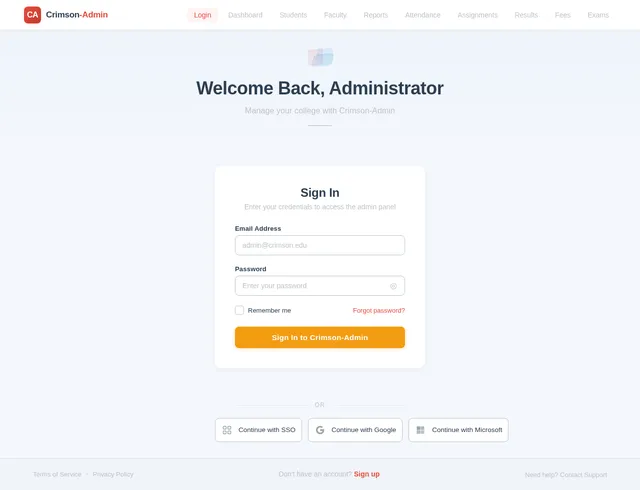
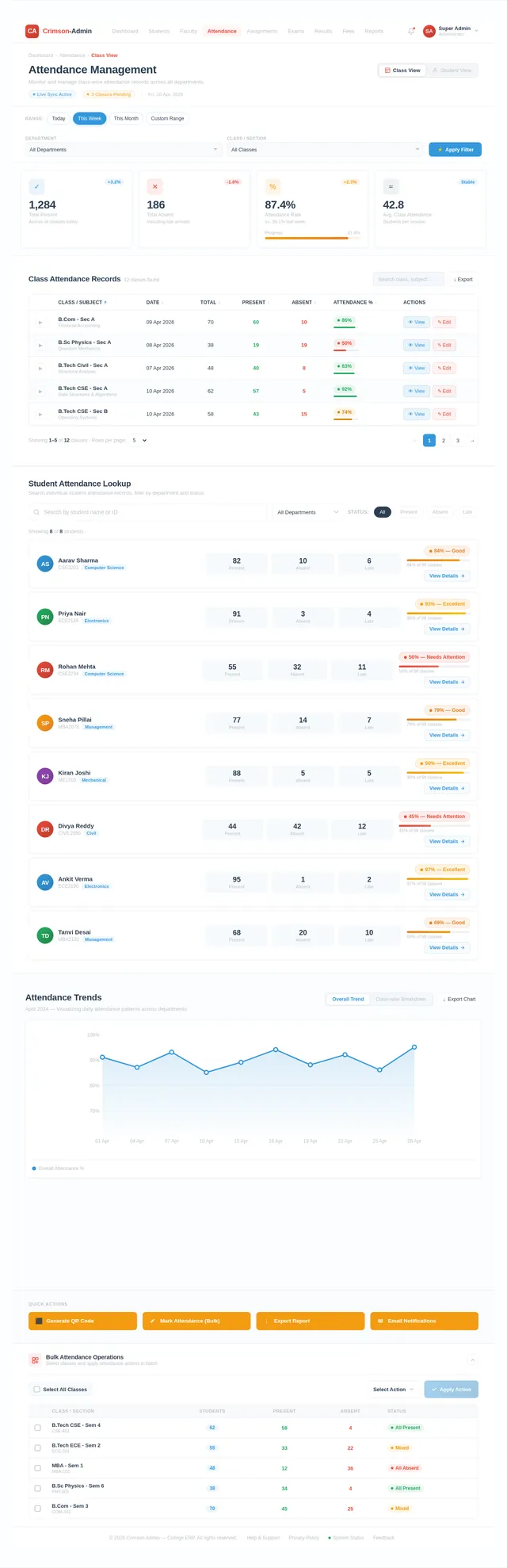
Act as a senior full-stack software architect and ERP system developer. Design and develop an **Advanced Admin Dashboard for a College ERP (Enterprise Resource Planning) System**. The system should be designed for **complete college management**, where the **Admin has full control over all academic and operational activities**. Use modern UI/UX principles and scalable backend architecture. Technology Stack (Recommended): Frontend: * HTML5 * CSS3 * Bootstrap 5 * JavaScript * Responsive Admin Dashboard UI Backend: * Python Flask Framework The Admin Dashboard must be professional, secure, scalable, and modular. --- 1️⃣ ADMIN ROLE AND RESPONSIBILITIES The **Admin is the super user** of the ERP system and manages the entire college system. Admin responsibilities include: • Managing Students • Managing Teachers / Faculty • Managing Courses & Subjects • Managing Departments • Managing Academic Sessions • Managing Attendance Records • Managing Exams and Results • Managing Assignments • Managing Fees and Payments • Managing Notices and Announcements • Managing Timetables • Managing Library Records • Managing System Users and Permissions • Monitoring Reports and Analytics The Admin must have **full CRUD access (Create, Read, Update, Delete)** for all system modules. --- 2️⃣ ADMIN DASHBOARD OVERVIEW The Admin Dashboard should display important system statistics. Dashboard Widgets: • Total Students • Total Teachers • Total Courses • Total Departments • Today's Attendance Summary • Pending Fees • Upcoming Exams • Recent Announcements • Recent Student Registrations Charts & Analytics: • Student enrollment chart • Attendance statistics • Department-wise student distribution • Fee collection statistics --- 3️⃣ STUDENT MANAGEMENT MODULE Admin can: • Add new student • Edit student details • Delete student • View student profile • Assign student to course • Assign roll number • Manage student login credentials Student Information Fields: * Student Name * Registration Number * Course * Department * Email * Phone Number * Address * Admission Date * Profile Photo --- 4️⃣ FACULTY MANAGEMENT MODULE Admin can manage all faculty members. Features: • Add faculty • Edit faculty details • Delete faculty • Assign subjects to faculty • Assign department • Generate faculty ID Faculty Information Fields: * Faculty Name * Faculty ID * Email * Phone * Department * Subject * Qualification * Experience * Profile Photo --- 5️⃣ COURSE & SUBJECT MANAGEMENT Admin can manage academic structure. Features: • Add new course • Edit course • Delete course • Add subjects under course • Assign faculty to subjects Course Fields: * Course Name * Course Code * Duration * Department Subject Fields: * Subject Name * Subject Code * Assigned Teacher --- 6️⃣ ATTENDANCE MANAGEMENT Admin can monitor attendance of students. Features: • View daily attendance • View subject-wise attendance • Export attendance reports • Filter by course / subject / date Advanced Feature: QR Code Attendance System: Teachers generate QR code and students scan it to mark attendance. --- 7️⃣ EXAMINATION MANAGEMENT Admin can manage the entire exam system. Features: • Create exams • Assign subjects to exams • Set exam schedule • Upload results • View student marks Exam Fields: * Exam Name * Subject * Date * Time * Maximum Marks --- 8️⃣ ASSIGNMENT MANAGEMENT Admin and teachers can manage assignments. Features: • Create assignment • Upload assignment files • Set submission deadline • Students upload submissions • Teachers review and grade assignments --- 9️⃣ FEES MANAGEMENT Admin controls all financial transactions. Features: • Set course fees • Generate student fee invoices • Track payments • Online payment integration (Razorpay / Stripe) • Payment status tracking --- 🔟 NOTICE & ANNOUNCEMENT SYSTEM Admin can broadcast notices to all users. Features: • Create notice • Upload documents • Set notice expiry date • Show notices on student and teacher dashboard --- 1️⃣1️⃣ TIMETABLE MANAGEMENT Admin can manage class schedules. Features: • Create timetable • Assign subjects to time slots • Assign faculty • Assign classrooms --- 1️⃣2️⃣ REPORTS & ANALYTICS Admin can generate reports. Reports: • Student reports • Attendance reports • Fee reports • Exam performance reports Export options: • PDF • Excel --- 1️⃣3️⃣ USER MANAGEMENT Admin controls login access. User roles: • Admin • Teacher • Student Features: • Create user accounts • Reset passwords • Activate / deactivate users • Role-based access control --- 1️⃣4️⃣ SECURITY FEATURES • Secure authentication • Password hashing • Role-based access • Session management • Data validation • Protection against SQL injection --- 1️⃣5️⃣ UI DESIGN REQUIREMENTS Admin dashboard UI must include: Sidebar Navigation: • Dashboard • Students • Teachers • Courses • Attendance • Exams • Assignments • Fees • Notices • Reports • Settings Design requirements: • Clean professional layout • Responsive design • Cards and tables • Icons for navigation • Smooth user experience --- 1️⃣6️⃣ ADVANCED FEATURES (OPTIONAL) • Email notifications • SMS alerts • AI performance analytics • Student performance prediction • Document management system • Multi-college support --- FINAL GOAL Build a **complete College ERP Admin Dashboard** that allows the admin to manage the entire institution efficiently with a modern interface and scalable backend system. use my mention language no author language
Comments (0)
Sign in to leave a comment
No comments yet. Be the first!