coral-web
 tirtharaj bhowmik
Create a web app for my business in construction. I'm based out of Atlanta, US and we need to automate regulatory checks, compliances, and OSHA compliances as well. Build me an automation or an automated solution that checks everything and provides me all the details and reviews in a proper report format. Use parallel agents to create this particular solution, or agent teams if you need to, but give me a robust output.
Comments (0)
Sign in to leave a comment
System Requirements
System Requirements Document (SRD)
Project Name: coral-web
1. Introduction
The coral-web project aims to develop a web application tailored for the construction industry, specifically designed to automate regulatory checks, OSHA compliance, and other relevant compliance processes. This solution will streamline compliance management, reduce manual errors, and ensure adherence to safety and legal standards.
The application will cater to multiple user roles, including admins, construction managers, site supervisors, and compliance officers, providing them with tools to monitor, flag, and address compliance issues efficiently. The system will feature automated compliance checks, real-time alerts for non-compliance, manual flagging capabilities, and a comprehensive dashboard for centralized oversight.
This document outlines the system requirements for coral-web, ensuring the solution meets the needs of Tirtharaj Bhowmik's construction business based in Atlanta, US.
2. System Overview
The coral-web application will serve as a centralized platform for managing regulatory and OSHA compliance in construction projects. The system will leverage automation and parallel agent teams to perform robust compliance checks and generate detailed reports.
Key Features:
- Multi-role user support with tailored permissions for admins, construction managers, site supervisors, and compliance officers.
- Automated compliance checks with real-time alerts for non-compliance.
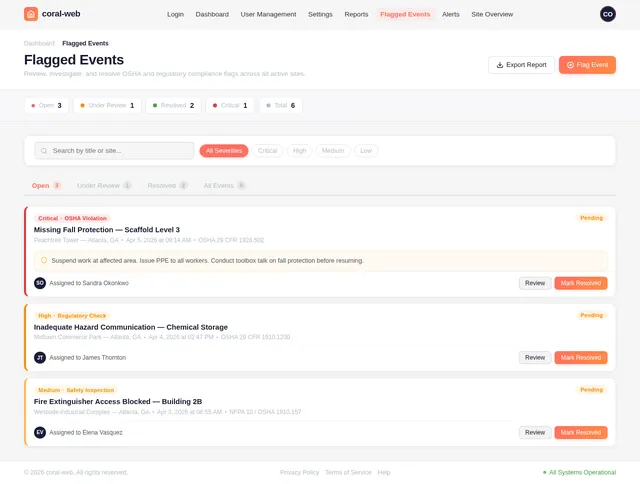
- Manual flagging feature for users to mark events as non-compliant during manual reviews.
- A comprehensive dashboard displaying compliance statuses, flagged issues, and actionable insights.
- Detailed reports summarizing compliance checks and flagged events.
The system will be designed to operate in the US construction industry context, adhering to local regulatory and OSHA standards.
3. Functional Requirements
As Admin:
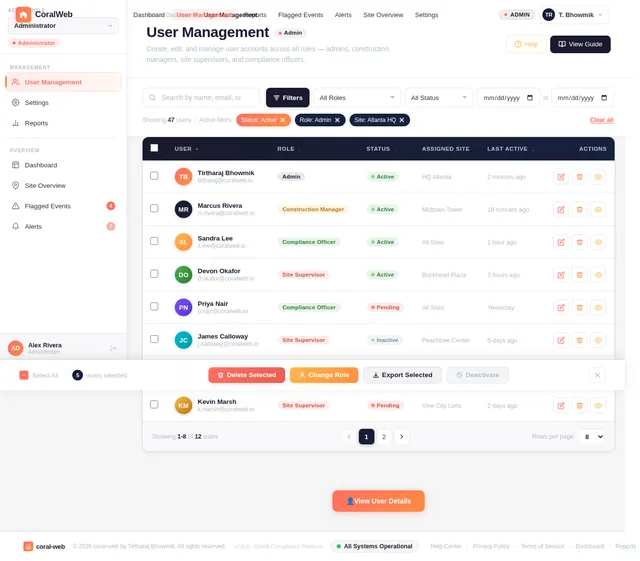
- I should be able to create, edit, and delete user accounts for all roles.
- I should be able to view and manage compliance reports for all sites.
- I should be able to configure compliance check parameters and thresholds.
As Construction Manager:
- I should be able to view compliance statuses for all assigned sites.
- I should be able to receive alerts for non-compliance events.
- I should be able to manually flag events as non-compliant during reviews.
As Site Supervisor:
- I should be able to view compliance statuses for my site(s).
- I should be able to receive alerts for non-compliance events specific to my site(s).
- I should be able to submit additional data or evidence for flagged events.
As Compliance Officer:
- I should be able to review flagged events and provide recommendations.
- I should be able to generate detailed compliance reports for specific sites or projects.
- I should be able to monitor compliance trends over time.
4. User Personas
Admin
- Role: Oversees the entire system, manages user accounts, and configures compliance parameters.
- Needs: Full access to all system features, ability to manage users, and configure compliance settings.
Construction Manager
- Role: Oversees compliance for multiple sites and ensures adherence to standards.
- Needs: Access to compliance statuses, alerts, and manual flagging tools.
Site Supervisor
- Role: Manages day-to-day operations at a specific site and ensures compliance on the ground.
- Needs: Site-specific compliance data, alerts, and tools to submit evidence for flagged events.
Compliance Officer
- Role: Reviews compliance data, investigates flagged events, and generates reports.
- Needs: Access to flagged events, reporting tools, and compliance trend analysis.
5. Visuals Colors and Theme
The coral-web application will feature a professional and modern design, reflecting the construction industry's robust and practical nature. Below is the unique color palette:
- Background: #F5F5F5 (Light Gray)
- Surface: #FFFFFF (White)
- Text: #333333 (Dark Charcoal)
- Accent: #FF6F61 (Coral Red)
- Muted: #B0BEC5 (Steel Gray)
This palette ensures clarity, readability, and a professional aesthetic suitable for compliance management.
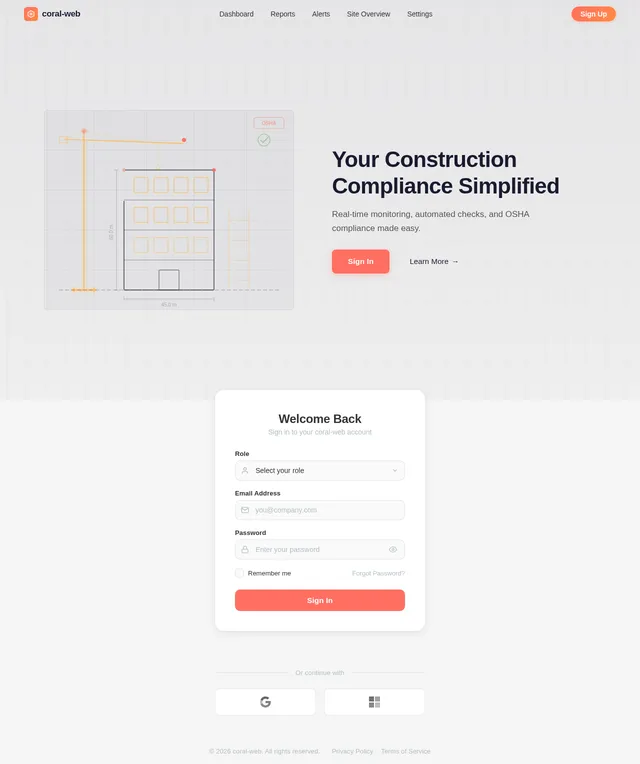
6. Signature Design Concept
"Interactive Construction Blueprint"
The homepage of coral-web will resemble a dynamic, interactive construction blueprint. Users will see a digital blueprint of a construction site, with different sections representing key features of the application:
- Compliance Dashboard: A clickable area resembling a control room on the blueprint.
- Flagged Events: Highlighted in red, resembling warning signs on the blueprint.
- Reports: Represented as stacks of digital documents on a desk.
- User Management: A clickable icon resembling a team meeting room.
Animations and Interactions:
- Hovering over sections will display tooltips with brief descriptions.
- Clicking on a section will zoom into that area with a smooth transition.
- The blueprint will have subtle animations, such as moving cranes or blinking warning lights, to create a lively and engaging experience.
- The color scheme will shift slightly based on the time of day (e.g., warmer tones in the evening).
This design will make the application visually striking and memorable while maintaining functionality and ease of use.
7. Non-Functional Requirements
- The system must support at least 1,000 concurrent users.
- The application must load within 3 seconds for 95% of users.
- The system should ensure 99.9% uptime.
- Data must be encrypted in transit and at rest to ensure security.
- The application must comply with US data protection regulations.
8. Tech Stack
Frontend:
- React for Web
Backend:
- Python
- FastAPI
Database:
- MySQL with Alembic for migrations
AI Models:
- GPT 5.4 for user-friendly responses
- Claude 4.6 Opas for academic or coding work
AI Tools:
- Langchain
- Litellm for LLM Routing
Orchestration:
- Docker for local development
- Kubernetes for server-side orchestration
9. Assumptions and Constraints
Assumptions:
- Users will have access to modern web browsers.
- The system will primarily be used in the US and must comply with local regulations.
- Users will have basic technical literacy.
Constraints:
- The system must adhere to OSHA and other US regulatory standards.
- The application must be scalable to accommodate future growth.
- The solution must be delivered within the agreed timeline and budget.
10. Glossary
- OSHA: Occupational Safety and Health Administration, a regulatory body in the US.
- Compliance: Adherence to laws, regulations, and standards.
- Flagging: Marking an event or issue as non-compliant for further review.
- Parallel Agents: Multiple automated processes running simultaneously to perform tasks efficiently.
- Dashboard: A visual interface displaying key metrics and statuses.
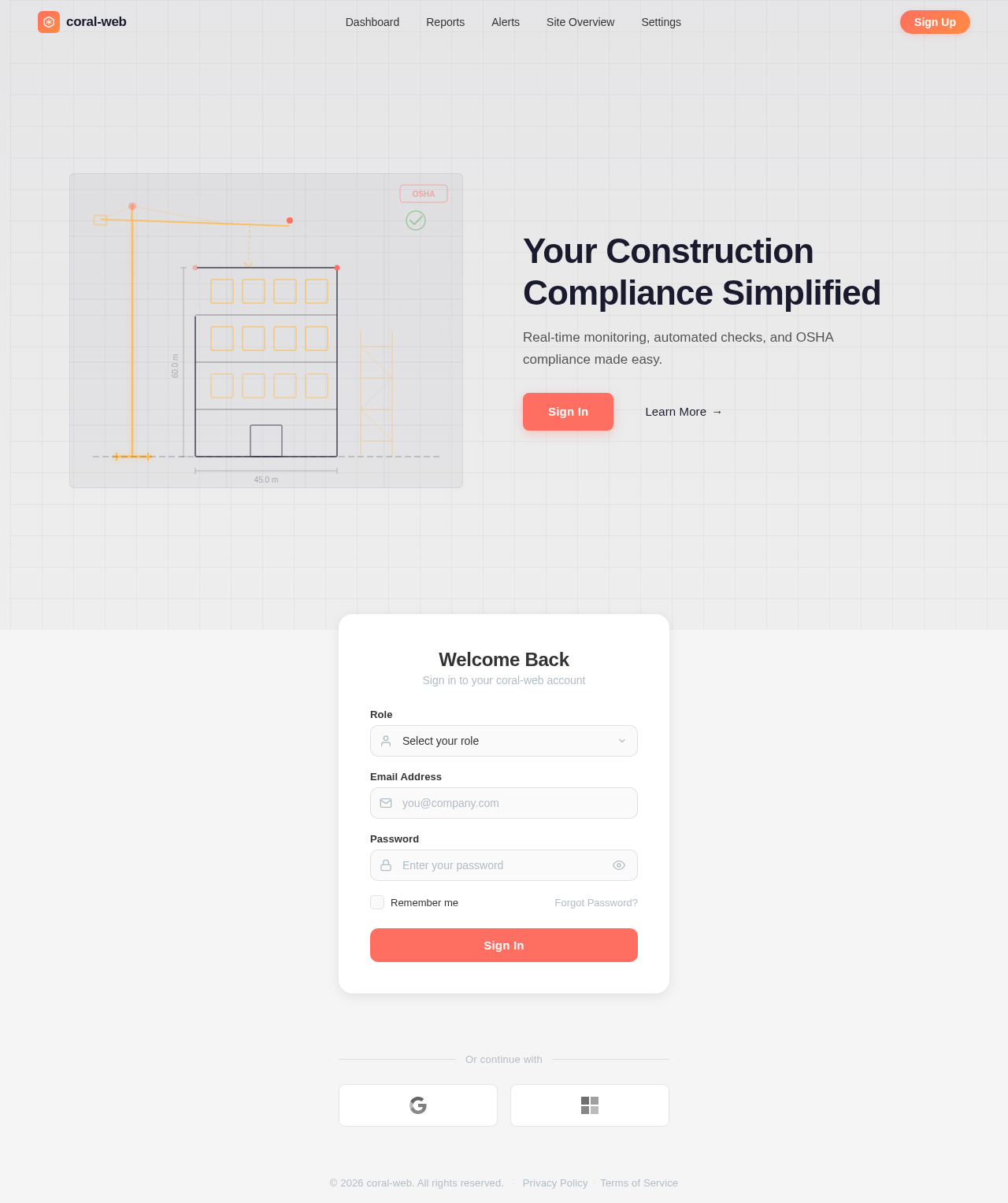
Your Construction Compliance Simplified
Real-time monitoring, automated checks, and OSHA compliance made easy.
Welcome Back
Sign in to your coral-web account
No comments yet. Be the first!