beauty-salon
 Drashti Solanki
Create a modern appointment booking website for a beauty salon Customers should be able to : -- View the salon's services and prices -- View available appointment dates and times slots. -- Select a service and book an appointment - Enter their name , phone number , and email while booking. -- view a booking confirmation after successfully booking an appointment The salon staff should be able to: -- View customer appointments -- See appointment details such as customer name , selected service , date and time The Website should be simple , modern mobile friendly and easy to use. make sure this website Ui design moder and more attractive , innovative design


Comments (0)
Sign in to leave a comment
Architecture
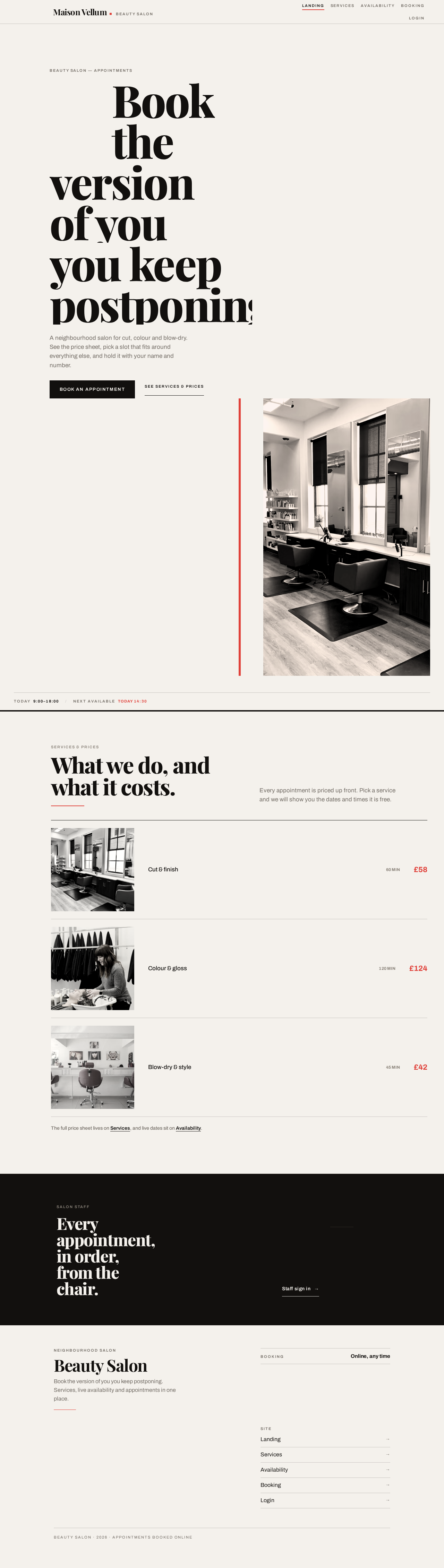
Book theversion of youyou keep postponing.
A neighbourhood salon for cut, colour and blow-dry. See the price sheet, pick a slot that fits around everything else, and hold it with your name and number.


Every appointment, in order, from the chair.
Book theversion of youyou keep postponing.
A neighbourhood salon for cut, colour and blow-dry. See the price sheet, pick a slot that fits around everything else, and hold it with your name and number.
No comments yet. Be the first!