android-4g
by Ricard
RicardBuatkan aplikasi Android buat mengubah jaringan ke 4g

Comments (0)
Sign in to leave a comment
Project Tasks
19 planning tasks#1
Generate system requirement document
0m 46s0.05 cr used
Done#2
Generate personas & user flows
0m 5s0.05 cr used
Done#7
Create flow for Pengguna Android
0m 4sCredits in parent
Done#8
Landing
6m 4sCredits in subtasks
Done#21
Fix Landing review finding: Q1 as reviewed now: frontend/src/pages/Landing.jsx: the…
0m 21s0.02 cr used
Done#20
Fix Landing review finding: Q1 as reviewed now: frontend/src/pages/Landing.jsx: the…
0m 27s0.02 cr used
Done#19
Fix Landing review finding: Q1 as reviewed now: frontend/src/pages/Landing.jsx: the…
0m 15s0.02 cr used
Done#18
Fix Landing review finding: Q1 as reviewed now: frontend/src/styles/Landing.css…
0m 39s0.02 cr used
Done#11
Landing / App Nav Rail
0m 0s0.85 cr used
Done#12
Landing / Hero Readout
0m 49s0.85 cr used
Done#13
Landing / Status Rule
0m 26s0.85 cr used
Done#14
Landing / Footer
0m 0s0.85 cr used
Done#17
Fix Landing: Desktop main content is missing and the navigation rail is misplaced; see (.la-layout-2…
3m 37sCredits unavailable
Done#15
App Nav Rail
0m 26sCredits in parent
Done#16
Footer
0m 22sCredits in parent
Done#9
Status Jaringan
Credits in subtasks
Backlog#10
Mode Jaringan
Credits in subtasks
Backlog#5
Architecture
0.05 cr needed
Backlog#6
Workspace task plan
0.05 cr needed
Backlog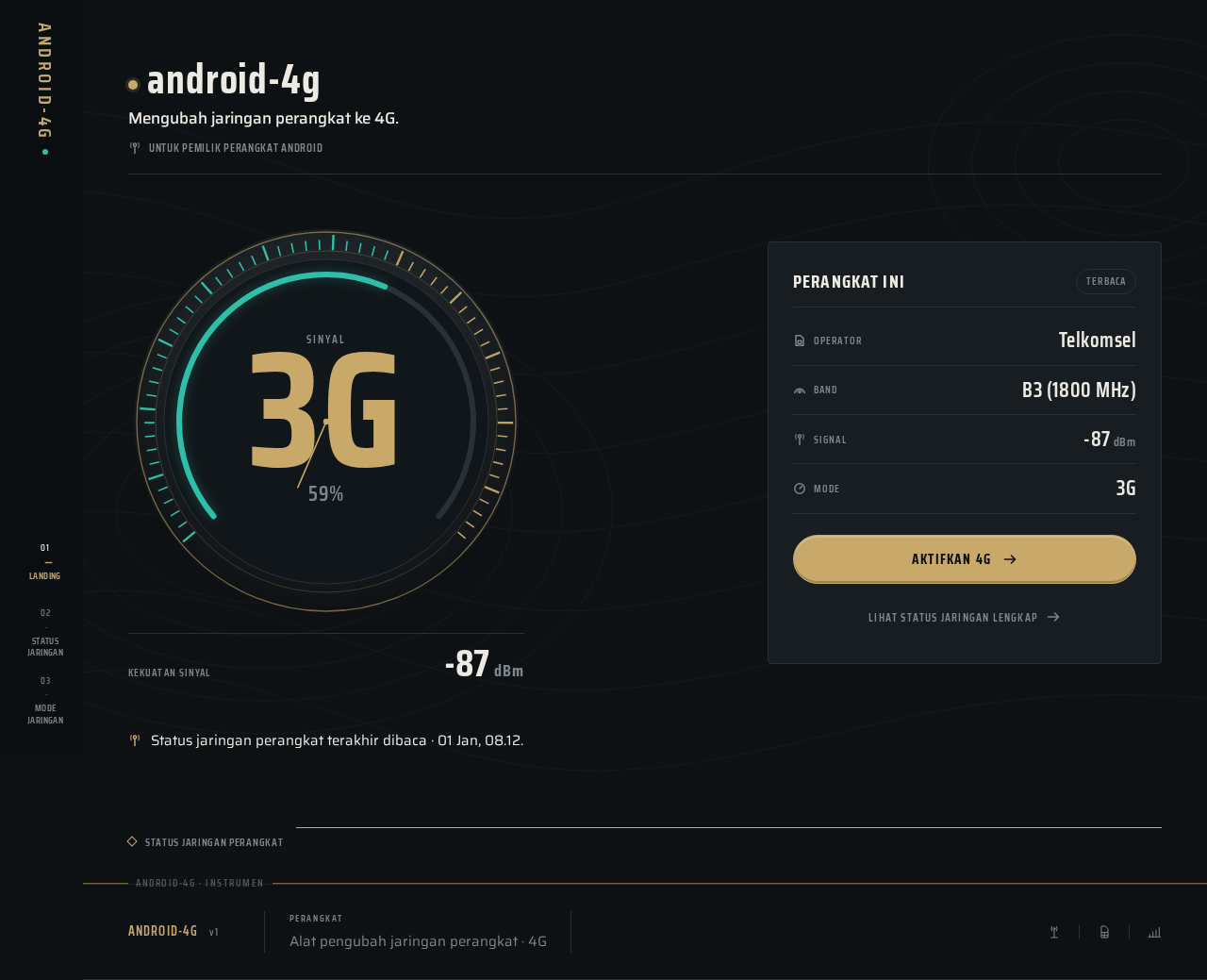
android-4g
Mengubah jaringan perangkat ke 4G.
Untuk pemilik perangkat AndroidPerangkat iniTerbaca
- OperatorTelkomsel
- BandB3 (1800 MHz)
- Signal-87dBm
- Mode3G
Status jaringan perangkat terakhir dibaca · 01 Jan, 08.12.
Status Jaringan Perangkat
android-4g
Mengubah jaringan perangkat ke 4G.
Untuk pemilik perangkat AndroidPerangkat iniTerbaca
- OperatorTelkomsel
- BandB3 (1800 MHz)
- Signal-87dBm
- Mode3G
Status jaringan perangkat terakhir dibaca · 01 Jan, 08.12.
Status Jaringan Perangkat
No comments yet. Be the first!