android-4g

byRicard

Buatkan aplikasi Android buat mengubah jaringan ke 4g

Landing
Landing

Comments (0)

No comments yet. Be the first!

Architecture

No Services Diagrams Yet

Architecture diagrams will be automatically generated when the Project Manager creates tasks for your project.

Live
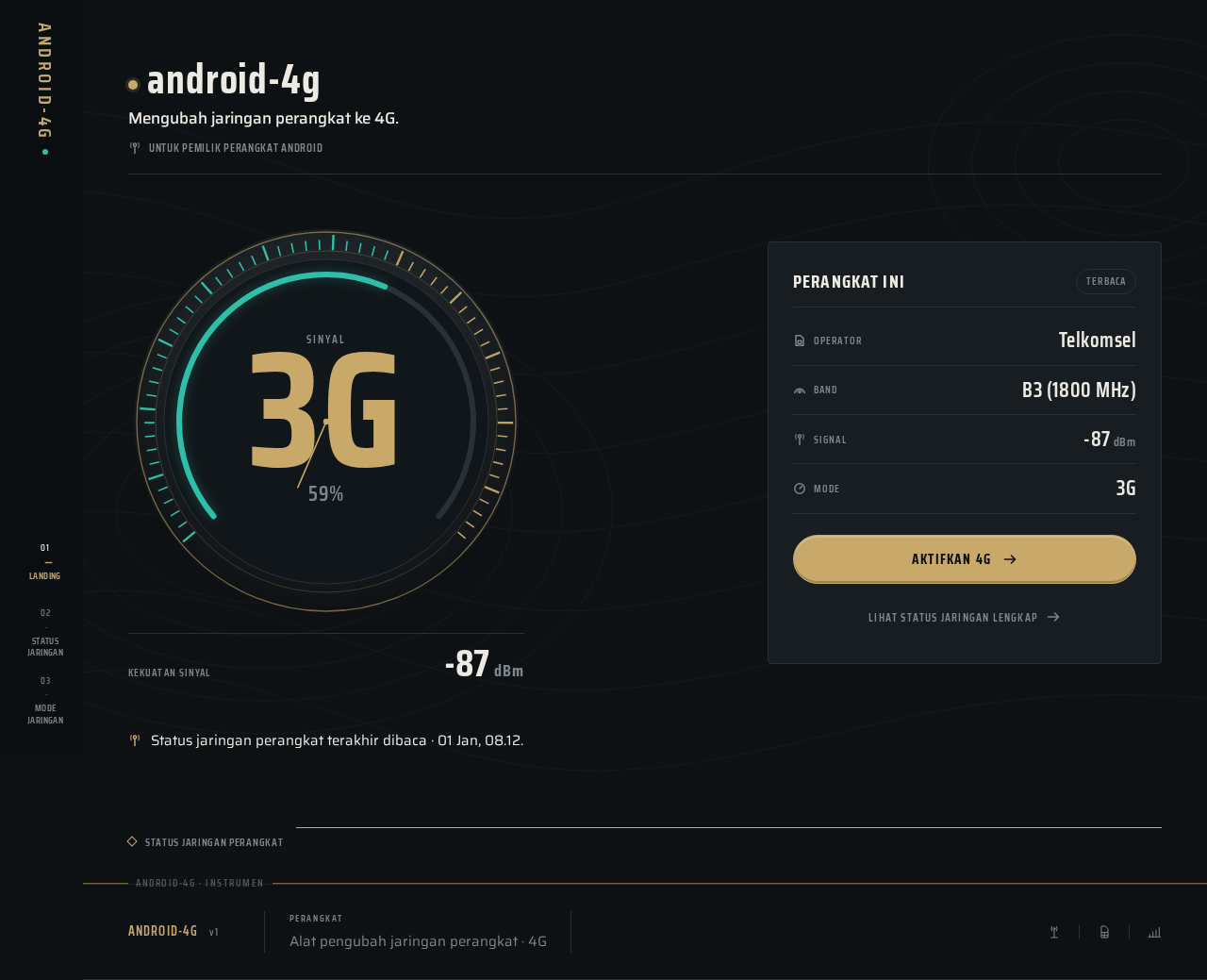
Landing design preview
Landing: Launch app anonymously
Landing: 1. Read live network readout
Landing: 2. Retry failed status read
Status Jaringan: Review full network status
Status Jaringan: 1. Refresh status reading
Status Jaringan: 2. Retry failed reading
Mode Jaringan: 1. Open mode selector
Mode Jaringan: 2. Select 4G on ring
Mode Jaringan: 3. Note 4G unavailable
Mode Jaringan: 4. Activate apply control
Mode Jaringan: 5. Grant system permission
Mode Jaringan: 6. Deny system permission
Mode Jaringan: 7. Re-request permission
Mode Jaringan: 8. Retry failed apply
Mode Jaringan: 9. Confirm 4G aktif indicator
Status Jaringan: 10. Confirm resulting 4G status
Status Jaringan: 11. Re-check unchanged mode
Mode Jaringan: 12. Select supported mode
Live
Landing design preview
Landing: Launch app anonymously
Landing: 1. Read live network readout
Landing: 2. Retry failed status read
Status Jaringan: Review full network status
Status Jaringan: 1. Refresh status reading
Status Jaringan: 2. Retry failed reading
Mode Jaringan: 1. Open mode selector
Mode Jaringan: 2. Select 4G on ring
Mode Jaringan: 3. Note 4G unavailable
Mode Jaringan: 4. Activate apply control
Mode Jaringan: 5. Grant system permission
Mode Jaringan: 6. Deny system permission
Mode Jaringan: 7. Re-request permission
Mode Jaringan: 8. Retry failed apply
Mode Jaringan: 9. Confirm 4G aktif indicator
Status Jaringan: 10. Confirm resulting 4G status
Status Jaringan: 11. Re-check unchanged mode
Mode Jaringan: 12. Select supported mode