epic-surveillance
 Janvi shah
Scope of Work Project: AI-Powered Hybrid Surveillance & Remote Monitoring Platform Client: American Global Security (AGS) – SiteWatch Technology Prepared By: fxis.ai 1. Project Objective To design and develop a scalable, AI-powered hybrid (Edge + Cloud) surveillance system capable of: Monitoring 1,000+ cameras initially (scalable to 5,000–10,000+) Providing real-time intelligent detection Delivering automated voice response (AI agent-based intervention) Enabling centralized dashboard-based monitoring Reducing manual security oversight Supporting proactive threat prevention 2. System Architecture Overview 2.1 Hybrid Infrastructure Model As discussed in the meeting AI-Survilliance-System-Discussi… , the system will use: Edge Layer (On-site – Jetson or equivalent GPU devices): Real-time object detection Motion tracking Zone monitoring Immediate voice response trigger Cloud Layer (Server-side AI Processing): Advanced analytics LLM-based contextual reasoning Event classification Centralized dashboard Alert management Data storage & historical analysis This ensures: Fast response at edge Scalability and advanced intelligence via cloud Optimized infrastructure cost-performance balance 3. Core Functional Modules 3.1 Camera & Device Management Module Support for multi-camera units (7 cameras + IP speaker per unit) Device onboarding & provisioning Health monitoring of devices Remote firmware update capability Camera grouping by site 3.2 AI Detection & Event Recognition Engine The system will detect: Trespassing Detection Unauthorized entry detection Person tracking within defined restricted zones Real-time alert trigger Loitering Detection Time-based presence detection within a zone Threshold-based alert system Zone-Based Monitoring Virtual zone creation (e.g., doors, restricted areas) Rule-based triggers Door State Monitoring Detect door open/closed state Alert if door remains open beyond defined time Auto voice reminder to close door Custom Rule Engine Client-defined event configurations Future extensibility for additional use cases 3.3 AI Voice Response System (AI Agent Layer) Integration with IP speakers Dynamic AI-generated announcements Context-aware verbal warnings such as: “You are trespassing.” “Please leave the restricted area.” “Please ensure the door is locked.” LLM-based natural language generation (cloud-assisted) Event-specific scripted + dynamic responses 3.4 Notification & Alert System Real-time email notifications SMS integration (optional phase) Dashboard alert center Escalation workflow (e.g., notify security dispatch) Alert logs and audit trails 3.5 Central Monitoring Dashboard Web-based dashboard including: Live camera feed view Event timeline AI-detected events summary Multi-site overview User role management (Admin / Operator) Alert filtering and search Historical playback & analytics Enhanced UI/UX (competitive advantage over Spot AI as discussed AI-Survilliance-System-Discussi… ) 3.6 Scalability Framework Designed for 1,000 cameras (Phase 1) Infrastructure blueprint scalable to 5,000–10,000+ cameras Modular microservices architecture Horizontal scaling via cloud infrastructure 4. AI & Technical Stack (Proposed) Edge Layer NVIDIA Jetson (Or equivalent edge GPU) OpenCV / TensorRT optimization Lightweight object detection models (YOLO variant) Cloud Layer Scalable backend (Python/FastAPI or Node.js) LLM integration for contextual reasoning Event processing engine PostgreSQL / Time-series DB Cloud storage (AWS / GCP / Azure – TBD) Dockerized microservices 5. Phased Development Plan Phase 1 – Architecture & Infrastructure Design System architecture blueprint Edge-cloud workload split Data flow diagram Security architecture Phase 2 – Core AI Detection Module Person detection Trespassing logic Zone creation Door detection model Phase 3 – Voice AI Integration Speaker communication module Context-based announcement engine Response latency optimization Phase 4 – Dashboard Development Admin panel Live monitoring Alert management Analytics view Phase 5 – Pilot Deployment Limited site testing Performance benchmarking Model fine-tuning Phase 6 – Scale Optimization Load testing Multi-site rollout readiness Security hardening 6. Deliverables Complete hybrid AI surveillance system Web dashboard Edge AI module (deployable on Jetson) Voice response integration API documentation Deployment documentation
Comments (0)
Sign in to leave a comment
Project Tasks38
Door State Detection Model
As a system, I want to be able to monitor and detect door open/closed/ajar state on edge devices. Build and deploy a door state detection module for edge inference. Train a binary classifier (open/closed) or use frame-difference + contour approach. Support ajar detection. Emit door state change events with timestamp and confidence to the cloud relay. Support per-camera zone configuration for door region. Optimize for Jetson with TensorRT.
Trespassing Detection Model
As a system, I want to be able to detect trespassing in real-time on Jetson edge devices. Train and deploy a trespassing detection model for edge inference. Fine-tune a YOLO-based or MobileNet-SSD object detector on labeled trespassing scenarios. Optimize with TensorRT for Jetson deployment. Implement zone boundary crossing logic with configurable dwell time threshold. Package as a DeepStream plugin or standalone inference module.
Loitering Detection Model
As a system, I want to be able to detect loitering behavior within configured zones on edge devices. Build and deploy a loitering detection module for edge inference. Track persons within defined zones using a multi-object tracker (ByteTrack or StrongSORT). Accumulate dwell time per track ID within each zone polygon. Trigger a loitering event when dwell time exceeds a configurable threshold. Optimize for low-latency operation on Jetson hardware with TensorRT.
Implement Theme & Structure
Implement the brand theme across the entire frontend scaffold. Apply Midnight Blue (#1A2238), Electric Blue (#4ECDC4), Off-White (#F7F9FB), and Coral Red (#FF6B6B) color tokens. Set up Poppins/Roboto typography scale, dark-first layout system, and 'Immersive Surveillance Hub' design concept. Remove any scaffold pages not in the approved design pages list (keep: Dashboard, Sites, Devices, Cameras, Alerts, Voice System, Users, Settings, Analytics, Cloud Engine, Notification, Edge Device, Analytics Engine, Playback, Cloud Relay, Login, Reports). Ensure all global CSS variables, Tailwind config (or styled-components theme), and shared layout components (sidebar, topbar, page wrapper) match the mock-design pages exactly. Set up logo usage across all interfaces.
Color & Theme Alignment Pass
Conduct a full color and theme alignment pass across all existing JSX design pages. Verify every component uses the correct brand tokens (Midnight Blue #1A2238, Electric Blue #4ECDC4, Off-White #F7F9FB, Coral Red #FF6B6B). Fix any hardcoded hex values, ensure dark-first contrast ratios meet accessibility standards, and align button variants, badge colors, status indicators, and icon tints to the Immersive Surveillance Hub palette. Apply Poppins for headings and Roboto for body text consistently.
Edge AI Inference Pipeline
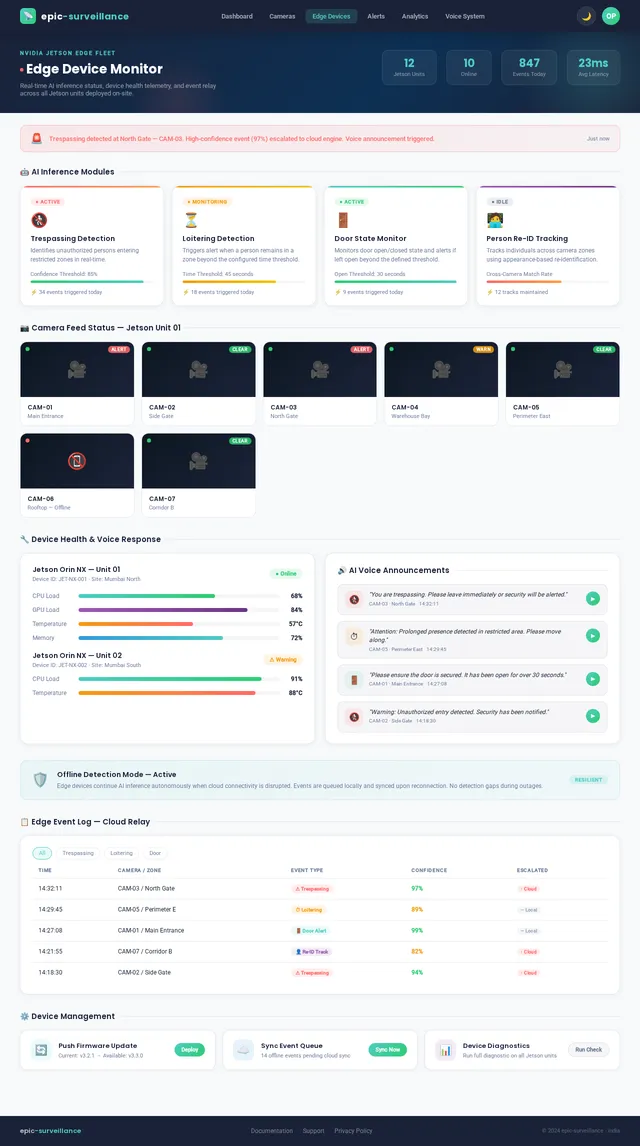
As a system, I want to be able to run AI inference on NVIDIA Jetson edge devices for real-time surveillance detection. Build the AI inference pipeline on NVIDIA Jetson edge devices. Implement a Python-based inference manager that loads and runs detection models (trespassing, loitering, door state, person re-id) against RTSP camera streams using NVIDIA DeepStream or OpenCV with TensorRT. Manage model loading, frame sampling rate, zone-masked inference, multi-camera concurrent inference, and structured detection event output. Include offline event buffering to local SQLite when cloud is unreachable.
Person Re-identification Module
As a system, I want to be able to track individuals consistently across multiple cameras at the same site. Implement a person re-identification (re-id) module for the edge inference pipeline. Use a lightweight re-id model (OSNet or MobileNetV2-based) optimized for TensorRT on Jetson. Extract appearance feature embeddings per detected person, match against a rolling gallery of recent embeddings (Redis-backed on edge), and assign consistent track IDs across cameras. Emit re-id match events with confidence score to the cloud relay.
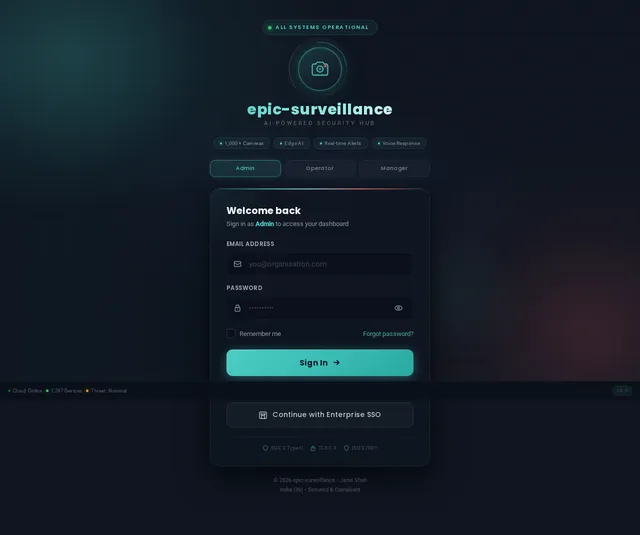
Implement Login Page
As a user, I want to be able to use the Login page (v4 design) to securely sign in to the platform. Wire up the existing Login v4 JSX design into a fully functional React/TypeScript page. Connect to the authentication API (already implemented), handle form validation, error states, loading spinners, and redirect logic post-login. Apply role-based redirect (Admin → Dashboard Overview, Operator → Live Feeds, Security Manager → Multi-Site Overview). Ensure the Immersive Surveillance Hub branding is pixel-perfect against the v4 mock. The page is the entry point for all user flows (Admin, Operator, Security Manager). Implement mobile-first responsive layout with touch-optimized controls.
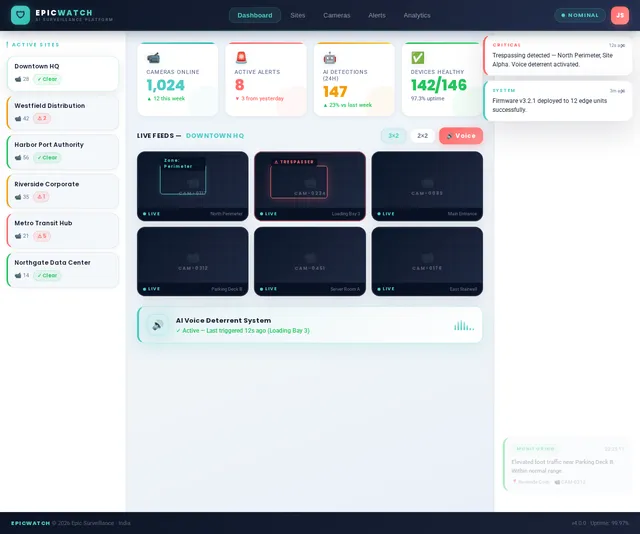
Implement Dashboard Page
As a user, I want to be able to use the Dashboard page (v5 design) to view live feeds, monitor event ticker, and access a multi-site overview. Implement the Dashboard page using the v5 redesign which addresses mobile-friendliness, simplified layout, and dashboard rendering error fix. Features a 3D interactive map of monitored sites with glowing markers for active cameras, responsive layout optimized for mobile screens, reduced visual complexity, and corrected component initialization errors. Use React+TypeScript with Redux Toolkit. Apply brand colors (Midnight Blue #1A2238, Electric Blue #4ECDC4) and Poppins/Roboto typography. Dashboard must be fully responsive across mobile, tablet, and desktop breakpoints. Supports Admin (Overview), Operator (Live Feeds + Event Ticker), and Security Manager (Multi-Site Overview) flows. Implement micro-interactions and animated alert cards.
Implement Alerts Page
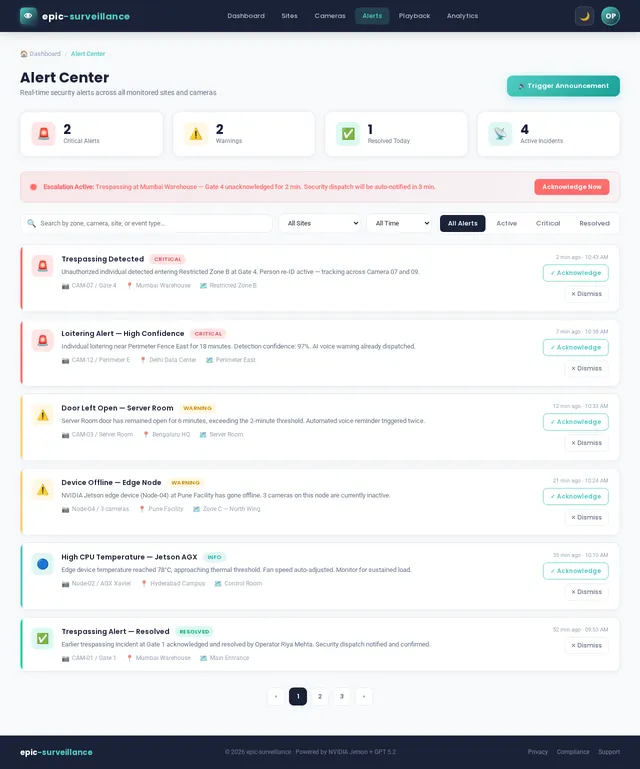
As a user, I want to be able to use the Alerts page to view, filter, acknowledge, and manage all security alerts. Implement the Alerts v1 JSX design as a fully functional page. Display real-time alert feed with severity levels (critical, high, medium, low), event type, camera, site, and timestamp. Support acknowledge, escalate, and annotate actions per alert. Implement filter by site, camera, severity, date range, and event type. Animate alerts as color-coded cards with slide-in transitions and swipe-to-dismiss on mobile. Connect to Alert & Notification API and WebSocket real-time feed. Fully mobile-responsive. Used in Operator (View Active Alerts, Acknowledge, Annotate) and Security Manager (View Alert History, Search/Filter, Audit Trail) flows.
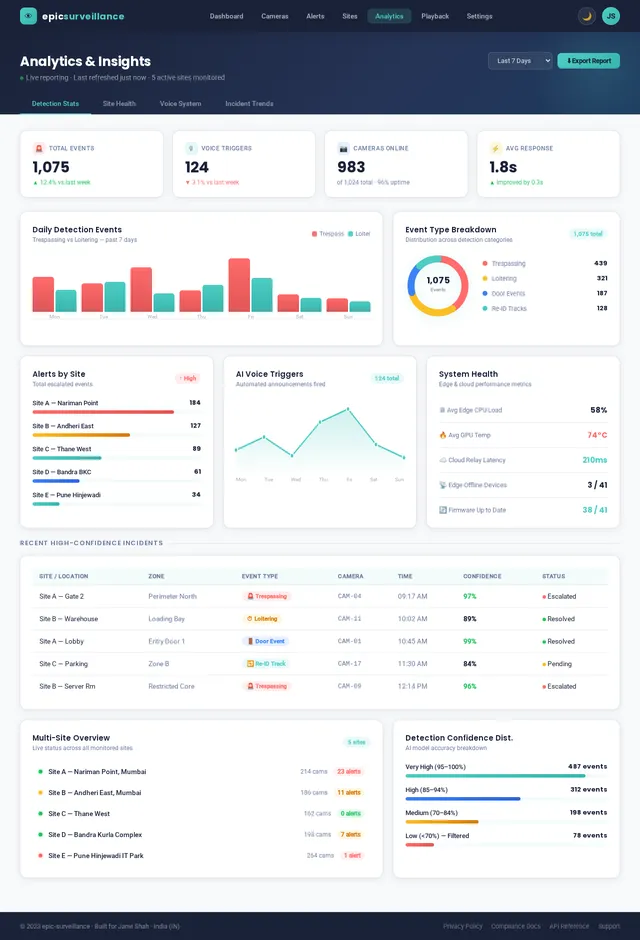
Implement Analytics Page
As a user, I want to be able to use the Analytics page to view detection trends, site heatmaps, and export data. Implement the Analytics v1 JSX design as a functional React/TypeScript page. Display time-series charts for detection events by type, site heatmaps, alert volume trends, camera uptime, and peak activity windows. Support date range picker, site/camera filter, and export to CSV. Connect to the Analytics & Reporting API. Integrate charting library (Recharts or Chart.js) with brand color palette. Fully mobile-responsive with scrollable chart containers and touch-friendly filters. Used in Admin (View Reports), Security Manager (View Incident Trends, Review Peak Activity), and Operator (View Detection Stats) flows.
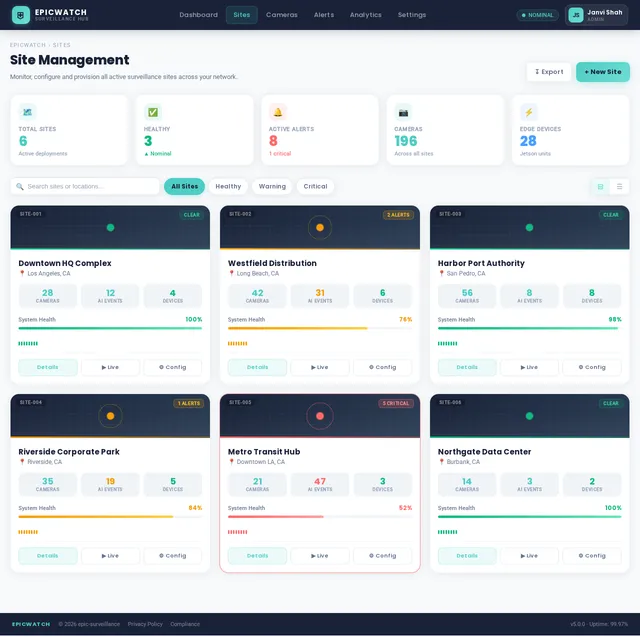
Implement Sites Page
As a user, I want to be able to use the Sites page (v3 design) to manage and review site health across all monitored locations. Implement the Sites v3 JSX design as a functional React/TypeScript page. Display a list/grid of all monitored sites with health indicators, device counts, active alert badges, and last-sync timestamps. Support site creation, editing, and archival via modal forms. Integrate Mapbox GL JS for a site map overview. Connect to the Site Management API. Implement search, filter by status, and pagination. Fully mobile-responsive with touch-optimized controls. Used in Admin (Manage Sites) and Security Manager (Review Site Health) flows.
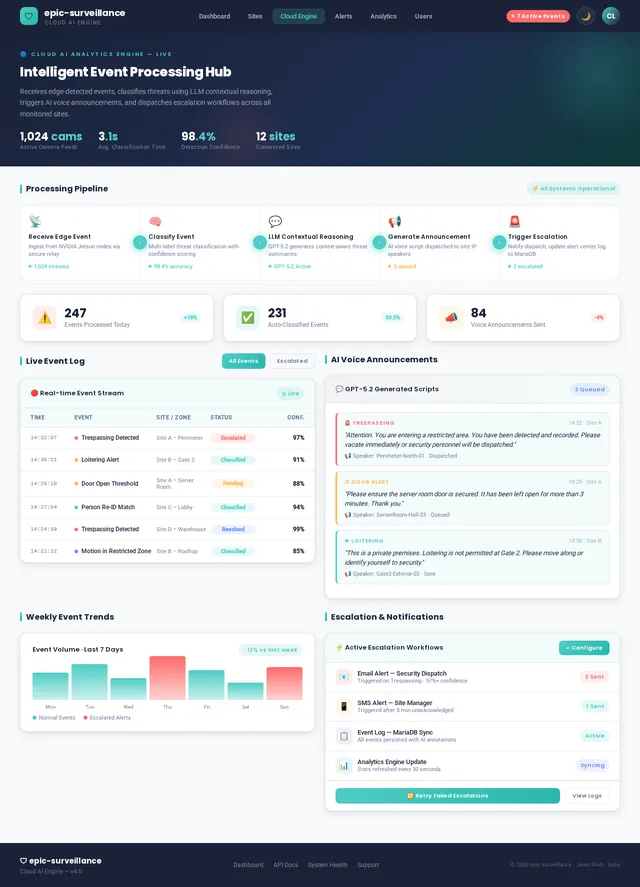
Implement Cloud Engine Page
As a user, I want to be able to use the Cloud Engine page to monitor real-time AI classification and escalation pipeline status. Implement the Cloud Engine v1 JSX design as a functional React/TypeScript page. Display real-time status of the Cloud AI engine: event queue depth, classification throughput, LLM call latency, active escalation chains, and error rates. Show LiteLLM model usage stats and token consumption. Include toggle controls for enabling/disabling specific AI classification modules. Connect to the AI Detection Events API and WebSocket for live updates. Fully mobile-responsive with collapsible metric panels. Used in Cloud AI Engine flow (Receive → Classify → Trigger Escalation).
Implement Devices Page
As a user, I want to be able to use the Devices page to provision, monitor, and manage all registered edge devices. Implement the Devices v1 JSX design as a functional React/TypeScript page. List all registered edge devices (NVIDIA Jetson) with status (online/offline/degraded), firmware version, last heartbeat, and assigned site. Support device registration, decommission, and firmware update trigger actions. Connect to the Camera & Device Management API. Include device health drill-down linking to the Edge Device page. Fully mobile-responsive with touch-optimized list/card views. Used in Admin (Provision Device, Monitor Health) flow.
Implement Reports Page
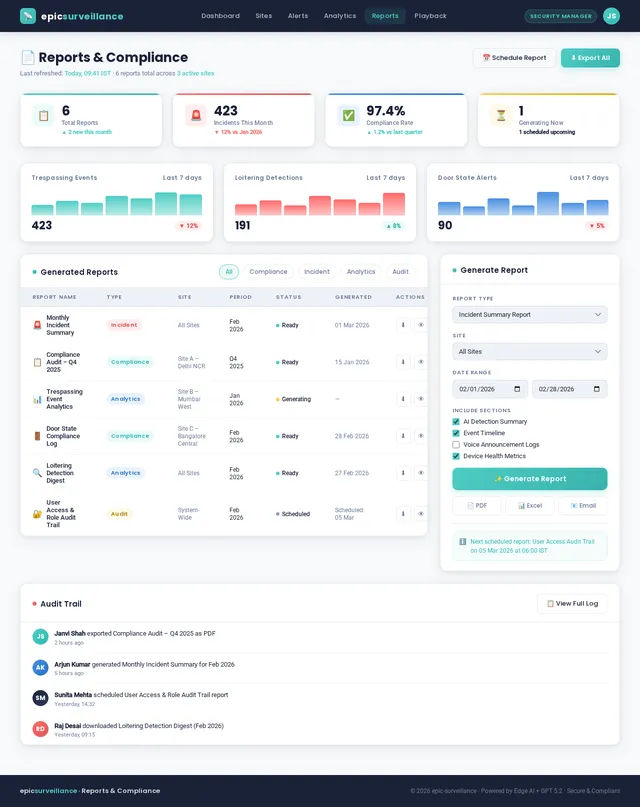
As a user, I want to be able to use the Reports page to generate, preview, and export compliance and incident reports. Implement the Reports v1 JSX design as a functional React/TypeScript page. Support report generation by type: incident summary, compliance export, site activity, camera uptime, and audit trail. Include scheduled report configuration (daily/weekly/monthly). Provide preview panel and download as PDF/CSV. Connect to Analytics & Reporting API. Include audit trail viewer for Security Manager compliance flow. Fully mobile-responsive with stacked layout for report controls on small screens. Used in Security Manager (Generate Report, Export Compliance Doc) flow.
Implement Users Page
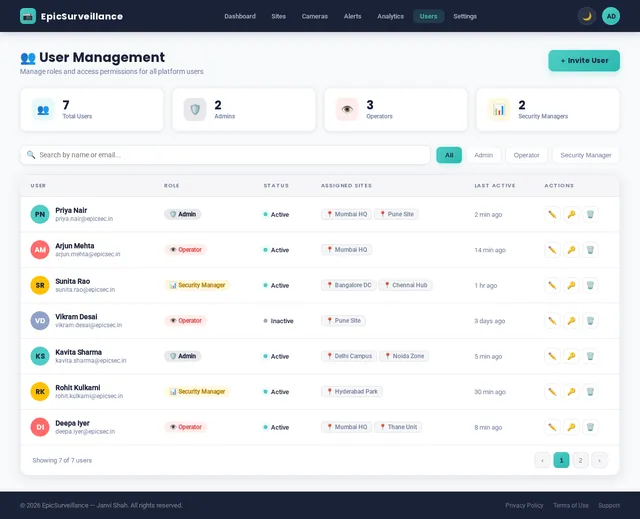
As a user, I want to be able to use the Users page to manage user accounts, roles, and site access. Implement the Users v1 JSX design as a functional React/TypeScript page. Display user list with role badges (Admin, Operator, Security Manager), status, last login, and assigned sites. Support user creation, role assignment, site access scoping, password reset trigger, and deactivation. Connect to the User Management & RBAC API. Implement search and filter by role/status. Fully mobile-responsive with card-based user listing on small screens. Used in Admin (Manage Roles) flow.
Multi-site Mapbox Integration
As a user, I want to be able to use an interactive map to view and navigate between sites geographically. Integrate Mapbox GL JS into the frontend for multi-site geographic visualization. Implement a map component showing all sites as custom markers color-coded by health status. Support click-to-zoom into a site with a popup showing device count, active alerts, and last sync. Add a geofence layer rendering site boundary polygons. Implement clustering for dense site deployments. Fully mobile-responsive with touch pan/zoom gestures. Used in Sites page (v3) and Dashboard (v5) multi-site overview.
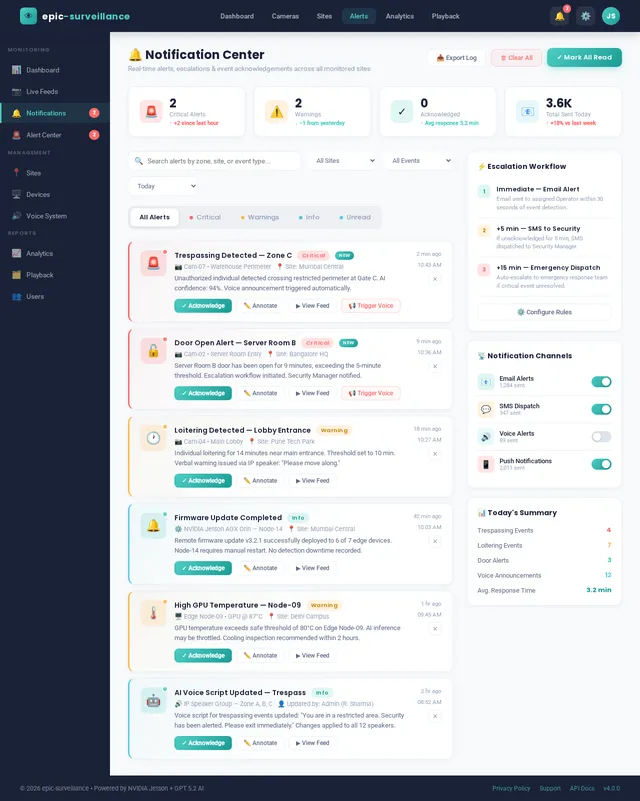
Implement Notification Page
As a user, I want to be able to use the Notification page to view notification history and configure alert preferences. Implement the Notification v1 JSX design as a functional React/TypeScript page. Display notification history log with type (email, SMS, in-app), recipient, event trigger, status (sent/failed/pending), and timestamp. Support filter by channel, status, date range, and site. Include notification preferences configuration panel for alert thresholds and escalation rules. Connect to Alert & Notification API. Fully mobile-responsive with card-based notification feed on small screens. Used in Cloud AI Engine (Send Email/SMS Alert) flow.
Site Management API
As a user, I want to be able to use backend API for site management operations. Build FastAPI endpoints for site management: site CRUD (create, update, archive, list), site health status computation (aggregated from device/camera/alert states), retrieve site summary (device count, camera count, active alerts, last sync), site geolocation data (lat/lon for Mapbox), assign devices and users to sites, and site-level configuration (operating hours, alert escalation policy). Store in MariaDB.
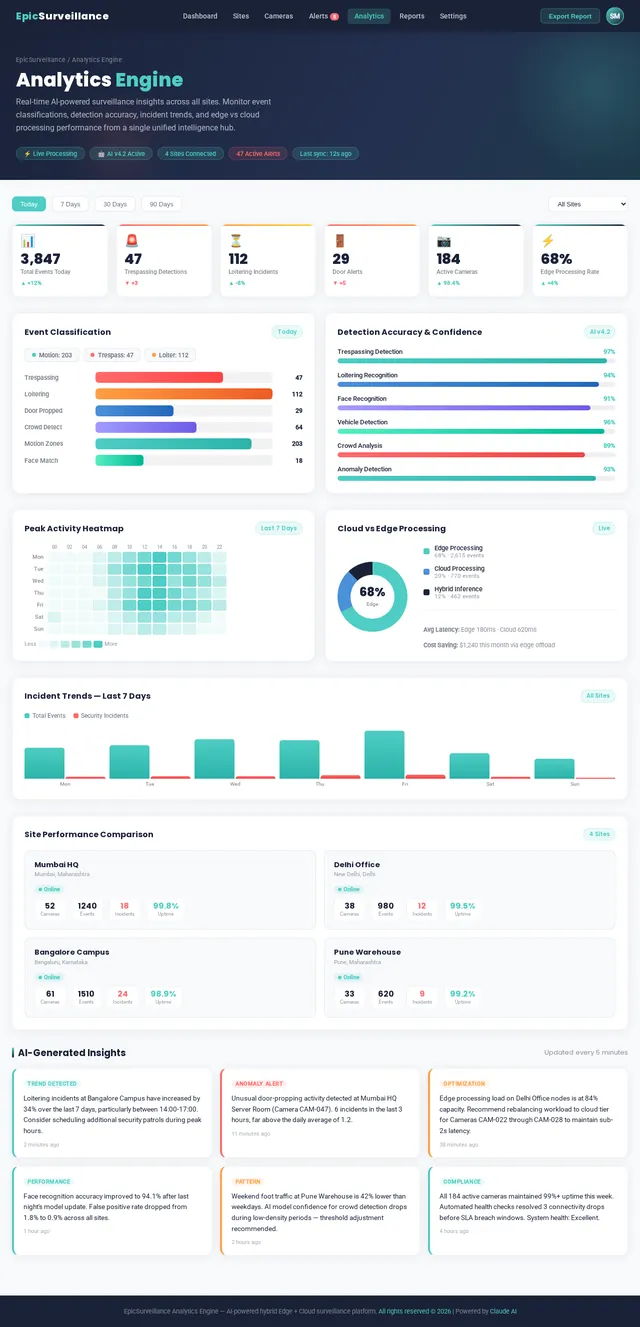
Implement Analytics Engine Page
As a user, I want to be able to use the Analytics Engine page to view AI-generated insights, model performance metrics, and LLM reasoning traces. Implement the Analytics Engine v1 JSX design as a functional React/TypeScript page. Display AI-generated insights panel, model performance metrics (precision, recall, false positive rates per detection model), event classification breakdown, and LLM reasoning trace viewer. Show inference latency stats per edge device. Connect to Analytics & Reporting API and AI Detection Events API. Include refresh/polling mechanism. Fully mobile-responsive with tabbed metric views. Used in Cloud AI Engine (Analytics Engine: Update Stats, Generate Insights) flow.
AI Detection Events API
As a user, I want to be able to use backend API for AI detection event ingestion and retrieval. Build FastAPI endpoints for AI detection event management: ingest detection events from edge, list/filter events by site/camera/type/date, retrieve event detail with bounding box metadata and inference confidence scores, store events in MariaDB, expose model performance metrics, and provide event annotation update endpoint. Include cursor-based pagination for high-volume event feeds.
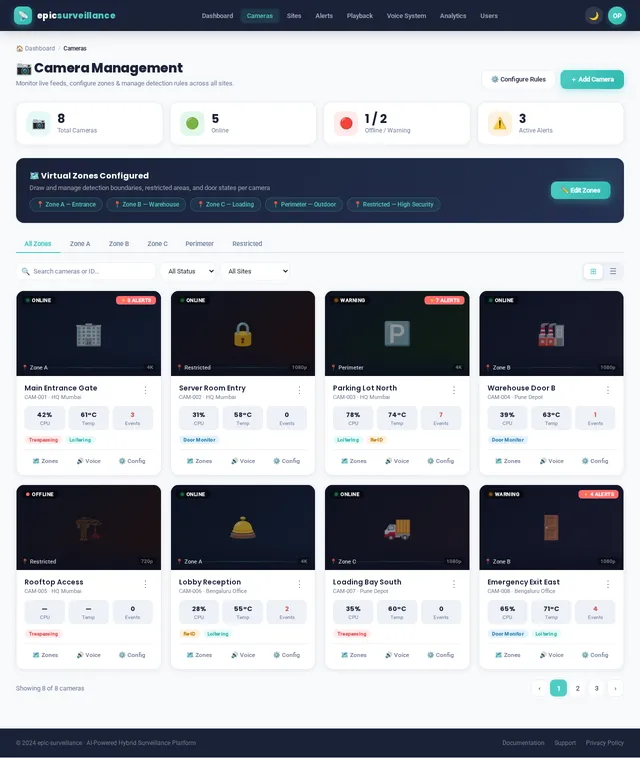
Implement Cameras Page
As a user, I want to be able to use the Cameras page to view feed status and configure detection zones. Implement the Cameras v1 JSX design including zone configuration functionality. Display camera feed thumbnails, status badges, and recording state per camera. Implement zone drawing overlay (polygon tool on canvas/SVG) for defining detection zones per camera. Support zone CRUD operations and assignment of detection rule types (trespassing, loitering, door state) per zone. Connect to Camera & Device Management API. Fully mobile-responsive with swipe-friendly zone editor and touch controls. Used in Admin (Configure Zones, Set Detection Rules) and Operator (View Feed Status) flows.
Implement Edge Device Page
As a user, I want to be able to use the Edge Device detail page to view per-device telemetry and control edge hardware. Implement the Edge Device v1 JSX design as a detailed device drill-down page. Display per-device metrics: CPU/GPU/memory usage, inference model versions, detection event counts by type, camera feeds assigned, offline mode status, last cloud sync, and firmware version. Include controls to reboot, update firmware, or force sync. Connect to Camera & Device Management API and WebSocket for live telemetry. Fully mobile-responsive with collapsible metric sections. Linked from Devices page.
Alert Notification API
As a user, I want to be able to use backend API for alert and notification management. Build FastAPI endpoints for the alert and notification system: create alert from detection event, list/filter alerts, acknowledge alert, escalate alert, update alert annotation, retrieve notification history, notification preferences CRUD, and trigger manual notification. Integrate with email (SMTP) and SMS dispatch. Store in MariaDB.
Analytics Reporting API
As a user, I want to be able to use backend API for analytics and report generation. Build FastAPI endpoints for analytics and reporting: time-series event counts, peak activity window computation, camera uptime aggregation, alert volume trends, AI model performance stats, scheduled report generation (PDF/CSV export via background task), report history retrieval, compliance export endpoint, and site health score computation. Query from MariaDB.
User Management RBAC API
As a user, I want to be able to use backend API for user management and role-based access control. Build FastAPI endpoints for user management and RBAC: user CRUD, role assignment (Admin, Operator, Security Manager), site-scoped access control, password reset trigger, last login tracking, audit log recording, and session management helpers. Store in MariaDB. Enforce role permission checks via FastAPI dependency injection middleware.
Implement Settings Page
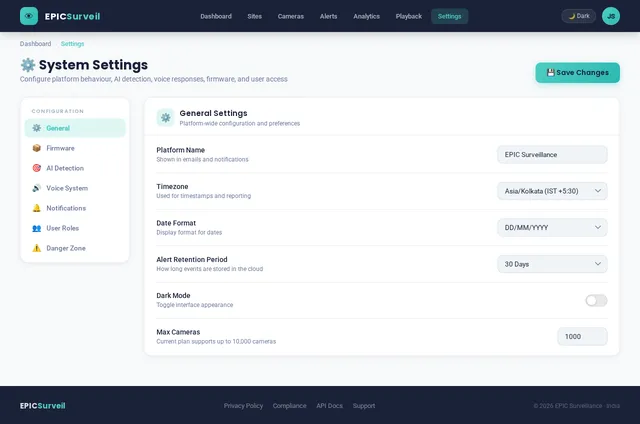
As a user, I want to be able to use the Settings page to configure system parameters, firmware, notifications, and API keys. Implement the Settings v1 JSX design as a functional React/TypeScript page. Include sections for: system configuration (retention policies, alert thresholds), firmware management (trigger OTA updates per device), notification channels (email/SMS config), API key management, and audit log viewer. Connect to the Camera & Device Management API for firmware, and User Management API for audit trail. Support form save with confirmation modals. Fully mobile-responsive with tabbed section navigation. Used in Admin (Push Firmware) flow.
Implement Voice System Page
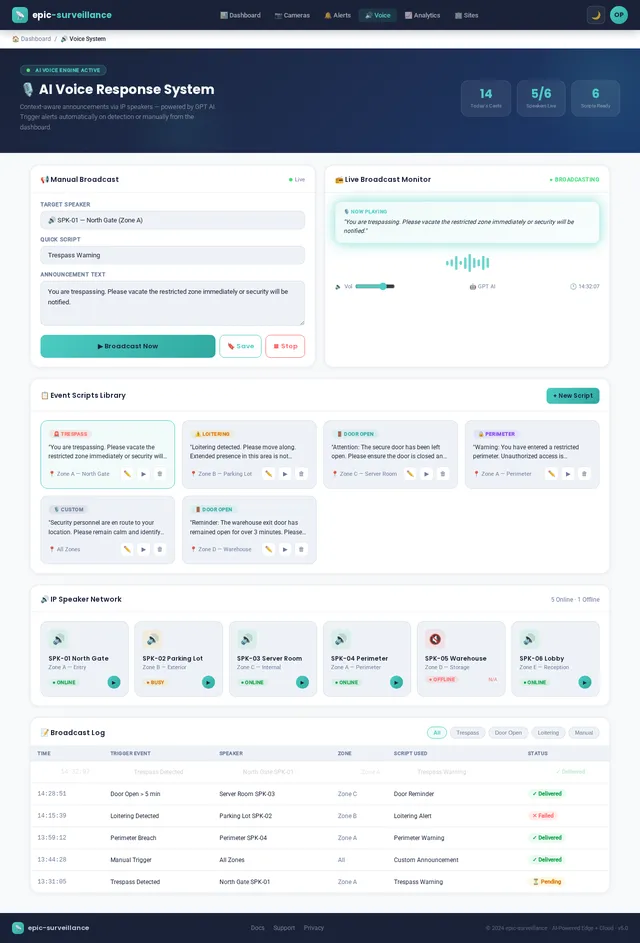
As a user, I want to be able to use the Voice System page to configure, test, and trigger AI voice announcements. Implement the Voice System v1 JSX design as a functional React/TypeScript page. Display list of configured voice announcement scripts with playback preview, trigger conditions, and assignment to sites/zones. Support script CRUD via modal editor. Show voice trigger history log. Include a manual voice trigger test panel. Connect to the Voice Response System API. Reflect active voice announcement status in real-time via WebSocket. Fully mobile-responsive. Used in Admin (Configure Scripts) and Operator (Trigger Announcement) flows.
Camera Device Management API
As a user, I want to be able to use backend API for camera and device management. Build FastAPI endpoints for camera and device management: CRUD for cameras, CRUD for edge devices, zone configuration endpoints, camera feed URL retrieval, device heartbeat ingestion, and OTA firmware update trigger. Store in MariaDB. Include pagination, filtering, and role-based access control middleware.
Implement Playback Page
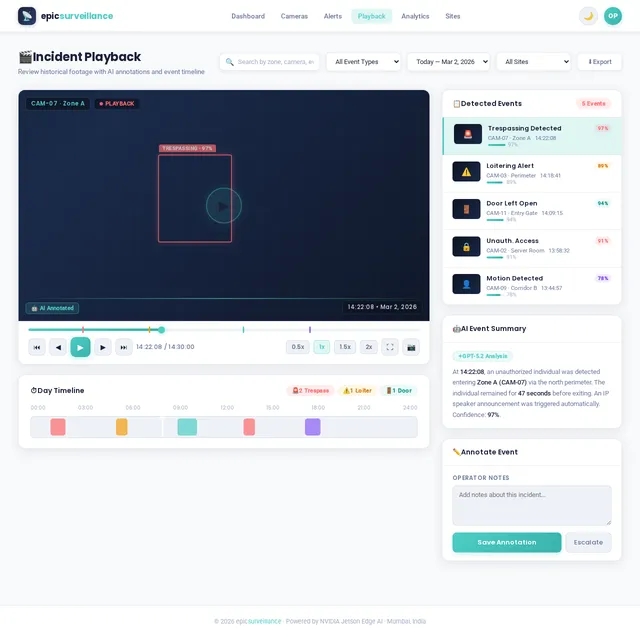
As a user, I want to be able to use the Playback page to review historical video with AI event markers and filtering. Implement the Playback v1 JSX design as a functional React/TypeScript page. Provide video timeline scrubber with smooth animation, multi-camera synchronized playback, event marker overlays on timeline (trespassing, loitering, door state detections), and playback speed controls. Support filter by date range, camera, and event type to jump to specific incidents. Connect to Camera & Device Management API for video segment retrieval. Handle buffering and error states. Fully mobile-responsive with touch-optimized timeline scrubber and swipe gestures. Used in Operator (Review History, Filter Events) and Security Manager (Review Incidents) flows.
Implement Cloud Relay Page
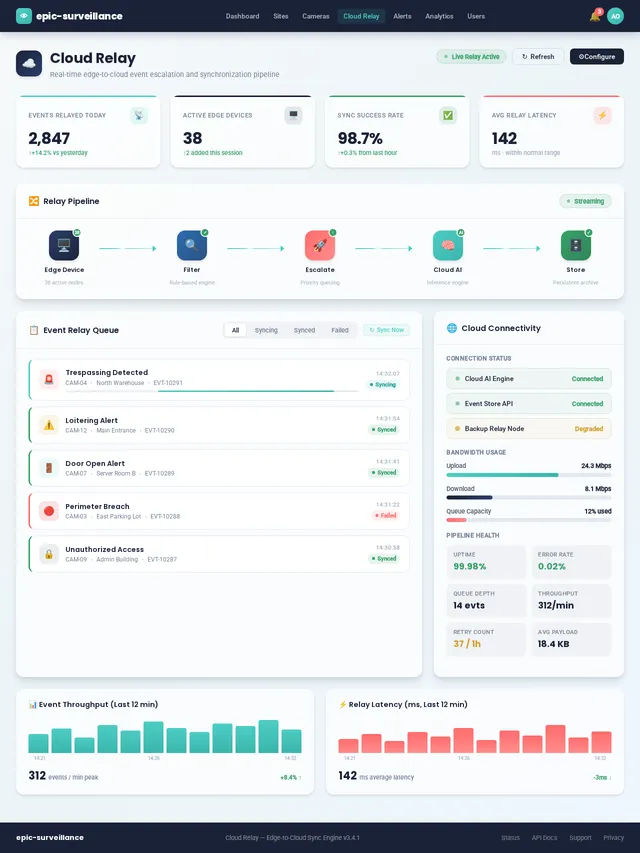
As a user, I want to be able to use the Cloud Relay page to monitor the edge-to-cloud event sync pipeline. Implement the Cloud Relay v1 JSX design as a functional React/TypeScript page. Display the event relay pipeline status: events received from edge, events processed, retry queue, failed events log, and sync health per edge device. Show connectivity status per device (online/offline/reconnecting). Include manual re-sync trigger per device. Connect to the Edge-Cloud Event Relay system API and WebSocket feed. Fully mobile-responsive with collapsible relay status panels. Used in Edge Device (Cloud Relay: Escalate Event, Sync Event Data) flow.
Mobile Responsiveness Pass
As a user, I want to be able to use all dashboard pages seamlessly on mobile and tablet devices. Conduct a comprehensive mobile responsiveness and UI simplification pass across all implemented pages: Alerts, Analytics, Analytics Engine, Cameras, Cloud Engine, Cloud Relay, Devices, Edge Device, Login, Notification, Playback, Reports, Settings, Sites, Users, Voice System, and Dashboard. Ensure all pages are fully responsive across mobile, tablet, and desktop breakpoints. Implement collapsible menus, swipe gestures, and floating animated alert cards per the Immersive Surveillance Hub design concept. Fix overflow and layout issues on small screens. Verify touch targets meet accessibility standards (minimum 44x44px). Ensure all critical workflows are completable in 3 taps or fewer on mobile. Apply brand theme consistently across all responsive states. Validate dark mode transitions are smooth across breakpoints.
WebSocket Real-time Events API
As a user, I want to be able to use real-time backend API for live event streaming across all dashboard pages. Implement a FastAPI WebSocket server for real-time event broadcasting: detection event stream, alert stream, device heartbeat and status change stream, voice announcement trigger broadcast, and camera status change events. Use Redis Pub/Sub as the message broker. Implement per-user room scoping based on site access permissions. Handle reconnection with event replay from Redis cache.
Voice Response System API
As a user, I want to be able to use backend API for voice announcement management and triggering. Build FastAPI endpoints for the voice announcement system: CRUD for voice scripts, manual voice trigger endpoint, voice trigger history log retrieval, and TTS generation endpoint wrapping the LLM Voice Announcement Engine. Store scripts and history in MariaDB. Expose active announcement status for real-time WebSocket broadcast.
Edge Cloud Event Relay System
As a system, I want to be able to relay detection events from edge devices to the cloud reliably with offline support. Build the bidirectional edge-to-cloud event relay system. On the edge: implement a Python relay agent that batches and transmits detection events over HTTPS with retry logic and exponential backoff. Buffer events to local SQLite when offline and flush on reconnection. On the cloud: implement an event ingestion endpoint that validates, deduplicates, and enqueues events to the Cloud AI classification pipeline via Redis queue. Include relay health metrics.
Cloud AI Event Classification
As a system, I want to be able to classify and enrich detection events using AI in the cloud. Build the Cloud AI event classification service. Receive raw detection events from the edge relay, apply a multi-label classifier to enrich event metadata (confidence thresholding, deduplication, severity scoring), route events to the alert and notification pipeline based on classification outcome, and store enriched events in MariaDB. Use LiteLLM as the LLM gateway for contextual classification augmentation. Expose classification throughput and error metrics.
LLM Voice Announcement Engine
As a system, I want to be able to generate context-aware AI voice announcements triggered by detection events. Build the LLM-powered voice announcement generation engine. Use LiteLLM to call the configured LLM with event context and a prompt template to generate a natural-language voice announcement. Apply TTS synthesis (edge-tts or cloud TTS) to produce audio output. Cache generated announcements by event type/zone in Redis. Expose a generation endpoint consumed by the Voice Response System API. Include fallback to static script templates.
LLM Contextual Reasoning LangChain
As a system, I want to be able to apply LLM-based contextual reasoning to ambiguous high-severity detection events. Build a LangChain-based contextual reasoning pipeline for the Cloud AI engine. For high-severity or ambiguous detection events, invoke a LangChain agent with tools: retrieve site context, camera zone definition, recent event history, and weather/time-of-day context. The agent reasons about the event and produces a structured reasoning trace and recommended action. Use LiteLLM as the LLM provider. Store reasoning traces in MariaDB for audit and display in the Analytics Engine page.
No comments yet. Be the first!