epic-surveillance
 Janvi shah
Scope of Work Project: AI-Powered Hybrid Surveillance & Remote Monitoring Platform Client: American Global Security (AGS) – SiteWatch Technology Prepared By: fxis.ai 1. Project Objective To design and develop a scalable, AI-powered hybrid (Edge + Cloud) surveillance system capable of: Monitoring 1,000+ cameras initially (scalable to 5,000–10,000+) Providing real-time intelligent detection Delivering automated voice response (AI agent-based intervention) Enabling centralized dashboard-based monitoring Reducing manual security oversight Supporting proactive threat prevention 2. System Architecture Overview 2.1 Hybrid Infrastructure Model As discussed in the meeting AI-Survilliance-System-Discussi… , the system will use: Edge Layer (On-site – Jetson or equivalent GPU devices): Real-time object detection Motion tracking Zone monitoring Immediate voice response trigger Cloud Layer (Server-side AI Processing): Advanced analytics LLM-based contextual reasoning Event classification Centralized dashboard Alert management Data storage & historical analysis This ensures: Fast response at edge Scalability and advanced intelligence via cloud Optimized infrastructure cost-performance balance 3. Core Functional Modules 3.1 Camera & Device Management Module Support for multi-camera units (7 cameras + IP speaker per unit) Device onboarding & provisioning Health monitoring of devices Remote firmware update capability Camera grouping by site 3.2 AI Detection & Event Recognition Engine The system will detect: Trespassing Detection Unauthorized entry detection Person tracking within defined restricted zones Real-time alert trigger Loitering Detection Time-based presence detection within a zone Threshold-based alert system Zone-Based Monitoring Virtual zone creation (e.g., doors, restricted areas) Rule-based triggers Door State Monitoring Detect door open/closed state Alert if door remains open beyond defined time Auto voice reminder to close door Custom Rule Engine Client-defined event configurations Future extensibility for additional use cases 3.3 AI Voice Response System (AI Agent Layer) Integration with IP speakers Dynamic AI-generated announcements Context-aware verbal warnings such as: “You are trespassing.” “Please leave the restricted area.” “Please ensure the door is locked.” LLM-based natural language generation (cloud-assisted) Event-specific scripted + dynamic responses 3.4 Notification & Alert System Real-time email notifications SMS integration (optional phase) Dashboard alert center Escalation workflow (e.g., notify security dispatch) Alert logs and audit trails 3.5 Central Monitoring Dashboard Web-based dashboard including: Live camera feed view Event timeline AI-detected events summary Multi-site overview User role management (Admin / Operator) Alert filtering and search Historical playback & analytics Enhanced UI/UX (competitive advantage over Spot AI as discussed AI-Survilliance-System-Discussi… ) 3.6 Scalability Framework Designed for 1,000 cameras (Phase 1) Infrastructure blueprint scalable to 5,000–10,000+ cameras Modular microservices architecture Horizontal scaling via cloud infrastructure 4. AI & Technical Stack (Proposed) Edge Layer NVIDIA Jetson (Or equivalent edge GPU) OpenCV / TensorRT optimization Lightweight object detection models (YOLO variant) Cloud Layer Scalable backend (Python/FastAPI or Node.js) LLM integration for contextual reasoning Event processing engine PostgreSQL / Time-series DB Cloud storage (AWS / GCP / Azure – TBD) Dockerized microservices 5. Phased Development Plan Phase 1 – Architecture & Infrastructure Design System architecture blueprint Edge-cloud workload split Data flow diagram Security architecture Phase 2 – Core AI Detection Module Person detection Trespassing logic Zone creation Door detection model Phase 3 – Voice AI Integration Speaker communication module Context-based announcement engine Response latency optimization Phase 4 – Dashboard Development Admin panel Live monitoring Alert management Analytics view Phase 5 – Pilot Deployment Limited site testing Performance benchmarking Model fine-tuning Phase 6 – Scale Optimization Load testing Multi-site rollout readiness Security hardening 6. Deliverables Complete hybrid AI surveillance system Web dashboard Edge AI module (deployable on Jetson) Voice response integration API documentation Deployment documentation
Comments (0)
Sign in to leave a comment
System Requirements
System Requirements Document (SRD)
Project: epic-surveillance
Client: Janvi Shah
Country: India (IN)
Prepared By: System Requirements Engineer
Date: 2023-10-27
Version: 5.0
1. Introduction
This System Requirements Document (SRD) defines the complete functional, non-functional, technical, and design requirements for the epic-surveillance project. The platform is designed to provide a scalable, AI-powered hybrid (Edge + Cloud) surveillance system capable of real-time intelligent detection, automated voice response, and centralized monitoring.
This update focuses on ensuring the platform is mobile-responsive, simplified, and visually engaging to enhance usability across devices, especially mobile phones and tablets. The design will prioritize intuitive navigation, minimalism, and a catchy, modern aesthetic to address the complexities and errors in the current dashboard.
The epic-surveillance platform is tailored to meet the needs of modern security systems in India, ensuring high usability, scalability, and efficiency while maintaining compliance with local regulations and standards.
2. System Overview
The epic-surveillance platform is a hybrid Edge + Cloud AI surveillance system designed to:
- Monitor 1,000+ cameras initially, scalable to 5,000–10,000+ cameras.
- Deploy NVIDIA Jetson edge devices for real-time detection with optimized AI models.
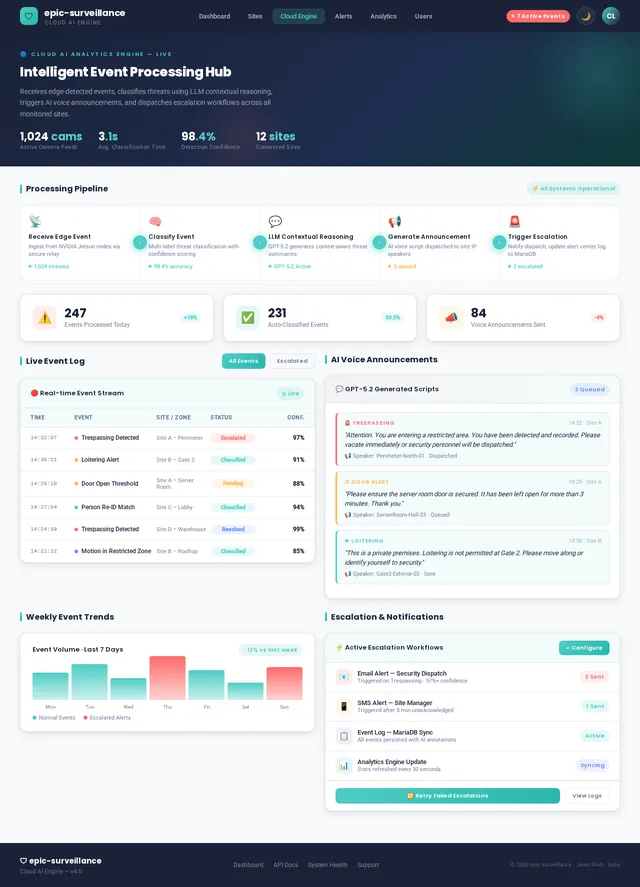
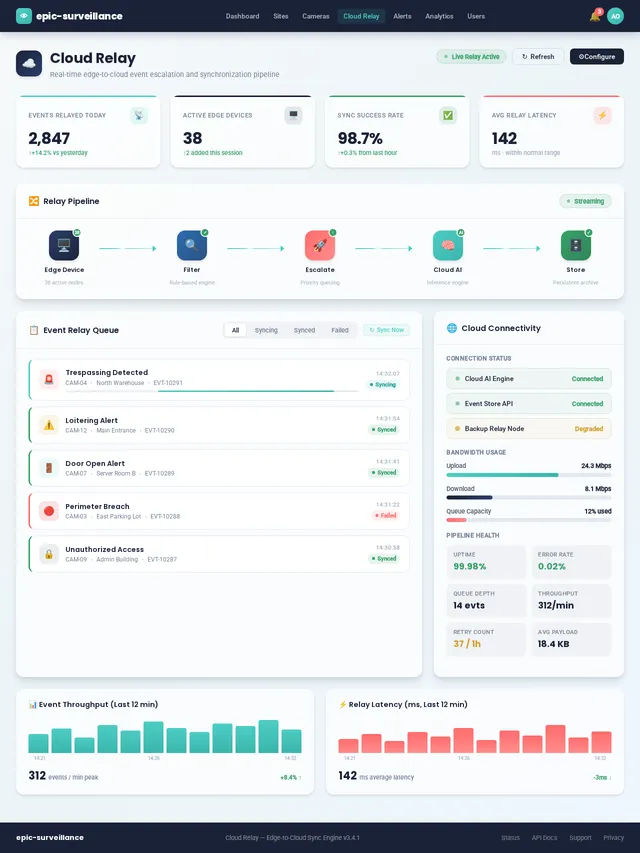
- Relay high-priority events to a cloud-based AI analytics engine for contextual reasoning and event classification.
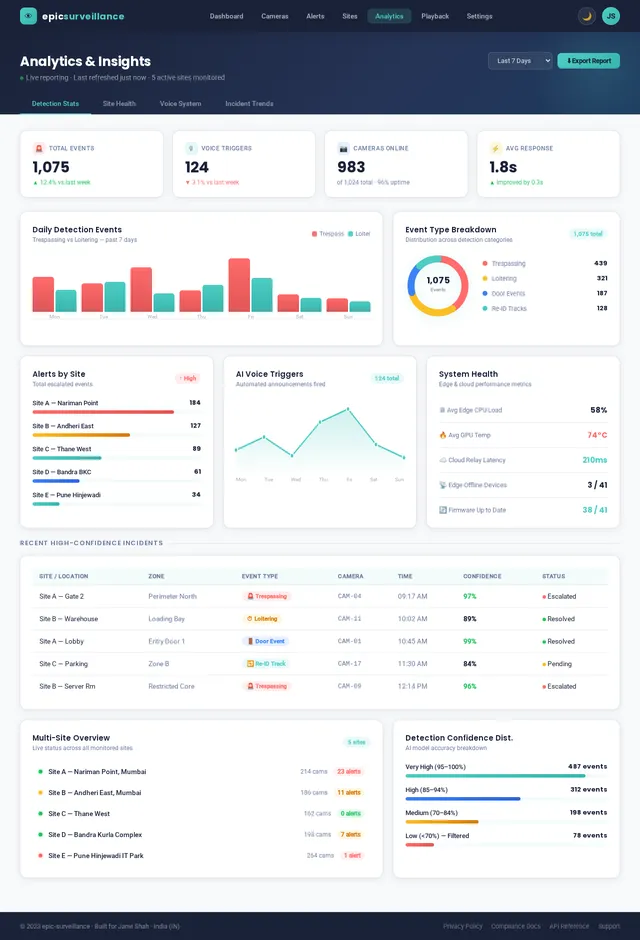
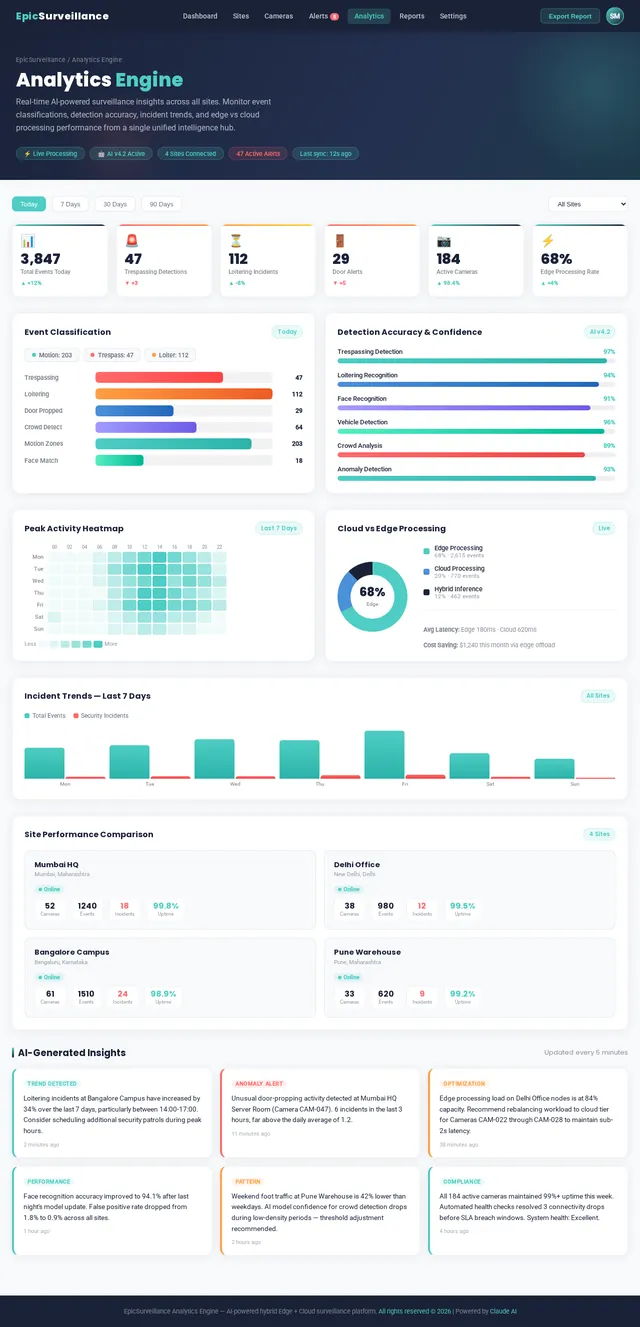
- Provide a mobile-friendly, simplified dashboard for centralized monitoring, alert management, and analytics.
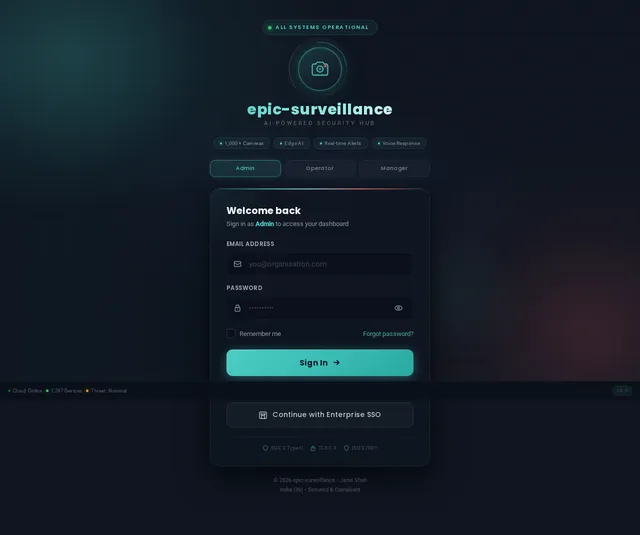
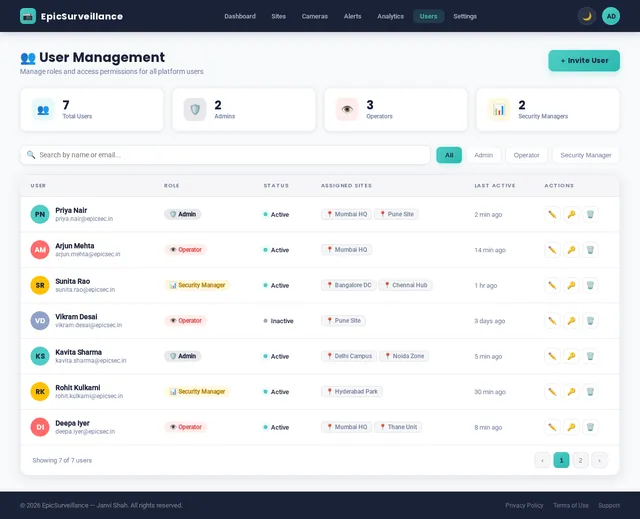
- Support role-based access for Admins, Operators, and Security Managers.
The system prioritizes AI processing at the edge to minimize bandwidth usage and latency while maximizing real-time responsiveness. The updated design ensures ease of use and accessibility across devices, including mobile phones and tablets, with a focus on minimalism, clarity, and a visually appealing aesthetic.
3. Functional Requirements
3.1 Camera & Device Management
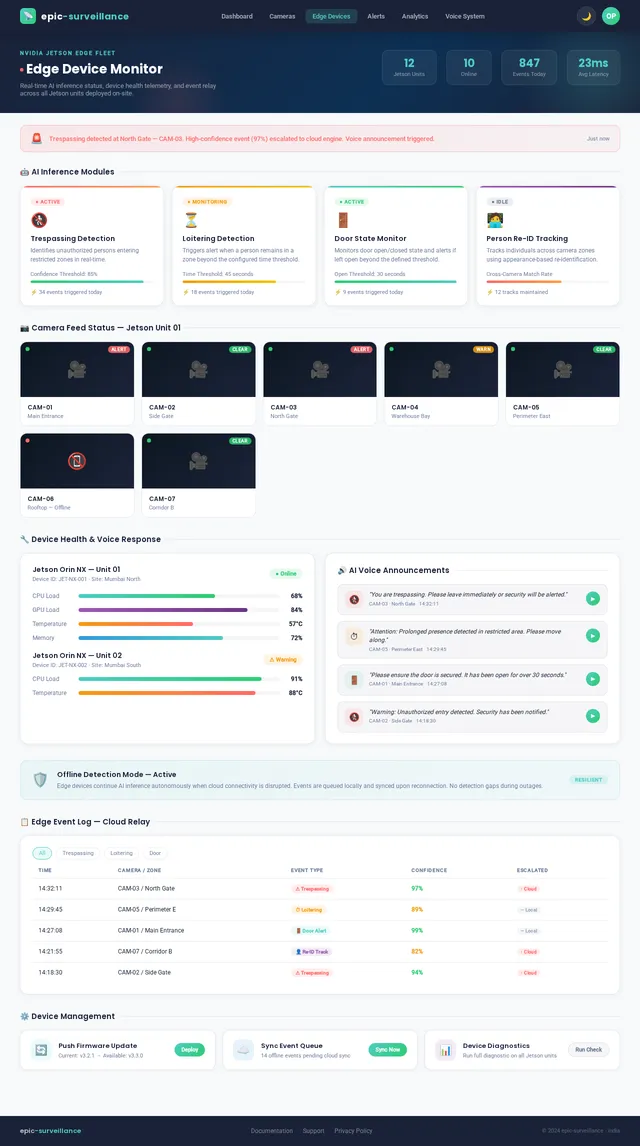
- As an Admin, I should be able to onboard and provision multi-camera units (7 cameras + 1 IP speaker per unit).
- As an Admin, I should be able to group cameras by site and physical zone.
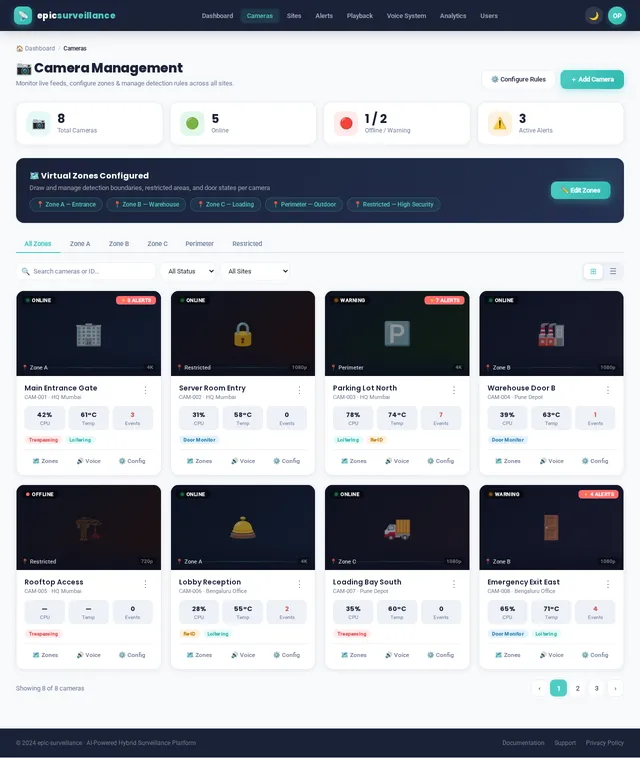
- As an Admin, I should be able to monitor device health status (online/offline, CPU/GPU load, temperature) in real-time.
- As an Admin, I should be able to push remote firmware updates to edge devices.
- As an Operator, I should be able to view camera feed status and connectivity at a glance.
- As an Admin, I should be able to add, remove, or reconfigure cameras without system downtime.
3.2 AI Detection & Event Recognition
- As a System, I should be able to detect trespassing by identifying unauthorized persons entering restricted zones in real-time.
- As a System, I should be able to perform loitering detection based on configurable time-threshold presence within a zone.
- As an Admin, I should be able to create and configure virtual zones (e.g., doors, perimeters, restricted areas) on a camera feed.
- As a System, I should be able to monitor door open/closed state and trigger alerts if a door remains open beyond a defined threshold.
- As an Admin, I should be able to define custom event rules and configure detection sensitivity per zone.
- As a System, I should be able to track individuals across camera zones using person re-identification.
- As a System, I should be able to filter non-critical events at the edge and only escalate high-confidence detections to the cloud.
3.3 AI Voice Response System
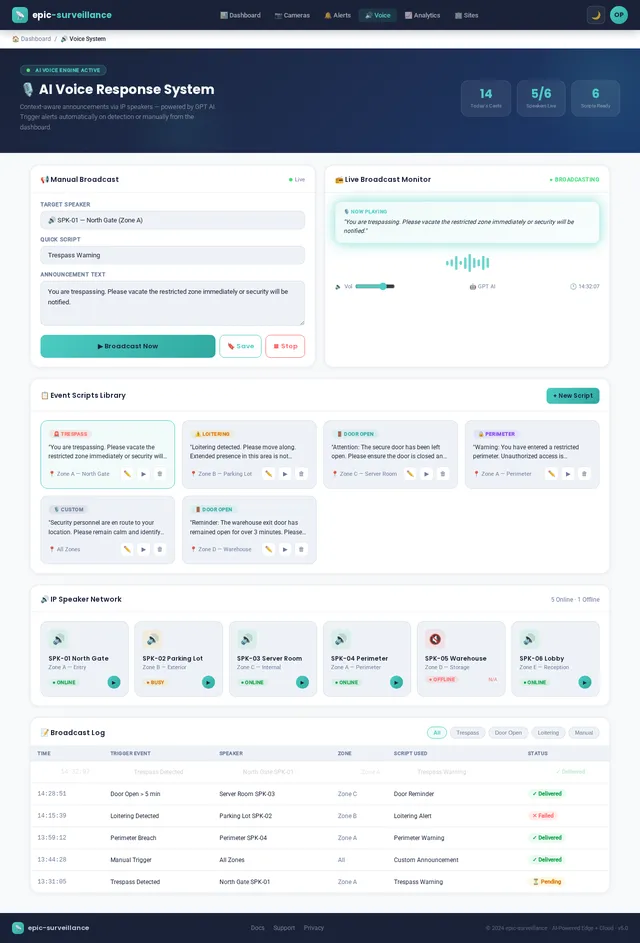
- As a System, I should be able to trigger context-aware AI-generated verbal announcements through IP speakers upon event detection.
- As an Admin, I should be able to configure event-specific voice scripts (e.g., "You are trespassing. Please leave immediately.").
- As an Operator, I should be able to manually trigger a voice announcement to a specific speaker from the dashboard.
- As a System, I should be able to issue door-specific reminders such as "Please ensure the door is secured."
3.4 Notification & Alert System
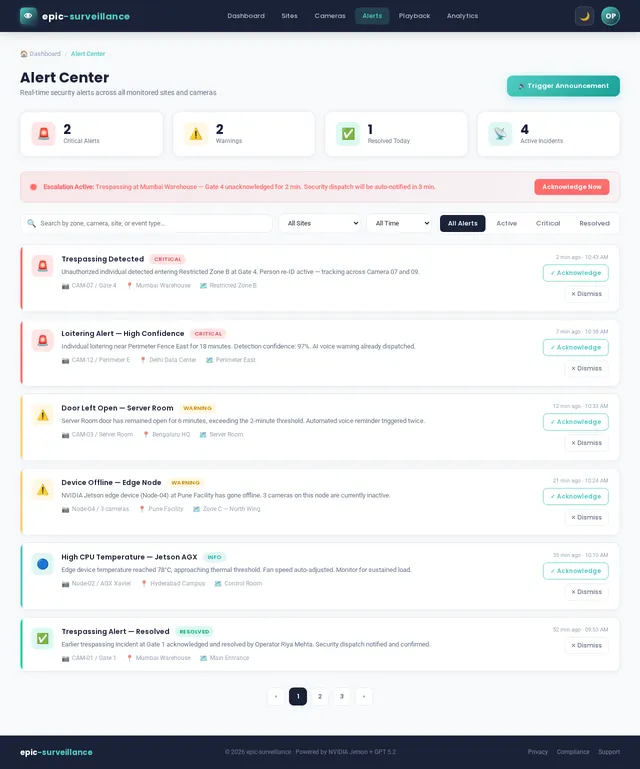
- As a System, I should be able to send real-time email notifications upon event detection.
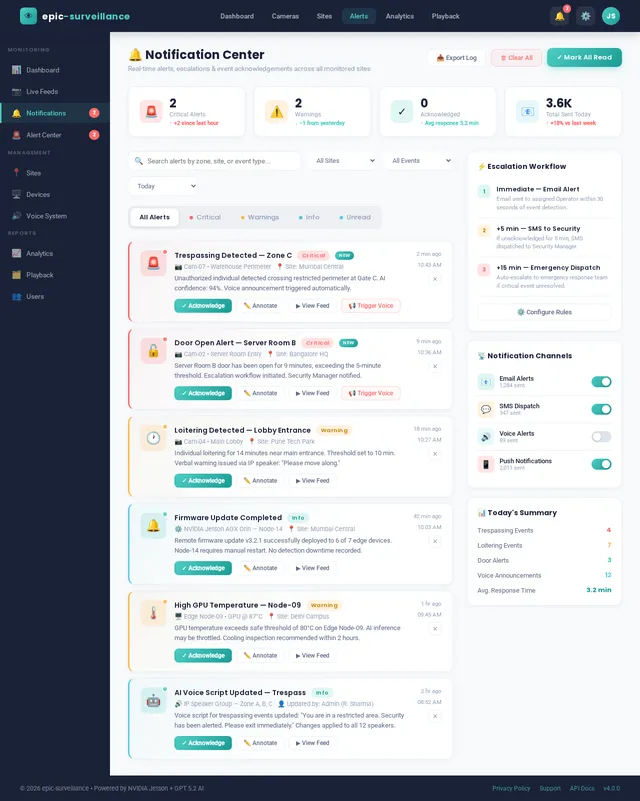
- As an Operator, I should be able to view, filter, sort, and search all alerts in a centralized alert center.
- As an Admin, I should be able to configure escalation workflows (e.g., notify security dispatch after N minutes).
- As an Operator, I should be able to acknowledge and annotate alerts directly from the dashboard.
3.5 Central Monitoring Dashboard
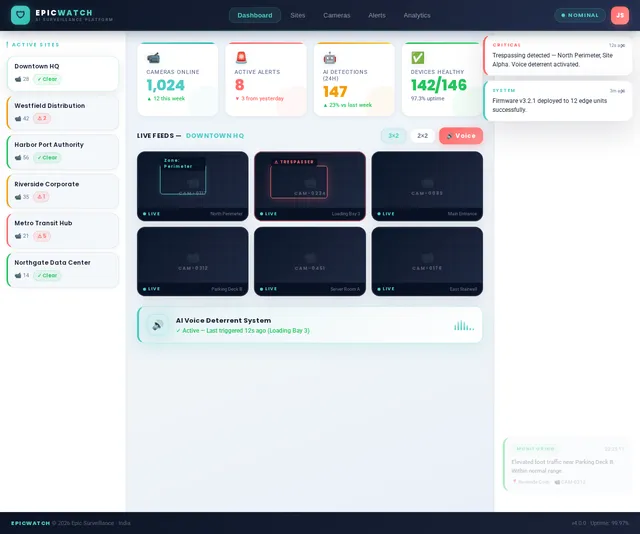
- As an Admin, I should be able to view live camera feeds from multiple sites in a unified grid or map view.
- As an Operator, I should be able to view an event timeline with AI-detected event summaries and thumbnails.
- As an Admin, I should be able to manage user roles and permissions (Admin / Operator / Security Manager).
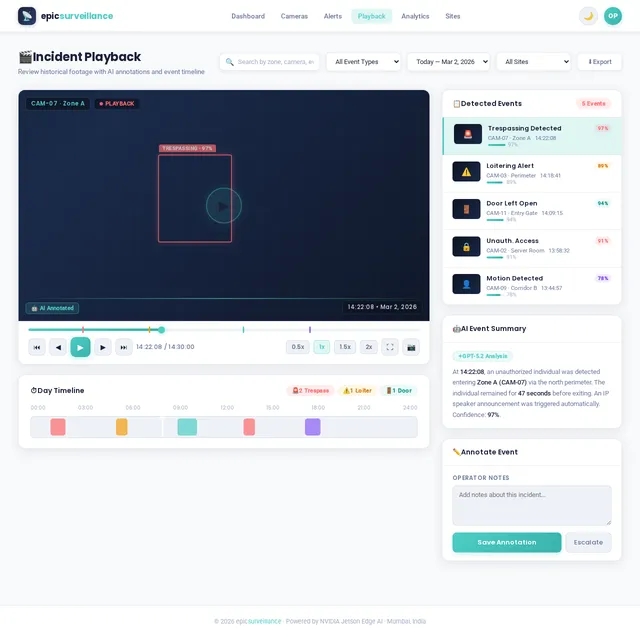
- As an Operator, I should be able to access historical event playback with AI annotations.
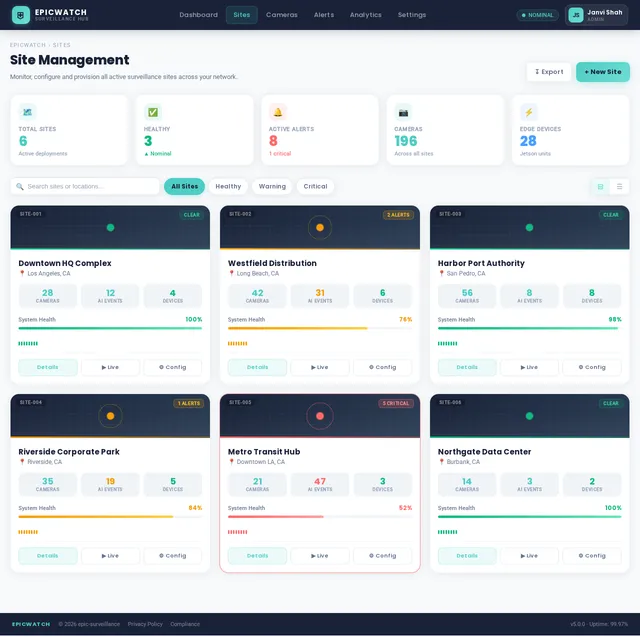
- As an Admin, I should be able to view a multi-site overview with site-level health and alert counts.
- As an Operator, I should be able to filter and search historical events by date, zone, event type, and camera.
- Updated: The dashboard must be mobile-friendly, with responsive layouts, simplified navigation, and visually engaging elements for smaller screens.
4. User Personas
4.1 Admin
The Administrator is a technically proficient user responsible for system configuration, device provisioning, and rule creation.
4.2 Operator
The Operator is a frontline security professional who monitors live feeds, responds to alerts, and communicates through the voice system.
4.3 Security Manager
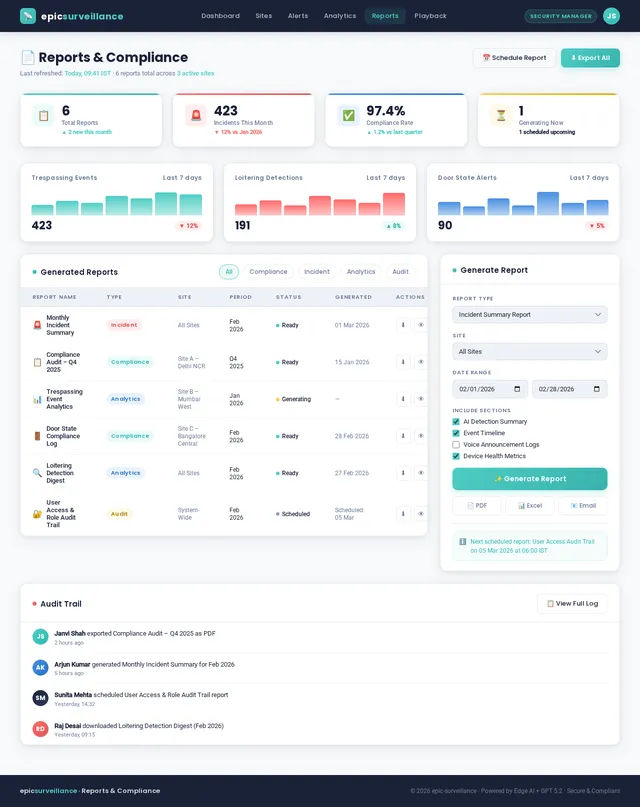
The Security Manager oversees incident history, generates compliance reports, and manages escalation policies.
5. Visuals, Colors, and Theme
5.1 Brand Color Palette
The theme is designed to be modern, clean, and visually engaging, with a focus on simplicity and clarity.
| Role | Color Name | Hex |
|---|---|---|
| Primary Brand | Midnight Blue | #1A2238 |
| Accent | Electric Blue | #4ECDC4 |
| Background | Off-White | #F7F9FB |
| Secondary Accent | Coral Red | #FF6B6B |
5.2 Typography
- Primary Font:
Poppins(for headings and key elements) - Secondary Font:
Roboto(for body text and descriptions)
5.3 Logo Usage
The logo will be redesigned to include a sleek, modern icon representing surveillance, with the project name in a bold, sans-serif font.
6. Signature Design Concept
"THE IMMERSIVE SURVEILLANCE HUB" — A Catchy, Mobile-First Experience
The updated design transforms the platform into an immersive, visually engaging surveillance hub, ensuring seamless usability across devices.
Key Features:
- Dynamic Landing Page: The homepage will feature a 3D interactive map of monitored sites, with glowing markers representing active cameras. Users can zoom, pan, and click on markers to view live feeds or site details.
- Mobile-First Dashboard: A responsive layout adapts to mobile screens, with collapsible menus, swipe gestures, and touch-optimized controls.
- Animated Alerts: Alerts will appear as animated, color-coded cards that slide in from the side, with swipe-to-dismiss functionality.
- Interactive Event Timeline: A timeline slider with smooth animations allows users to scrub through historical events, with thumbnails and AI annotations appearing dynamically.
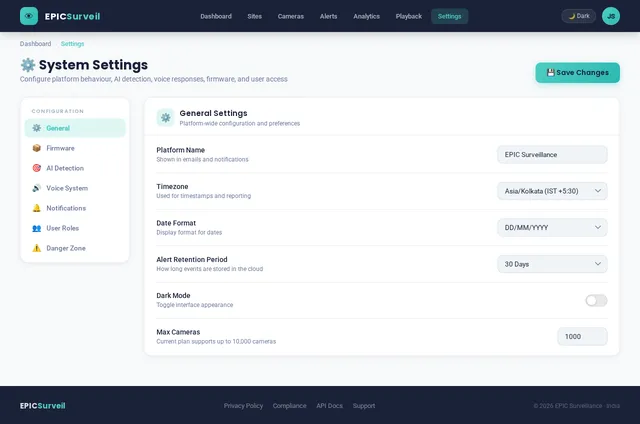
- Dark Mode: A toggle for light and dark modes, with smooth transitions, to enhance usability in different lighting conditions.
- Micro-Interactions: Subtle animations (e.g., button hover effects, loading spinners) create a polished, professional feel.
7. Non-Functional Requirements
7.1 Usability
- The platform must be mobile-friendly and responsive across devices.
- All critical workflows must be completable in 3 taps or fewer on mobile.
- The interface must be intuitive, with minimal training required for new users.
7.2 Performance
- The system must load the dashboard in under 3 seconds on mobile devices.
8. Tech Stack
8.1 Frontend
| Layer | Technology |
|---|---|
| Web Dashboard | React (with TypeScript) |
| State Management | Redux Toolkit |
8.2 Backend
| Layer | Technology |
|---|---|
| API Framework | Python + FastAPI |
8.3 AI Models
| Use Case | Model |
|---|---|
| Voice announcements | GPT 5.2 |
8.4 Database
| Type | Technology |
|---|---|
| RDBMS | MariaDB |
No comments yet. Be the first!