frozen-task
Create a task management system for Make sure there is drag and drop functionality for task status

Comments (0)
Sign in to leave a comment
System Requirements
System Requirements Document (SRD)
Project Name: frozen-task
1. Introduction
The frozen-task project is a task management system designed to streamline task organization and tracking. This system will cater to users in India (IN), ensuring locale-specific defaults such as IST (Indian Standard Time) for time zones and INR for currency where applicable. The primary goal of this project is to provide an intuitive and efficient platform for managing tasks, with a focus on drag-and-drop functionality for task status updates, task CRUD operations, user authentication, and a clean, user-friendly dashboard. This document outlines the system requirements to initiate the project as pre-approved by the API supervisor.
2. System Overview
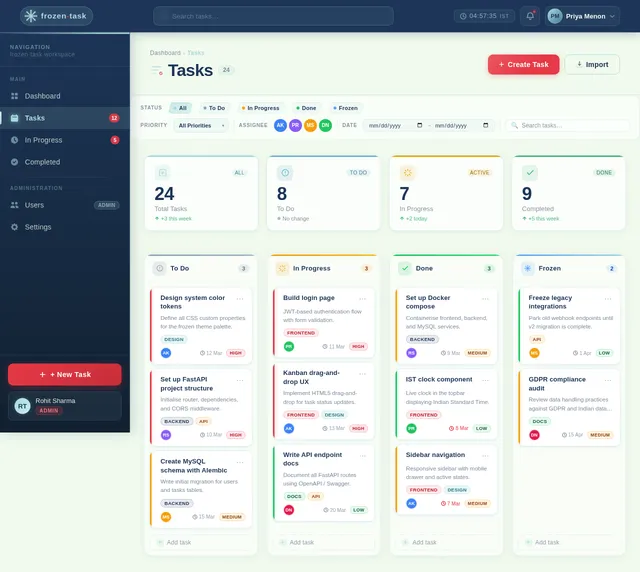
The frozen-task system will enable users to efficiently manage their tasks through a modern and interactive interface. The system will include features such as task creation, updates, deletion, and status management. A drag-and-drop interface will allow users to seamlessly update task statuses, making task management more intuitive. The system will also include user authentication to ensure secure access and personalized dashboards for better task visualization and management.
The system will be optimized for both desktop and mobile platforms, ensuring accessibility and usability across devices.
3. Functional Requirements
- As a User, I should be able to create, read, update, and delete tasks (CRUD operations).
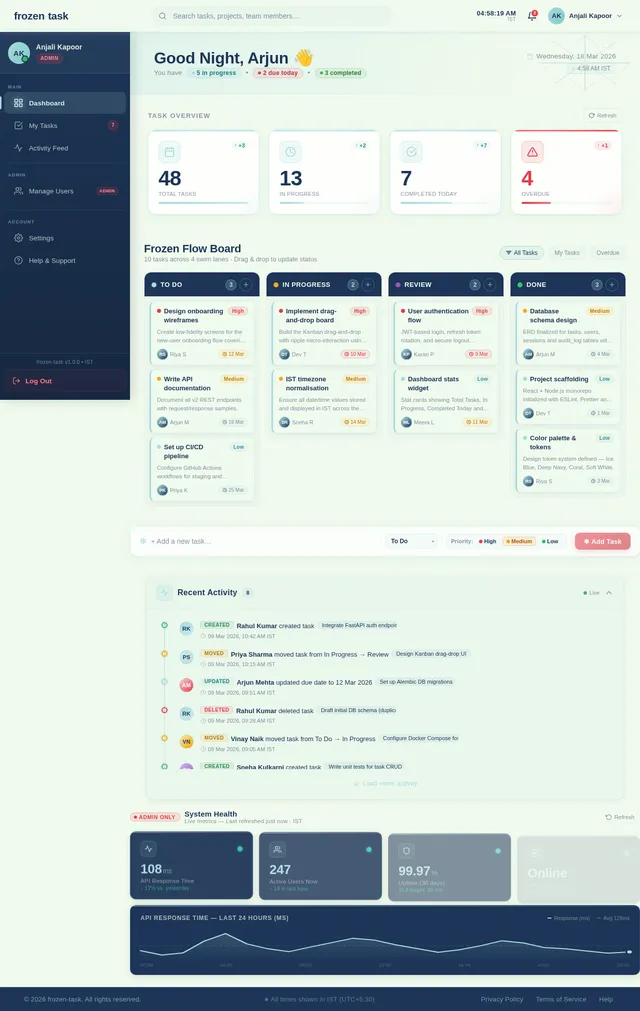
- As a User, I should be able to drag and drop tasks to update their status.
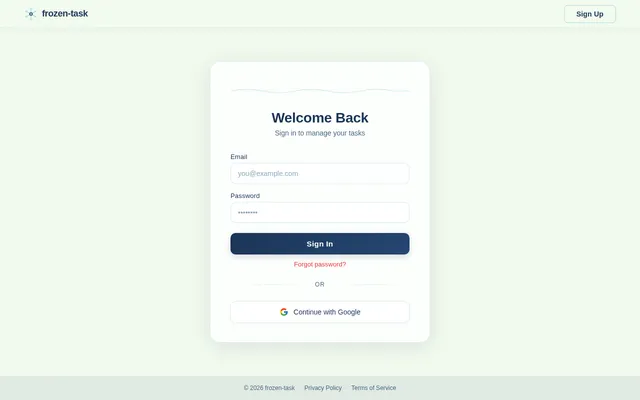
- As a User, I should be able to log in and log out securely using authentication.
- As a User, I should have access to a clean and organized dashboard to view my tasks.
4. User Personas
Admin:
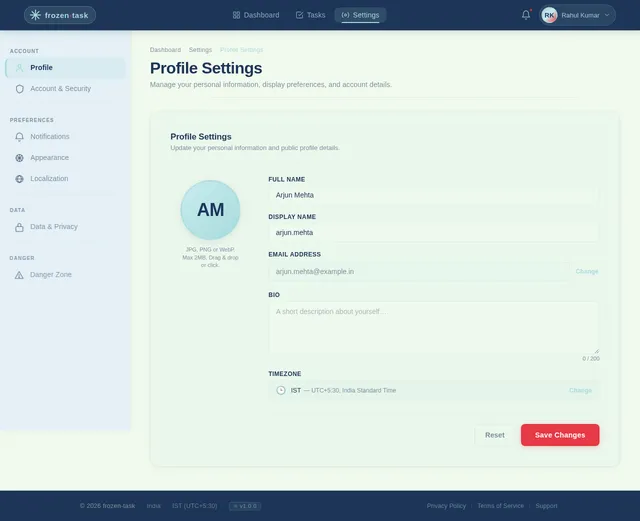
- Manages user accounts and system configurations.
- Monitors overall system health and performance.
User:
- Creates and manages their tasks.
- Updates task statuses using drag-and-drop functionality.
- Views tasks on a personalized dashboard.
5. Visuals Colors and Theme
The frozen-task system will adopt a modern and minimalistic design with the following color palette:
- Primary Color: Ice Blue (#A8DADC) – to reflect the "frozen" theme.
- Secondary Color: Deep Navy (#1D3557) – for contrast and readability.
- Accent Color: Coral (#E63946) – for buttons and highlights.
- Background Color: Soft White (#F1FAEE) – for a clean and professional look.
Typography:
- Primary Font: Roboto (for readability).
- Secondary Font: Lato (for headings and emphasis).
6. Signature Design Concept
"Frozen Flow Dashboard"
The homepage of frozen-task will feature an interactive, animated dashboard that mimics the appearance of a frozen lake. The tasks will appear as "ice blocks" floating on the surface, and users can drag and drop these blocks to different sections of the lake to update their statuses.
Key Features:
- Dynamic Animations: When a task is dragged, ripples will form on the "lake" surface, creating a visually engaging interaction.
- Micro-Interactions: Hovering over a task will cause it to "glow" slightly, and clicking on it will "crack" the ice, revealing task details in a modal.
- Seasonal Themes: The background will subtly change based on the time of year (e.g., snowflakes in winter, blooming flowers in spring).
- Smooth Transitions: Dragging and dropping tasks will trigger smooth animations, making the experience seamless and satisfying.
This unique design will make the frozen-task system instantly memorable and enjoyable to use.
7. Non-Functional Requirements
- The system should support at least 1,000 concurrent users.
- The system should have a response time of less than 2 seconds for all major operations.
- The system should ensure 99.9% uptime.
- The system should comply with GDPR and Indian data protection regulations.
- The system should be accessible on both desktop and mobile devices.
8. Tech Stack
- Frontend: React for Web
- Backend: Python with FastAPI
- Database (RDBMS): MySQL with Alembic for migrations
- AI Tools: GPT 5.2 for user-friendly responses
- Local Orchestration: Docker, docker-compose
- Server-Side Orchestration: Kubernetes
9. Assumptions and Constraints
- The system will primarily serve users in India, so all time-related functionalities will default to IST.
- The system will use INR as the default currency for any financial transactions or representations.
- The drag-and-drop functionality will be optimized for both desktop and mobile devices.
- The system will require users to have an active internet connection to function.
10. Glossary
- CRUD: Create, Read, Update, Delete – basic operations for managing data.
- IST: Indian Standard Time – the time zone used in India.
- GDPR: General Data Protection Regulation – a regulation in EU law on data protection and privacy.
- RDBMS: Relational Database Management System – a type of database that stores data in tables.
- FastAPI: A modern, fast (high-performance) web framework for building APIs with Python.
No comments yet. Be the first!