wise-tool
Ai tool advantage and disadvantages and the opinion


Comments (0)
Sign in to leave a comment
Project Tasks19
Implement Theme & Structure
As a user I want to see a consistent dark galaxy theme across all pages. Implement the global design system from the mock-design pages: color tokens (Deep Blue #003366, Orange #FF6600, Dark BG #020B18), typography (Inter font), glassmorphism surface patterns, animated starfield canvas, and shared layout structure. Remove any scaffold pages not present in the design (welcome page). Ensure all existing scaffold pages are wired to the new theme shell.
Implement AI Processing API
As a user I want to use a backend API to submit data for AI processing so I can receive predictions and insights. Build FastAPI endpoints: POST /api/ai/analyze (accepts input data, model selection), GET /api/ai/results/{job_id} (polling for status/results), GET /api/ai/history (list past analyses). Integrate Litellm for LLM routing across GPT-5, Claude, and Google Nano. Integrate Langchain for workflow orchestration. Store results in MySQL.
Implement User Management API
As an admin I want to use a backend API to manage user accounts and permissions so I can control platform access. Build FastAPI endpoints: GET /api/admin/users (list with filters), PUT /api/admin/users/{id}/permissions, PUT /api/admin/users/{id}/status (activate/deactivate), DELETE /api/admin/users/{id}. Enforce role-based access control (RBAC) for Admin, User, Guest personas. Include audit logging for permission changes.
Implement Reports & Analytics API
As an admin I want to use a backend API to retrieve system performance metrics and generate reports so I can monitor platform health. Build FastAPI endpoints: GET /api/admin/reports/performance (CPU, memory, request latency, concurrent users), GET /api/admin/reports/usage (per-user, per-model analytics), POST /api/admin/reports/generate (async report generation with export). Supports date range filtering and LBP/GMT+2 locale.
Build Landing Page
As a guest I want to explore the interactive AI galaxy landing page so I can discover platform features. Implement the Landing page based on the existing JSX design (v2). Includes: NavBar, HeroGalaxy with animated starfield canvas, TrustBadges strip, InteractiveFeatureMap star nodes, HowItWorks 3-step section, AICapabilities 2-column section, GuestPreview teaser, Testimonials carousel, PricingTeaser cards, CallToAction, and Footer. Links to: Login, Signup, Preview pages.
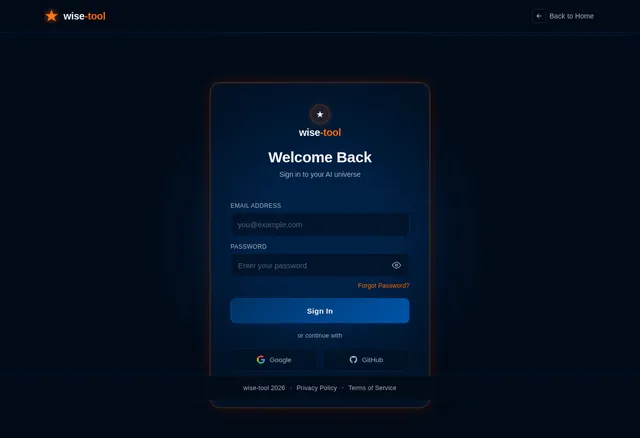
Build Login Page
As a user I want to sign in to my AI universe so I can access my dashboard. Implement the Login page based on the existing JSX design (v2). Includes: LoginNavBar (minimal, distraction-free), LoginHero (frosted-glass card, email/password inputs, show/hide toggle, forgot password link, Sign In CTA, Google/GitHub OAuth buttons, sign-up link), LoginFooterBar. On success, redirect to Dashboard. Links from: Landing, Signup.
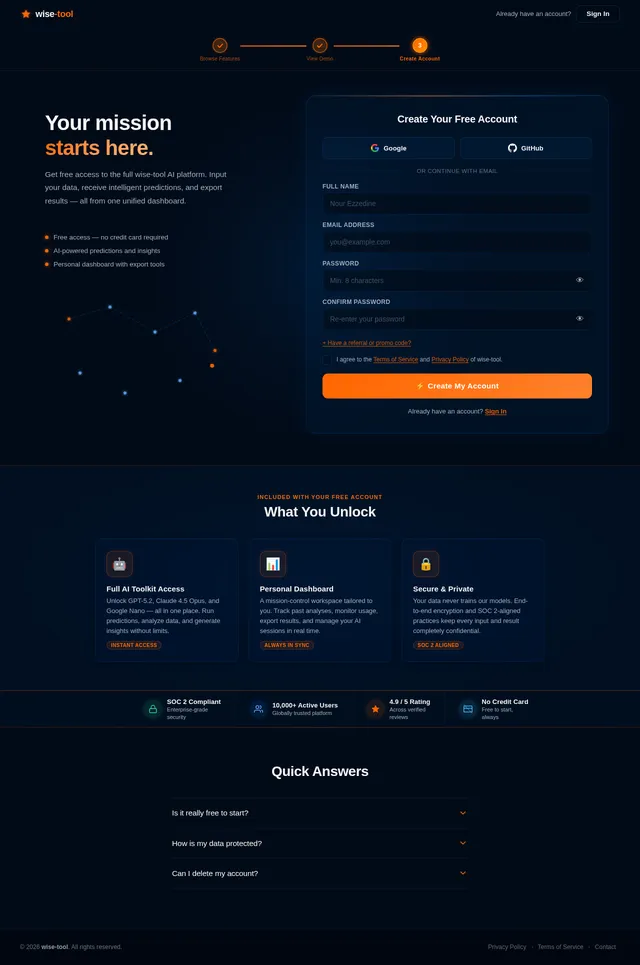
Build Signup Page
As a guest I want to create a free account so I can access AI-powered insights. Implement the Signup page based on the existing JSX design (v2). Includes: registration form (name, email, password, confirm password), OAuth options (Google, GitHub), terms acceptance, CTA button, and link back to Login. On success, redirect to Dashboard. Links from: Landing, Preview, Login.
Build Preview Page
As a guest I want to view a live demo of the platform so I can evaluate it before signing up. Implement the Preview page based on the existing JSX design (v2). Includes: demo UI showcase, limited interactive feature browsing, CTA prompting signup, and a read-only dashboard preview. Links from: Landing Browse Features. Links to: Signup.
Implement Results Export API
As a user I want to use a backend API to export AI results in multiple formats so I can use them in my work. Build FastAPI endpoints: POST /api/results/export (accepts job_id, format: PDF/CSV/Excel/JSON, scope: full/selected/summary). Handle LBP/USD currency formatting and Lebanon timezone (GMT+2) in exported files. Return download URL or streamed file response.
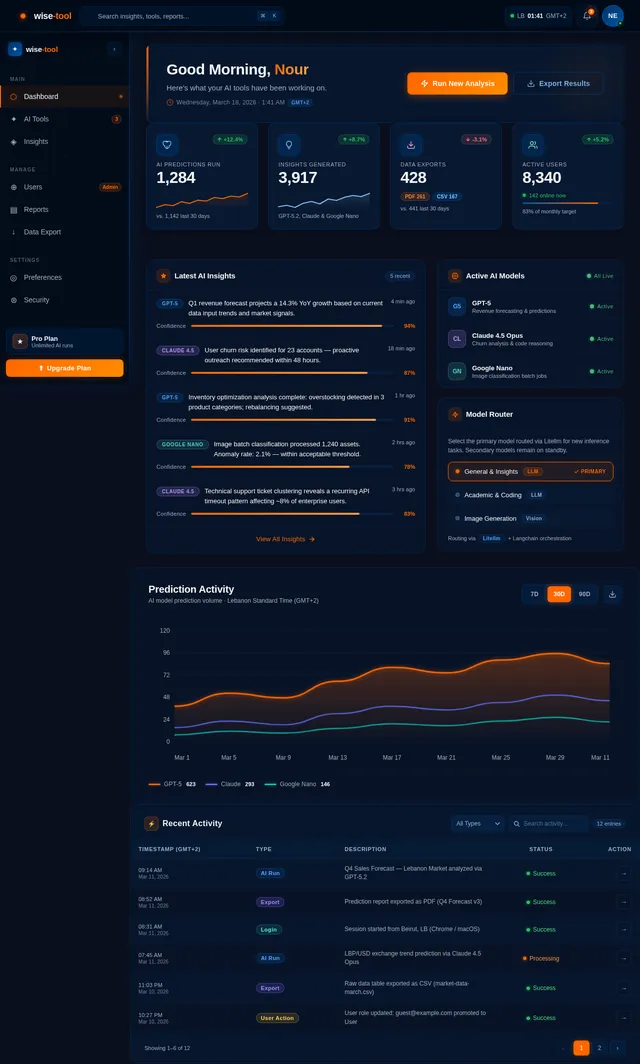
Build Dashboard Page
As a user I want to view my AI insights overview so I can manage my inputs and outputs. Implement the Dashboard page based on the existing JSX design (v2). Includes: summary stats cards, recent predictions panel, quick-action buttons (New Analysis, Export), AI model status indicator, sidebar navigation. Links from: Login (post-auth). Links to: AI Tool, Reports, Users (admin).
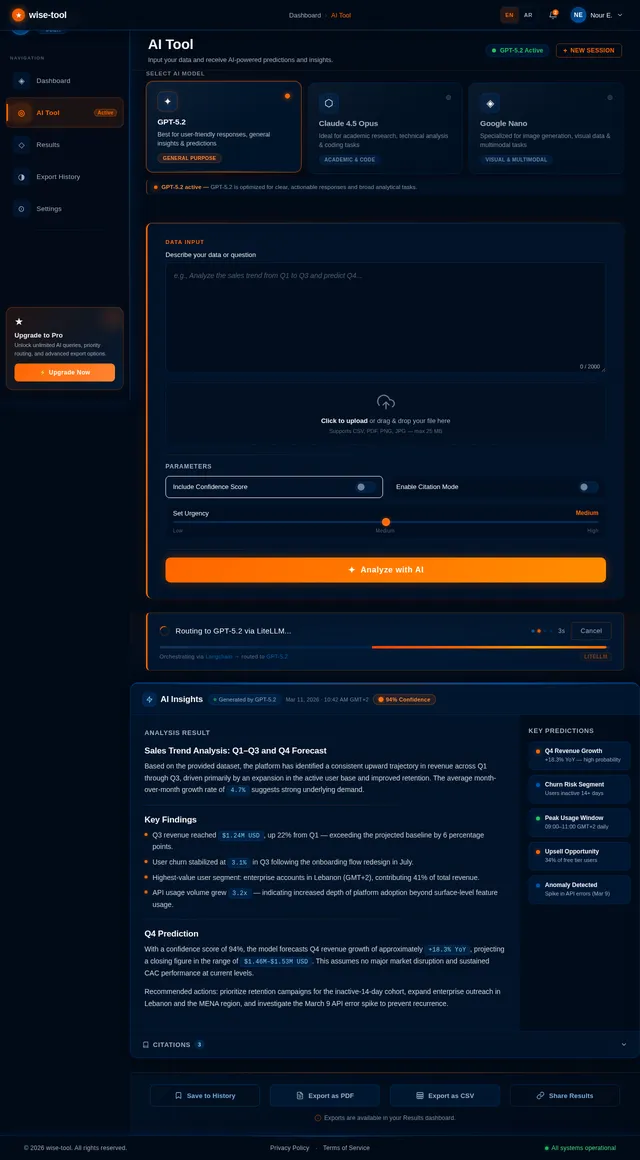
Build AI Tool Page
As a user I want to input data and receive AI-generated predictions so I can gain actionable insights. Implement the AI Tool page based on the existing JSX design (v2). Includes: data input form (text, file upload, structured fields), AI model selector (GPT-5, Claude, Google Nano), submission CTA, processing status indicator, and transition to Results page on completion. Links from: Dashboard. Links to: Results.
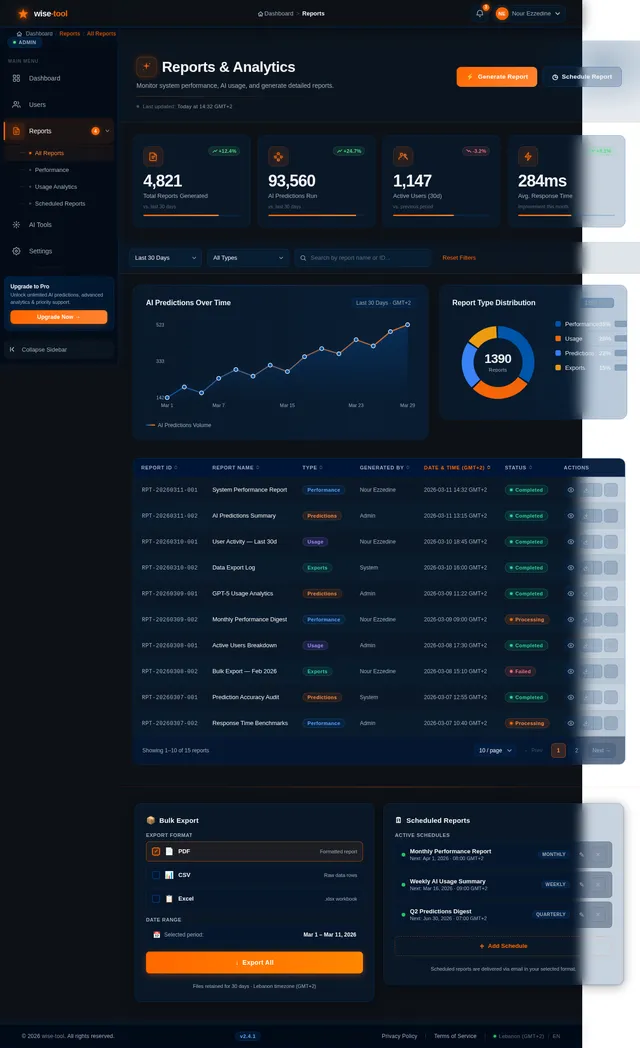
Build Reports Page
As an admin I want to monitor system performance and generate reports so I can manage the platform effectively. Implement the Reports page based on the existing JSX design (v2). Includes: performance metrics charts, report generation controls, date range filters, export options, and real-time system stats. Links from: Dashboard (admin role). Links to: Report detail views.
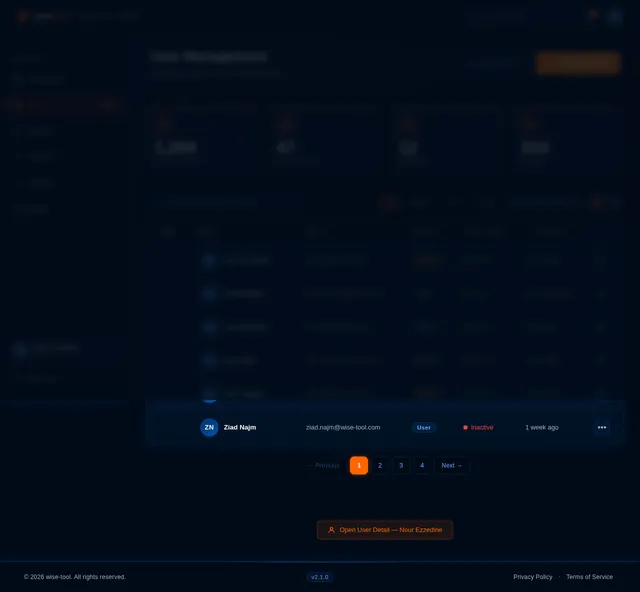
Build Users Management Page
As an admin I want to manage user accounts and permissions so I can control platform access. Implement the Users page based on the existing JSX design (v2). Includes: user list table (search, filter by role/status), user detail panel, permission toggle controls, account actions (activate/deactivate/delete), and edit permissions modal. Links from: Dashboard (admin only). Links to: Edit Permissions view.
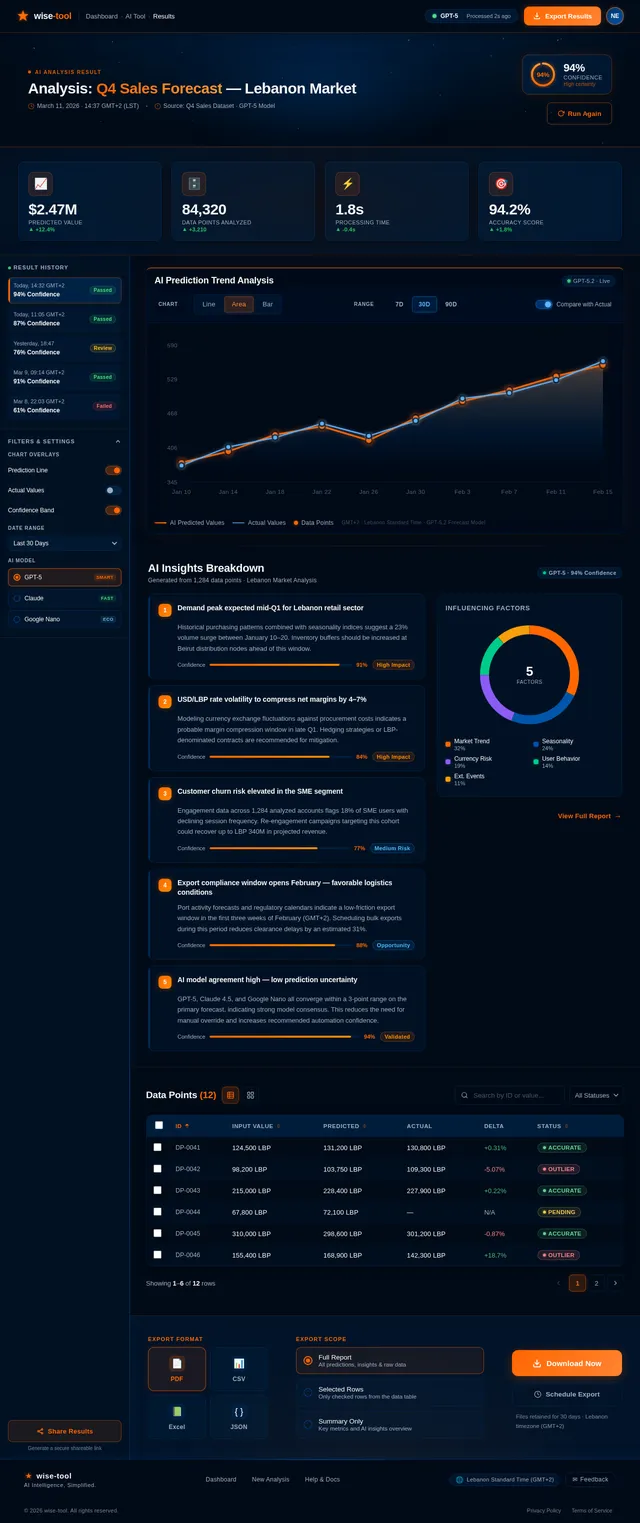
Build Results Page
As a user I want to view and export my AI analysis results so I can use the insights in my work. Implement the Results page based on the existing JSX design (v2). Includes: ResultsTopBar with breadcrumb, ResultsHeroBanner with confidence score, ResultsSummaryStats strip, ResultsSidebar with history, PredictionsChart, InsightsBreakdown panel, DataTable (sortable, filterable, paginated, with status chips), and ExportPanel (PDF/CSV/Excel/JSON). Links from: AI Tool.
Integrate Admin Pages with APIs
As an admin I want the Users and Reports pages to connect to their respective backend APIs so I can manage the platform with real data. Wire Users page to GET/PUT/DELETE /api/admin/users/* endpoints with optimistic UI updates. Wire Reports page to GET /api/admin/reports/* with live chart data and report generation flow. Implement admin route guards to prevent non-admin access.
Integrate Frontend with AI API
As a user I want the AI Tool and Results pages to connect to the backend AI processing API so I can submit data and see real predictions. Wire the AI Tool page form submission to POST /api/ai/analyze, implement polling on GET /api/ai/results/{job_id} for async status updates, and populate the Results page (PredictionsChart, DataTable, InsightsBreakdown) with live API data. Handle loading states, error boundaries, and retry logic.
Integrate Frontend with Export API
As a user I want the ExportPanel on the Results page to trigger real file downloads so I can save my AI results. Connect the ExportPanel format selectors and download button to POST /api/results/export. Handle async export jobs with progress indication, file download initiation, and error handling. Display Lebanon timezone (GMT+2) and LBP/USD currency in export previews.
Implement Localization Support
As a user I want the platform to display content in English and Arabic so I can use it in my preferred language. Set up i18n framework (react-i18next) with EN and AR locale files. Implement RTL layout support for Arabic. Apply LBP/USD currency formatting and Lebanon Standard Time (GMT+2) across all date/time and currency displays on Dashboard, Results, and Reports pages.
Implement WCAG 2.1 Accessibility
As a user I want the platform to be fully accessible so I can use it with assistive technologies. Audit and fix all pages for WCAG 2.1 compliance: add ARIA labels to interactive elements, ensure keyboard navigation across all forms and tables, verify color contrast ratios meet AA standard, add focus indicators, and implement skip-to-content links. Priority pages: Login, AI Tool, Results DataTable, Dashboard.

Explore the Universe of AI Intelligence
Predict. Analyze. Decide. wise-tool brings AI-powered insights to your fingertips.
Discover What wise-tool Offers
Navigate the galaxy of features powering your AI workflow
How It Works
Three simple steps to unlock AI-powered insights for your team.
Input Your Data
Upload datasets, connect APIs, or manually enter your data points. wise-tool supports CSV, JSON, PDF, and direct integrations.
AI Processes & Predicts
Our AI engine, powered by GPT-5 and advanced models, analyzes patterns, detects anomalies, and generates actionable predictions.
Export Your Insights
Download comprehensive reports in PDF or CSV, share interactive dashboards, or integrate results directly into your workflow.
Powered by Cutting-Edge AI
wise-tool orchestrates multiple AI models in a unified pipeline — routing your data to the best model for each task. From predictive analytics to natural language insights, our intelligent workflow engine handles the complexity so you get accurate, actionable results in seconds.
Try Before You Commit
No account needed — explore the galaxy first.
Full access unlocked after free signup.
Trusted by Teams Across Lebanon & Beyond
wise-tool transformed how our team handles AI predictions. The dashboard is incredibly intuitive, and exporting insights in PDF or CSV has saved us hours of manual work every week.
We integrated wise-tool across three departments and saw a 40% improvement in decision-making speed. The GPT-5 powered insights are remarkably accurate and actionable.
The guest preview convinced me instantly. Being able to explore features before signing up showed real confidence in the product. Now our entire engineering team relies on it daily.
wise-tool transformed how our team handles AI predictions. The dashboard is incredibly intuitive, and exporting insights in PDF or CSV has saved us hours of manual work every week.
We integrated wise-tool across three departments and saw a 40% improvement in decision-making speed. The GPT-5 powered insights are remarkably accurate and actionable.
The guest preview convinced me instantly. Being able to explore features before signing up showed real confidence in the product. Now our entire engineering team relies on it daily.
Simple, Transparent Pricing
Choose a plan that fits your needs. Start free and scale as you grow with wise-tool.
- ✓Up to 50 AI predictions/month
- ✓Basic dashboard access
- ✓CSV export only
- ✓Community support
- ✓Unlimited AI predictions
- ✓Full dashboard & analytics
- ✓PDF, CSV & API export
- ✓Priority support 24/7
- ✓Custom AI model integration
- ✓Dedicated account manager
- ✓Advanced user management
- ✓SLA & on-premise options
Ready to Navigate the Future of AI?
Join thousands of users making smarter decisions with wise-tool. Start exploring AI-powered insights today.
No comments yet. Be the first!