wise-tool
Ai tool advantage and disadvantages and the opinion


Comments (0)
Sign in to leave a comment
System Requirements
System Requirements Document (SRD)
Project Name: wise-tool
1. Introduction
The wise-tool project is a platform designed to leverage AI capabilities to provide user-friendly insights, predictions, and management tools. This document outlines the system requirements for the wise-tool project, ensuring that the platform meets the needs of its users in Lebanon (LB) and aligns with Nour Ezzedine's vision. The system will focus on delivering a seamless experience with advanced AI functionalities while maintaining simplicity and accessibility.
2. System Overview
The wise-tool platform aims to provide a centralized hub for users to interact with AI-driven tools. It will allow users to input data, receive actionable insights, and manage various tasks through an intuitive dashboard. The system will cater to both technical and non-technical users, ensuring accessibility and ease of use.
The platform will include:
- AI-powered predictions and insights.
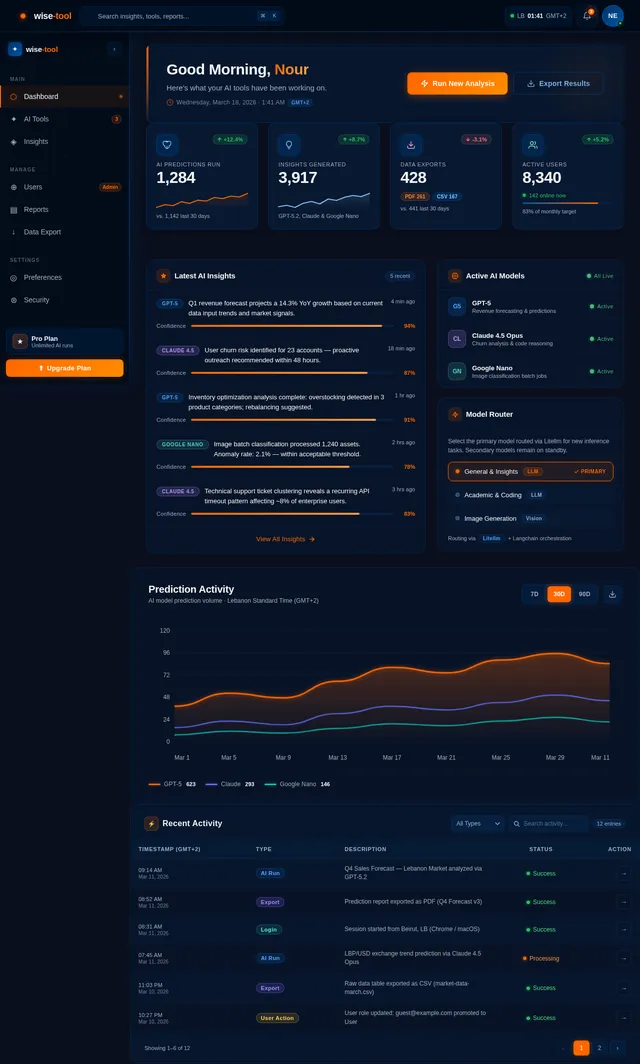
- A user-friendly dashboard for managing inputs and outputs.
- Support for multiple user personas with varying levels of access.
- Integration with advanced AI models for enhanced functionality.
Locale-specific considerations include:
- Default currency: Lebanese Pound (LBP) and USD.
- Timezone: Lebanon Standard Time (GMT+2).
- Language: English as the primary interface language, with potential for Arabic localization.
3. Functional Requirements
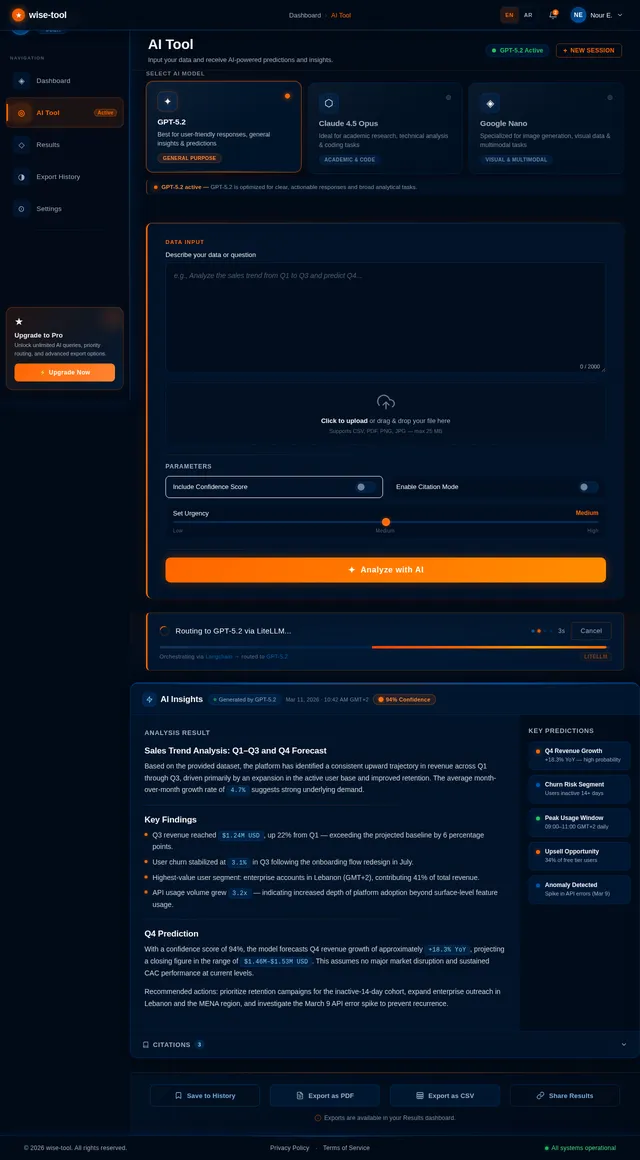
- As a User, I should be able to input data for AI processing.
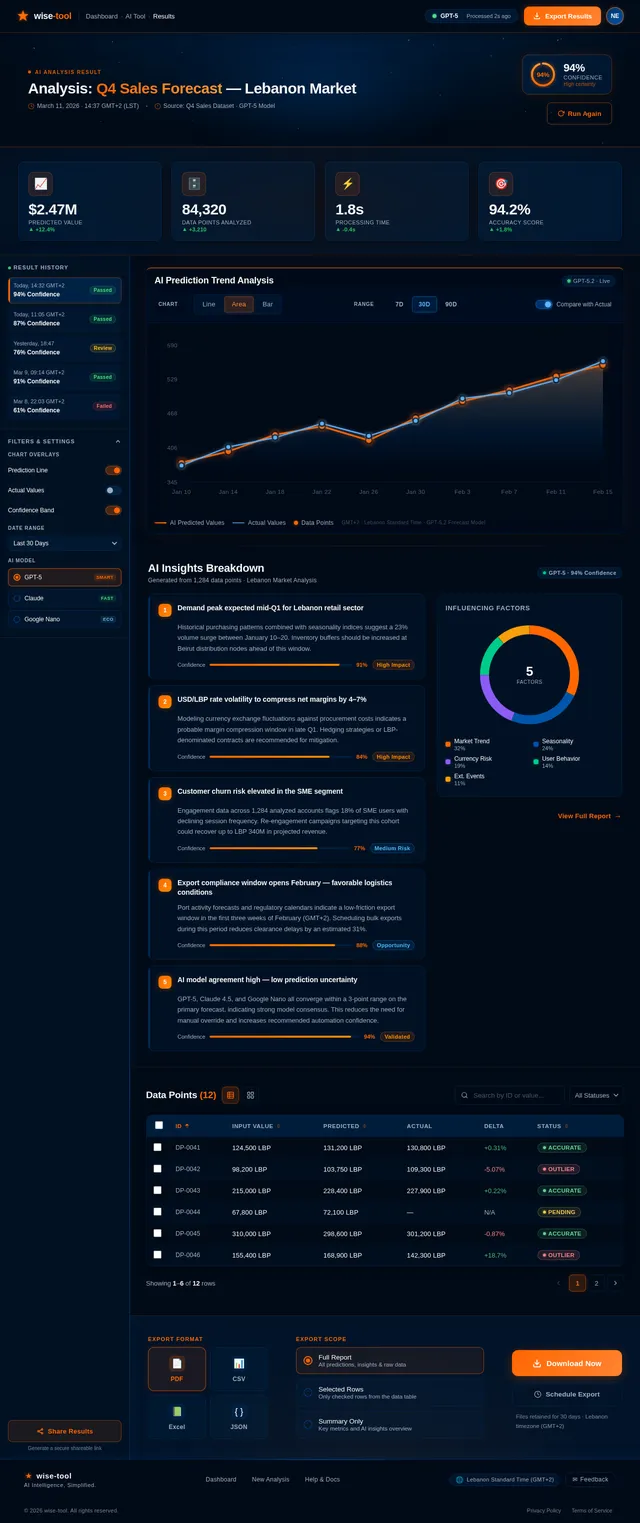
- As a User, I should be able to view AI-generated predictions and insights.
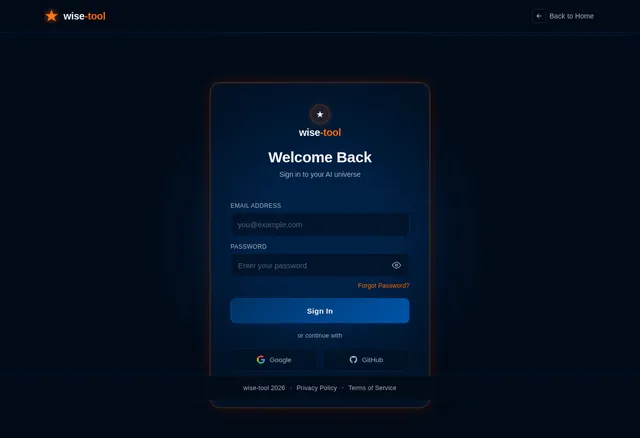
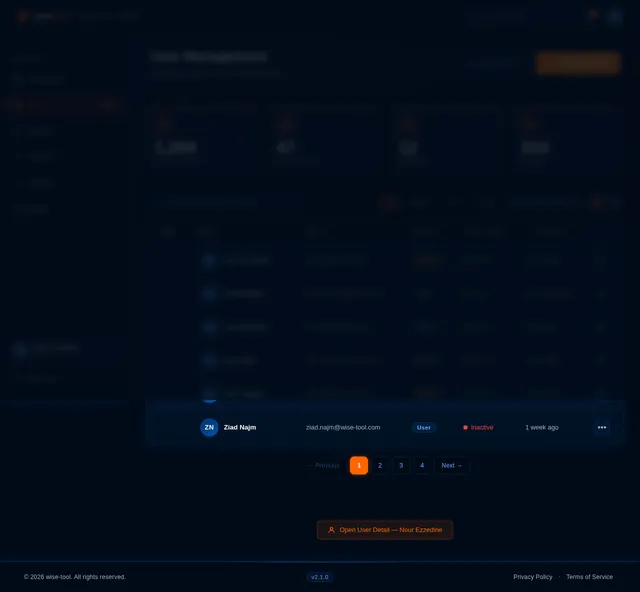
- As an Admin, I should be able to manage user accounts and permissions.
- As a User, I should be able to access a dashboard to manage my inputs and outputs.
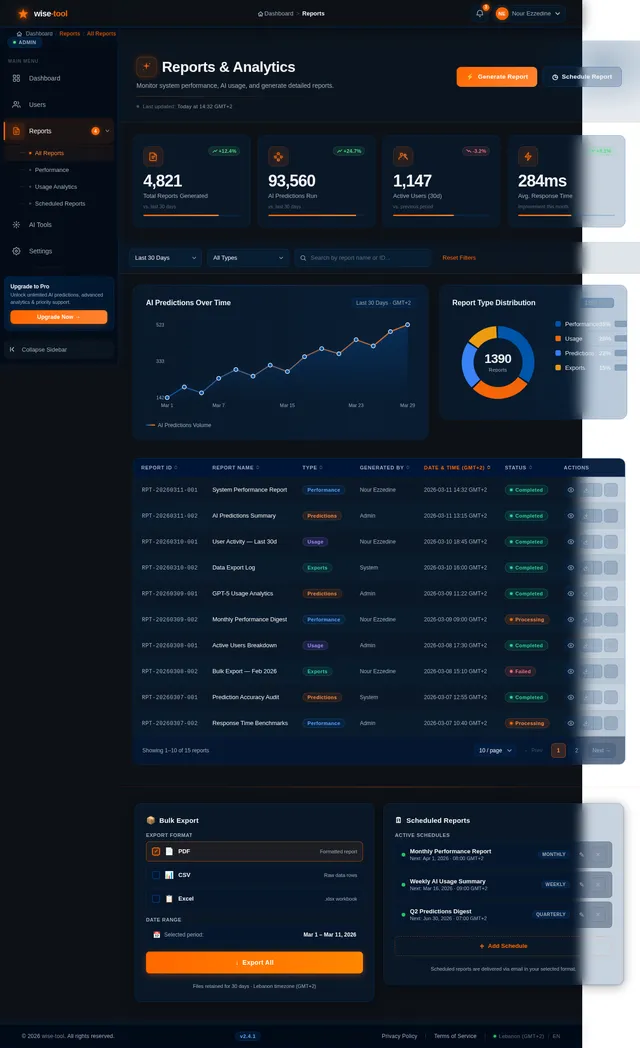
- As an Admin, I should be able to monitor system performance and generate reports.
- As a User, I should be able to export AI-generated results in multiple formats (e.g., PDF, CSV).
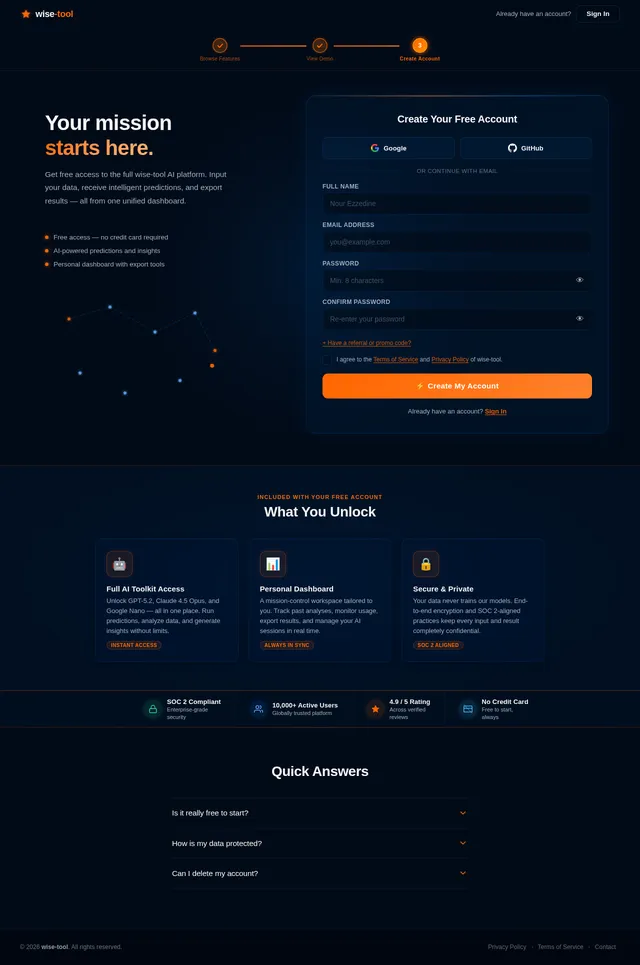
- As a Guest, I should be able to explore limited features of the platform before signing up.
4. User Personas
-
Admin
- Role: Manages the platform, user accounts, and system performance.
- Needs: Comprehensive control over the system, reporting tools, and monitoring capabilities.
-
User
- Role: Regular user of the platform for AI insights and predictions.
- Needs: Intuitive interface, accurate AI results, and data export options.
-
Guest
- Role: Potential user exploring the platform.
- Needs: Access to limited features to understand the platform's capabilities.
5. Visuals Colors and Theme
The wise-tool platform will adopt a modern and professional theme with the following color palette:
- Primary Color: Deep Blue (#003366) – Represents trust and intelligence.
- Secondary Color: Light Gray (#F5F5F5) – Ensures a clean and minimalistic look.
- Accent Color: Vibrant Orange (#FF6600) – Adds energy and focus to key elements.
- Text Color: Dark Gray (#333333) – For readability and contrast.
- Background Color: White (#FFFFFF) – Keeps the interface clean and uncluttered.
6. Signature Design Concept
Interactive AI Galaxy Landing Page
The homepage of the wise-tool platform will feature an interactive galaxy map where each star represents a feature or section of the platform.
- Visuals: A dark, starry background with glowing, animated stars that pulse gently.
- Interaction: Users can hover over stars to reveal tooltips about each feature. Clicking on a star will zoom into that section, transitioning smoothly to the relevant page.
- Micro-interactions: Subtle animations, such as stars twinkling and constellations forming as users navigate.
- Color Dynamics: The galaxy will shift colors based on the time of day (e.g., cooler tones at night, warmer tones during the day).
- User Experience: This design will create a sense of exploration and curiosity, making the platform memorable and engaging from the first interaction.
7. Non-Functional Requirements
- Performance: The system should handle up to 10,000 concurrent users with minimal latency.
- Scalability: The platform must be scalable to accommodate future growth.
- Security: Implement robust security measures, including data encryption and user authentication.
- Accessibility: Ensure compliance with WCAG 2.1 standards for accessibility.
- Localization: Support for English and Arabic languages.
8. Tech Stack
- Frontend: React for web development.
- Backend: Python with FastAPI for efficient API development.
- Database: MySQL for structured data storage, with Alembic for migrations.
- AI Models:
- GPT 5.2 for user-friendly responses.
- Claude 4.5 Opas for academic or coding work.
- Google Nano Banana for image generation.
- AI Tools: Litellm for LLM routing and Langchain for AI workflow orchestration.
- Orchestration: Docker and Kubernetes for containerization and server-side orchestration.
9. Assumptions and Constraints
- The platform will primarily target users in Lebanon but will be accessible globally.
- The system will rely on cloud-based infrastructure for scalability and reliability.
- Initial development will focus on the web platform, with mobile app development planned for future phases.
- Budget constraints may limit the use of certain advanced AI models initially.
10. Glossary
- AI: Artificial Intelligence.
- LLM: Large Language Model.
- WCAG: Web Content Accessibility Guidelines.
- RDBMS: Relational Database Management System.
- NoSQL: Non-relational database.
- VectorDB: A database optimized for vector search and storage.
This document reflects the updated requirements and vision for the wise-tool project. Nour, your feedback and approval are essential to move forward with implementation. Let us know if any further adjustments are needed!

Explore the Universe of AI Intelligence
Predict. Analyze. Decide. wise-tool brings AI-powered insights to your fingertips.
Discover What wise-tool Offers
Navigate the galaxy of features powering your AI workflow
How It Works
Three simple steps to unlock AI-powered insights for your team.
Input Your Data
Upload datasets, connect APIs, or manually enter your data points. wise-tool supports CSV, JSON, PDF, and direct integrations.
AI Processes & Predicts
Our AI engine, powered by GPT-5 and advanced models, analyzes patterns, detects anomalies, and generates actionable predictions.
Export Your Insights
Download comprehensive reports in PDF or CSV, share interactive dashboards, or integrate results directly into your workflow.
Powered by Cutting-Edge AI
wise-tool orchestrates multiple AI models in a unified pipeline — routing your data to the best model for each task. From predictive analytics to natural language insights, our intelligent workflow engine handles the complexity so you get accurate, actionable results in seconds.
Try Before You Commit
No account needed — explore the galaxy first.
Full access unlocked after free signup.
Trusted by Teams Across Lebanon & Beyond
wise-tool transformed how our team handles AI predictions. The dashboard is incredibly intuitive, and exporting insights in PDF or CSV has saved us hours of manual work every week.
We integrated wise-tool across three departments and saw a 40% improvement in decision-making speed. The GPT-5 powered insights are remarkably accurate and actionable.
The guest preview convinced me instantly. Being able to explore features before signing up showed real confidence in the product. Now our entire engineering team relies on it daily.
wise-tool transformed how our team handles AI predictions. The dashboard is incredibly intuitive, and exporting insights in PDF or CSV has saved us hours of manual work every week.
We integrated wise-tool across three departments and saw a 40% improvement in decision-making speed. The GPT-5 powered insights are remarkably accurate and actionable.
The guest preview convinced me instantly. Being able to explore features before signing up showed real confidence in the product. Now our entire engineering team relies on it daily.
Simple, Transparent Pricing
Choose a plan that fits your needs. Start free and scale as you grow with wise-tool.
- ✓Up to 50 AI predictions/month
- ✓Basic dashboard access
- ✓CSV export only
- ✓Community support
- ✓Unlimited AI predictions
- ✓Full dashboard & analytics
- ✓PDF, CSV & API export
- ✓Priority support 24/7
- ✓Custom AI model integration
- ✓Dedicated account manager
- ✓Advanced user management
- ✓SLA & on-premise options
Ready to Navigate the Future of AI?
Join thousands of users making smarter decisions with wise-tool. Start exploring AI-powered insights today.
No comments yet. Be the first!