winter-website
 Priya Mandaviya
help me to build food recipe website where user will select whatever they have in ingredients categories wise like vegetables, spices, other options and this website will guide that what user can cook with available options.... Ui should be as per current trend like minimal and card based also user friendly. use illustrations of food to attract the audience. all buttons can CTAs should be working. use orange or red color code like swiggy or zomato. every page of website should be open.
Comments (0)
Sign in to leave a comment
System Requirements
System Requirements Document (SRD) for winter-website
1. Introduction
The winter-website is a food recipe platform designed to help users discover recipes based on the ingredients they already have. This project, envisioned by Priya Mandaviya, aims to provide a user-friendly, visually appealing, and practical solution for meal preparation. The website will feature a modern, minimalistic design with card-based UI and food illustrations to attract users. It will also include advanced features like ingredient categorization, recipe suggestions, user accounts, and quantity selection for a personalized experience.
This document outlines the system requirements for the winter-website, ensuring alignment with Priya's vision and the needs of the target audience in India (IN). Locale-specific considerations, such as time zones (IST) and preferences for vibrant, energetic colors like orange and red, have been incorporated.
2. System Overview
The winter-website will serve as an intuitive platform for users to:
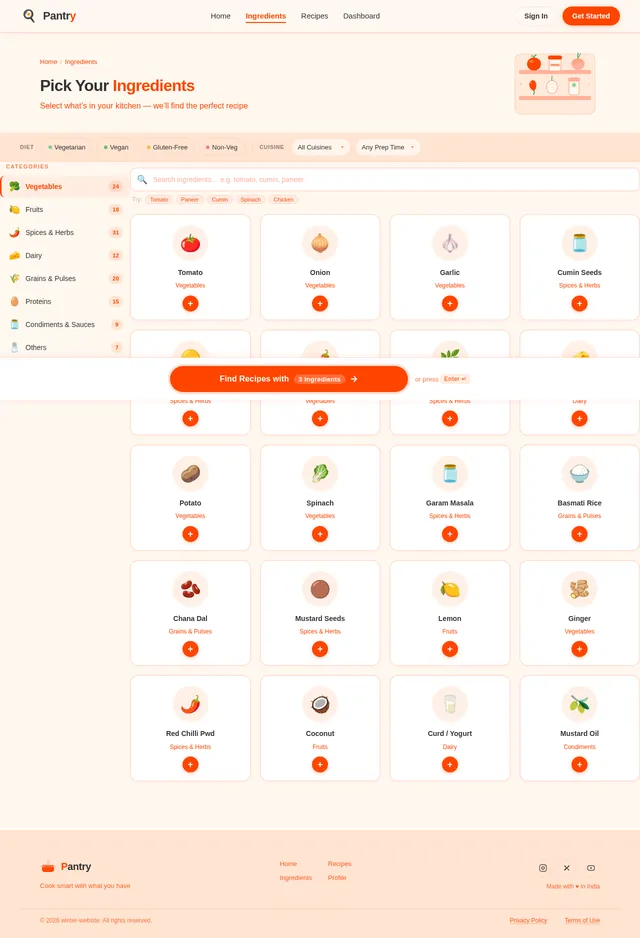
- Select ingredients they have at home, categorized into vegetables, spices, and other options.
- Receive recipe suggestions tailored to the selected ingredients.
- Filter recipes by cuisine type, preparation time, and other advanced options.
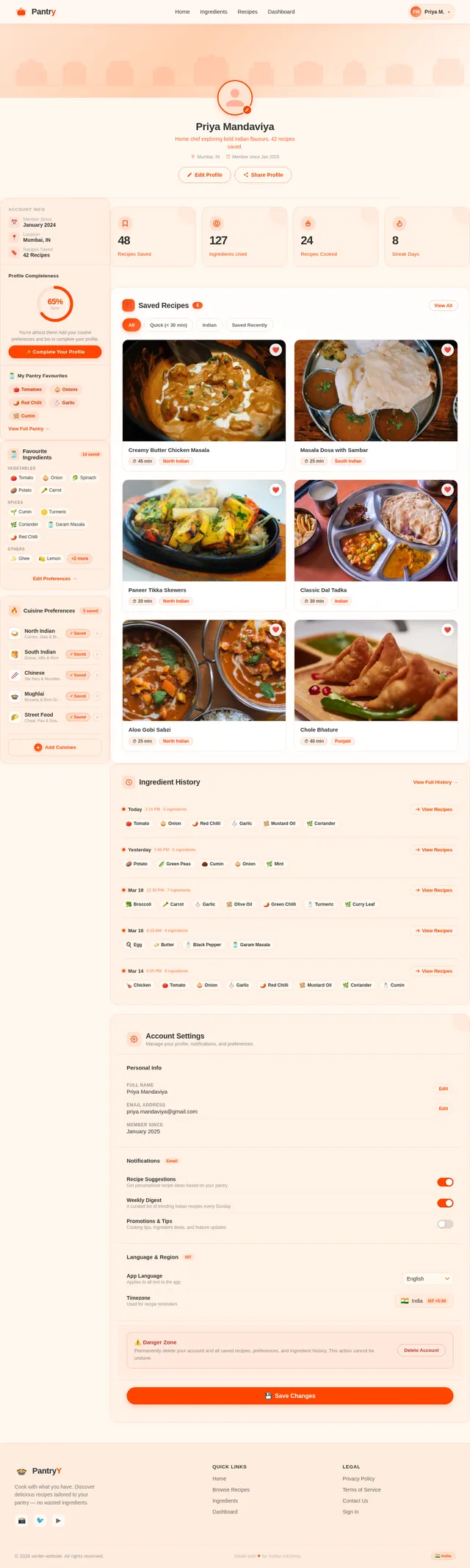
- Save preferences, ingredient history, and favorite recipes through user accounts.
- Specify ingredient quantities to generate more accurate recipes.
The system will feature a minimal, card-based UI with functional CTAs and food illustrations to enhance user engagement. The platform will be accessible via web browsers and optimized for both desktop and mobile devices.
3. Functional Requirements as Story Points
- As a User, I should be able to select ingredients categorized by type (e.g., vegetables, spices, etc.).
- As a User, I should be able to specify the quantity of each ingredient I have.
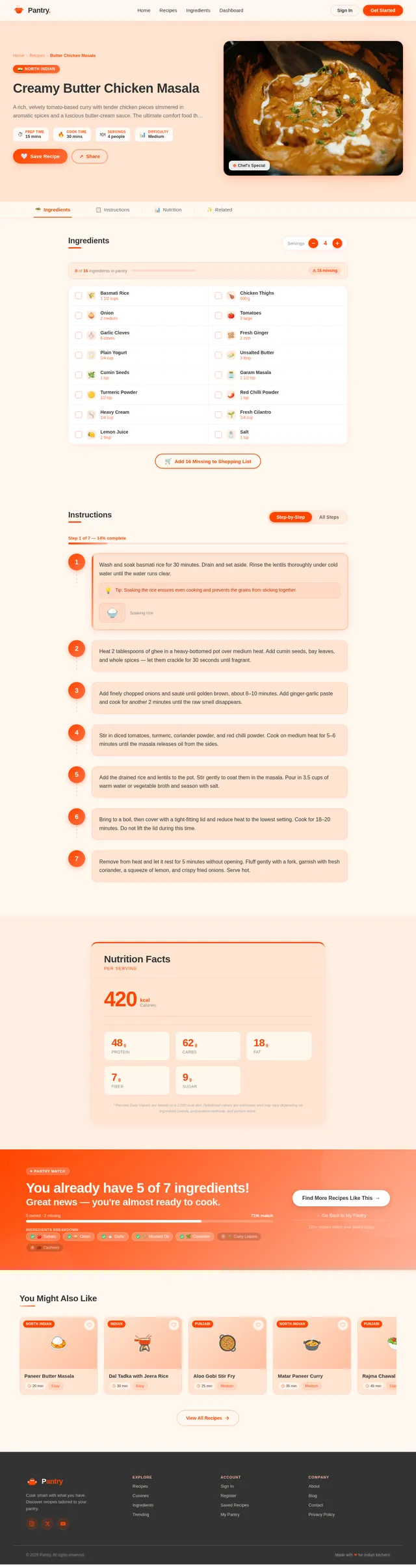
- As a User, I should be able to view recipe suggestions based on the selected ingredients.
- As a User, I should be able to filter recipes by cuisine type and preparation time.
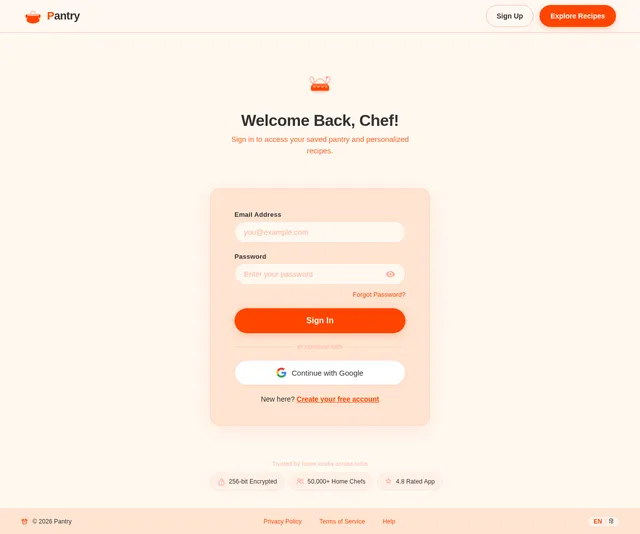
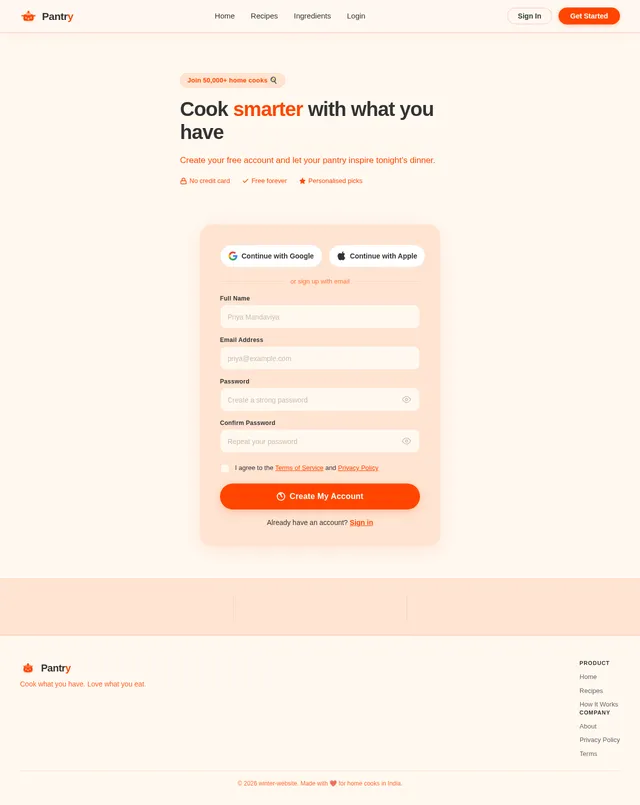
- As a User, I should be able to create an account to save preferences, ingredient history, and favorite recipes.
- As a User, I should be able to view recipes in a card-based layout with food illustrations.
- As a User, I should be able to interact with functional CTAs on every page.
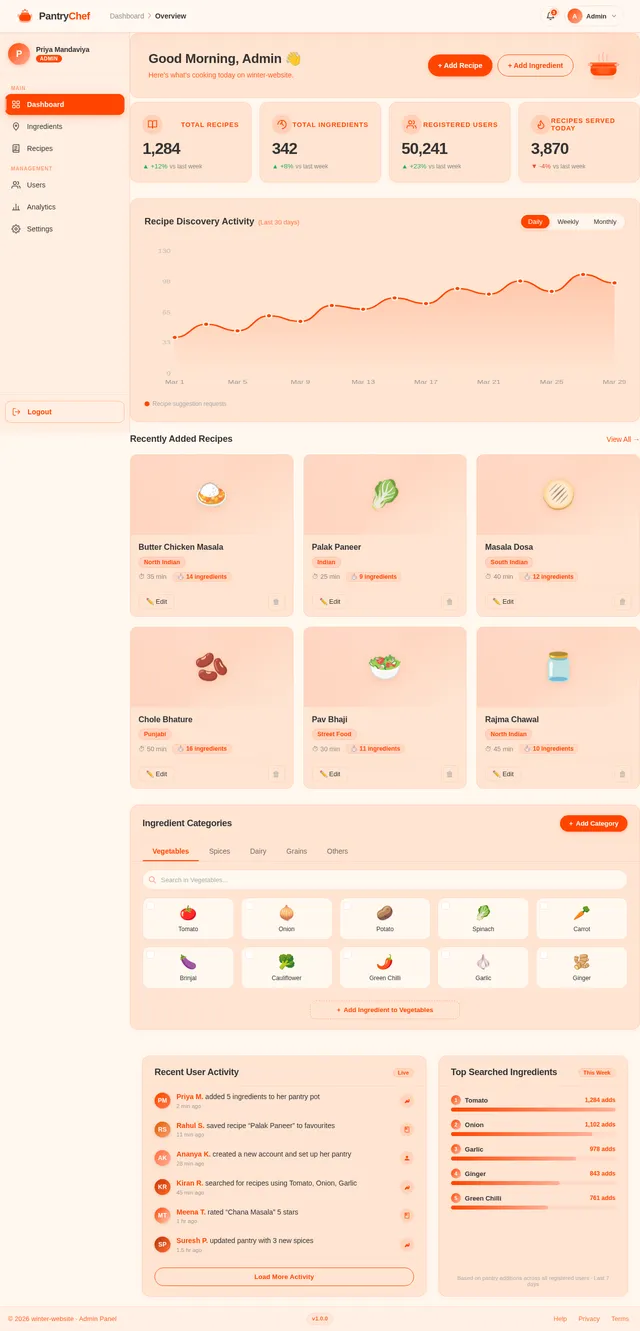
- As an Admin, I should be able to manage the recipe database, including adding, updating, and deleting recipes.
4. User Personas
1. Regular User
- Description: A home cook looking for meal ideas based on available ingredients.
- Goals: Discover recipes, save preferences, and explore new cuisines.
- Pain Points: Wasting ingredients, lack of meal ideas, and time constraints.
2. Admin
- Description: A system administrator managing the recipe database.
- Goals: Ensure the recipe database is up-to-date and relevant.
- Pain Points: Managing a large volume of recipes and ensuring data accuracy.
5. Visuals Colors and Theme
The winter-website will use a vibrant and energetic color palette inspired by popular food delivery platforms like Swiggy and Zomato. The colors are designed to evoke appetite and excitement while maintaining a modern aesthetic.
- Background: #FFF8F0 (Soft Cream)
- Surface: #FFFFFF (Pure White)
- Text: #333333 (Dark Charcoal)
- Accent: #FF5722 (Bright Orange)
- Muted Tones: #FFCCBC (Soft Peach)
6. Signature Design Concept
Interactive Ingredient Pantry with Animated Food Illustrations
The homepage will feature an interactive ingredient pantry where users can drag and drop illustrated ingredient cards into a virtual "recipe basket." Each ingredient card will feature a playful, animated illustration (e.g., a bouncing tomato or a spinning spice jar) to create an engaging and delightful user experience.
As users add ingredients to the basket, the background will subtly animate with a swirling effect of food-related icons (e.g., forks, knives, and plates). Once the user clicks "Find Recipes," the basket will transform into a recipe card deck that fans out dynamically, revealing tailored recipe suggestions.
Micro-interactions will include:
- Ingredient cards flipping when hovered over.
- A glowing effect on the "Find Recipes" button when the basket is full.
- Smooth transitions between pages with a sliding card animation.
This bold, interactive design will make the winter-website unforgettable and fun to use.
7. Non-Functional Requirements
- The system should load pages within 2 seconds for optimal user experience.
- The website should be responsive and accessible on both desktop and mobile devices.
- The platform should support at least 10,000 concurrent users.
- Data storage should be secure and comply with local data protection regulations.
- The UI should follow accessibility standards (WCAG 2.1).
8. Tech Stack
Frontend
- React for Web
Backend
- Python
- FastAPI
Database
- MySQL (with Alembic for migrations)
AI Models
- GPT 5.2 for user-friendly responses
- Google Nano Banana for food illustration generation
AI Tools
- Litellm for LLM Routing
- Langchain
Local Orchestration
- Docker
- docker-compose
Server-Side Orchestration
- Kubernetes
9. Assumptions and Constraints
- Users will have access to a stable internet connection.
- The platform will initially support English as the primary language.
- Recipes will be sourced from a pre-existing database and curated by the admin.
- The system will not include a shopping list or grocery delivery integration in the initial phase.
10. Glossary
- CTA: Call-to-Action, a button or link prompting user interaction.
- UI: User Interface, the visual layout and design of the website.
- WCAG: Web Content Accessibility Guidelines, standards for accessible web design.
- LLM: Large Language Model, an AI model for generating human-like text.
- Pantry: A virtual space where users select ingredients for recipe suggestions.
Cook What You Have.
Pick ingredients from your pantry and discover delicious recipes in seconds.
How It Works
Pick Your Ingredients
Browse your virtual pantry and select the ingredients you already have at home.
Fill the Cooking Pot
Drop your selected ingredients into the pot and watch it come to life with possibilities.
Discover Recipes
Get instant, personalized recipe suggestions tailored to exactly what you have.
Your Pantry
Pick ingredients you have, set quantities, and discover what you can cook
Your Cooking Pot
Tap ingredients to toss them into the pot and discover matching recipes
Recipes you can make right now
Explore by Cuisine
Featured Recipes
Handpicked for you today.
 North Indian
Paneer Butter Masala
Rich and creamy paneer cubes simmered in a velvety tomato-cashew gravy with aromatic spices.
View Recipe→ South Indian
Masala Dosa
Crispy golden rice-lentil crepe filled with spiced potato masala, served with chutney and sambar.
View Recipe→ North Indian
Chole Bhature
Spicy chickpea curry paired with fluffy deep-fried bread, a classic North Indian comfort dish.
View Recipe→ Chinese
Veg Hakka Noodles
Stir-fried noodles tossed with crisp vegetables, soy sauce, and a hint of chili for the perfect Indo-Chinese bite.
View Recipe→ Mughlai
Hyderabadi Biryani
Fragrant basmati rice layered with aromatic spices, caramelized onions, and fresh herbs in dum style.
View Recipe→ Street Food
Pav Bhaji
A medley of mashed vegetables cooked in butter and spices, served with toasted buttery pav buns.
View Recipe→What Our Cooks Say
Ananya Sharma
Mumbai, IN
“I had leftover paneer and spinach, and PantryPick suggested the most amazing palak paneer recipe. My family loved it!”
Rohan Mehta
Delhi, IN
“As a bachelor, I never knew what to cook. Now I just pick my ingredients and get easy recipes in seconds. Game changer!”
Priya Iyer
Chennai, IN
“The cuisine filters are brilliant! I found authentic South Indian recipes using just the basics from my kitchen shelf.”
Kabir Singh
Jaipur, IN
“The pantry drag-and-drop is so fun to use. My kids love picking ingredients and seeing what we can cook together.”
Neha Gupta
Bangalore, IN
“Saving my ingredient history means the app already knows what I usually have. Personalized suggestions save me so much time!”
Save Your Pantry. Cook Smarter.
Create a free account to save your ingredient history and get personalized recipe suggestions.
No spam. Cancel anytime.
No comments yet. Be the first!