Search origin to destination
Enter your origin and destination stations and pick a travel date. The search is a ruled table, not a card, so origin and destination stay aligned in a strict column and a single control on the rule swaps them.
 Dev Kalyani
make me a metro booking app make 8 pages

Sign in to leave a comment
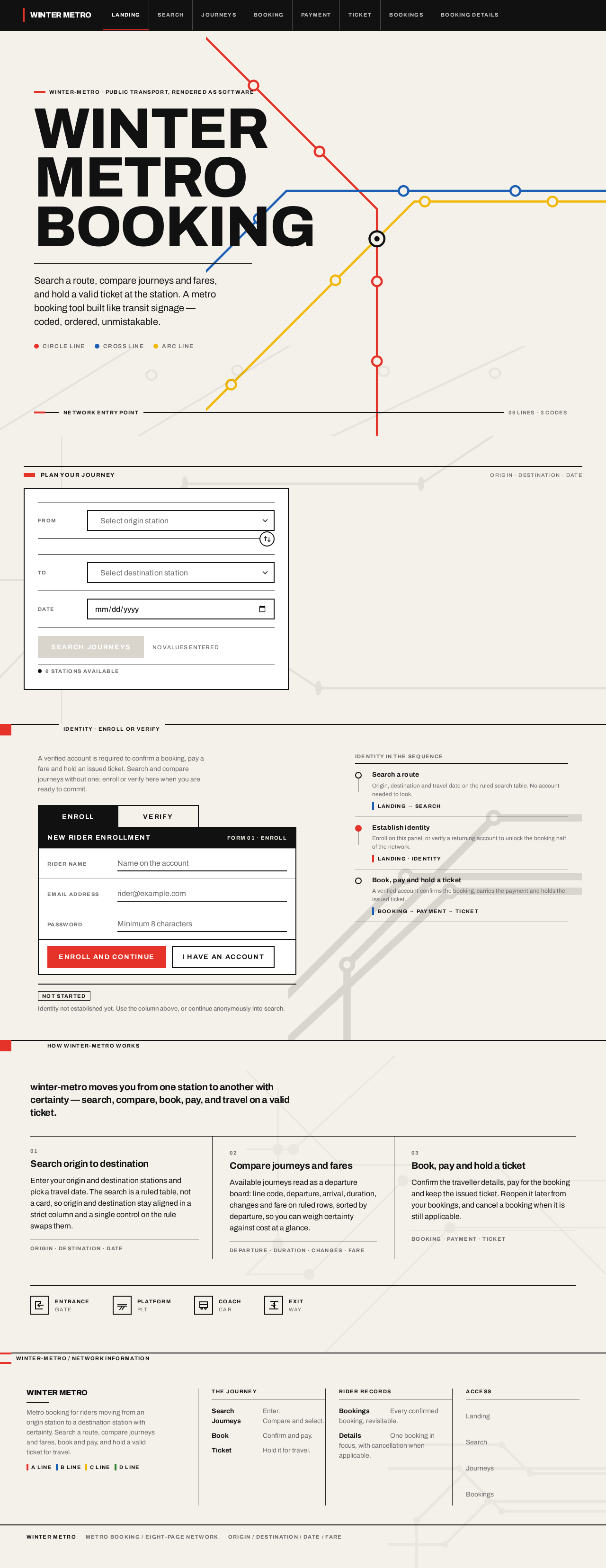
Winter-metro · Public transport, rendered as software
Search a route, compare journeys and fares, and hold a valid ticket at the station. A metro booking tool built like transit signage — coded, ordered, unmistakable.
A verified account is required to confirm a booking, pay a fare and hold an issued ticket. Search and compare journeys without one; enroll or verify here when you are ready to commit.
winter-metro moves you from one station to another with certainty — search, compare, book, pay, and travel on a valid ticket.
Enter your origin and destination stations and pick a travel date. The search is a ruled table, not a card, so origin and destination stay aligned in a strict column and a single control on the rule swaps them.
Available journeys read as a departure board: line code, departure, arrival, duration, changes and fare on ruled rows, sorted by departure, so you can weigh certainty against cost at a glance.
Confirm the traveller details, pay for the booking and keep the issued ticket. Reopen it later from your bookings, and cancel a booking when it is still applicable.
Winter-metro · Public transport, rendered as software
Search a route, compare journeys and fares, and hold a valid ticket at the station. A metro booking tool built like transit signage — coded, ordered, unmistakable.
A verified account is required to confirm a booking, pay a fare and hold an issued ticket. Search and compare journeys without one; enroll or verify here when you are ready to commit.
winter-metro moves you from one station to another with certainty — search, compare, book, pay, and travel on a valid ticket.
Enter your origin and destination stations and pick a travel date. The search is a ruled table, not a card, so origin and destination stay aligned in a strict column and a single control on the rule swaps them.
Available journeys read as a departure board: line code, departure, arrival, duration, changes and fare on ruled rows, sorted by departure, so you can weigh certainty against cost at a glance.
Confirm the traveller details, pay for the booking and keep the issued ticket. Reopen it later from your bookings, and cancel a booking when it is still applicable.
No comments yet. Be the first!