windy-todo
by Diya Trivedi
Diya Trivedistart a project to build a simple single page design of todo

Comments (0)
Sign in to leave a comment
Project Tasks
33 tasks#1
Architecture
0m 9s0.05 cr used
Done#2
Workspace task plan
1m 49s0.05 cr used
Done#3
Generate personas & user flows
0m 4s0.05 cr needed
Done#4
Design remaining pages
Not recorded0.05 cr needed
Done#6
Generate system requirement document
0m 38s0.05 cr needed
Done#7
Create flow for Todo user
0m 4sCredits in parent
Done#8
Todo
2m 54sCredits in subtasks
Done#9
Todo / Chip Row
0m 21s0.85 cr used
Done#10
Todo / Hero Wordmark
1m 6s0.85 cr used
Done#11
Todo / Task List
1m 1s0.85 cr used
Done#12
Create frontend_modules diagram
0m 9sCredits in parent
Done#13
Load and display the todo list with retry on failure
100 cr estimated
To Do#14
Remove a single task from the list
80 cr estimated
To Do#15
Toggle task completion from the circular checkbox
80 cr estimated
To Do#16
Show an empty state when no todo items exist
60 cr estimated
To Do#17
Clear completed tasks from the footer link
100 cr estimated
To Do#18
Persist and retrieve todo items through the backend and Maria DB
120 cr estimated
To Do#19
Show remaining-items count and today's item count
60 cr estimated
To Do#20
Retry a failed list load or failed add
80 cr estimated
To Do#21
Serve and display the current todo list
100 cr estimated
To Do#22
Show inline error with retry when loading or adding fails
100 cr estimated
To Do#23
Show loading indication while the todo list is fetched
60 cr estimated
To Do#24
Capture a typed task as a new todo item
100 cr estimated
To Do#25
Persist completion toggle and show completed styling
100 cr estimated
To Do#26
Submit a new task via the add button or Enter
80 cr estimated
To Do#27
Keep adding and acting on items on the same page
80 cr estimated
To Do#28
Show a newly added item in the list
80 cr estimated
To Do#29
Show new task and refresh counts after adding
80 cr estimated
To Do#30
Persist added todo items in Maria DB through the backend
100 cr estimated
To Do#31
Add a typed task and see it in the list
100 cr estimated
To Do#32
Open the Todo page and see current tasks
80 cr estimated
To Do#33
Land on the single page and see the todo list
80 cr estimated
To Do#34
Wire the Todo page to live task data and interactions
120 cr estimated
To Do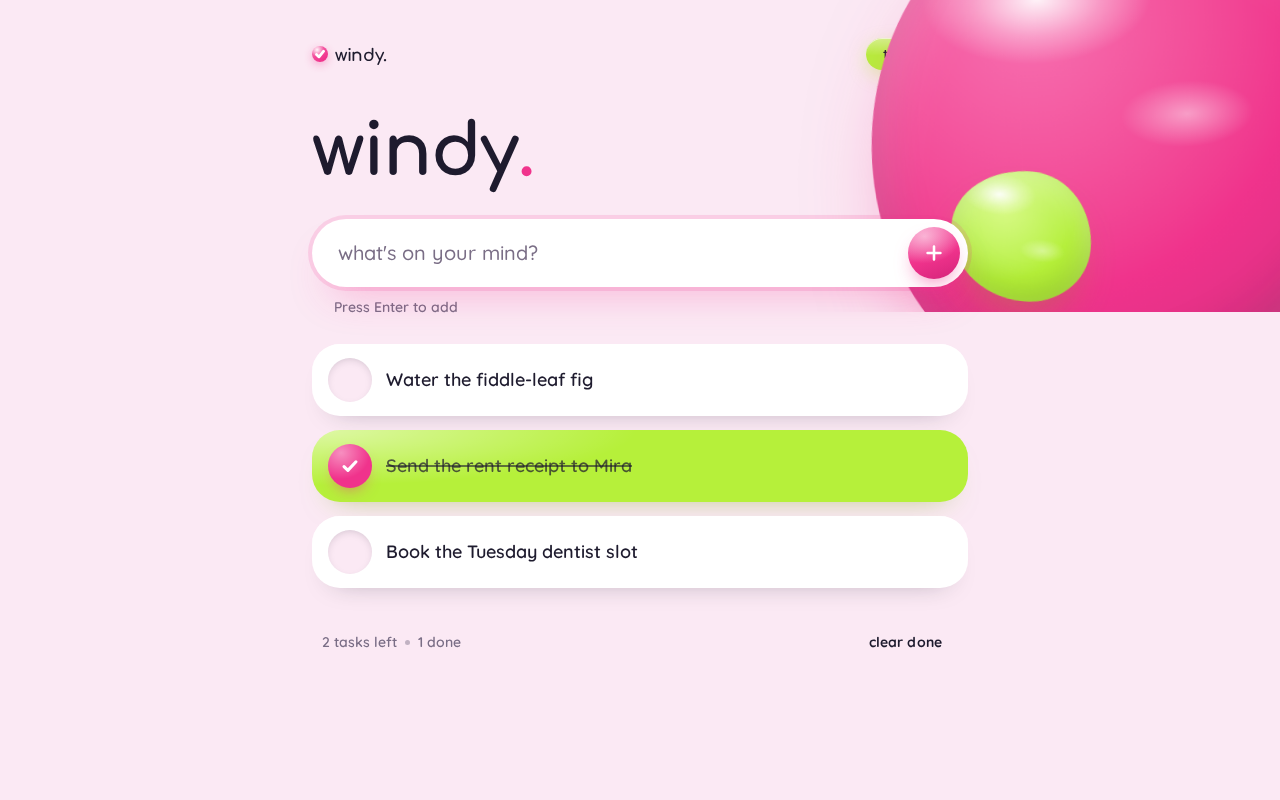
windy.
windy.
Press Enter to add
- Water the fiddle-leaf fig
- Send the rent receipt to Mira
- Book the Tuesday dentist slot
windy.
windy.
Press Enter to add
- Water the fiddle-leaf fig
- Send the rent receipt to Mira
- Book the Tuesday dentist slot
No comments yet. Be the first!