wild-dashboard
 Charles “Charlie” Touchet
I need to build a dashboard for anylitics and live monitoring of my system's and other types of devices connected to my accounts
Comments (0)
Sign in to leave a comment
Project Tasks21
Implement Theme & Structure
As a user, I want the scaffold project pages (home, login, signup, welcome, dashboard/overview, dashboard/ai-assistant, dashboard/settings) to look exactly identical to the mock-design pages. This task includes: applying the Wild-Dashboard color palette (Deep Blue #003f5c, Vibrant Orange #ffa600, Light Gray #d9d9d9, White #ffffff, Dark Gray #333333), setting up global CSS/theme variables, applying consistent typography and layout structure across all existing scaffold pages, and removing any pages not referenced in the user flows or design pages (e.g. welcome page, dashboard/ai-assistant if not in flows).
Build Landing Page
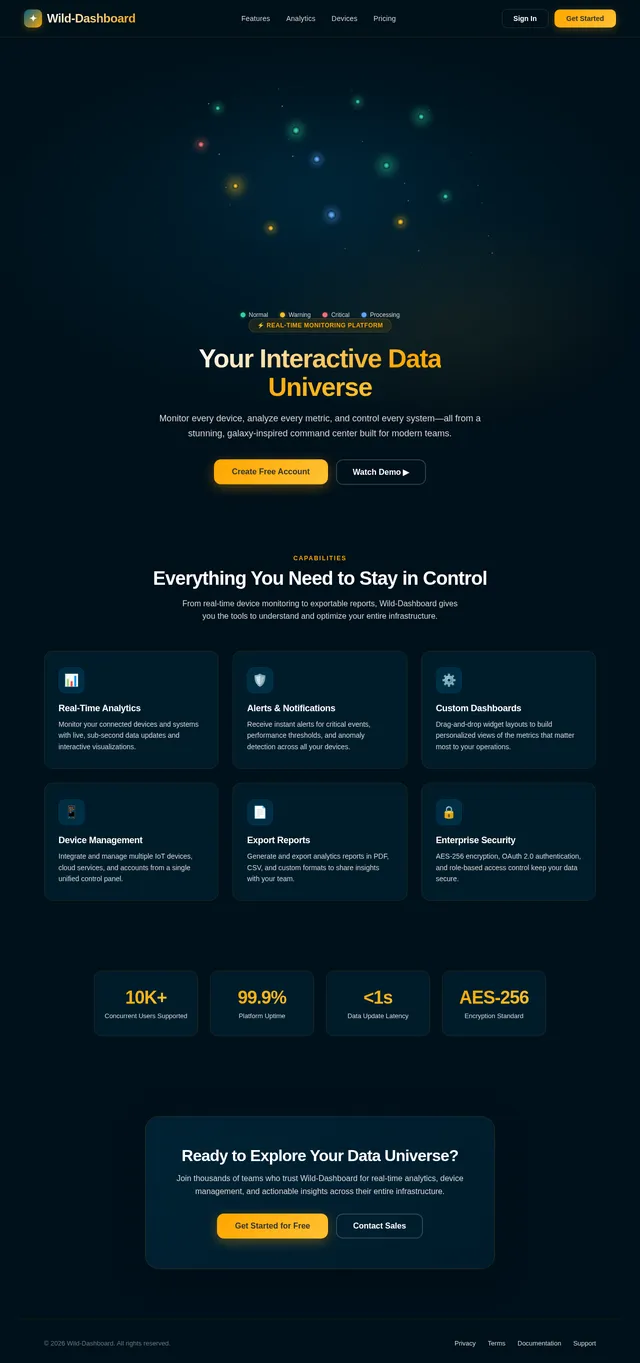
As a user, I want to view an engaging and informative landing page (Interactive Data Universe) so that I understand the platform's value before signing in. Implement the Landing page based on the existing JSX design (Landing v1). The page should feature the 3D galaxy-like visualization concept with color-coded stars, hover tooltips, zoom/pan interactions, and real-time animations. Navigation flows: Landing → Login.
Build Login Page
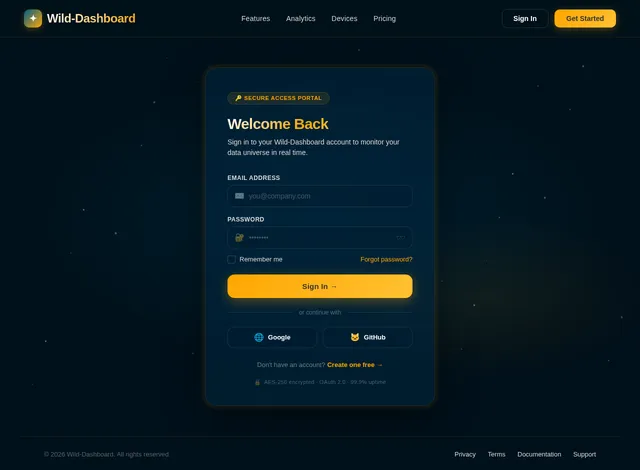
As a user, I want to sign in to the platform via a login page so that I can access my personalized dashboard. Implement the Login page based on the existing JSX design (Login v1). The page should include email/password fields, OAuth 2.0 sign-in support, validation feedback, and a link to the sign-up page. Navigation flows: Landing → Login → Dashboard.
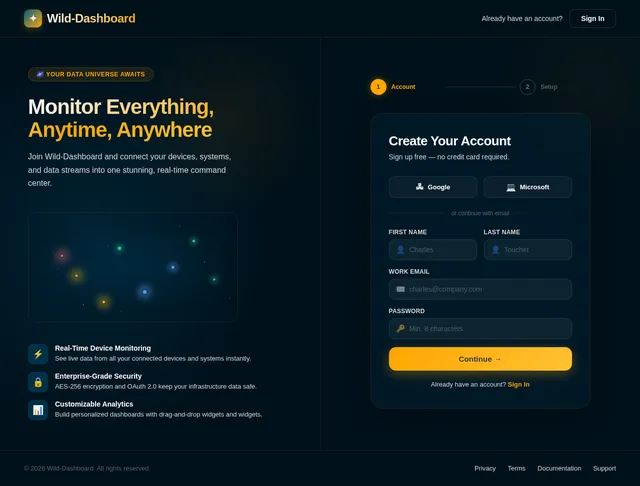
Build Signup Page
As a new user, I want to register for an account on a dedicated signup page so that I can gain access to the Wild-Dashboard platform. Implement the Signup page based on the existing JSX design (Signup v1). The page should include name, email, password fields, validation feedback, and a link back to the login page. Navigation flows: Landing → Login → Signup → Dashboard.
Build Dashboard Overview Page
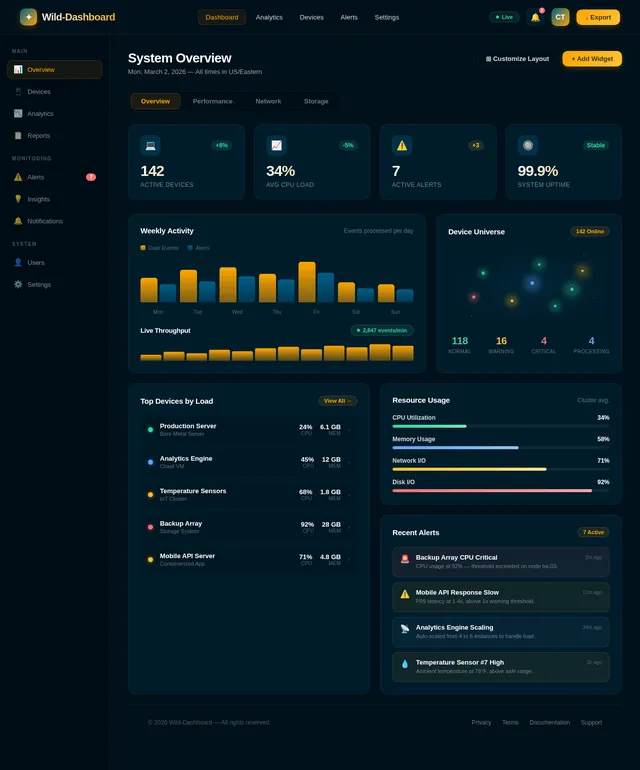
As a regular user, I want to view a dashboard overview page with real-time analytics and live system performance metrics so that I can monitor all connected devices at a glance. Implement the Dashboard page based on the existing JSX design (Dashboard v1). The page should display key metrics widgets, device status summaries, and navigation to sub-sections (Live Data, Devices, Alerts, Export). Navigation flows: Login → Dashboard → Monitor Live Data / Manage Devices / View Alerts.
Build Live Data Monitor Page
As a regular user, I want to monitor live system performance metrics on a dedicated page so that I can track real-time data updates with minimal latency. This page should include real-time charts/graphs, live data streams, and status indicators for connected devices. Navigation flows: Dashboard → Monitor Live Data → Customize Layout.
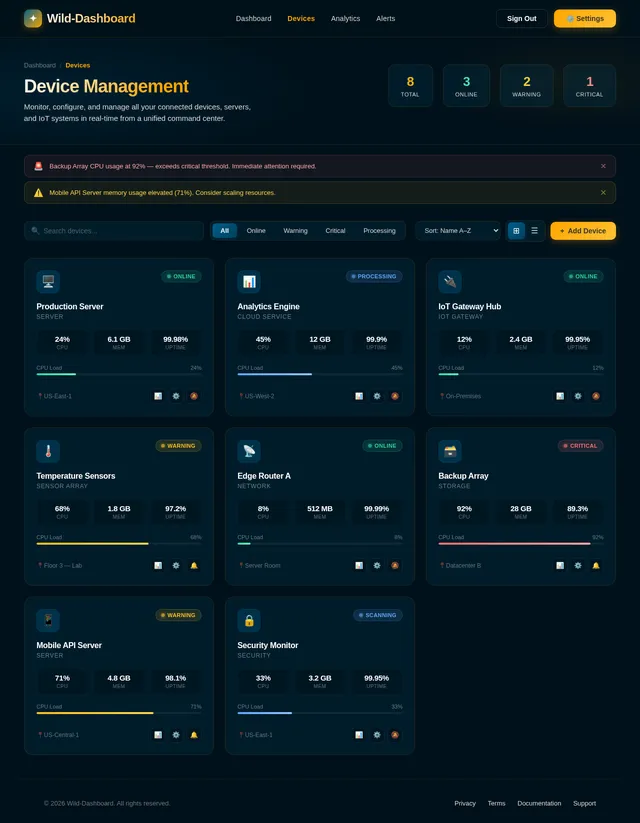
Build Manage Devices Page
As a regular user, I want to integrate and manage multiple devices across accounts on a dedicated page so that I can control all my connected systems in one place. Implement the Devices page based on the existing JSX design (Devices v1). The page should list all connected devices, allow adding/removing devices, show device status, and link to export reports. Navigation flows: Dashboard → Manage Devices → Export Reports.
Build Alerts & Notifications Page
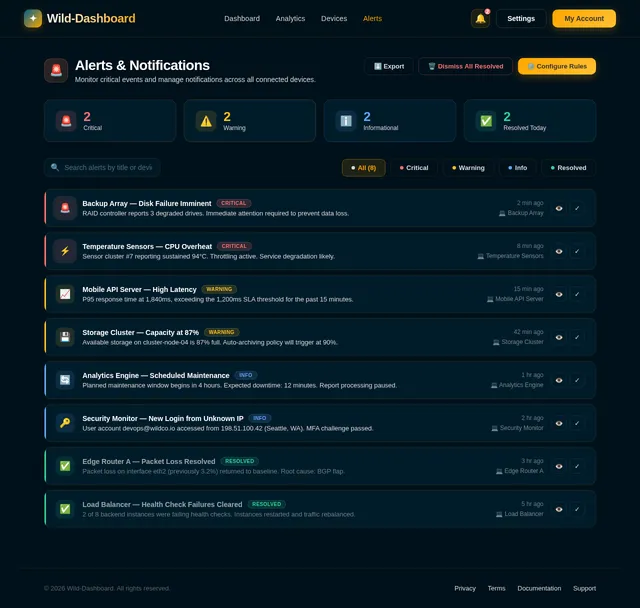
As a regular user, I want to view and manage alerts and notifications for critical events on a dedicated page so that I am always informed about important system changes. Implement the Alerts page based on the existing JSX design (Alerts v1). The page should list all alerts, allow filtering by severity, and support marking alerts as read. Navigation flows: Dashboard → View Alerts.
Build Users Management Page
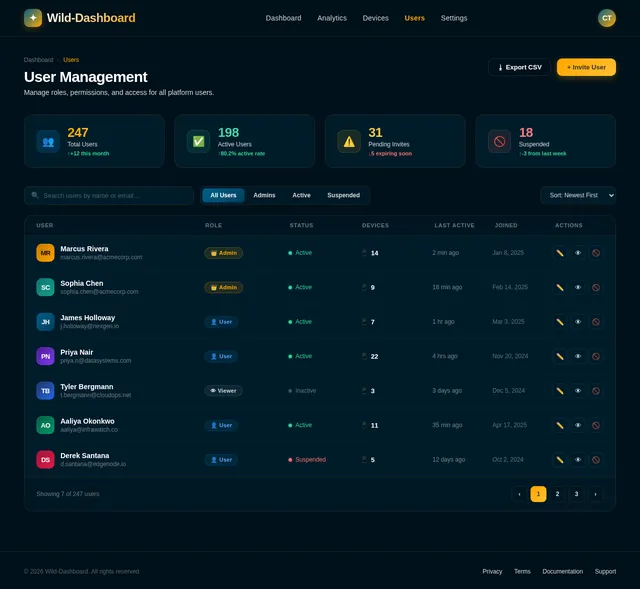
As an admin, I want to manage user roles and permissions on a dedicated Users page so that I can control access levels across the platform. Implement the Users page based on the existing JSX design (Users v1). The page should list all users, allow role assignment, edit permissions, and support user search/filter. Navigation flows: Dashboard → Users: Manage Roles → Users: Edit Permissions.
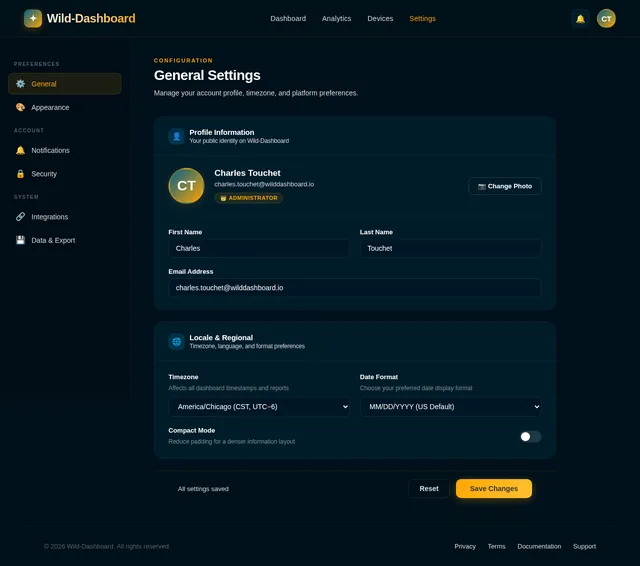
Build Settings Page
As an admin, I want to configure system-wide settings and manage integrations on a dedicated Settings page so that the platform operates according to organizational requirements. Implement the Settings page based on the existing JSX design (Settings v1). The page should include system configuration options, integration management, and save/reset controls. Navigation flows: Dashboard → Configure Settings → Manage Integrations.
Implement Real-Time Analytics API
As a user, I want to use a backend API for real-time analytics so that the dashboard can fetch and display live device metrics with minimal latency (<1 second). This includes FastAPI endpoints for device metrics, live performance data, and status aggregations. Supports the Dashboard Overview and Live Data Monitor pages.
Integrate AI Assistant API
As a user, I want to use an AI assistant API so that I can get user-friendly responses, coding help, and image generation within the dashboard. Integrate LiteLLM for LLM routing across GPT 5.2, Claude 4.5 Opus, and Google Nano Banana. Implement Langchain-based orchestration for multi-turn conversations. Supports the dashboard/ai-assistant page.
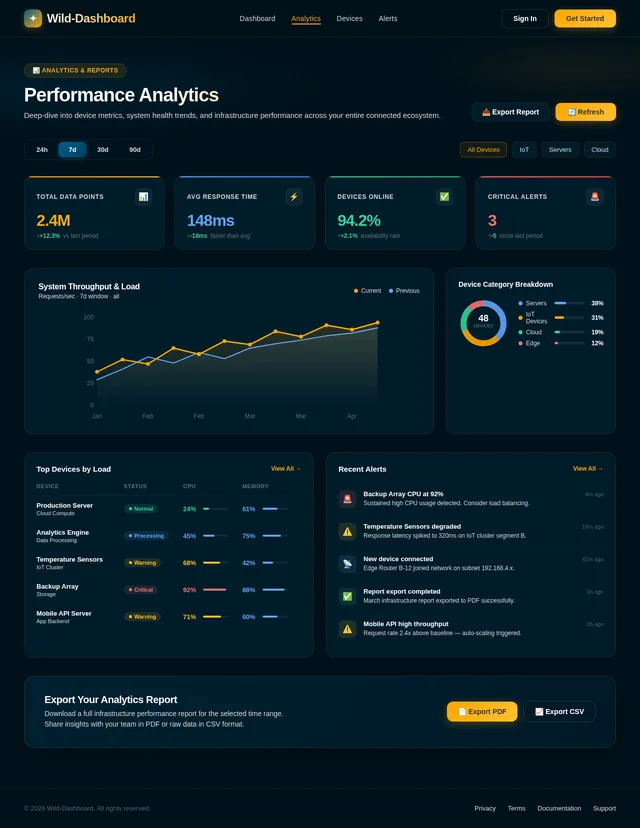
Build Analytics Page
As a regular user, I want to view a dedicated analytics page with charts and performance insights so that I can deeply analyze the data from my connected devices. Implement the Analytics page based on the existing JSX design (Analytics v1). The page should include time-series charts, metric breakdowns, and filters for date range and device selection. Navigation flows: Dashboard → View Analytics.
Build Customize Dashboard Page
As a regular user, I want to customize my dashboard layout and widgets so that I can personalize my monitoring experience. This page should support drag-and-drop widget rearrangement, widget addition/removal, and layout persistence. Navigation flows: Dashboard → Monitor Live Data → Customize Layout.
Build Export Reports Page
As a regular user, I want to export analytics reports in various formats (PDF, CSV) from a dedicated page so that I can share and analyze data offline. This page should allow selecting date ranges, report types, and export formats. Navigation flows: Dashboard → Manage Devices → Export Reports.
Implement Device Management API
As a user, I want to use a backend API for device management so that I can integrate, add, remove, and monitor multiple devices across accounts. This includes FastAPI CRUD endpoints for devices, account-device associations, and status tracking. Supports the Manage Devices page.
Implement Alerts & Notifications API
As a user, I want to use a backend API for alerts and notifications so that critical events are detected and surfaced in real time. This includes FastAPI endpoints for creating, reading, and updating alerts, plus a notification dispatch mechanism. Supports the Alerts & Notifications page.
Implement User Roles & Permissions API
As an admin, I want to use a backend API for managing user roles and permissions so that access control is enforced across the platform. This includes FastAPI endpoints for listing users, assigning roles, and editing permissions. Supports the Users Management page.
Implement System Settings & Integrations API
As an admin, I want to use a backend API for configuring system-wide settings and managing integrations so that platform behavior can be adjusted without code changes. This includes FastAPI endpoints for settings CRUD and integration configuration. Supports the Settings page.
Implement WebSocket Real-Time Feed
As a user, I want the backend to push live device data via WebSockets so that the dashboard updates in real time with less than 1 second latency. Implement a FastAPI WebSocket server for streaming live metrics and device status updates to connected frontend clients. Supports the Live Data Monitor page.
Implement Export Reports API
As a user, I want to use a backend API for exporting analytics reports so that I can download data in PDF or CSV formats. This includes FastAPI endpoints for report generation, format selection, and file download. Supports the Export Reports page.
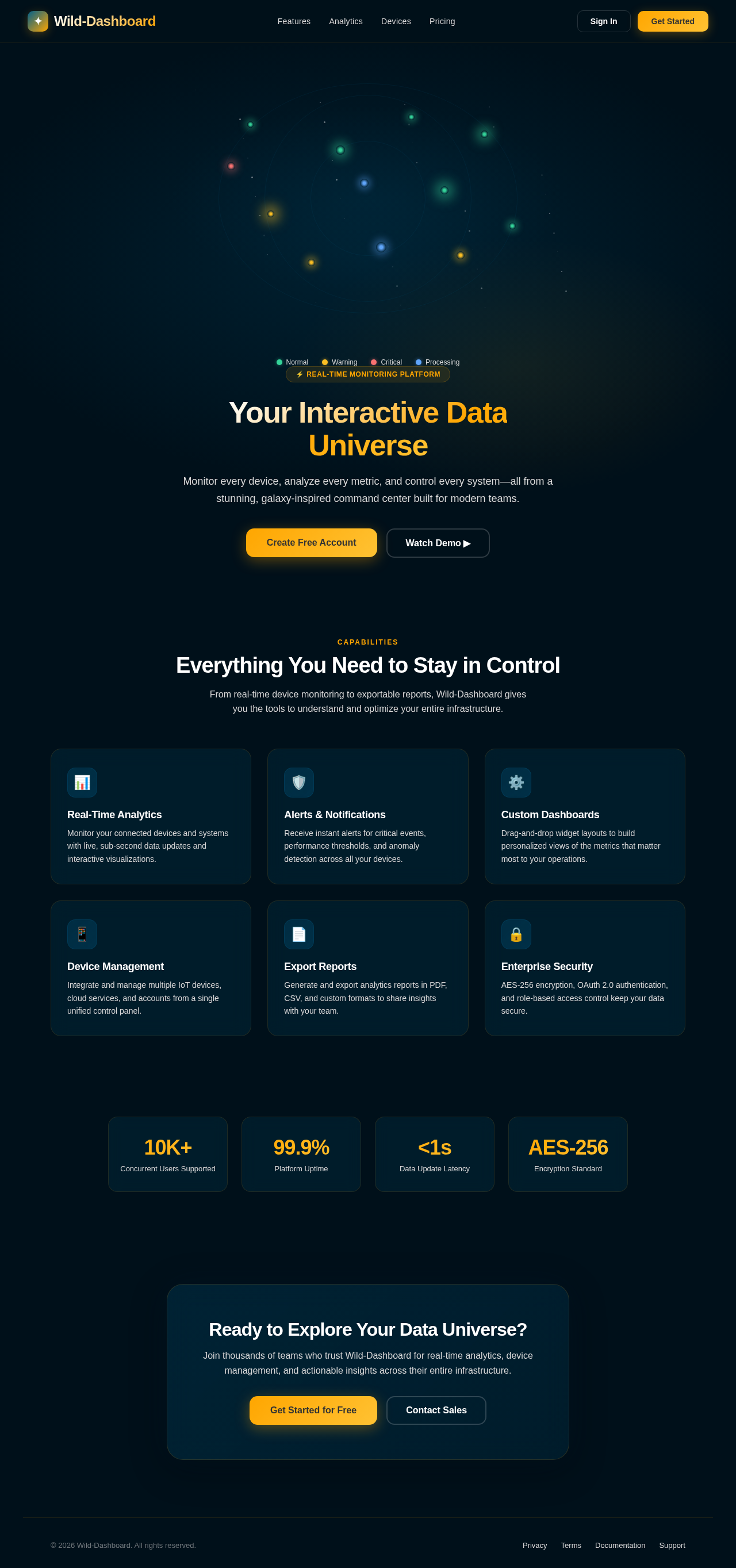
Your Interactive Data Universe
Monitor every device, analyze every metric, and control every system—all from a stunning, galaxy-inspired command center built for modern teams.
Everything You Need to Stay in Control
From real-time device monitoring to exportable reports, Wild-Dashboard gives you the tools to understand and optimize your entire infrastructure.
Real-Time Analytics
Monitor your connected devices and systems with live, sub-second data updates and interactive visualizations.
Alerts & Notifications
Receive instant alerts for critical events, performance thresholds, and anomaly detection across all your devices.
Custom Dashboards
Drag-and-drop widget layouts to build personalized views of the metrics that matter most to your operations.
Device Management
Integrate and manage multiple IoT devices, cloud services, and accounts from a single unified control panel.
Export Reports
Generate and export analytics reports in PDF, CSV, and custom formats to share insights with your team.
Enterprise Security
AES-256 encryption, OAuth 2.0 authentication, and role-based access control keep your data secure.
Ready to Explore Your Data Universe?
Join thousands of teams who trust Wild-Dashboard for real-time analytics, device management, and actionable insights across their entire infrastructure.
No comments yet. Be the first!