As a user I want to see a consistent visual theme across all pages. Implement the global color palette (#F5F9FF background, #FFFFFF surface, #1A1A1A text, #FF6F00 accent, #B0BEC5 muted), typography, component library (buttons, cards, badges), and layout scaffolding based on the mock-design pages. Remove any pages not present in the design system. This task is independent and must be completed before all other frontend tasks.
As a user I want to open the app and see the Home page that auto-detects my ward using GPS. Implement the Home (v1) design: interactive Bengaluru map auto-zooming to user's ward, bento-style 12-icon complaint category grid, geolocation permission prompt, and navigation to the Dashboard/Ward Info. References the existing Home (v1) JSX design.
Depends on:#1
Waiting for dependencies
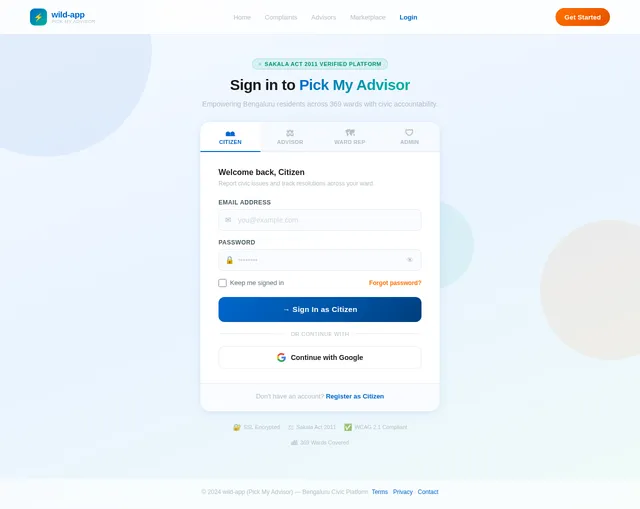
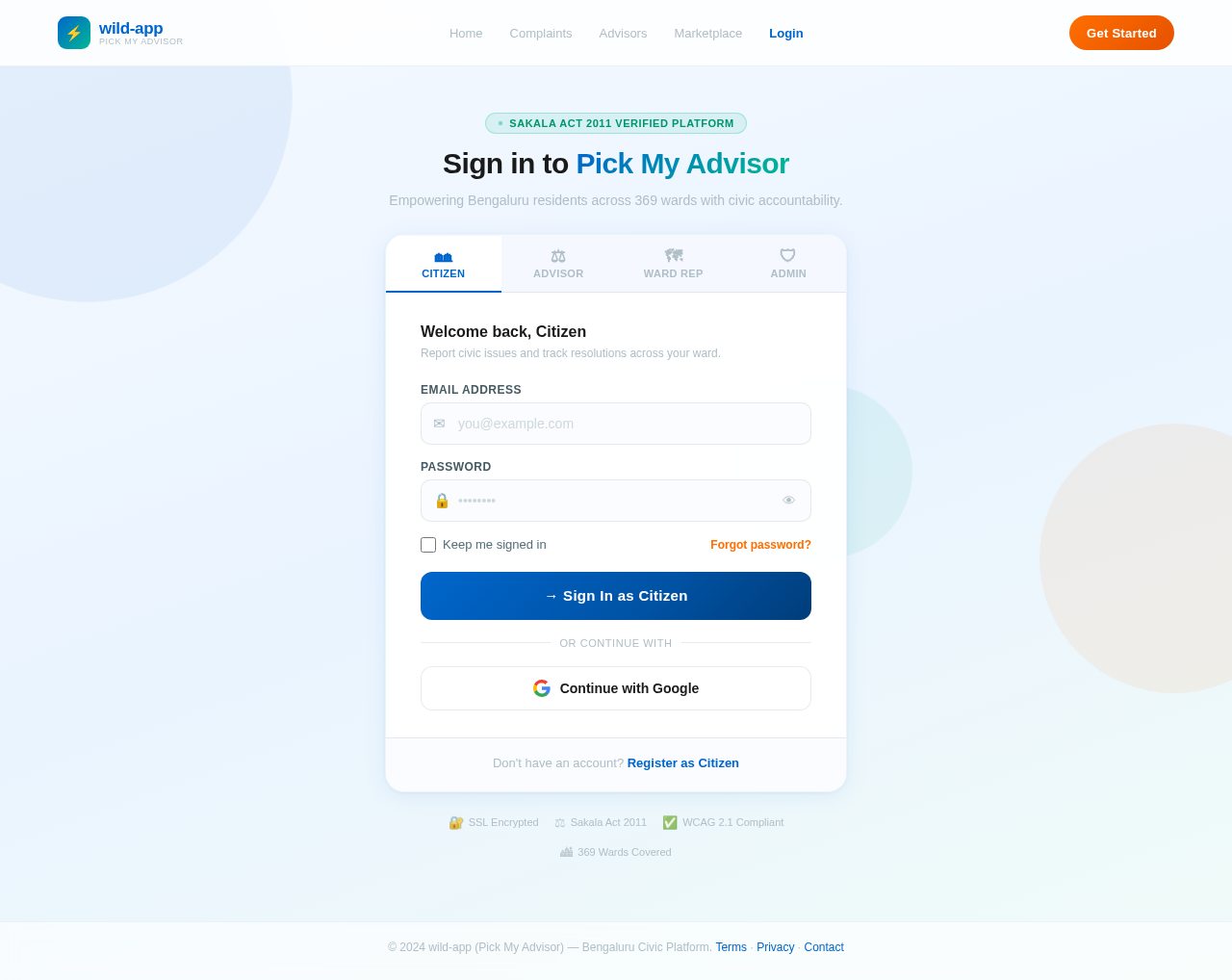
As a user I want to sign in via the Login page. Implement the Login (v2) design supporting all four roles (Citizen, Ward Advisor, Professional Advisor, Admin). Includes email/password fields, role selector, and navigation to appropriate dashboards post-login.
Depends on:#1
Waiting for dependencies
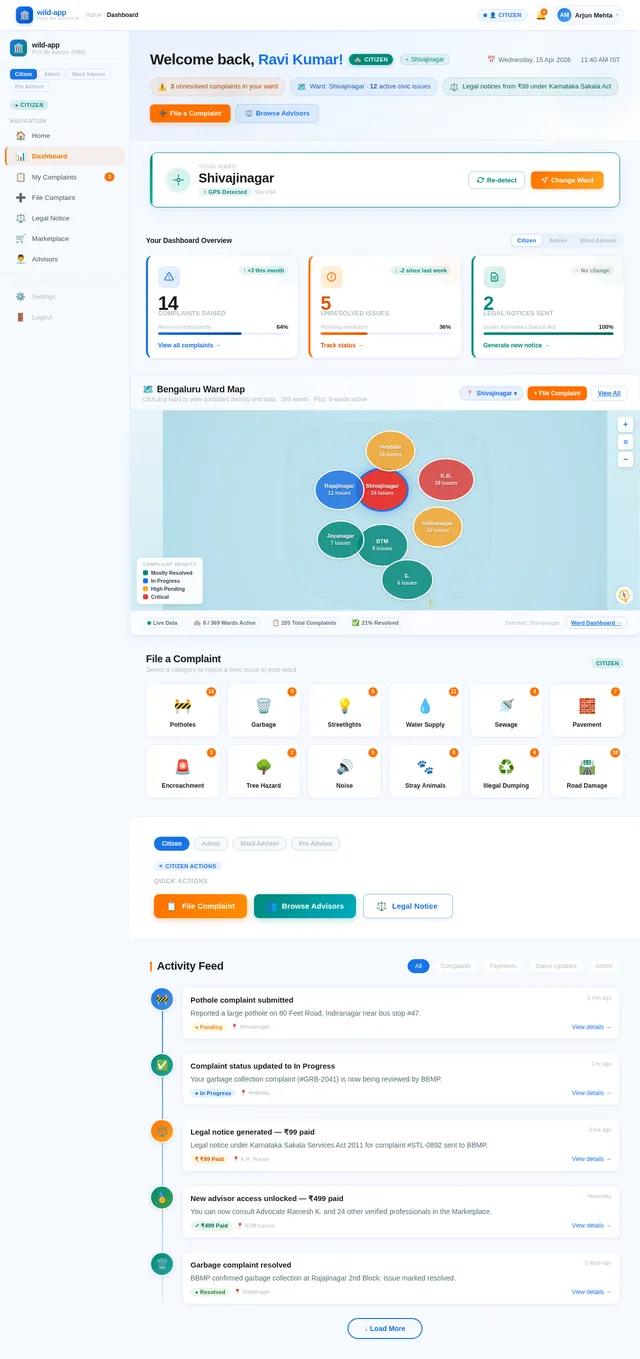
As a citizen I want to view my ward info on the Dashboard page after logging in. Implement the Dashboard (v2) design showing ward-specific information: MLA contacts, helplines, emergency services, volunteer contacts, ward map preview, and quick-action buttons to raise a complaint or browse the marketplace.
Depends on:#1#2
Waiting for dependencies
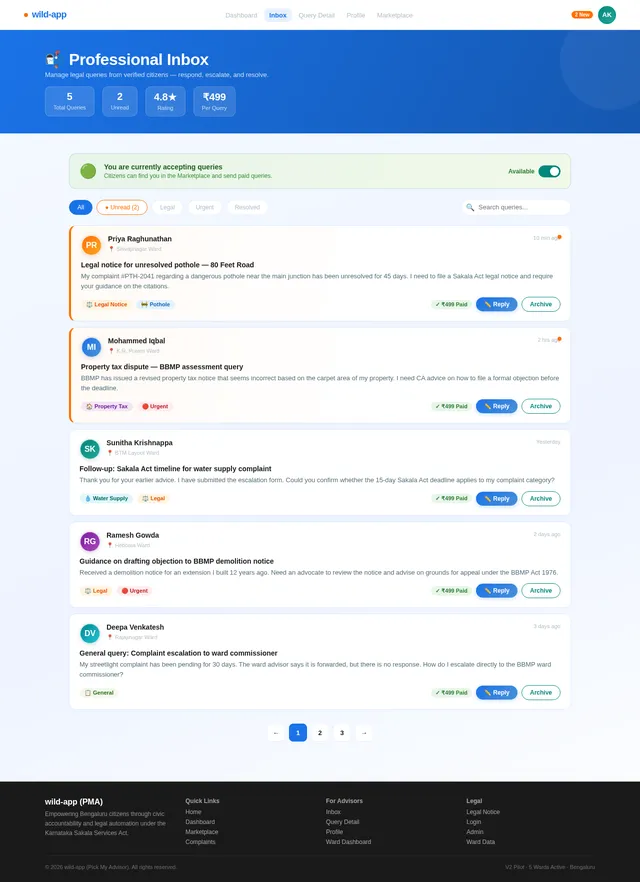
As a professional advisor I want to view incoming user queries on the Inbox page. Implement the Inbox (v2) design: list of queries unlocked via Razorpay payment, query preview cards, unread indicators, and navigation to Query Detail. Accessible after professional advisor login.
Depends on:#3#1
Waiting for dependencies
As a ward advisor I want to view and manage ward complaints on the Ward Dashboard page. Implement the Ward Dashboard (v2) design: list of complaints assigned to my ward, filter by category, status badges (Pending/In Progress/Resolved), and navigation to Complaint Detail. Accessible after ward advisor login.
Depends on:#1#3
Waiting for dependencies
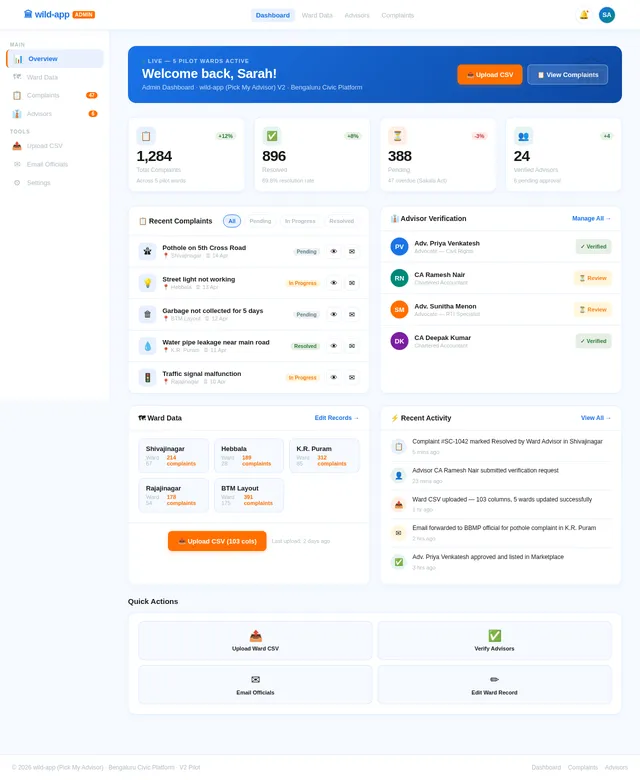
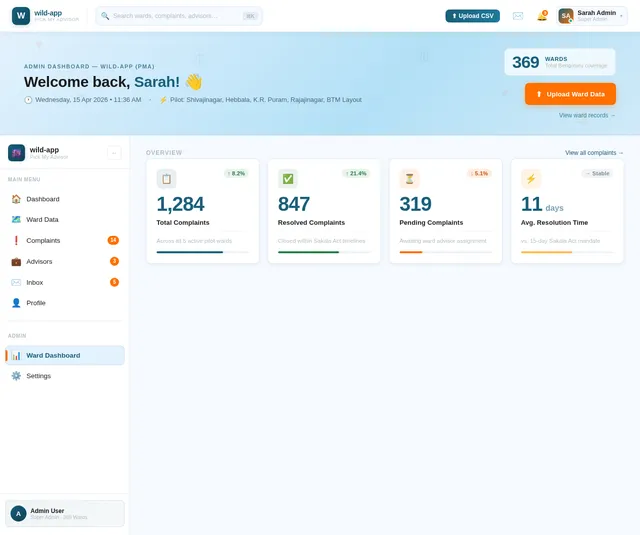
As an admin I want to view a platform overview on the Admin Dashboard. Implement the Admin Dashboard (v2) design: summary stats (total complaints, active wards, pending advisors), quick-action navigation cards to Ward Data, Advisors, and Complaints management sections.
Depends on:#3#1
Waiting for dependencies
As a citizen I want to raise a civic complaint on the Complaint page. Implement the Complaint (v1) design: category selection (potholes, garbage, streetlights, etc.), description field, photo upload, geotag capture, and submission flow. Navigates from Dashboard and leads to Complaint Status tracking.
Depends on:#4#1
Waiting for dependencies
As a citizen I want to browse professional advisors on the Marketplace page. Implement the Marketplace (v2) design: directory of verified Advocates/CAs, filter by category, ₹499 Razorpay-gated unlock flow, and navigation to advisor profiles. Accessible from the Dashboard.
Depends on:#4#1
Waiting for dependencies
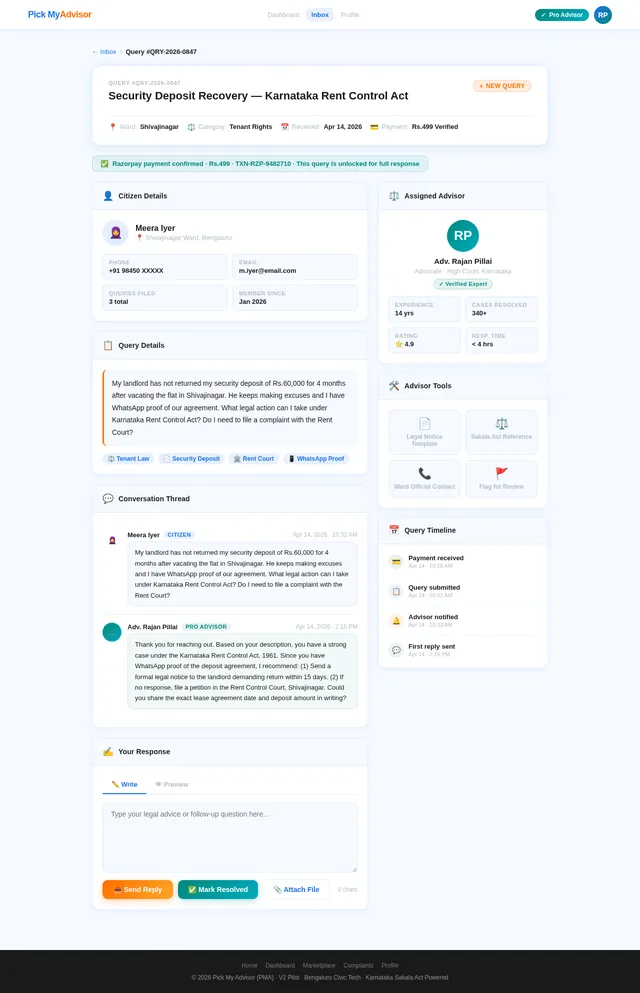
As a professional advisor I want to review and respond to user queries on the Query Detail page. Implement the Query Detail (v2) design: full query text, user issue summary, response text area, send button, and status update. Navigates from Inbox.
Depends on:#8#1
Waiting for dependencies
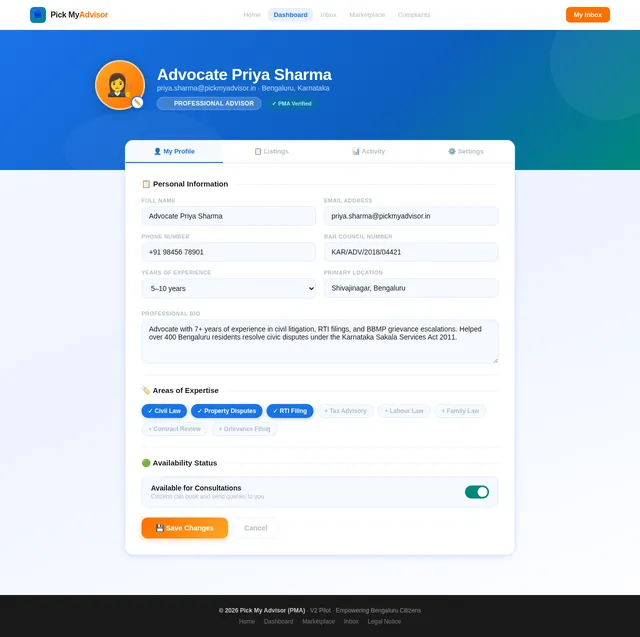
As a professional advisor I want to manage my profile and availability on the Profile page. Implement the Profile (v2) design: availability toggle, listing management, contact details, and navigation to/from Inbox. Allows advisors to update their status and manage service listings.
Depends on:#8#1
Waiting for dependencies
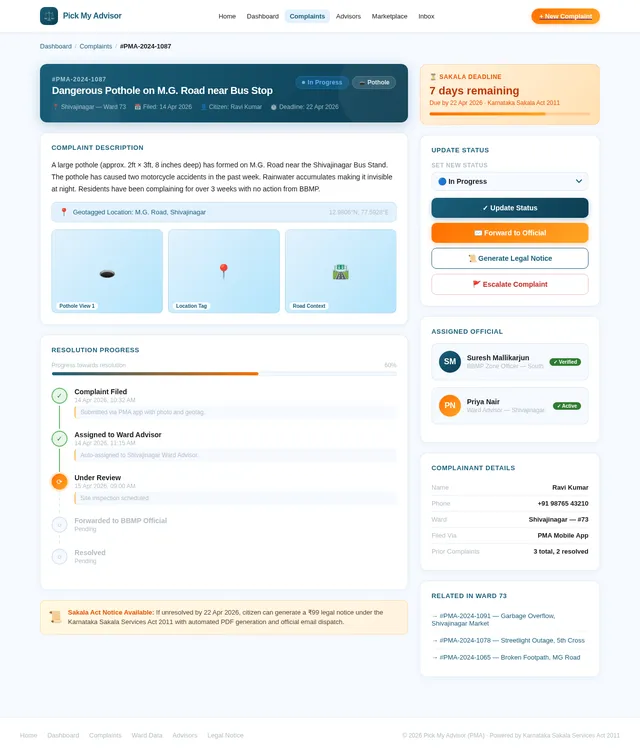
As a ward advisor I want to review, update status, and forward complaints on the Complaint Detail page. Implement the Complaint Detail (v2) design: full complaint view with photo, geotag, description, status update controls (Pending/In Progress/Resolved), and a 'Forward to Official' email button. Navigates from Ward Dashboard.
Depends on:#1#11
Waiting for dependencies
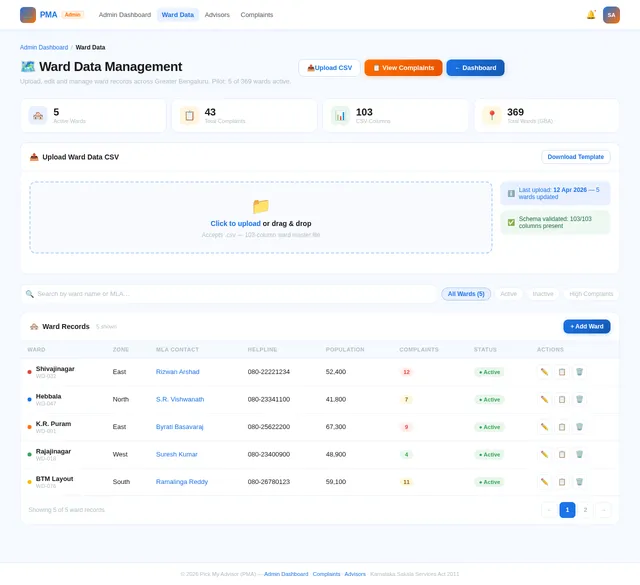
As an admin I want to upload CSV files and edit ward records on the Ward Data page. Implement the Ward Data (v2) design: CSV upload zone with validation preview, editable ward record table with 103-column support, zone-wise filtering, save/discard controls, and error highlighting for invalid fields.
Depends on:#13#1
Waiting for dependencies
As an admin I want to verify and approve advisors on the Advisors page. Implement the Advisors (v2) design: pending advisor list with profile details, approve/reject actions, verification badge assignment, and filter by advisor type (Ward Advisor / Professional Advisor).
Depends on:#13#1
Waiting for dependencies
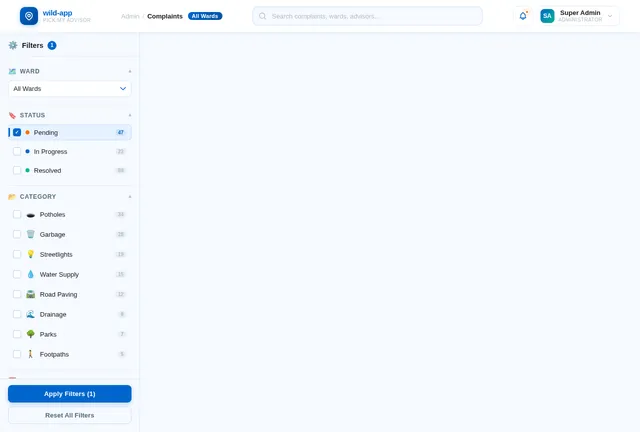
As an admin I want to view and manage all complaints across wards on the Complaints page. Implement the Complaints (v2) design: all-ward complaint list with ward filter, category filter, status filter, send-email-to-official action, and complaint detail drill-down. Navigates from Admin Dashboard.
Depends on:#1#13
Waiting for dependencies
As a user I want to switch the app language between English and Hindi. Implement i18n support using react-i18next for all UI strings across all pages. Add a language toggle in the header/settings. Ensure all civic content, complaint categories, and legal notices support both languages.
Depends on:#4#1
Waiting for dependencies
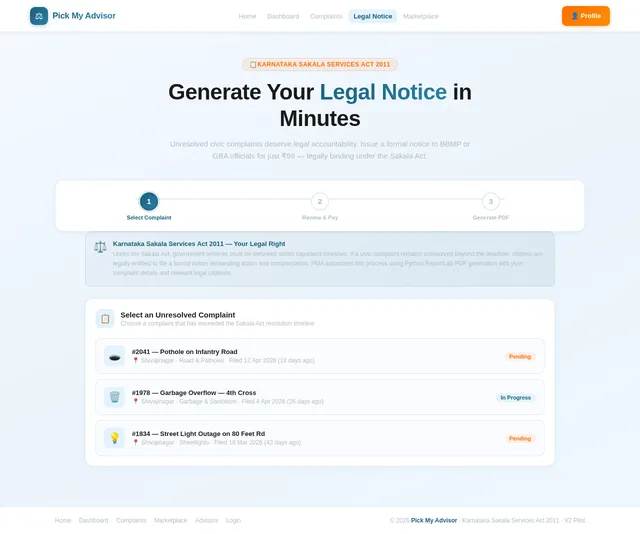
As a citizen I want to generate a legal notice for unresolved complaints on the Legal Notice page. Implement the Legal Notice (v2) design: dynamic animation of complaint-to-PDF transformation, ₹99 Razorpay payment flow, legal citation display (Karnataka Sakala Services Act), and PDF preview/download. Navigates from Complaint Status tracking.
Depends on:#1#5
Waiting for dependencies
As a user I want to use the backend API for ward data so that the app can fetch ward info by GPS coordinates or zone, support CSV bulk ingestion of 103-column master data, and allow individual record edits. Endpoints: GET /wards (zone filter), GET /wards/nearest (lat/long), POST /wards/upload-csv, PATCH /wards/{id}.
Depends on:#4#14
Waiting for dependencies
As a user I want to use the backend API for complaints so I can create, read, update and track civic complaints. Endpoints: POST /complaints (with photo upload & geotag), GET /complaints (filter by ward/status/category), GET /complaints/{id}, PATCH /complaints/{id}/status. Supports ward advisor forwarding action.
Depends on:#11#12#5#16
Waiting for dependencies
As an admin I want to use the backend API to verify and approve new ward advisors and professional advisors. Endpoints: GET /admin/advisors/pending, PATCH /admin/advisors/{id}/approve, PATCH /admin/advisors/{id}/reject. Approved advisors receive a verified badge and appear in the marketplace.
Depends on:#15
Waiting for dependencies
As a user I want to use the backend API to generate a real PDF legal notice after paying ₹99. Use Python ReportLab to dynamically generate a legal notice containing: user name, complaint details, GSC number, Sakala Act citations (SLA days from CSV), and ward official contacts. Endpoint: POST /legal-notices/generate.
Depends on:#6#18
Waiting for dependencies
As a user I want to use the backend API for Razorpay payments so the app can process ₹99 legal notice payments and ₹499 marketplace unlocks. Endpoints: POST /payments/create-order, POST /payments/verify-signature. Returns payment status to gate PDF generation and advisor inbox access.
Depends on:#6#7
Waiting for dependencies
As a ward advisor I want to use the backend API to forward complaints via real email to the relevant official listed in the CSV (e.g., cho.health@bbmp.gov.in). Integrate SendGrid or Gmail App Password SMTP. Endpoint: POST /complaints/{id}/forward-email. Also supports admin bulk email to officials.
Depends on:#16#12#18
Waiting for dependencies
As a user I want the app to auto-detect my ward using my GPS coordinates when I open the app. Implement frontend GPS permission request and coordinate capture, then call the backend nearest-ward API using centroid_lat/centroid_long matching and GeoJSON polygon containment check to identify and lock the user's ward.
Depends on:#2#17
Waiting for dependencies
As a user I want to see real-time SLA countdown timers on my complaints based on the Karnataka Sakala Services Act mandated timelines (Power Outages: 6hr, Garbage: 24hr, Water: 48hr, Potholes: 15 days). Implement backend SLA calculation and frontend progress bar display with automatic escalation flagging when SLA is breached.
Depends on:#18#5
Waiting for dependencies
As a user I want to use the backend API for the advisor marketplace so I can browse verified professional advisors and unlock their contact details after ₹499 Razorpay payment confirmation. Endpoints: GET /advisors (with filters), GET /advisors/{id}, POST /advisors/unlock (payment-gated).
Depends on:#20#7
Waiting for dependencies
As a professional advisor I want to use the backend API so I can receive queries from users and respond through the app. Endpoints: GET /queries (advisor's inbox), GET /queries/{id}, POST /queries/{id}/respond. Queries are visible only after successful Razorpay payment by the user.
Depends on:#9#20#8
Waiting for dependencies

No comments yet. Be the first!