welfare-schemes
 Rishik Reddy Santosh
vVoice-first scheme agent Citizens miss welfare schemes they qualify for because the rules are scattered and complex. The problem Citizens miss welfare schemes they qualify for because the rules are scattered and complex. What to build A voice agent in at least two languages that asks questions, determines eligibility, and explains its reasoning. Teams must gather the scheme rules themselves and convert them into a structured form the agent can reason over. Data The government’s myScheme portal, and open speech datasets such as Mozilla Common Voice and AI4Bharat’s collections. Live test Judges role-play callers who give vague or contradictory answers, and score eligibility accuracy and the number of questions asked.and add multilingulal language support and ai voice agent should appear on the left side of the page and add text font size increase and decrease and add catogries based on age ,gender,cast .and every scheem present in india from job scheme for every catogity and screenmodes dark,light neutral. Multilingual voice Smart eligibility engine Adaptive questioning Explainable Al Contradiction detection Scheme recommendation Offline support Application guidance.And aslo add animation while speaking, add a human version while speaking to make voice first scheme .Dark mode, saturation, the voice button in themiddle of the screen big that every one can see . as simple as possible how an illitralte can use this app very easy without any login and ask only name, age ,gender,cast .and add regional speach recognation .multi voice suppoet and ai can talk in multilpe vioces in multilple languages.likr telugu,hindi, english.conflict dectition .use a girl voice which can talk in multilpe in multiple languages


Comments (0)
Sign in to leave a comment
Project Tasks
32 planning tasksGenerate system requirement document
Generate personas & user flows
Architecture
Workspace task plan
Create flow for Citizen caller
Create flow for Scheme rules curator
Create flow for Judge evaluator
Landing
Voice Session
Eligibility Results
Schemes
Scheme Rules
Landing / Voice Entry
Landing / Display Preferences
Landing / Navigation
Landing / Footer
Navigation
Footer
Fix Landing: The primary action does not begin a voice session: only requests microphone permission…
Fix Landing review finding: frontend/src/components/Landing Voice Entry.jsx: The primary…
Voice Session / Navigation
Voice Session / Conversation
Voice Session / Footer
Voice Session / Display Preferences
Eligibility Results / Navigation
Eligibility Results / Eligibility Outcome
Eligibility Results / Eligibility Display Preferences
Eligibility Results / Footer
Schemes / Navigation
Schemes / Catalogue
Schemes / Display Preferences
Schemes / Footer
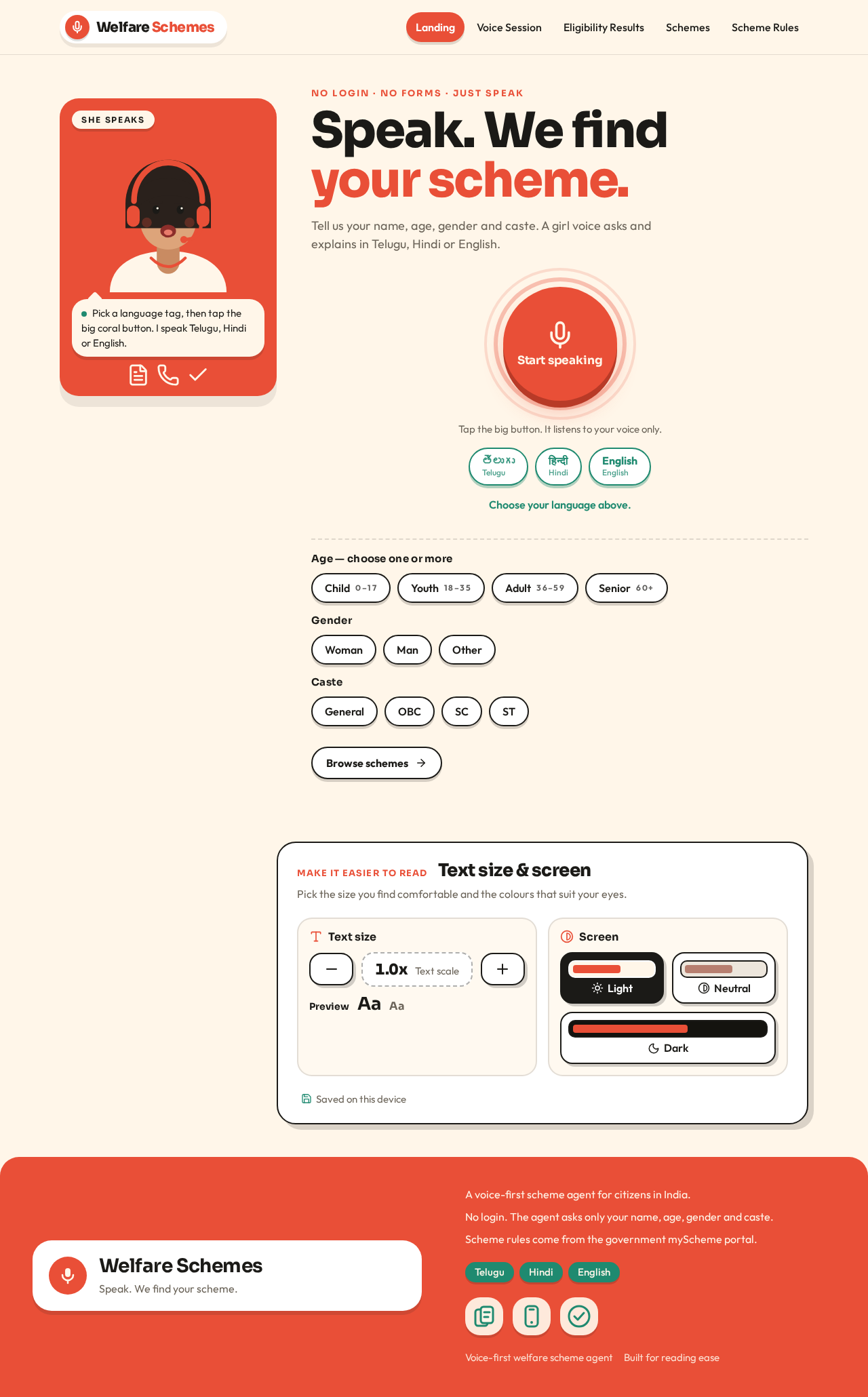
No login · No forms · Just speak
Speak. We find your scheme.
Tell us your name, age, gender and caste. A girl voice asks and explains in Telugu, Hindi or English.
Tap the big button. It listens to your voice only.
Choose your language above.
Age — choose one or more
Gender
Caste
Text size & screen
Pick the size you find comfortable and the colours that suit your eyes.
Saved on this device
No login · No forms · Just speak
Speak. We find your scheme.
Tell us your name, age, gender and caste. A girl voice asks and explains in Telugu, Hindi or English.
Tap the big button. It listens to your voice only.
Choose your language above.
Age — choose one or more
Gender
Caste
Text size & screen
Pick the size you find comfortable and the colours that suit your eyes.
Saved on this device
No comments yet. Be the first!