vivid-mhidhehub
 Mhidhe Richie
📱 App Idea: MhidheHub MhidheHub — an all-in-one platform where small businesses, graphic designers, and content creators can showcase their services, receive orders, and connect with customers. Main features • 🏪 Business profiles — businesses can display their products/services. • 🎨 Graphics marketplace — customers can request flyers, logos, banners, invitations, etc. • 📦 Order system — customers submit an order and track its status. • 💬 Chat — customer ↔ designer/business communication. • 📱 Social feed — users can post their work and promote their businesses. • ⭐ Ratings & reviews — customers can review completed jobs. • 🔔 Notifications — updates when an order or message changes. • 👤 User dashboard — manage profile, orders and saved designs. • 🔎 Search — find designers, businesses and services by category. • 💳 Payment section — designed to support Nigerian payment methods when connected to a suitable payment provider. Build a modern mobile-first app called “MhidheHub”. MhidheHub is a marketplace and social platform for small businesses, graphic designers, freelancers, and content creators in Nigeria. The goal is to allow users to discover service providers, view their portfolios, request services, communicate with them, place orders, and promote their businesses. Create these main screens: 1. Splash Screen - MhidheHub logo - Professional modern animation - Tagline: “Create. Connect. Grow.” 2. Onboarding - Explain the platform in 3 simple slides: • Find talented creators • Order products and services • Grow your business 3. Sign Up / Login - Name - Email or phone number - Password - User type: Customer, Business Owner, Designer, Creator 4. Home Screen - Search bar - Categories - Featured businesses - Featured designers - Popular services - Recent posts - Promotional banners 5. Marketplace Categories should include: - Graphic Design - Logo Design - Flyers & Posters - Video Editing - Photography - Social Media Management - Fashion - Beauty - Food - Electronics - Other Services 6. Provider Profile Show: - Profile picture - Business name - Bio - Location - Services - Portfolio - Reviews - Rating - Contact button - “Order Service” button 7. Order Screen Allow customers to: - Select a service - Describe what they need - Upload reference images/files - Select deadline - See estimated price - Submit order 8. Chat Create a clean real-time chat interface between customers and service providers. 9. Social Feed Users can: - Upload photos/videos - Write captions - Like posts - Comment - Share - Follow creators and businesses 10. Orders Dashboard Include: - Pending - Accepted - In Progress - Completed - Cancelled 11. Notifications Show messages for: - New orders - Order updates - New messages - Likes/comments - New followers 12. User Profile Include: - Profile photo - Name - Bio - Location - My Orders - My Services - My Posts - Saved Posts - Settings 13. Admin Dashboard Allow administrators to: - Manage users - Manage businesses - Manage orders - Review reported content - Manage categories - View platform statistics Design requirements: - Professional and premium UI - Clean navigation - Rounded cards - Modern typography - Attractive but simple animations - Mobile-first responsive design - Light and dark mode - Use Nigerian Naira (₦) for prices - Make the interface easy for beginners to understand - Include realistic sample data so the app looks complete Use a bottom navigation bar with: Home | Explore | Orders | Messages | Profile Build the app with a scalable architecture, reusable components, proper authentication, database structure, image/file uploads, search, notifications, and secure user data handling. Make the first version an MVP that can actually be tested, with clear placeholders for payment integration and other external services.

Comments (0)
Sign in to leave a comment
System Requirements
System Requirements Document for vivid-mhidhehub
1. Introduction
MhidheHub is a mobile-first application designed to serve as a marketplace and social platform for small businesses, graphic designers, freelancers, and content creators in Nigeria. The platform aims to facilitate the discovery of service providers, showcase portfolios, enable service requests, and foster communication between users. The app is tailored to support Nigerian payment methods and is built with a professional and engaging user interface to attract a diverse creative audience.
2. System Overview
MhidheHub provides a comprehensive platform where users can create business profiles, participate in a graphics marketplace, manage orders, and engage in real-time communication. The app includes features such as a social feed, ratings and reviews, notifications, and a user dashboard. It supports Nigerian payment methods and uses the Nigerian Naira (₦) for transactions. The app is designed with a mobile-first approach, offering both light and dark modes, and includes a bottom navigation bar for seamless navigation.
2a. Product Interpretation and Delivery Boundary
MhidheHub is delivered as a mobile-first application, accessible to users in Nigeria. The app supports multiple user types, including customers, business owners, designers, and creators. It provides a secure environment for transactions and communication, with placeholders for future payment integration. The platform is designed to be scalable, with reusable components and a robust database structure to handle user data securely.
2b. Source Content Inventory
Not applicable as no explicit content_source directive was provided.
2c. Page Content and Component Coverage
Splash Screen
- MhidheHub logo
- Professional modern animation
- Tagline: “Create. Connect. Grow.”
Onboarding
- Slide 1: Find talented creators
- Slide 2: Order products and services
- Slide 3: Grow your business
Sign Up / Login
- Fields: Name, Email or phone number, Password, User type (Customer, Business Owner, Designer, Creator)
Home Screen
- Search bar
- Categories
- Featured businesses and designers
- Popular services
- Recent posts
- Promotional banners
Marketplace
- Categories: Graphic Design, Logo Design, Flyers & Posters, Video Editing, Photography, Social Media Management, Fashion, Beauty, Food, Electronics, Other Services
Provider Profile
- Profile picture, Business name, Bio, Location, Services, Portfolio, Reviews, Rating
- Contact button, “Order Service” button
Order Screen
- Service selection, Description input, Reference image/file upload, Deadline selection, Estimated price display, Order submission
Chat
- Real-time chat interface between customers and service providers
Social Feed
- Upload photos/videos, Write captions, Like, Comment, Share, Follow
Orders Dashboard
- Status categories: Pending, Accepted, In Progress, Completed, Cancelled
Notifications
- Messages for: New orders, Order updates, New messages, Likes/comments, New followers
User Profile
- Profile photo, Name, Bio, Location, My Orders, My Services, My Posts, Saved Posts, Settings
Admin Dashboard
- Manage users, businesses, orders, reported content, categories, and view platform statistics
3. Functional Requirements
- As a business owner, I should be able to create a business profile to display my products/services. (explicit)
- As a customer, I should be able to request graphic design services such as flyers, logos, and banners. (explicit)
- As a user, I should be able to submit and track orders through the order system. (explicit)
- As a user, I should be able to communicate with designers/businesses via chat. (explicit)
- As a user, I should be able to post my work and promote my business on the social feed. (explicit)
- As a customer, I should be able to review completed jobs and rate them. (explicit)
- As a user, I should receive notifications for order updates and new messages. (explicit)
- As a user, I should be able to manage my profile, orders, and saved designs from the dashboard. (explicit)
- As a user, I should be able to search for designers, businesses, and services by category. (explicit)
- As a user, I should be able to make payments using Nigerian payment methods. (explicit)
4. User Personas
- Customer: Individuals looking to purchase services or products from businesses and creators on the platform.
- Business Owner: Small business operators showcasing their products/services and managing customer interactions.
- Designer/Creator: Freelancers and content creators offering their services and showcasing their portfolios.
- Administrator: Platform managers responsible for overseeing user activities, managing content, and maintaining platform integrity.
5. Core User Flows
Customer Flow
- Sign Up/Login: Enter name, email/phone, password, and select user type.
- Browse Marketplace: Use search or categories to find services.
- Order Service: Select service, describe needs, upload references, set deadline, and submit order.
- Communicate: Use chat to discuss details with service providers.
- Track Order: Monitor order status in the Orders Dashboard.
- Review Service: Rate and review completed services.
Business Owner Flow
- Sign Up/Login: Enter name, email/phone, password, and select user type.
- Create Profile: Add business details, services, and portfolio.
- Receive Orders: Accept and manage orders from customers.
- Communicate: Use chat to interact with customers.
- Manage Profile: Update services, view reviews, and manage orders.
Designer/Creator Flow
- Sign Up/Login: Enter name, email/phone, password, and select user type.
- Showcase Work: Upload portfolio and promote services on the social feed.
- Receive Orders: Accept and manage service requests.
- Communicate: Use chat to discuss project details with customers.
- Manage Profile: Update portfolio, view reviews, and manage orders.
Administrator Flow
- Access Dashboard: Manage users, businesses, and orders.
- Review Content: Address reported content and manage categories.
- Monitor Platform: View statistics and ensure platform integrity.
6. Visuals Colors and Theme
- Muse: Haraldur Thorleifsson
- Palette:
- Background: #FFFFFF
- Surface: #F6F3EE
- Text: #333333
- Primary: #FF5733
- Accent: #FFC300
- Muted: #DDDDDD
- Typography:
- Headings: Outfit, Bold, large size contrast, loose tracking, title case
- Body: Sora
- Scale: 1.5 modular, 48/32/24/18/16
- Shape Language: Chunky rounded cards and elements
- Layout: Fluid grid with flexible card components
- Motion: Lively entrance animations, hover pops, smooth transitions
7. Signature Design Concept
The public entry features a full-width hero section with a large friendly typeface and a vibrant character illustration. The onboarding slides are animated with playful transitions, and the marketplace items feature rounded card components with hover lift effects. Dynamic color blocks are used for section dividers and calls to action, while the bottom navigation bar includes lively icon animations.
8. Interaction Model & Motion Direction
- Interaction Model: Animated
- Motion Tempo: Expressive
- Hero Dimensionality: Layered_2d
- Landing Hero Motion Brief: The hero section features a central character illustration with oversized type. Upon entry, the primary orange draws attention, and the background alternates with accent color blocks, creating a dynamic and bold composition. The onboarding slides transition with playful animations, and the marketplace items lift on hover.
9. Non-Functional Requirements
- Scalability: The app must support a growing number of users and transactions.
- Security: Ensure secure user data handling and authentication.
- Performance: The app should load quickly and respond promptly to user interactions.
- Usability: The interface should be intuitive and easy for beginners to understand.
- Accessibility: Support for light and dark modes to cater to user preferences.
10. Tech Stack
- Frontend: React Native
- Backend: Python/FastAPI
- Database: PostgreSQL
- Authentication: OAuth 2.0
- Storage: AWS S3 for image/file uploads
- Deployment: Docker, Kubernetes (if necessary for scaling)
11. Assumptions and Constraints
- The app will initially target users in Nigeria.
- Payment integration will be added in future versions.
- The app will support both light and dark modes.
- The app will use Nigerian Naira (₦) for all transactions.
12. Glossary
- MhidheHub: The name of the application.
- User Types: Customer, Business Owner, Designer, Creator.
- Naira (₦): The currency used for transactions within the app.
- OAuth 2.0: An authentication protocol used to secure user data.
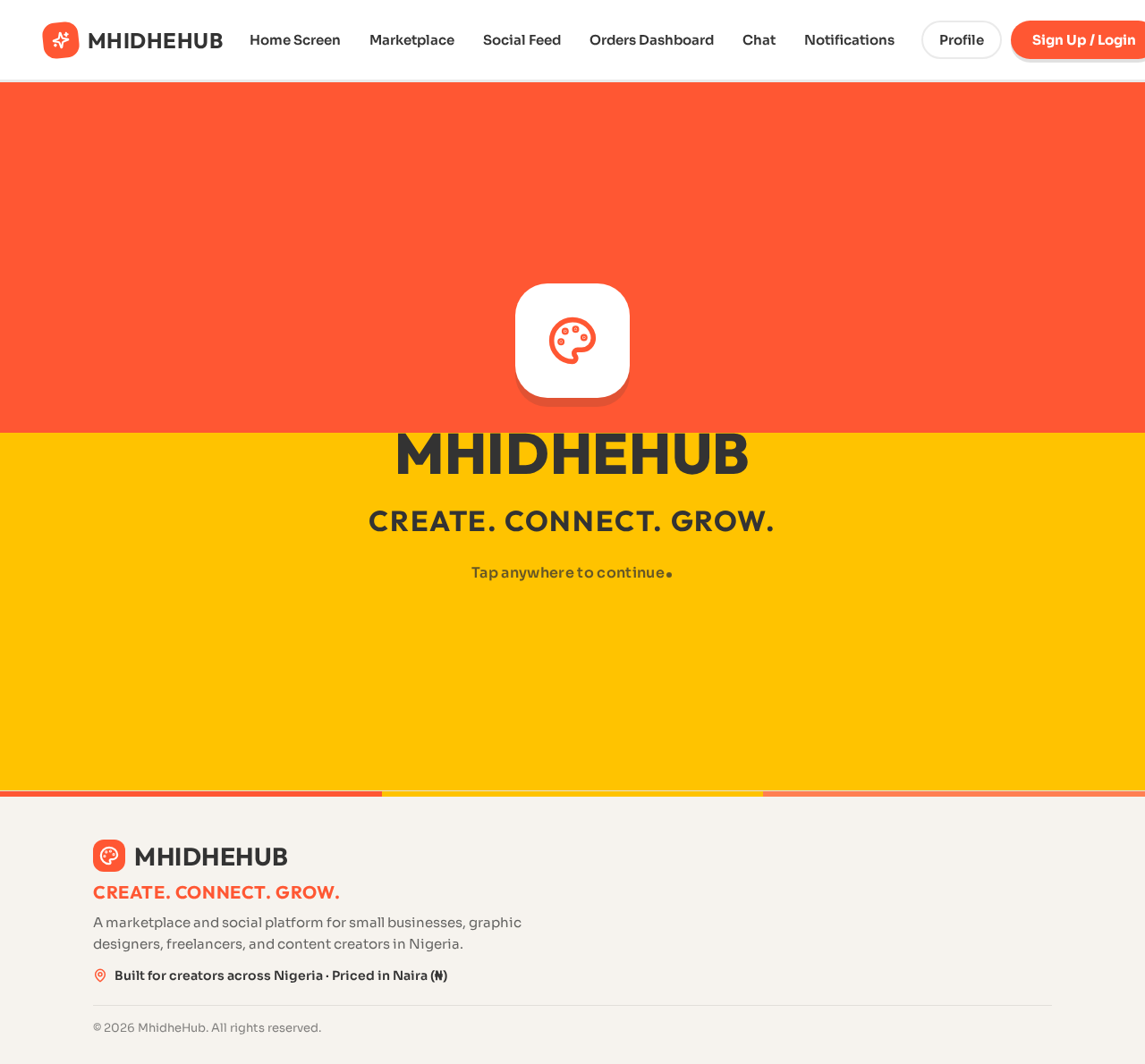
MhidheHub
Create. Connect. Grow.
Tap anywhere to continue
MhidheHub
Create. Connect. Grow.
Tap anywhere to continue
No comments yet. Be the first!