vedic-astrology-astrobizz
 Toji Zenin
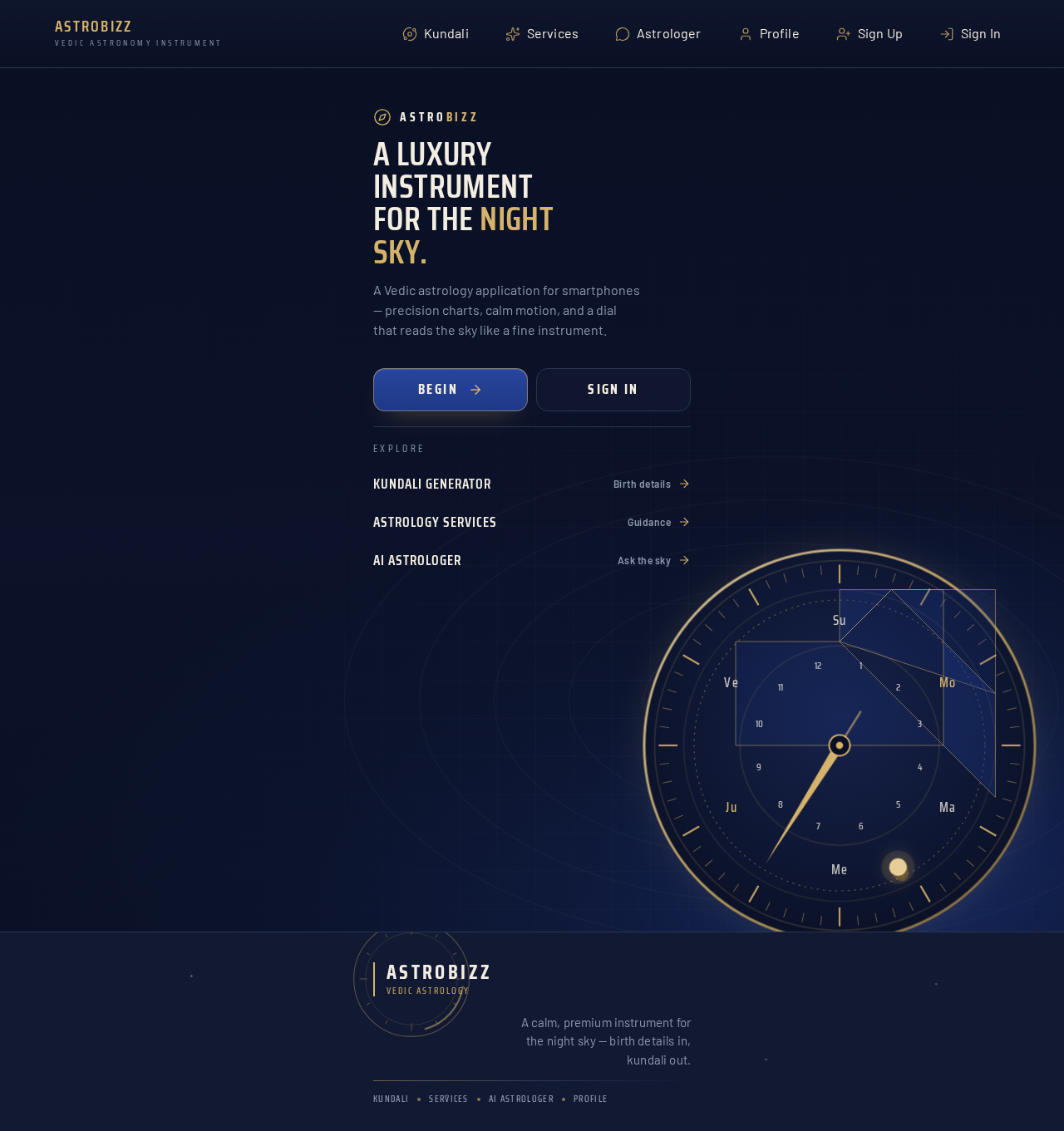
Create a completely new, premium, mobile-first Vedic Astrology application interface for ASTROBIZZ. I want a unique mobile design specifically created for smartphones. Do not make it look like a desktop website squeezed into a phone screen. ### 1. DESIGN AND THEME Create a luxurious, modern and visually impressive astrology application. Theme: - Deep midnight navy blue. - Royal blue gradients. - Premium champagne gold. - Elegant celestial illustrations. - Beautiful planetary animations. - Subtle golden glowing effects. - Premium typography. - Smooth transitions and micro-interactions. The overall experience should feel like a high-end astrology app. ### 2. MOBILE NAVIGATION Create a beautiful mobile navigation experience with: - ASTROBIZZ branding. - Elegant menu. - Kundali Generator. - Astrology Services. - AI Astrologer. - Profile section. Use a clean and modern app-like layout. ### 3. PROFESSIONAL KUNDALI INPUT FORM Create a multi-step Kundali generation form with beautiful, easy-to-use input controls. **Personal Details:** - Full Name - Gender (optional) - Date of Birth - Time of Birth - Place of Birth ### 4. DATE OF BIRTH SELECTOR — VERY IMPORTANT Do NOT use a basic DD/MM/YYYY text field. Do NOT use an ordinary calendar popup. Instead, create a beautiful, premium scrolling wheel-style date selector. Requirements: - Separate scrollable Day, Month and Year columns. - Smooth vertical scrolling. - Clearly highlighted selected values. - Elegant gold selection indicator. - Easy navigation across years. - Proper validation for leap years and different month lengths. - Mobile touch-friendly interaction. It should look like a premium native mobile application date selector. ### 5. TIME OF BIRTH SELECTOR Create a beautiful time-selection interface. Include: - Scrollable hour selector. - Scrollable minute selector. - Separate AM and PM selection. - Clearly highlighted selected time. - Smooth scrolling and touch interaction. Also include a "Birth Time Unknown" option. Make sure AM/PM is correctly converted into 24-hour time before sending the calculation request. ### 6. PLACE OF BIRTH Create a professional searchable location selector. - Search city by name. - Display autocomplete suggestions. - Show city, state and country. - Obtain accurate latitude and longitude. - Allow users to confirm their birthplace. Never use random coordinates. ### 7. KUNDALI GENERATION Create an impressive gold-accented "Generate My Kundali" button. On clicking: - Show elegant astronomical loading animations. - Display calculation progress. - Calculate planetary positions. - Determine Ascendant and Moon Sign. - Generate the birth chart. Use actual astronomical calculation APIs. Never show fabricated results. ### 8. KUNDALI RESULT DASHBOARD Create a beautiful mobile dashboard with: - Birth Details - Ascendant - Moon Sign - Nakshatra and Pada - D1 Rashi Chart - D9 Navamsa Chart - Planetary Positions - House Details - Vimshottari Mahadasha - Antardasha - Important Yogas Use premium cards, tabs, expandable sections and readable tables. ### 9. MOBILE EXPERIENCE - Design specifically for 360px–430px screens. - No horizontal scrolling. - No overlapping elements. - No clipped text. - Large touch-friendly controls. - Smooth animations. - Proper spacing. - Fast and intuitive navigation. ### 10. FINAL REQUIREMENT Actually build and implement the complete mobile interface. Do not just provide a mockup, screenshot or design suggestions. Make it professional, luxurious, functional and visually outstanding. The final mobile experience should look like a premium astrology application that users would love to use.

Comments (0)
Sign in to leave a comment
No comments yet. Be the first!