urban-start
by Diya Trivedi
Diya Trivedistart project to build simple simgle page design of calculator

Comments (0)
Sign in to leave a comment
Project Tasks
14 tasks#1
Generate personas & user flows
0m 3s0.05 cr needed
Done#2
Architecture
0m 40s0.05 cr used
Done#4
Generate system requirement document
0m 58s0.05 cr needed
Done#5
Workspace task plan
1m 0s0.05 cr used
Done#6
Design remaining pages
Not recorded0.05 cr needed
Done#7
Create flow for Calculator User
0m 2sCredits in parent
Done#8
Calculator
5m 0sCredits in subtasks
Done#9
Calculator / Editorial
0m 36s0.85 cr used
Done#10
Calculator / Machine
1m 27s0.85 cr used
Done#11
Fix Calculator: The keypad does not match the required 4×5 layout: the , , and controls occupy a full…
1m 48sCredits unavailable
Done#12
Fix Calculator: The equals key is styled as an accent operator rather than the required near-black bar…
1m 48sCredits unavailable
Done#13
Fix Calculator review findings: frontend/src/components/Calculator Machine.jsx: The keypad… (+1 more)
1m 5s0.02 cr used
Done#14
Create frontend_modules diagram
0m 36sCredits in parent
Done#15
Make the calculator page fully interactive
120 cr estimated
To Do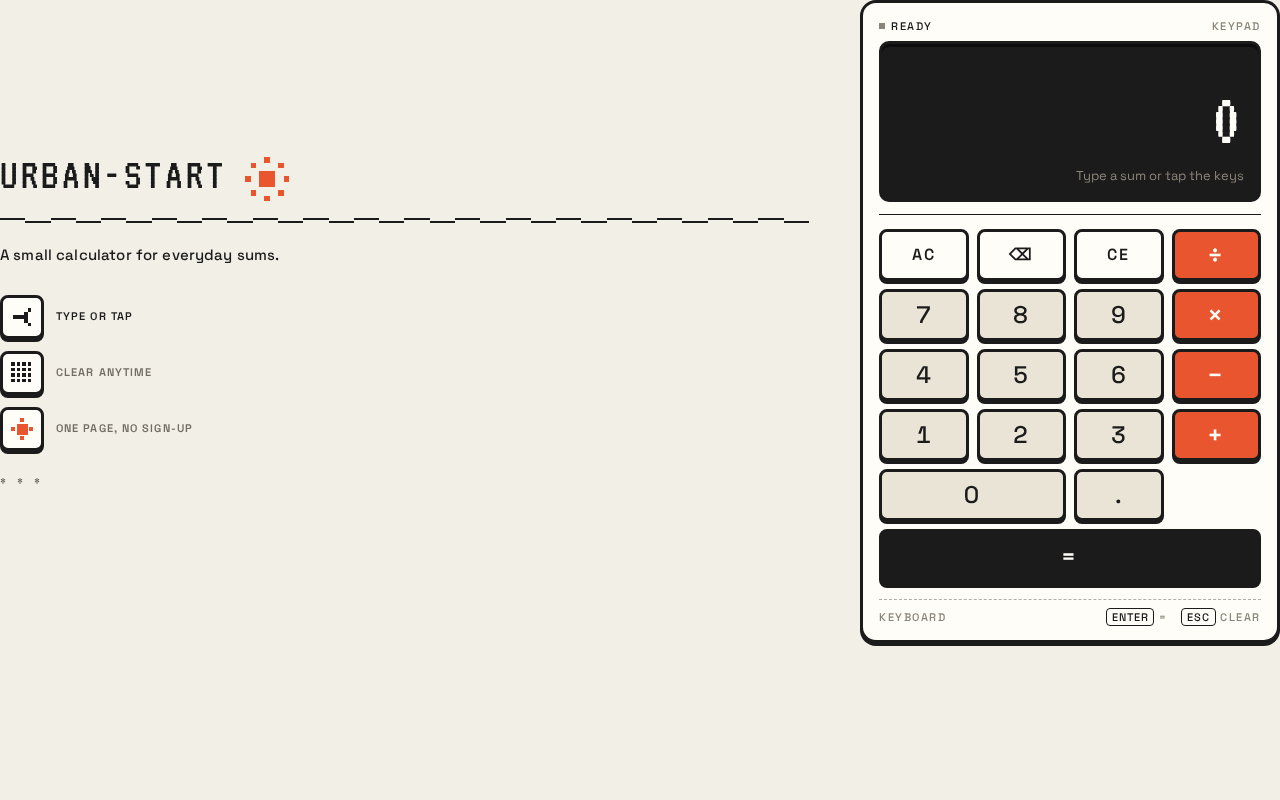
Urban-Start
A small calculator for everyday sums.
- type or tap
- clear anytime
- one page, no sign-up
Expression: empty. Result: 0. Type a sum or tap the keys
Urban-Start
A small calculator for everyday sums.
- type or tap
- clear anytime
- one page, no sign-up
Expression: empty. Result: 0. Type a sum or tap the keys
No comments yet. Be the first!