ultra-todo
by Diya Trivedi
Diya Trivedistart a project to build a simple single page design of todo

Comments (0)
Sign in to leave a comment
Project Tasks
20 tasks#1
Generate system requirement document
1m 4s0.05 cr needed
Done#3
Workspace task plan
3m 9s0.05 cr used
Done#4
Design remaining pages
Not recorded0.05 cr needed
Done#5
Generate personas & user flows
0m 26s0.05 cr needed
Done#6
Architecture
0m 46s0.05 cr used
Done#7
Create flow for Todo user
0m 25sCredits in parent
Done#8
Todo
6m 27sCredits in subtasks
Done#9
Todo / Hero Wordmark
1m 10s0.85 cr used
Done#10
Todo / Panel
1m 25s0.85 cr used
Done#11
Todo / Marquee
1m 11s0.85 cr used
Done#12
Fix Todo: The ULTRA wordmark is clipped at the left edge on desktop. In , section.thw-root clips…
2m 44sCredits unavailable
Done#13
Fix Todo: Completing a task does not produce the required lime wipe-and-tilt animation. updates…
2m 44sCredits unavailable
Done#14
Fix Todo review findings: The ULTRA wordmark is clipped at the left edge on desktop (+1 more)
1m 5s0.02 cr used
Done#15
Create frontend_modules diagram
0m 42sCredits in parent
Done#16
Persist tasks and completion state through the backend
120 cr estimated
To Do#17
Serve the task list with loading, empty, and populated states
100 cr estimated
To Do#18
Capture tasks, complete them, and report failures inline
100 cr estimated
To Do#19
Load, render, and recover the task list
100 cr estimated
To Do#20
Store tasks in Maria DB and support completion with rollback
120 cr estimated
To Do#21
Wire the Todo page to live task data and interactions
140 cr estimated
To Do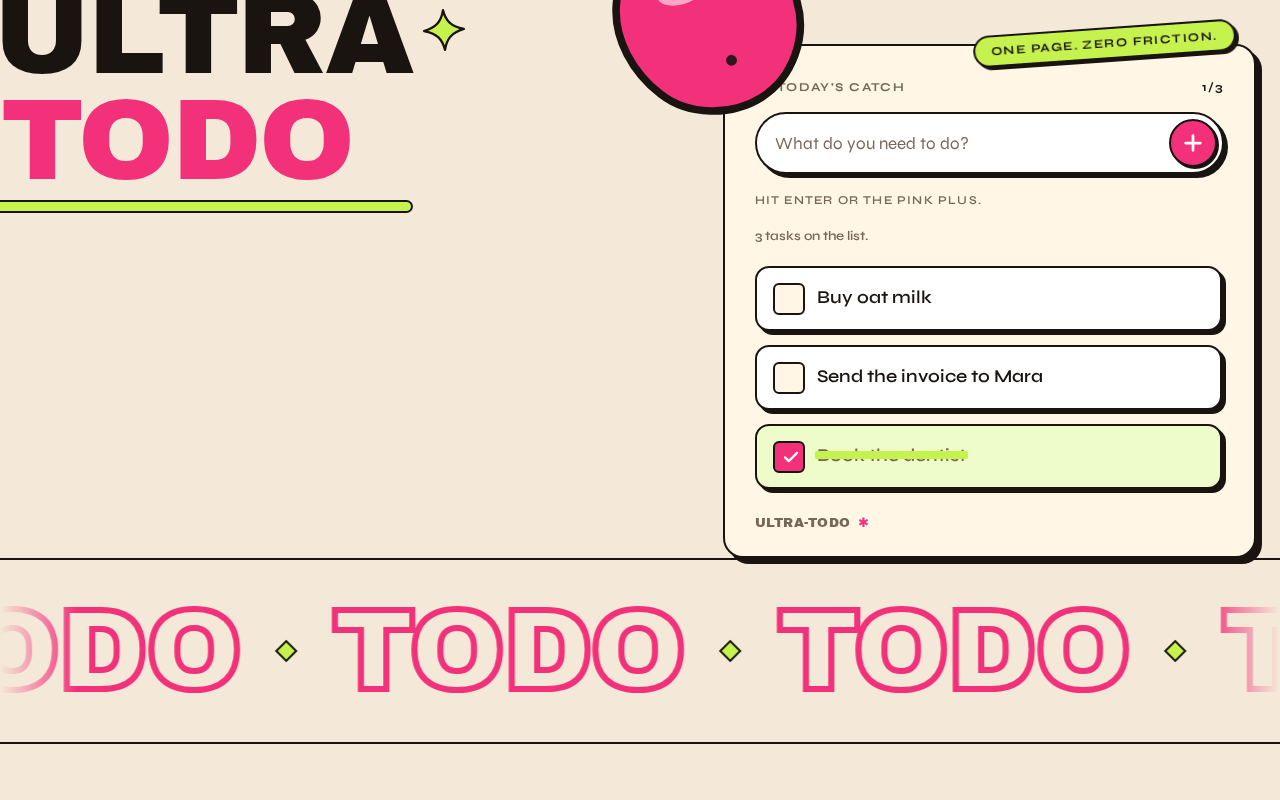
UltraTodo
One page. Zero friction.
Today's catch
3 tasks on the list.
- Buy oat milk
- Send the invoice to Mara
- Book the dentist
ultra-todo✱
UltraTodo
One page. Zero friction.
Today's catch
3 tasks on the list.
- Buy oat milk
- Send the invoice to Mara
- Book the dentist
ultra-todo✱
No comments yet. Be the first!