turbo-ecommerce
 Dhruv galani
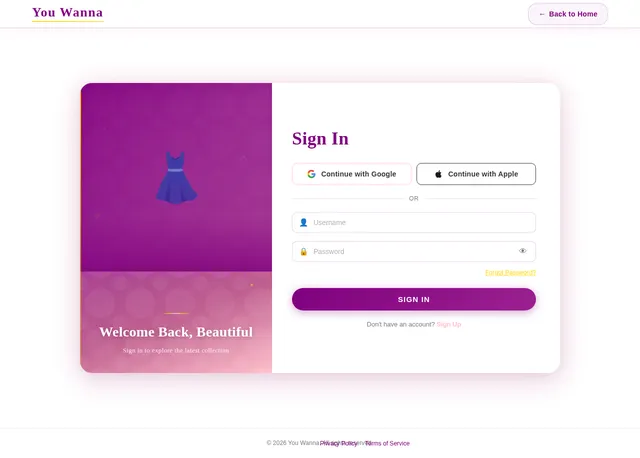
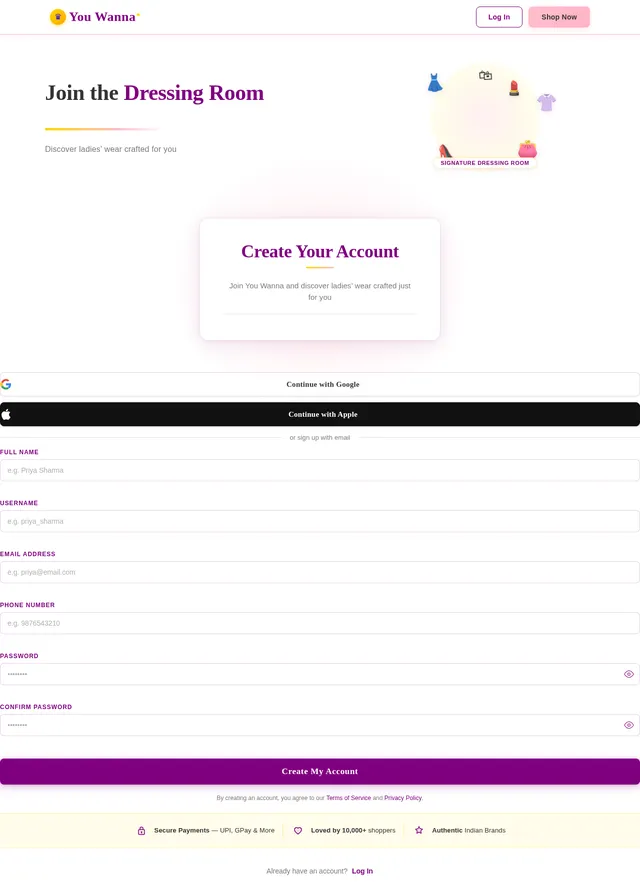
Sign up page with (Full Name,username, Password, confirm password)and login page with (username, Password)I want to make a website for ecommerce and there should be one main dashboard for seeing all the options and updated informations like ( at the top side there should be admin username,orders came from users, reviews came from users,count product sales, delivery items)and website name is You Wanna it is for ladies wear and in website the admin should upload the image of clothes and enter price and description and sizes and material name with the category there should be different categories for different dresses about clothes , the user orders the items then come the order in the admin side and in the order section there should be given options like accept or not accept or not available this is for admin side. Now user side there should be sign up page with Google or apple id or fill details like (Full Name, username, password, confirm password,email,phone number)and login page (username, Password)do not take the order without sign-up or without login and user can see the images of dresses and there should be given a category button for simple search for dresses and each image should have different buy buttons when the user can see the bulk of image there should be buy button at the bottom of each image and when the user see every single image then there should be Shop Now button at the bottom and the user can give review/ratings also in each image when the user can send review the review shoul be sent to the admis review page also and review should shown in the user page also.and the user have buy or shop the item for that they click buy/shop now button after clicking the buttons there should be on type of form filling( like which category, quantity(1to20)there should be option in quantity,size, Address,full name, pincode)after filling details there should be buy now button and after clicking the buy now button the confirmation msg should give the message would be "Are You Sure To Confirm This Order"and in the msg there should yes or no button should be given and then user click yes then open the payment page like give payment options like upi Google Pay, Phone Pay, Credit or debit card after choosing one option from among this (there should be come qr code image that I will upload later on give the space for qr code) after payment the order will go to the admins order page,when the admin accept the order give this msg after the payment done we will send the msg that your order is confirmed .the design should be separate for Admin there should be different design and for user there should be different design..


Comments (0)
Sign in to leave a comment
Project Tasks22
Implement Theme and Structure
As a frontend developer, I want to implement the global theme, color palette, and structural layout across all pages so that the app matches the 'You Wanna' brand identity. Set primary color (#FFC0CB), secondary (#800080), accent (#FFD700), background (#FFFFFF), font color (#333333). Apply Playfair Display for headings and Open Sans for body text. Remove any scaffold pages not needed by the project. Ensure the theme is consistent across all pages based on the mock-design JSX pages.
Implement User Auth API
As a user, I want to use the backend API for registration and login so that I can create an account (via form, Google, or Apple ID) and authenticate securely. Implement FastAPI endpoints for signup, login, and OAuth integration. Returns JWT tokens for session management.
Build Landing Page
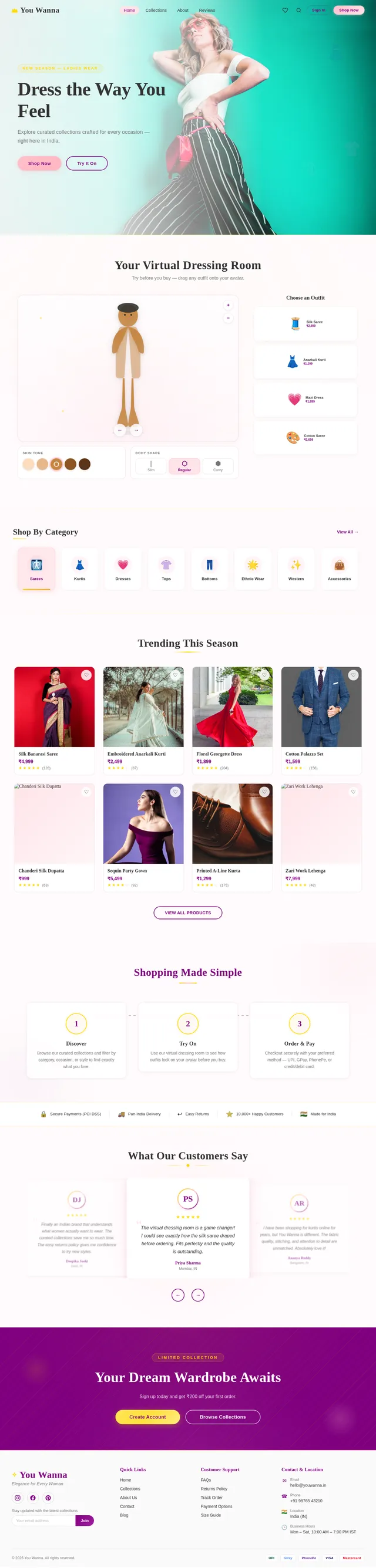
As a user, I want to use the frontend landing page to browse the home screen of 'You Wanna', featuring the virtual dressing room experience with a 3D mannequin, drag-and-drop clothing, and category browsing. Implement based on the existing Landing (v2) JSX design. Links to Login and Signup pages.
Build Login Page
As a user, I want to use the frontend login page to sign in with my username and password. Implement based on the existing Login (v3) JSX design. This page is accessible from the Landing page and redirects to Gallery after successful login. Admin login redirects to the admin Dashboard.
Build Signup Page
As a user, I want to use the frontend signup page to create an account using Google, Apple ID, or by filling a form (Full Name, Username, Password, Confirm Password, Email, Phone Number). Implement based on the existing Signup (v3) JSX design. Accessible from the Landing page.
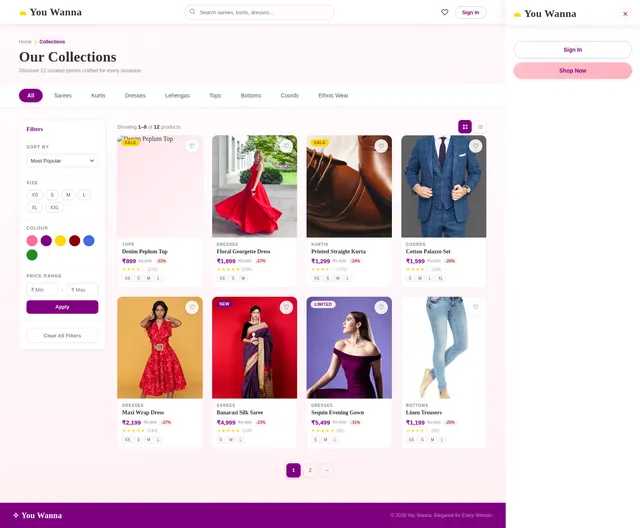
Build Gallery Page
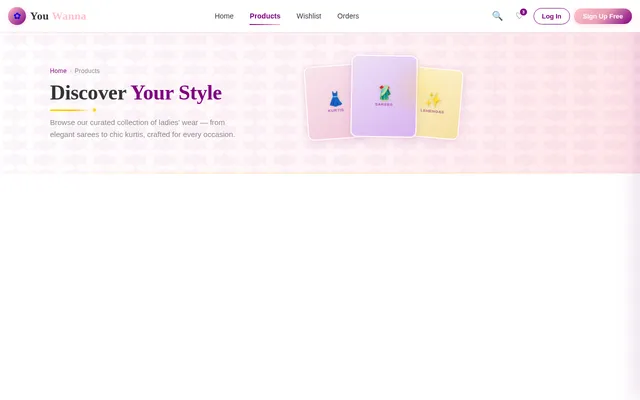
As a user, I want to use the frontend gallery page to browse all product images with category filters and a Buy button below each item. Implement based on the existing Gallery (v3) JSX design. Accessible after login; links to Product detail page and supports category filtering.
Build Product Detail Page
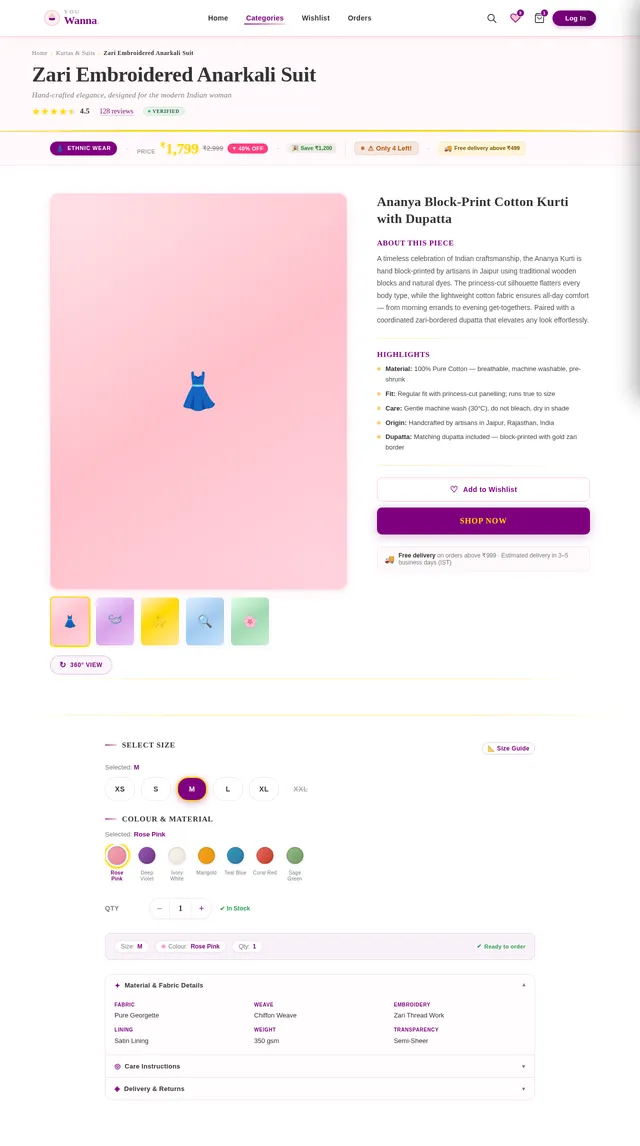
As a user, I want to use the frontend product detail page to view full product information including images, price, description, sizes, material, and category. Implement a 'Shop Now' button and review/rating section. Implement based on the existing Product (v3) JSX design. Links from Gallery page; navigates to Checkout and Wishlist.
Build Wishlist Page
As a user, I want to use the frontend wishlist page to view and manage items I have saved for later. Implement based on the existing Wishlist (v3) JSX design. Accessible from the Product detail page; allows navigation back to product or to checkout.
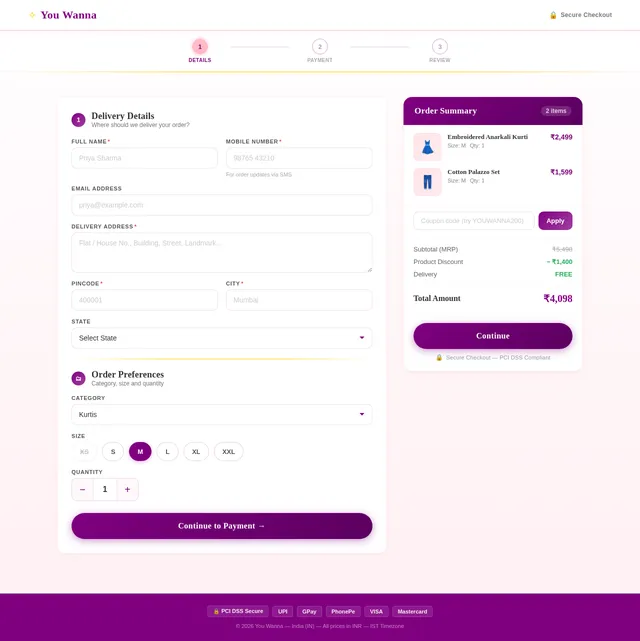
Build Checkout Page
As a user, I want to use the frontend checkout page to fill in my order details (Category, Quantity, Size, Address, Full Name, Pincode) and confirm my order with a 'Are You Sure To Confirm This Order?' prompt with Yes/No options. Implement based on the existing Checkout (v3) JSX design. Navigates to Payment page on confirmation.
Build Payment Page
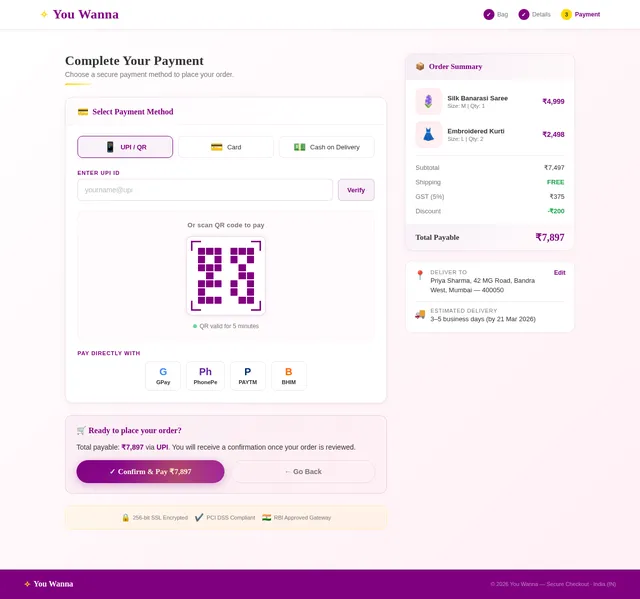
As a user, I want to use the frontend payment page to choose from UPI, Google Pay, PhonePe, or Credit/Debit Card and view the admin-uploaded QR code for payment. Implement based on the existing Payment (v3) JSX design. Accessible after order confirmation; triggers order submission to admin.
Build Admin Dashboard Page
As an admin, I want to use the frontend dashboard page to view an overview including my username at the top, incoming orders, user reviews, product sales count, and delivery items. Implement based on the existing Dashboard (v3) JSX design. This is the main hub after admin login, linking to Products, Orders, Reviews, and Analytics pages.
Build Admin Products Page
As an admin, I want to use the frontend products page to upload and manage product listings including image, price, description, sizes, material name, and category. Implement based on the existing Products (v3) JSX design. Accessible from the admin Dashboard.
Build Admin Orders Page
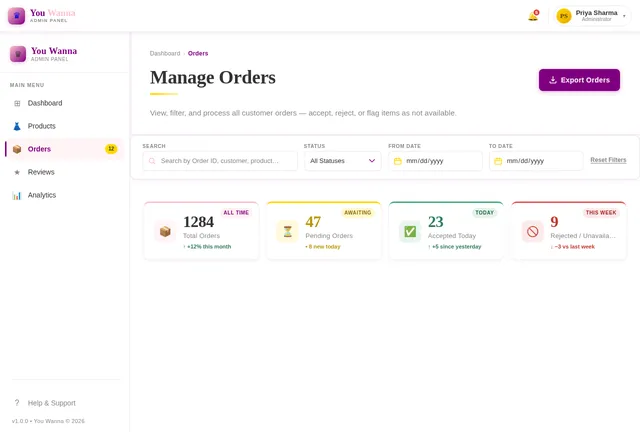
As an admin, I want to use the frontend orders page to view all incoming orders and manage them by accepting, rejecting, or marking them as not available. Implement based on the existing Orders (v3) JSX design. Accessible from the admin Dashboard.
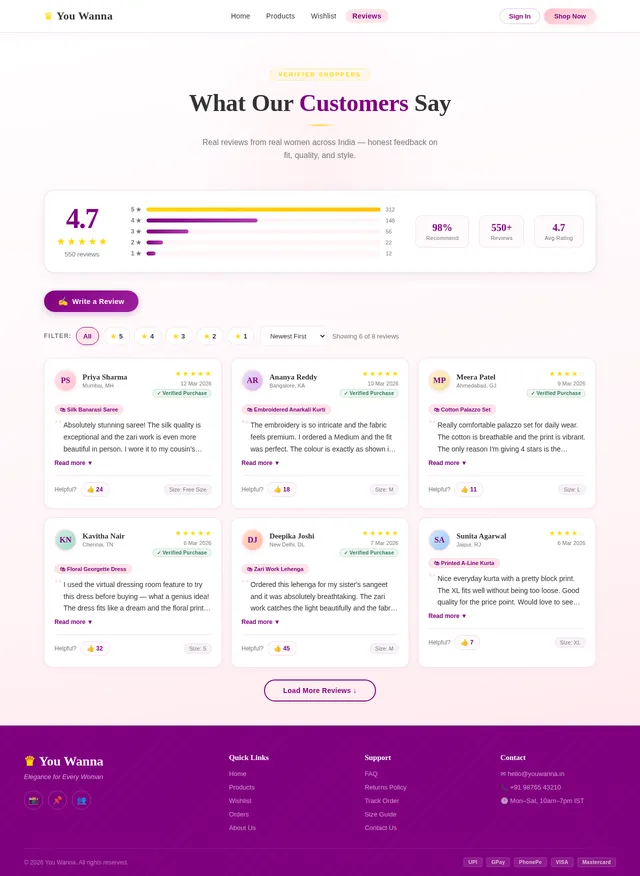
Build Admin Reviews Page
As an admin, I want to use the frontend reviews page to view all user-submitted reviews and ratings for products. Implement based on the existing Reviews (v3) JSX design. Accessible from the admin Dashboard.
Build Admin Analytics Page
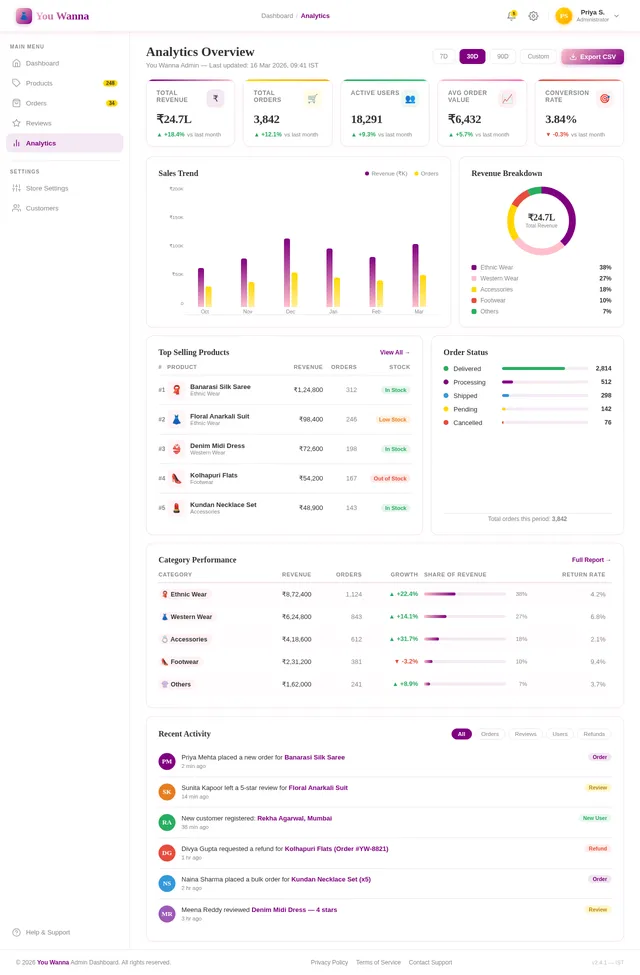
As an admin, I want to use the frontend analytics page to view sales trends, most popular items, and product performance insights. Implement based on the existing Analytics (v3) JSX design. Accessible from the admin Dashboard.
Implement Products API
As an admin, I want to use the backend API to upload and manage products (image, price, description, sizes, material, category) and as a user I want to use the backend API to fetch products by category for gallery browsing.
Implement Wishlist API
As a user, I want to use the backend API to add, view, and remove products from my wishlist so that I can save items for later viewing.
Implement Orders API
As a user, I want to use the backend API to submit an order with details (category, quantity, size, address, full name, pincode) and as an admin I want to use the backend API to view, accept, reject, or mark orders as not available.
Implement Reviews API
As a user, I want to use the backend API to submit product reviews and ratings, and as an admin I want to use the backend API to view all user reviews and ratings on the reviews page.
Implement Payment API
As a user, I want to use the backend API to process payments via UPI, Google Pay, PhonePe, or Credit/Debit Card and receive order confirmation once the admin accepts the order. Includes admin endpoint for uploading QR code.
Implement Analytics API
As an admin, I want to use the backend API to retrieve sales trends, most popular items, and delivery statistics so that I can view insights on the analytics dashboard page.
Integrate Frontend with Backend APIs
As a frontend developer, I want to connect all frontend pages (Gallery, Product, Checkout, Payment, Wishlist, Reviews, Admin Dashboard, Products, Orders, Analytics) with the corresponding backend FastAPI endpoints so that real data flows through the application end-to-end.
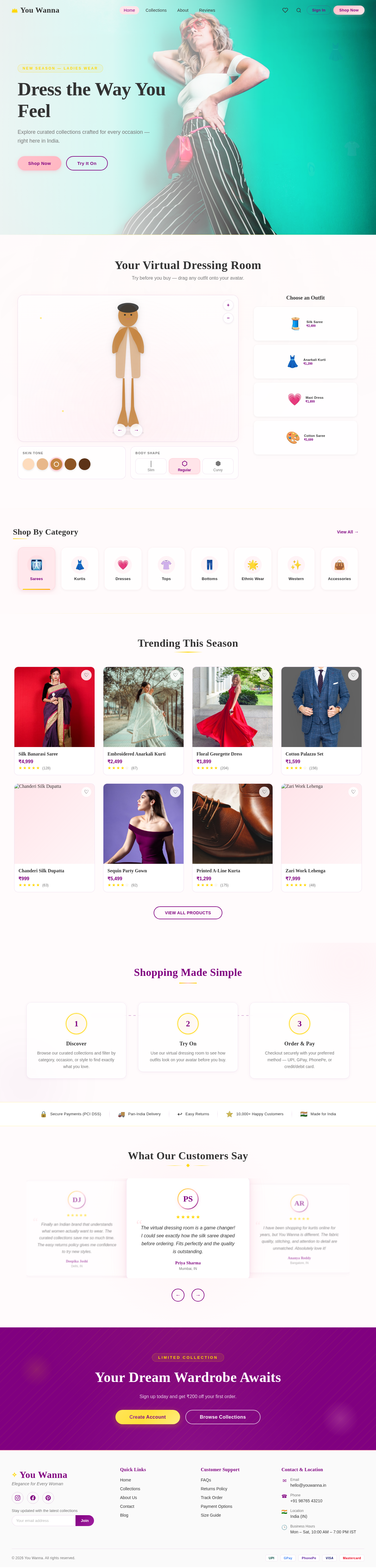
Your Virtual Dressing Room
Try before you buy — drag any outfit onto your avatar.
Shop By Category
View All→Trending This Season

Silk Banarasi Saree
₹4,999

Embroidered Anarkali Kurti
₹2,499

Floral Georgette Dress
₹1,899

Cotton Palazzo Set
₹1,599

Chanderi Silk Dupatta
₹999

Sequin Party Gown
₹5,499

Printed A-Line Kurta
₹1,299

Zari Work Lehenga
₹7,999
Shopping Made Simple
Discover
Browse our curated collections and filter by category, occasion, or style to find exactly what you love.
Try On
Use our virtual dressing room to see how outfits look on your avatar before you buy.
Order & Pay
Checkout securely with your preferred method — UPI, GPay, PhonePe, or credit/debit card.
What Our Customers Say
The virtual dressing room is a game changer! I could see exactly how the silk saree draped before ordering. Fits perfectly and the quality is outstanding.
Priya Sharma
Mumbai, IN
I have been shopping for kurtis online for years, but You Wanna is different. The fabric quality, stitching, and attention to detail are unmatched. Absolutely love it!
Ananya Reddy
Bangalore, IN
Ordered a dress for my engagement and it arrived beautifully packaged within 3 days. The UPI payment was seamless and the customer support team was so helpful.
Meera Patel
Ahmedabad, IN
Such a wonderful collection of ethnic and western wear. The size guide was spot on and my order fit like a dream. Will definitely shop again!
Kavitha Nair
Chennai, IN
Finally an Indian brand that understands what women actually want to wear. The curated collections save me so much time. The easy returns policy gives me confidence to try new styles.
Deepika Joshi
Delhi, IN
Your Dream Wardrobe Awaits
Sign up today and get ₹200 off your first order.
No comments yet. Be the first!