turbo-ecommerce
 Dhruv galani
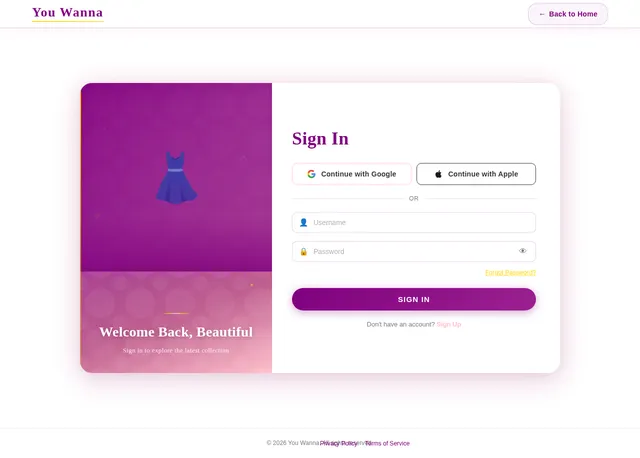
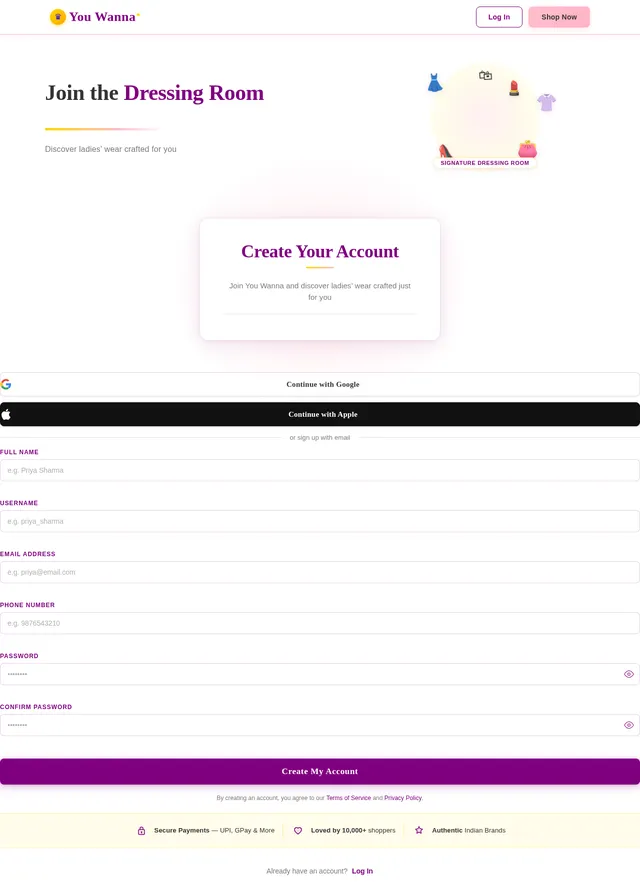
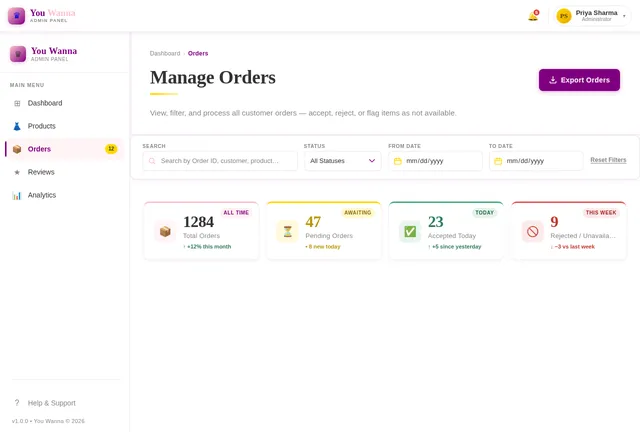
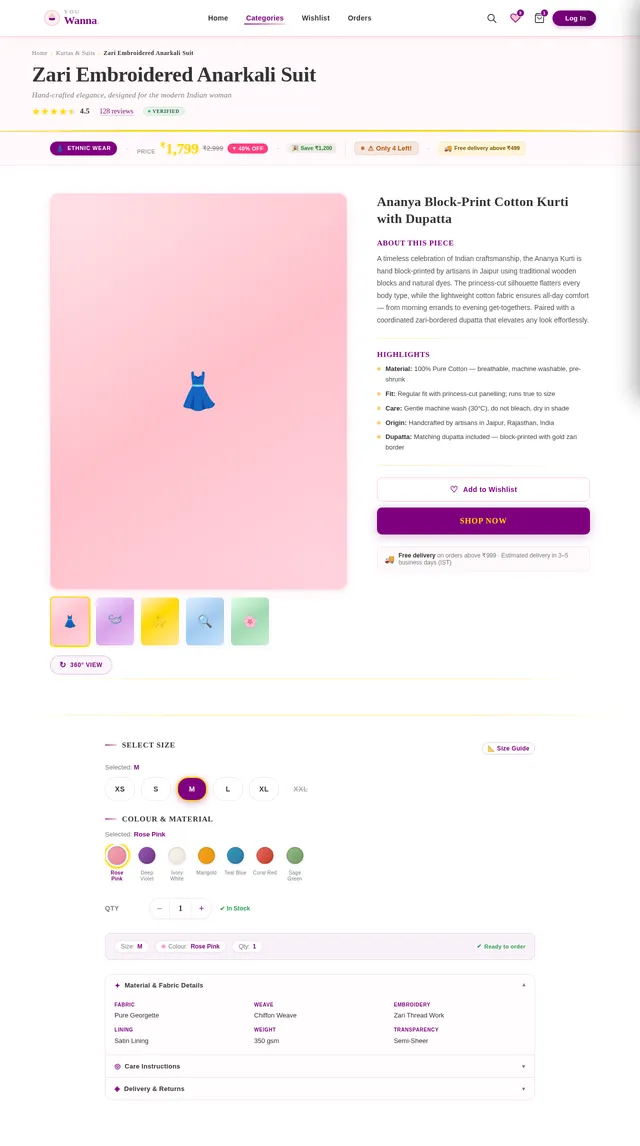
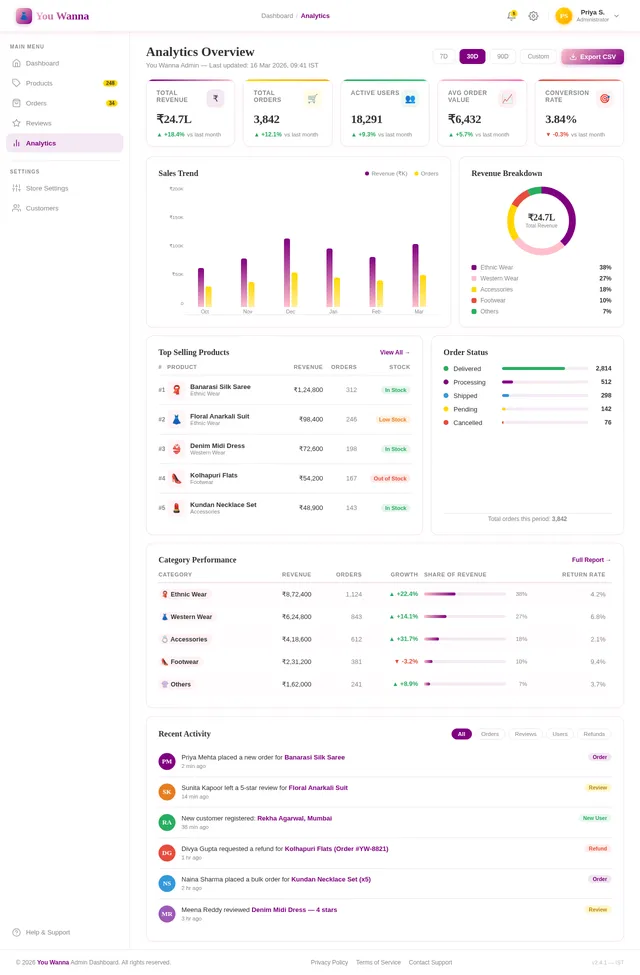
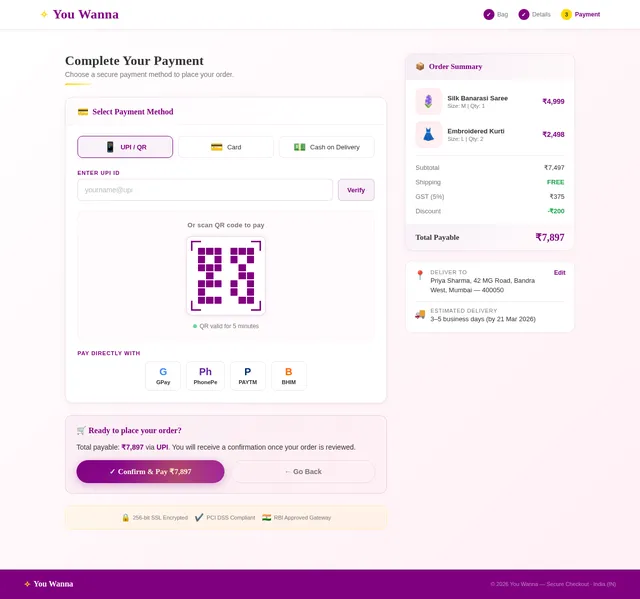
Sign up page with (Full Name,username, Password, confirm password)and login page with (username, Password)I want to make a website for ecommerce and there should be one main dashboard for seeing all the options and updated informations like ( at the top side there should be admin username,orders came from users, reviews came from users,count product sales, delivery items)and website name is You Wanna it is for ladies wear and in website the admin should upload the image of clothes and enter price and description and sizes and material name with the category there should be different categories for different dresses about clothes , the user orders the items then come the order in the admin side and in the order section there should be given options like accept or not accept or not available this is for admin side. Now user side there should be sign up page with Google or apple id or fill details like (Full Name, username, password, confirm password,email,phone number)and login page (username, Password)do not take the order without sign-up or without login and user can see the images of dresses and there should be given a category button for simple search for dresses and each image should have different buy buttons when the user can see the bulk of image there should be buy button at the bottom of each image and when the user see every single image then there should be Shop Now button at the bottom and the user can give review/ratings also in each image when the user can send review the review shoul be sent to the admis review page also and review should shown in the user page also.and the user have buy or shop the item for that they click buy/shop now button after clicking the buttons there should be on type of form filling( like which category, quantity(1to20)there should be option in quantity,size, Address,full name, pincode)after filling details there should be buy now button and after clicking the buy now button the confirmation msg should give the message would be "Are You Sure To Confirm This Order"and in the msg there should yes or no button should be given and then user click yes then open the payment page like give payment options like upi Google Pay, Phone Pay, Credit or debit card after choosing one option from among this (there should be come qr code image that I will upload later on give the space for qr code) after payment the order will go to the admins order page,when the admin accept the order give this msg after the payment done we will send the msg that your order is confirmed .the design should be separate for Admin there should be different design and for user there should be different design..


Comments (0)
Sign in to leave a comment
System Requirements
System Requirements Document (SRD)
Project Name: turbo-ecommerce
1. Introduction
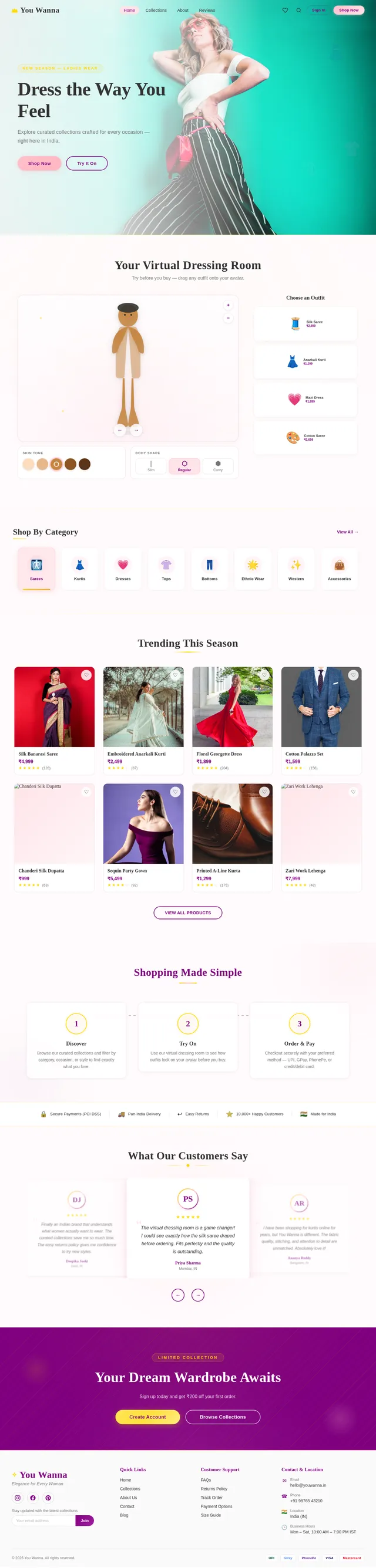
The purpose of this document is to outline the system requirements for turbo-ecommerce, an ecommerce platform branded as "You Wanna", specifically tailored for ladies' wear. This platform will cater to both users and administrators, providing a seamless shopping experience for users and efficient management tools for admins. The platform will support user registration, product browsing, purchasing, and reviews, while admins will manage inventory, orders, and analytics.
This document is designed to ensure the successful development of the platform, meeting the needs of users in India (IN), with locale-specific features such as INR currency, IST timezone, and payment methods popular in the region (e.g., UPI, Google Pay, PhonePe).
2. System Overview
The "You Wanna" platform will consist of two primary interfaces:
- User Interface: A visually appealing and intuitive interface for customers to browse, shop, and review products.
- Admin Dashboard: A comprehensive dashboard for administrators to manage products, orders, reviews, and analytics.
The platform will include the following key features:
- User registration and login (via form or Google/Apple ID).
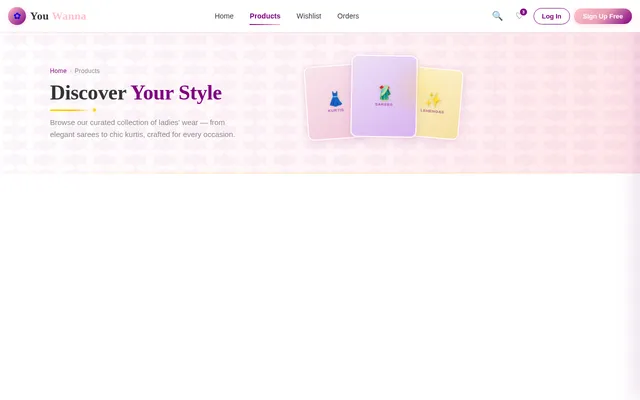
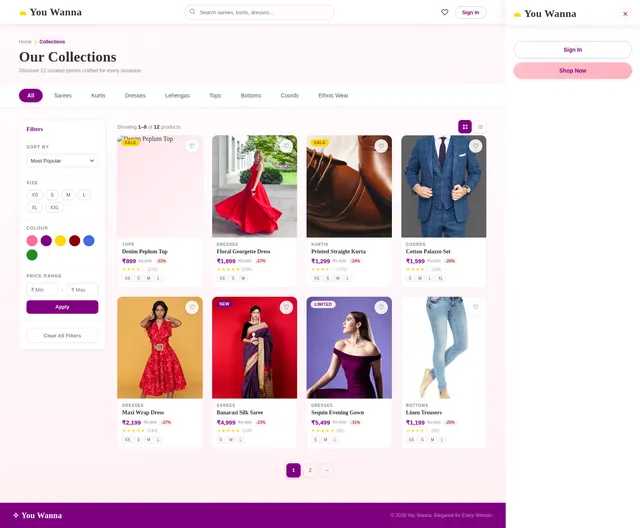
- Product browsing with category filters and detailed product pages.
- Wishlist/favorites functionality for users.
- Secure payment options with QR code integration.
- Admin tools for product management, order processing, and analytics.
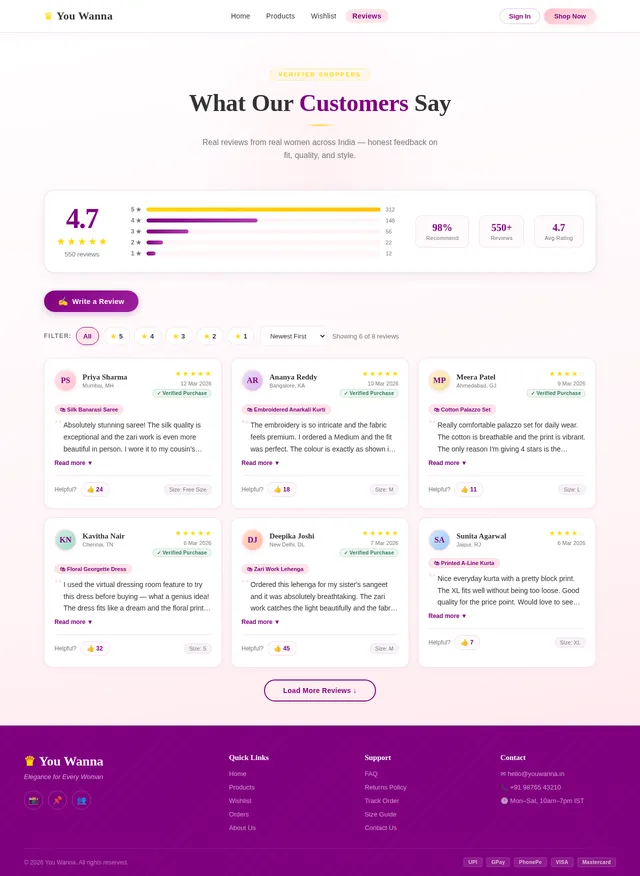
- Review and rating system visible to both users and admins.
3. Functional Requirements
User Side
- As a User, I should be able to sign up using Google, Apple ID, or by filling out a form (Full Name, Username, Password, Confirm Password, Email, Phone Number).
- As a User, I should be able to log in using my username and password.
- As a User, I should not be able to place an order without signing up or logging in.
- As a User, I should be able to browse products by categories.
- As a User, I should see a "Buy" button below each product image in the gallery view.
- As a User, I should see a "Shop Now" button on the detailed product page.
- As a User, I should be able to add products to my wishlist or favorites for later viewing.
- As a User, I should be able to review and rate products, and my reviews should be visible to both admins and other users.
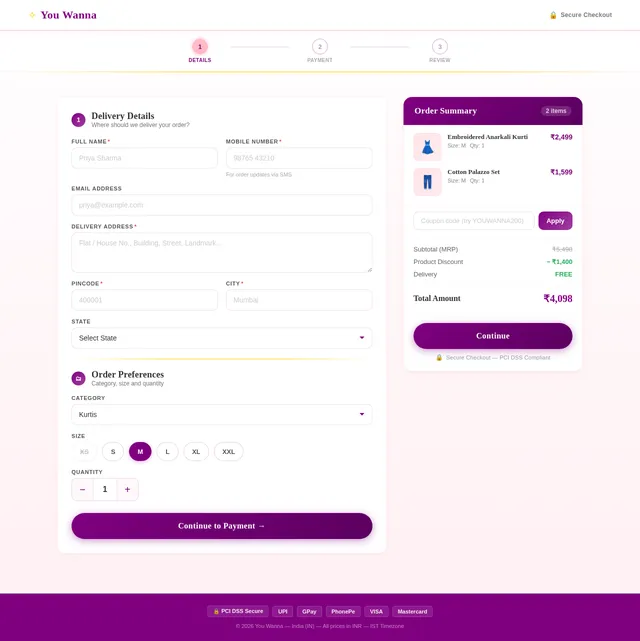
- As a User, I should be able to fill out a form during checkout (Category, Quantity, Size, Address, Full Name, Pincode).
- As a User, I should receive a confirmation message ("Are You Sure To Confirm This Order?") with Yes/No options before completing the purchase.
- As a User, I should be able to choose from multiple payment options (UPI, Google Pay, PhonePe, Credit/Debit Card).
- As a User, I should see a QR code for payment (uploaded by the admin).
- As a User, I should receive a confirmation message after the admin accepts my order.
Admin Side
- As an Admin, I should be able to log in to a separate dashboard.
- As an Admin, I should see my username displayed at the top of the dashboard.
- As an Admin, I should be able to upload product details (Image, Price, Description, Sizes, Material Name, Category).
- As an Admin, I should be able to view and manage orders (Accept, Reject, Mark as Not Available).
- As an Admin, I should be able to view user reviews and ratings.
- As an Admin, I should be able to track product sales and delivery items.
- As an Admin, I should be able to view analytics, such as sales trends and most popular items.
4. User Personas
1. Admin
- Role: Manages the platform, uploads products, processes orders, and monitors analytics.
- Needs: A comprehensive dashboard with tools for inventory, order management, and analytics.
2. Registered User
- Role: Browses, shops, and reviews products.
- Needs: A seamless shopping experience with easy navigation, secure payments, and wishlist functionality.
5. Visuals Colors and Theme
The platform will use a modern and elegant theme to appeal to the target audience (ladies' wear shoppers). Suggested color palette:
- Primary Color: Soft Pink (#FFC0CB)
- Secondary Color: Deep Purple (#800080)
- Accent Color: Gold (#FFD700)
- Background Color: White (#FFFFFF)
- Font Color: Charcoal Gray (#333333)
Typography:
- Headings: Playfair Display (Elegant Serif)
- Body Text: Open Sans (Clean Sans-Serif)
6. Signature Design Concept
Interactive Dressing Room Experience
The homepage will feature a virtual dressing room where users can "try on" clothes virtually. Upon landing, users will see a 3D mannequin that they can customize (skin tone, body shape). Users can drag and drop dresses onto the mannequin to visualize how they would look.
Key Features:
- Smooth drag-and-drop animations for clothing items.
- A rotating 3D mannequin with zoom-in and zoom-out functionality.
- Background transitions that mimic a boutique dressing room.
- Micro-interactions: When a dress is selected, it gently "floats" onto the mannequin with a subtle glow effect.
This unique feature will make the website unforgettable and highly engaging, setting it apart from competitors.
7. Non-Functional Requirements
- The system should support at least 10,000 concurrent users.
- The platform should load within 2 seconds for users with a 10 Mbps internet connection.
- The payment gateway should comply with PCI DSS standards.
- The system should be mobile-responsive and work seamlessly on devices of all sizes.
- The platform should support localization for Indian users (INR currency, IST timezone).
8. Tech Stack
Frontend
- React for Web
- React Native for Mobile App
Backend
- Python
- FastAPI
Database
- MySQL (with Alembic for migrations)
AI Models
- GPT 5.2 for user-friendly responses.
- Google Nano Banana for image generation (e.g., QR codes).
AI Tools
- Langchain
- Litellm for LLM Routing
Orchestration
- Docker (Local)
- Kubernetes (Server-side)
9. Assumptions and Constraints
- Users must have an active internet connection to access the platform.
- Admins will manually upload QR codes for payment.
- The platform will initially support only Indian payment methods.
- The wishlist feature will not include notifications for price drops or availability.
10. Glossary
- Admin: The person managing the platform, products, and orders.
- User: A customer browsing and purchasing products.
- PCI DSS: Payment Card Industry Data Security Standard.
- QR Code: A machine-readable code used for payments.
- IST: Indian Standard Time.
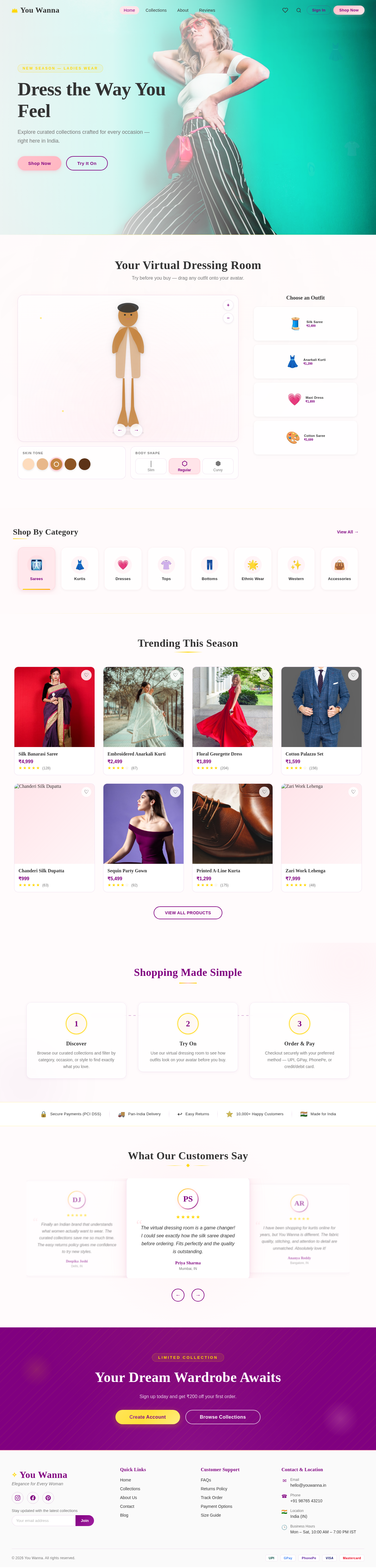
Your Virtual Dressing Room
Try before you buy — drag any outfit onto your avatar.
Shop By Category
View All→Trending This Season

Silk Banarasi Saree
₹4,999

Embroidered Anarkali Kurti
₹2,499
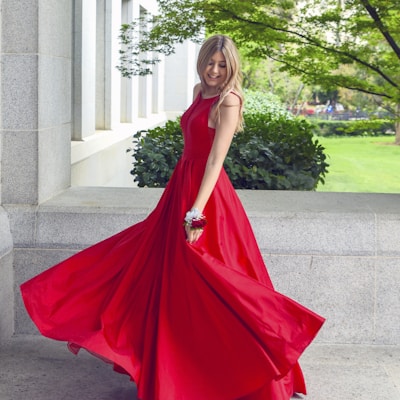
Floral Georgette Dress
₹1,899
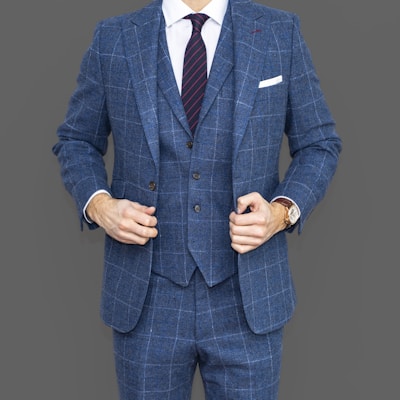
Cotton Palazzo Set
₹1,599

Chanderi Silk Dupatta
₹999

Sequin Party Gown
₹5,499

Printed A-Line Kurta
₹1,299

Zari Work Lehenga
₹7,999
Shopping Made Simple
Discover
Browse our curated collections and filter by category, occasion, or style to find exactly what you love.
Try On
Use our virtual dressing room to see how outfits look on your avatar before you buy.
Order & Pay
Checkout securely with your preferred method — UPI, GPay, PhonePe, or credit/debit card.
What Our Customers Say
The virtual dressing room is a game changer! I could see exactly how the silk saree draped before ordering. Fits perfectly and the quality is outstanding.
Priya Sharma
Mumbai, IN
I have been shopping for kurtis online for years, but You Wanna is different. The fabric quality, stitching, and attention to detail are unmatched. Absolutely love it!
Ananya Reddy
Bangalore, IN
Ordered a dress for my engagement and it arrived beautifully packaged within 3 days. The UPI payment was seamless and the customer support team was so helpful.
Meera Patel
Ahmedabad, IN
Such a wonderful collection of ethnic and western wear. The size guide was spot on and my order fit like a dream. Will definitely shop again!
Kavitha Nair
Chennai, IN
Finally an Indian brand that understands what women actually want to wear. The curated collections save me so much time. The easy returns policy gives me confidence to try new styles.
Deepika Joshi
Delhi, IN
Your Dream Wardrobe Awaits
Sign up today and get ₹200 off your first order.
No comments yet. Be the first!