turbo-calculator
create a project to build a calculator with single page design and minimal design as well

Comments (0)
Sign in to leave a comment
Project Tasks2
Implement CalculatorDisplay for Calculator
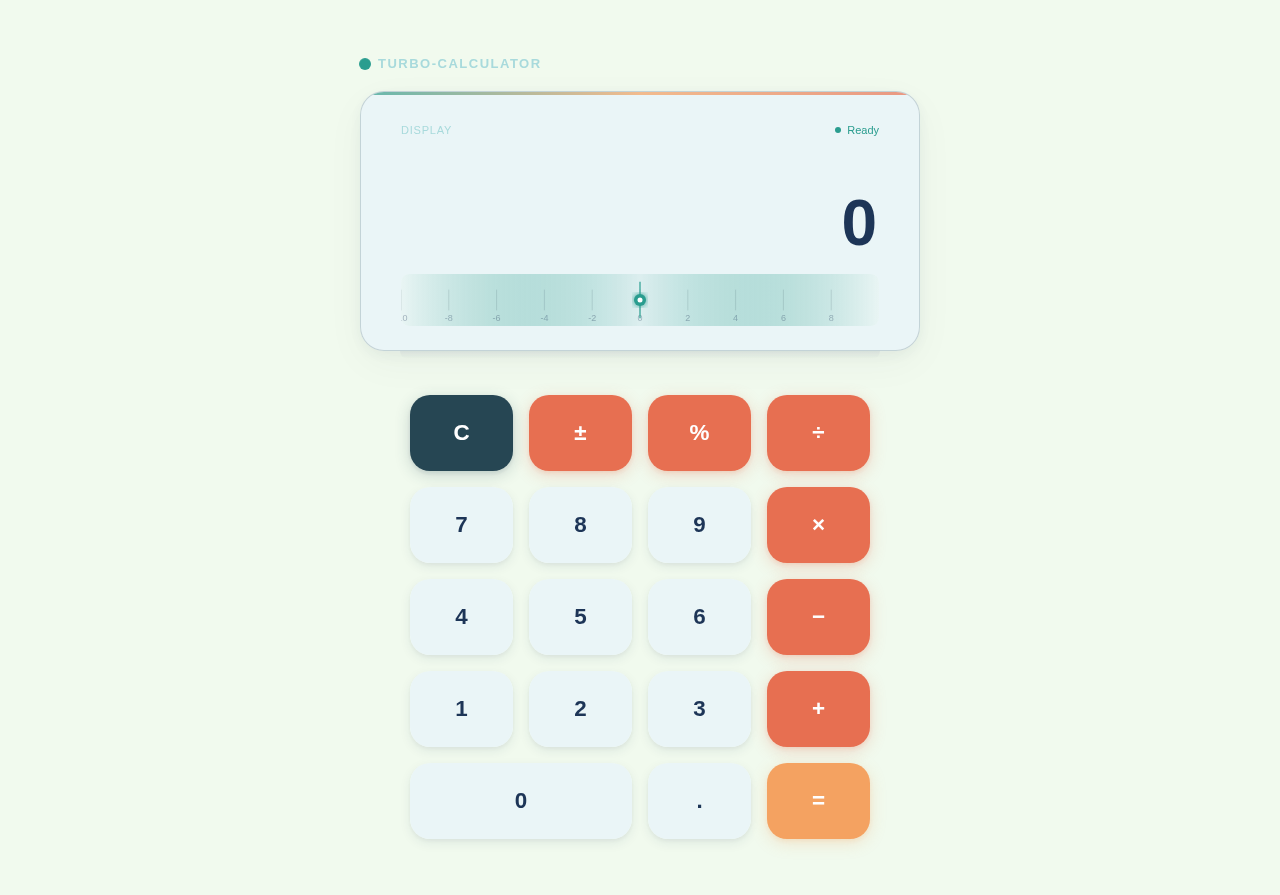
As a frontend developer, implement the CalculatorDisplay section for the Calculator page. This section manages all core calculator state using useState hooks: `expression`, `result` (default '0'), `status` ('Ready'/'Input'/'Editing'/'Calculating'/'Complete'), and `isCalculating`. Implement the `safeEval` callback that sanitizes input with regex `/[^0-9+\-*/.() ]/g` and uses `new Function()` for safe expression evaluation. Implement `handleInput` which handles 'C' (clear), '=' (evaluate with 150ms delay and en-IN locale formatting), 'DEL' (slice last char), and general input appending. Expose `handleInput` globally via `window.__turboCalcInput` using a useEffect cleanup pattern so CalculatorKeypad can call it. Integrate D3.js for a dynamic number line SVG visualization: uses `d3.scaleLinear` with domain centered on `resultNumeric.current`, renders axis ticks via `d3.tickStep` and `d3.range`, and redraws on result changes. Use `framer-motion` AnimatePresence for result transitions. Apply teal primary color (#2A9D8F) per design tokens.
Implement CalculatorKeypad for Calculator
As a frontend developer, implement the CalculatorKeypad section for the Calculator page. Define the BUTTONS array of 19 button descriptors with types 'clear', 'operation', 'number', and 'equals' — including a span:true '0' button. Implement `getButtonClass`, `getHoverColor`, and `getRippleColor` helper functions that map button types to CSS class names and teal-themed rgba color values. Build the `CalcButton` sub-component which uses a Canvas overlay for D3-powered ripple animations: on click, `triggerRipple` computes DPR-scaled coordinates, pushes a ripple object into `ripplesRef`, and runs a `d3.easeCubicOut`-based animation loop that decays radius and opacity until opacity < 0.005. Each button dispatches its label to `window.__turboCalcInput` (set by CalculatorDisplay). Apply `framer-motion` motion.button for hover scale/color transitions using `getHoverColor` per type. This section depends on CalculatorDisplay being implemented first since it consumes `window.__turboCalcInput`.
No comments yet. Be the first!