turbo-calculator
create a project to build a calculator with single page design and minimal design as well

Comments (0)
Sign in to leave a comment
System Requirements
Turbo-Calculator System Requirements Document
Introduction
The Turbo-Calculator project aims to develop a simple, single-page web application that provides basic arithmetic functionalities. This document outlines the system requirements and design specifications for the Turbo-Calculator, ensuring a minimalistic and user-friendly interface.
System Overview
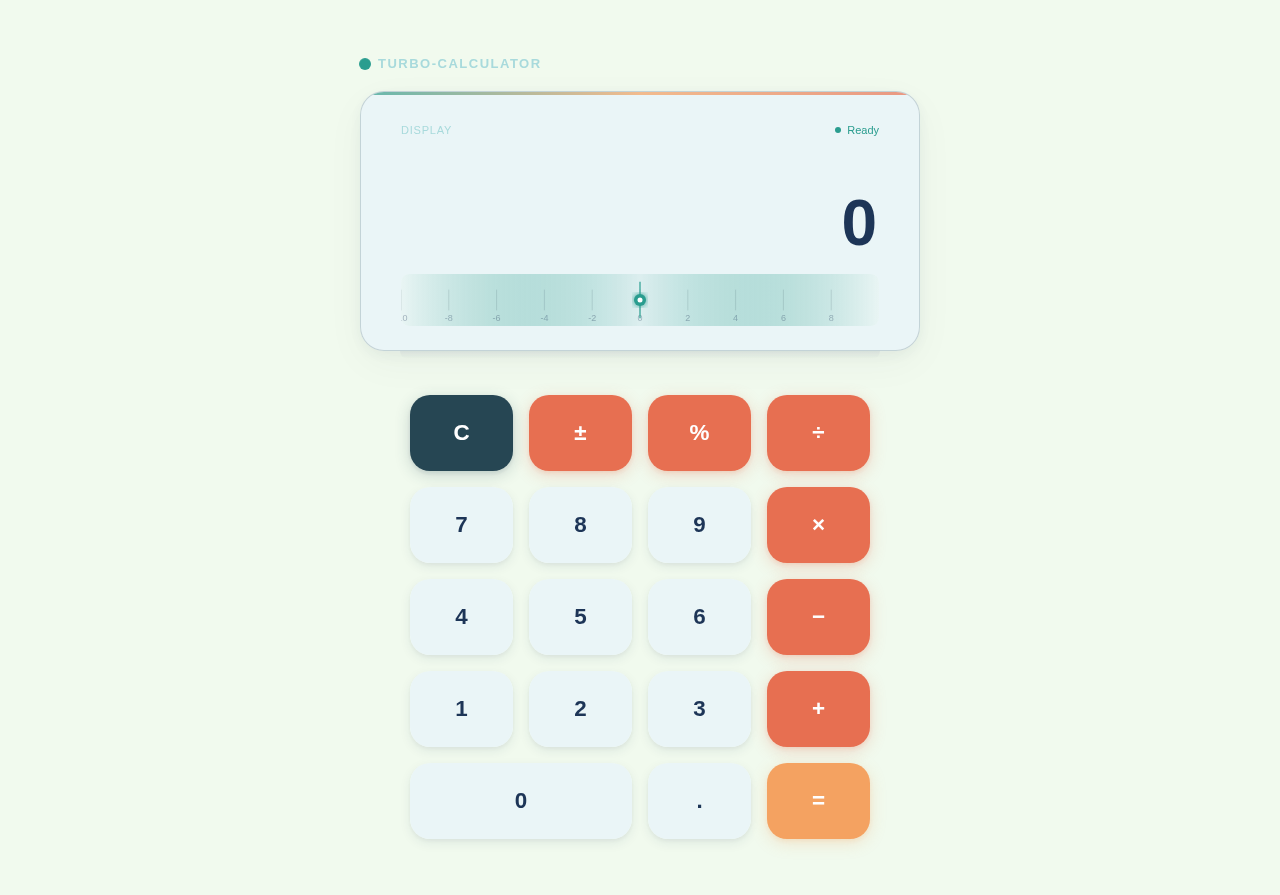
The Turbo-Calculator is designed to be a straightforward web application that allows users to perform basic arithmetic operations such as addition, subtraction, multiplication, and division. The application will be accessible via web browsers and will focus on delivering a seamless user experience with a clean, minimal design.
Functional Requirements
- As a User, I should be able to perform basic arithmetic operations: addition, subtraction, multiplication, and division.
- As a User, I should be able to clear the current calculation to start a new one.
- As a User, I should be able to view the result of my calculations immediately after input.
User Personas
- User: The primary user of the Turbo-Calculator is anyone needing to perform basic arithmetic calculations quickly and efficiently. This includes students, professionals, and everyday users.
Visuals Colors and Theme
The Turbo-Calculator will feature a unique color palette to enhance its minimalistic design:
- primary: #2A9D8F (Teal)
- primary_light: #E9F5F4 (Light Teal)
- secondary: #264653 (Dark Blue)
- accent: #E76F51 (Coral)
- highlight: #F4A261 (Sandy Orange)
- bg: #F1FAEE (Off White)
- surface: rgba(233, 244, 249, 0.8)
- text: #1D3557 (Navy Blue)
- text_muted: #A8DADC (Light Blue)
- border: rgba(38, 70, 83, 0.2)
Signature Design Concept
The Turbo-Calculator will feature an interactive "floating keypad" design. The keypad will appear to float above the background, casting subtle shadows to create a 3D effect. When a user hovers over a button, it will gently rise and change color, providing tactile feedback. The entire interface will be responsive, with smooth transitions and animations powered by framer-motion. This design will make the calculator feel dynamic and engaging while maintaining its simplicity.
Interaction Model & Motion Direction
The landing page will employ an "animated" interaction model. The calculator's buttons will have hover transitions and spring physics to enhance user interaction. The design will focus on clarity and responsiveness, ensuring that users can perform calculations quickly without unnecessary distractions.
Non-Functional Requirements
- The application must load within 2 seconds on a standard broadband connection.
- The calculator should be responsive and function correctly on all modern web browsers.
- The design should be accessible, adhering to WCAG 2.1 guidelines.
Tech Stack
- Frontend: React for Web
- Backend: None required for basic functionality
- Database: None required for basic functionality
- Local orchestration: Docker
- Server-side orchestration: None required for basic functionality
Assumptions and Constraints
- The application will be used primarily in India, so the default locale settings will be set accordingly.
- The calculator will not require any advanced scientific functions or memory storage capabilities.
- The application will be hosted on a web server with sufficient capacity to handle expected traffic.
Glossary
- Arithmetic Operations: Basic mathematical functions including addition, subtraction, multiplication, and division.
- Responsive Design: An approach to web design that makes web pages render well on a variety of devices and window or screen sizes.
- WCAG: Web Content Accessibility Guidelines, which provide a standard for making web content more accessible to people with disabilities.
No comments yet. Be the first!