turbo-bot

byRaman Yadav

You're designing a visually impressive calculator application. Provide a concrete plan and implementation details tailored to web development (browser-based), including UI/UX, features, and code guidance. Please deliver: 1) Core feature set (minimum viable product) with realistic extensions: - Basic arithmetic (plus, minus, multiply, divide, percent) - Advanced functions (scientific: sin, cos, tan, sqrt, log, ln, exponentials) - Memory functions (M+, M-, MR, MC) - History and copy-to-clipboard 2) 3D/realistic visuals and wow factor: - Glassy/3D-style UI, soft shadows, parallax background, subtle animations - Theme customization (light/dark, accent colors) 3) Implementation plan: - Suggested tech stack (web: React + CSS/3D transforms or WebGL for background) - Component breakdown (Display, Keypad, Toolbar, HistoryPanel, ThemeEngine) - Accessibility considerations (keyboard shortcuts, ARIA) 4) MVP roadmap: - Phase 1: Core calculator with responsive UI - Phase 2: 3D/immersive background and animations - Phase 3: Advanced functions, history, and theming 5) Example code snippets: - Minimal React component structure for Display and Keypad - Simple 3D background using CSS or a lightweight WebGL snippet 6) Run and build instructions: - How to start locally, dependencies, and production build notes

ToolbarHistoryPanelThemeEngineKeypad
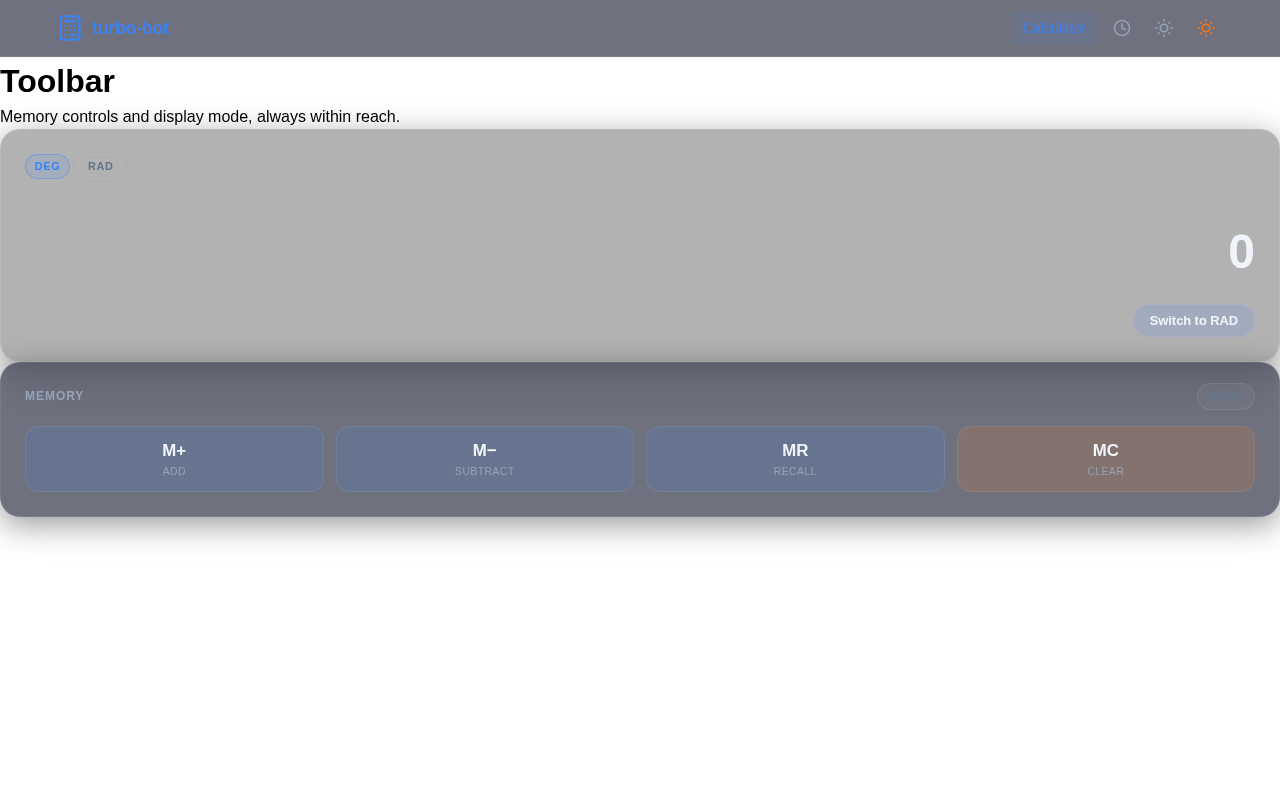
Toolbar

Comments (0)

No comments yet. Be the first!

System Requirements

System Requirement Document
Page 1 of 4

turbo-bot System Requirements Document

<!-- Correct display issues for * and / symbols -->

1. Introduction

The "turbo-bot" project is a visually impressive calculator application designed for web development. This document outlines the system requirements, including UI/UX design, features, and implementation details tailored to a browser-based environment. The goal is to create a calculator with both basic and advanced functionalities, enhanced by a 3D-style user interface.

<!-- Correct display issues for * and / symbols -->

2. System Overview

The turbo-bot calculator aims to provide users with a seamless and visually engaging experience. It will support basic arithmetic operations, advanced scientific functions, memory capabilities, and a history feature. The application will feature a glassy, 3D-style UI with customizable themes and subtle animations to enhance user interaction.

<!-- Correct display issues for * and / symbols -->
Page 2 of 4

3. Functional Requirements

  • As a User, I should be able to perform basic arithmetic operations such as addition, subtraction, multiplication, division, and percentage.
  • As a User, I should be able to use advanced scientific functions like sine, cosine, tangent, square root, logarithm, natural logarithm, and exponentials.
  • As a User, I should be able to use memory functions including M+, M-, MR, and MC.
  • As a User, I should be able to view my calculation history and copy results to the clipboard.
  • As a User, I should be able to customize the theme of the calculator, including light/dark modes and accent colors.
  • As a User, I should experience a 3D-style UI with glassy effects, soft shadows, and a parallax background.
  • As a User, I should be able to bypass repeated prompts by having pre-resolved decisions through an API supervisor.

4. User Personas

  • General User: Individuals who need a calculator for basic and advanced mathematical operations.
  • Power User: Users who frequently use scientific functions and require memory and history features.
  • Theme Enthusiast: Users who appreciate customizable UI themes and visual aesthetics.

5. Core User Flows

  • General User performs basic arithmetic -> uses memory functions -> views history -> copies result to clipboard.
  • Power User accesses advanced functions -> performs calculations -> saves to memory -> retrieves from memory.
  • Theme Enthusiast selects theme -> applies light/dark mode -> adjusts accent colors.
Page 3 of 4

6. Visuals Colors and Theme

  • primary: #1E3A8A (Deep Blue)
  • primary_light: #3B82F6 (Light Blue)
  • secondary: #F97316 (Vibrant Orange)
  • accent: #10B981 (Emerald Green)
  • highlight: #F59E0B (Amber)
  • bg: #F3F4F6 (Light Gray)
  • surface: rgba(255, 255, 255, 0.8) (Soft White)
  • text: #111827 (Dark Gray)
  • text_muted: #6B7280 (Muted Gray)
  • border: rgba(209, 213, 219, 0.5) (Soft Gray)

7. Signature Design Concept

The turbo-bot calculator will feature an interactive 3D interface where the calculator appears as a floating glass panel. Users can rotate the panel by dragging, revealing different functionalities on each side. The background will have a parallax effect with subtle animations of floating particles, creating a sense of depth. Theme customization will allow users to change the color scheme dynamically, with transitions animated using framer-motion for smooth effects.

8. Interaction Model & Motion Direction

The landing page will use a "parallax" interaction model, providing a layered depth effect as users scroll. The calculator interface will feature animated transitions and hover effects, enhancing the user experience with spring physics on interactive elements. Internal pages will maintain a "static" layout for clarity and ease of use.

Page 4 of 4

9. Non-Functional Requirements

  • The application must be responsive and accessible on various devices and screen sizes.
  • The UI should be intuitive and easy to navigate, with keyboard shortcuts and ARIA support for accessibility.
  • The system should handle user inputs efficiently and provide quick responses.

10. Tech Stack

  • Frontend: React for Web
  • Backend: FastAPI
  • Database: Not applicable for this project
  • 3D/Animation Libraries: @react-three/fiber, framer-motion, gsap
11. Assumptions and Constraints

  • The application will be developed for modern web browsers with support for WebGL and CSS3.
  • The calculator will not store user data persistently, focusing on session-based interactions.
  • The API supervisor will handle pre-resolved user prompts to enhance user experience.

12. Glossary

  • API Supervisor: A system component that pre-resolves user prompts to streamline interactions.
  • ARIA: Accessible Rich Internet Applications, a set of attributes that define ways to make web content more accessible.
  • Parallax: A visual effect where background images move slower than foreground images, creating a sense of depth.
Toolbar design preview
Calculator: Enter Number
Keypad: Perform Arithmetic
Calculator: View Result
Toolbar: Store Memory
Toolbar: Recall Memory
HistoryPanel: View History
HistoryPanel: Copy Result