tough-application
 Patryk Biniek
Create a full-stack web application for managing student tutoring registrations (adding and removing students). The system should allow the user (admin/teacher) to manually input student data into a form and store it in a SQL database. Each new entry should be automatically assigned an incremental ID number (1 to n). Required student fields: Auto-generated ID (1, 2, 3, ...) First name Last name Address Subject (e.g., math, physics, etc.) School class Level (basic or extended) Lesson day (day of the week) Lesson time (start time and end time) Hourly rate Functional requirements: Add Student A form should allow entering all the above data. After submission, the data must be saved in a SQL database. The table displayed on the website should update instantly without requiring a page reload (use AJAX / Fetch API or WebSockets). Display Students Show all students in a dynamic table. Data must be fetched directly from the SQL database. The table should refresh automatically after every insert or delete. Delete Student Provide a way to delete a student by entering their assigned ID number. After deletion, the database should be updated immediately and the table refreshed. Technical requirements: Use a backend (Node.js / Express or Python Flask or Django — choose one). Use SQL database (MySQL, PostgreSQL, or SQLite). Frontend should be responsive and simple (HTML, CSS, JavaScript). Use asynchronous requests (AJAX/Fetch) for real-time updates. Ensure proper validation of form inputs. Keep the UI clean: table view + form for adding + input field/button for deleting. Bonus (optional): Add search/filter by subject or day. Prevent duplicate entries for the same student at the same time slot. Add confirmation before deleting a student.
Comments (0)
Sign in to leave a comment
System Requirements
System Requirements Document (SRD)
tough-application
1. Introduction
The tough-application is a full-stack web application designed to manage student tutoring registrations. The system enables administrators (teachers) to add, display, and delete student records efficiently while ensuring real-time updates and clean code standards. This document outlines the requirements and specifications for the development of the application, tailored for deployment on AwardSpace.com hosting services.
This SRD has been updated to emphasize clean code principles, ensuring the delivered code is modular, readable, and maintainable.
2. System Overview
The tough-application will provide a streamlined interface for managing tutoring registrations. Administrators will be able to:
- Add new student records via a form.
- View all registered students in a dynamic table.
- Delete student records by entering their unique ID.
The system will leverage PHP for backend logic, MySQL for data storage, and HTML/CSS/JavaScript for the frontend. Real-time updates will be implemented using AJAX to ensure seamless user experience without page reloads.
Deployment will be optimized for AwardSpace.com hosting, adhering to its PHP and MySQL environment constraints.
3. Functional Requirements
Core Features
-
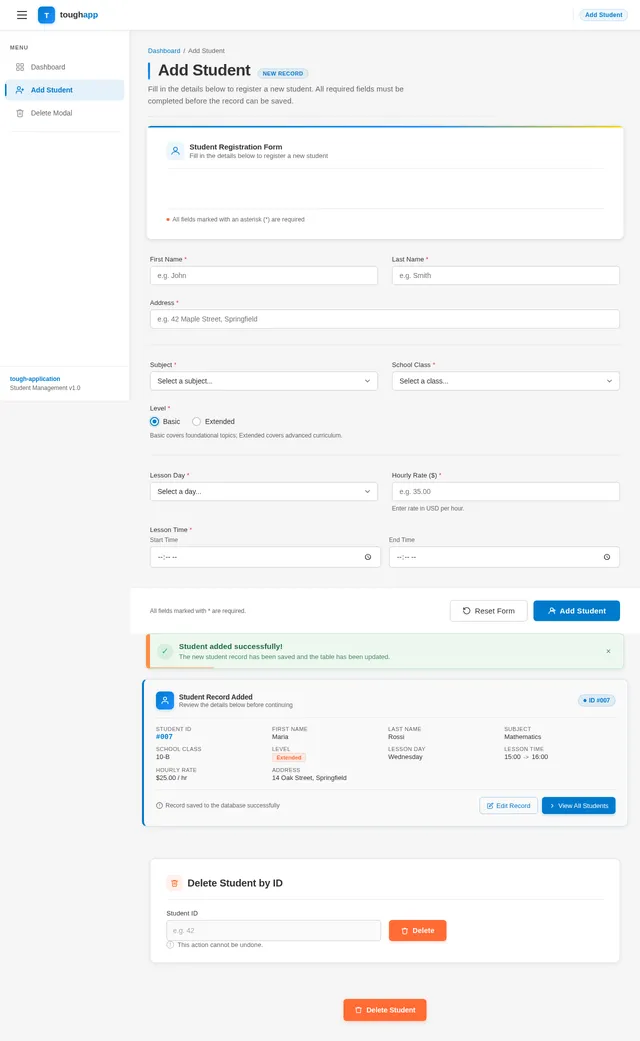
As Admin, I should be able to add a student by filling out a form with the following fields:
- Auto-generated ID (incremental, starting from 1).
- First name.
- Last name.
- Address.
- Subject (e.g., math, physics, etc.).
- School class.
- Level (basic or extended).
- Lesson day (day of the week).
- Lesson time (start time and end time).
- Hourly rate.
-
As Admin, I should be able to view all students in a dynamic table that updates automatically after adding or deleting records.
-
As Admin, I should be able to delete a student by entering their assigned ID number.
Bonus Features (Optional)
- As Admin, I should be able to search/filter students by subject or lesson day.
- As Admin, I should be prevented from adding duplicate entries for the same student at the same time slot.
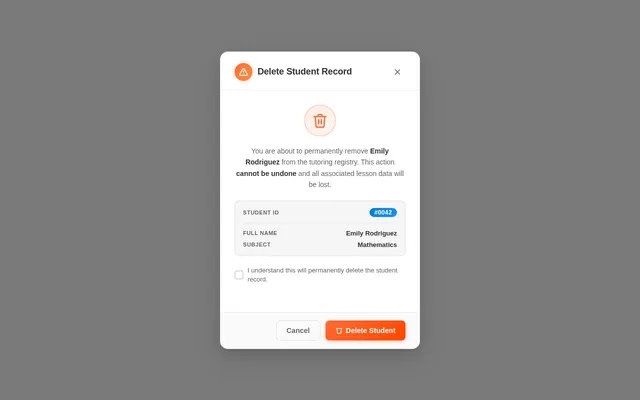
- As Admin, I should see a confirmation prompt before deleting a student.
4. User Personas
Admin
- Role: Teacher or administrator managing tutoring registrations.
- Goals: Efficiently add, view, and delete student records.
- Pain Points: Avoid duplicate entries, ensure real-time updates, and maintain clean data.
5. Visuals Colors and Theme
Color Palette
The tough-application will feature a professional and clean aesthetic with the following unique color palette:
- Background:
#F5F5F5(soft gray for a neutral backdrop). - Surface:
#FFFFFF(pure white for forms and tables). - Text:
#333333(dark gray for readability). - Accent:
#007ACC(blue for buttons and highlights). - Muted Tones:
#CCCCCC(light gray for borders and inactive elements).
6. Signature Design Concept
The tough-application will feature a dynamic dashboard homepage that combines functionality with visual appeal:
Concept: Interactive Table with Live Animations
- The homepage will feature a live dynamic table that updates automatically with smooth animations.
- When a new student is added, their row will fade in and slide into place.
- When a student is deleted, their row will fade out and shrink before disappearing.
- The form for adding students will include micro-interactions, such as input fields glowing blue when focused.
- The delete functionality will include a confirmation modal with a subtle shake animation if the user tries to delete without confirming.
- The design will be responsive, ensuring usability across desktop, tablet, and mobile devices.
This interactive design will make the application feel modern and engaging while maintaining simplicity.
7. Non-Functional Requirements
- Performance: The application must load within 2 seconds on AwardSpace hosting.
- Scalability: The database should handle up to 10,000 student records without performance degradation.
- Security: Input validation must prevent SQL injection and XSS attacks.
- Maintainability: Code must follow clean code principles, including modularity, clear naming conventions, and comments.
- Compatibility: The application must work seamlessly on modern browsers (Chrome, Firefox, Edge, Safari).
8. Tech Stack
Frontend
- HTML, CSS, JavaScript (for responsiveness and dynamic updates).
Backend
- PHP (optimized for AwardSpace hosting).
Database
- MySQL (for reliable data storage).
Tools
- AJAX (for real-time updates).
9. Assumptions and Constraints
Assumptions
- The application will be deployed on AwardSpace.com, which supports PHP and MySQL.
- Admin users will have basic technical knowledge to operate the system.
Constraints
- Hosting limitations may restrict advanced features like WebSockets.
- The application must adhere to AwardSpace's PHP and MySQL environment.
10. Glossary
- Admin: The user responsible for managing student registrations.
- Dynamic Table: A table that updates automatically without requiring a page reload.
- AJAX: Asynchronous JavaScript and XML, used for real-time updates.
- SQL Injection: A security vulnerability that allows attackers to manipulate database queries.
- XSS: Cross-site scripting, a security vulnerability that allows attackers to inject malicious scripts.
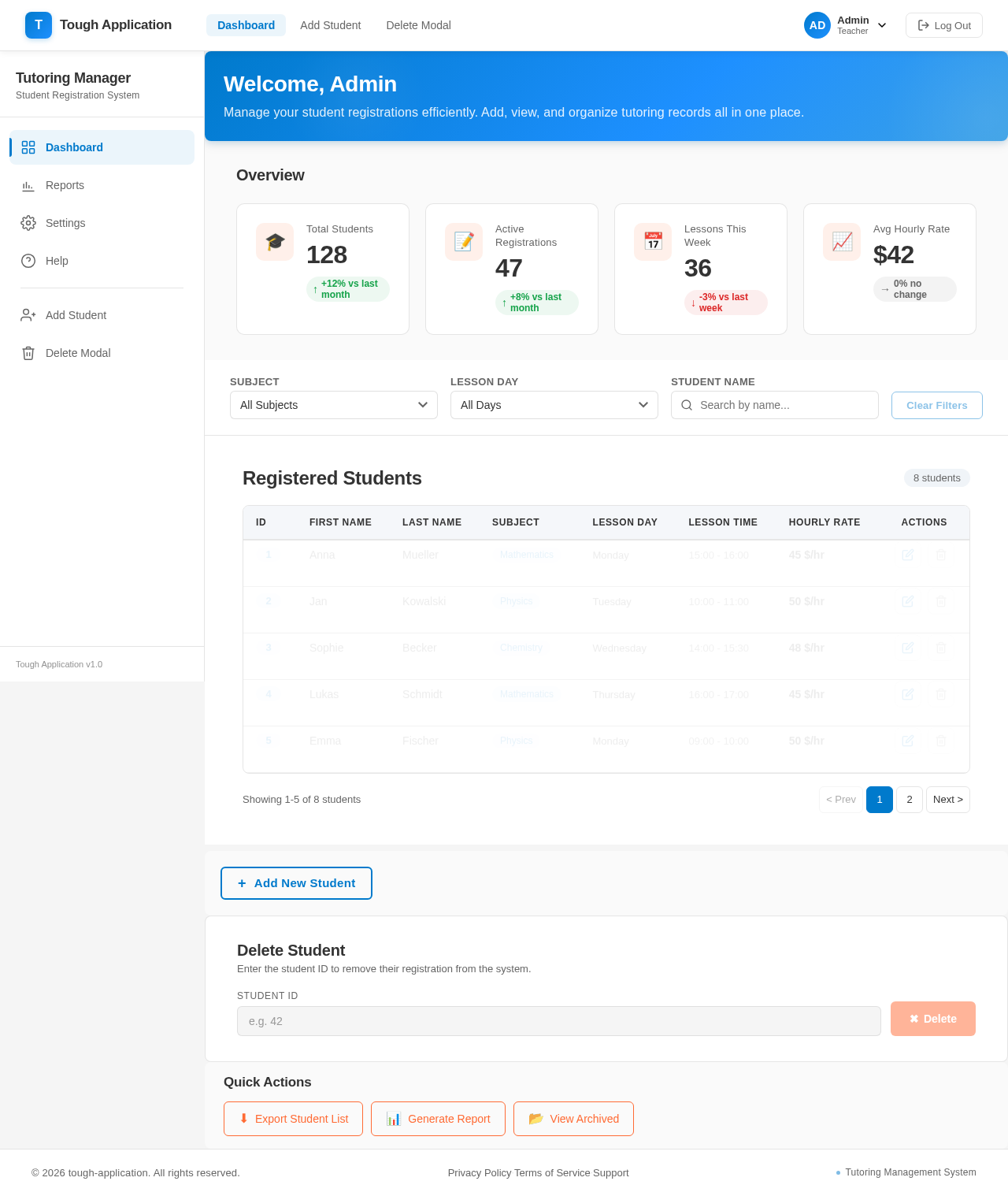
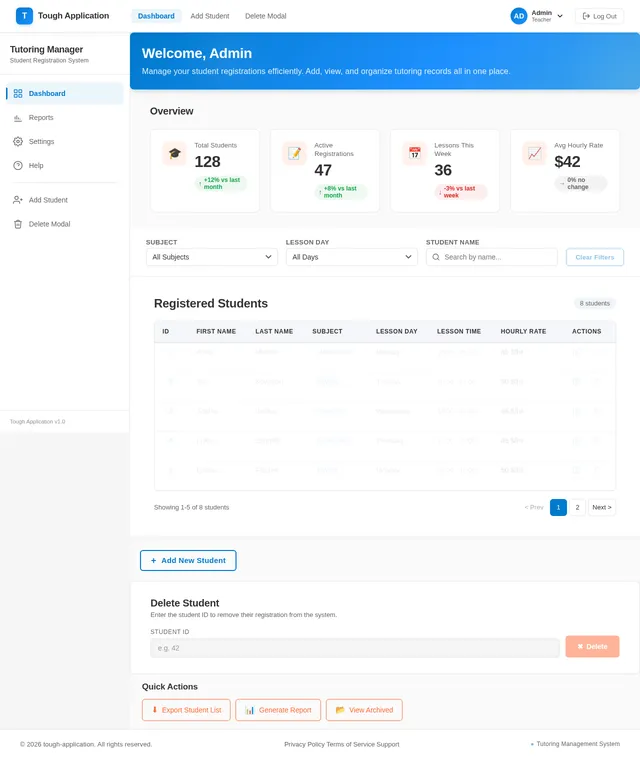
Welcome, Admin
Manage your student registrations efficiently. Add, view, and organize tutoring records all in one place.
Overview
Registered Students
8 students| ID | First Name | Last Name | Subject | Lesson Day | Lesson Time | Hourly Rate | Actions |
|---|---|---|---|---|---|---|---|
| 1 | Anna | Mueller | Mathematics | Monday | 15:00 - 16:00 | 45 $/hr | |
| 2 | Jan | Kowalski | Physics | Tuesday | 10:00 - 11:00 | 50 $/hr | |
| 3 | Sophie | Becker | Chemistry | Wednesday | 14:00 - 15:30 | 48 $/hr | |
| 4 | Lukas | Schmidt | Mathematics | Thursday | 16:00 - 17:00 | 45 $/hr | |
| 5 | Emma | Fischer | Physics | Monday | 09:00 - 10:00 | 50 $/hr |
Student Registration
Delete Student
Enter the student ID to remove their registration from the system.
No comments yet. Be the first!