sunny-dashboard
 Monish Raj
Create a complete AI-powered food ordering platform including a website, user dashboard, and admin dashboard. System Requirements: 1. Website (Public Platform) - Landing page with hero section and search - AI-powered food recommendation section - Restaurant listing - Menu browsing - About and contact pages 2. User Dashboard (Customer Side) - Login and signup - Personalized home screen - AI-based food recommendations - Restaurant and menu browsing - Cart and checkout - Order tracking (real-time status) - Order history - Profile and settings 3. Admin Dashboard - Admin login - Restaurant management - Menu management - Order management - User management - Analytics dashboard (orders, revenue, user activity) Reference Websites: Use the following references for inspiration: - Swiggy / Zomato → for food ordering flow and structure - Uber Eats → for UI layout and interaction patterns - Notion / Linear → for clean dashboard UI and spacing Instructions: - Do not copy designs directly - Adapt layout, components, and UX patterns - Maintain consistency across website, user dashboard, and admin dashboard Design Requirements: - Modern 2026 UI design - Mobile-first approach - Clean and structured dashboard layouts - Card-based UI system - Clear navigation and hierarchy System Output: - Generate user flow - Generate UI screens - Generate system architecture - Generate database structure - Generate task breakdown Important: Clearly separate and organize outputs into: - Website - User Dashboard - Admin Dashboard Ensure the product feels like a real-world application with proper UX flow and usability.
Comments (0)
Sign in to leave a comment
System Requirements
System Requirements Document (SRD)
Project Name: sunny-dashboard
1. Introduction
The sunny-dashboard project is an AI-powered food ordering platform designed to provide a seamless and personalized experience for users in India. The platform consists of three main components: a public website, a user dashboard for customers, and an admin dashboard for restaurant and order management. By leveraging AI technologies, the platform aims to deliver intelligent food recommendations, efficient order tracking, and robust management tools for administrators.
This document outlines the system requirements for the sunny-dashboard project, ensuring a clear roadmap for development and implementation. The design and theme of the platform have been updated to reflect the vibrant, bold, and dynamic aesthetics favored by Gen Z, ensuring a modern and engaging user experience. The typography for the platform will use Satoshi, a clean and modern font that resonates with the Gen Z audience.
2. System Overview
The sunny-dashboard platform is a comprehensive food ordering system that integrates AI-powered recommendations, real-time order tracking, and intuitive management tools. The system is divided into three key components:
- Website (Public Platform): A user-friendly interface for browsing restaurants, menus, and AI-based food recommendations.
- User Dashboard (Customer Side): A personalized space for users to manage their orders, track deliveries, and view order history.
- Admin Dashboard: A management tool for administrators to oversee restaurants, menus, orders, and user activity.
The platform is designed with a mobile-first approach, ensuring accessibility and usability across devices. It incorporates modern UI/UX principles, including a bold, Gen Z-inspired design system with vibrant gradients, dynamic animations, and engaging micro-interactions. The typography across the platform will use Satoshi, ensuring a clean and contemporary look.
3. Functional Requirements
Website (Public Platform)
- As a Visitor, I should be able to view a landing page with a hero section and search functionality.
- As a Visitor, I should be able to see an AI-powered food recommendation section.
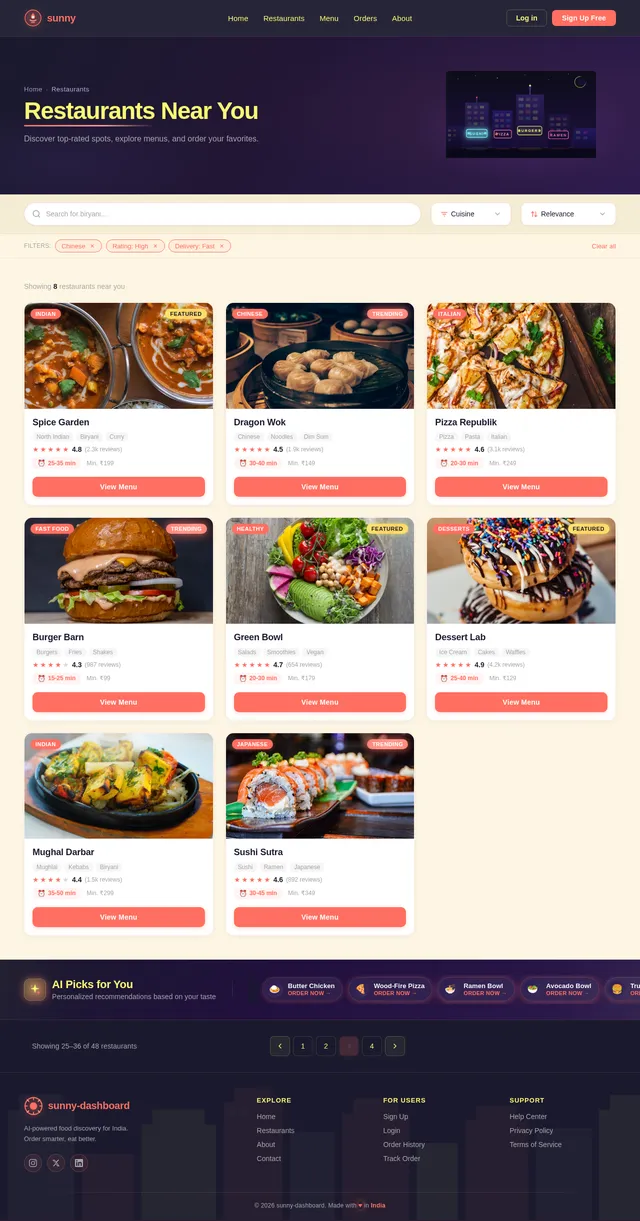
- As a Visitor, I should be able to browse restaurant listings.
- As a Visitor, I should be able to browse menus of restaurants.
- As a Visitor, I should be able to access About and Contact pages.
User Dashboard (Customer Side)
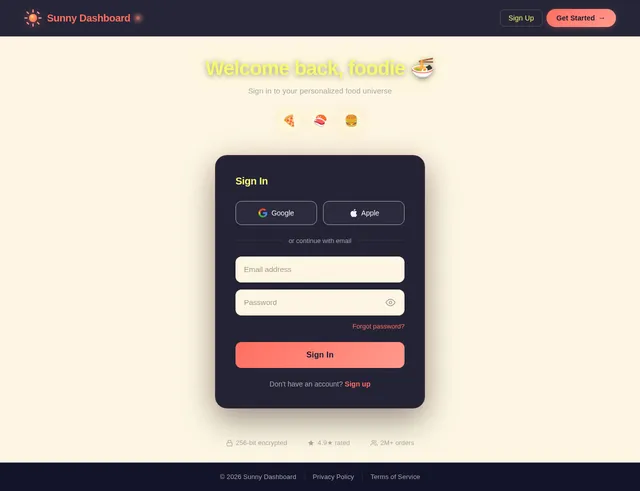
- As a User, I should be able to log in and sign up.
- As a User, I should see a personalized home screen with AI-based food recommendations.
- As a User, I should be able to browse restaurants and their menus.
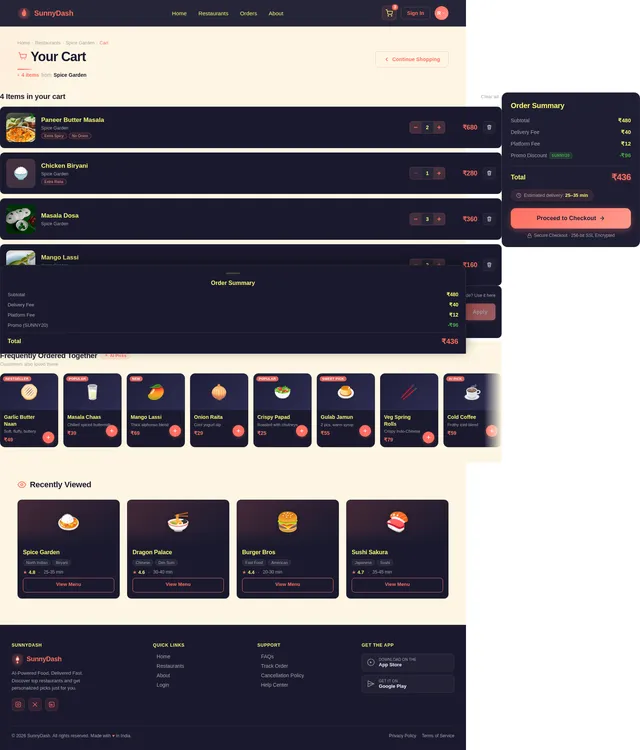
- As a User, I should be able to add items to my cart and proceed to checkout.
- As a User, I should be able to track my orders in real-time.
- As a User, I should be able to view my order history.
- As a User, I should be able to manage my profile and settings.
Admin Dashboard
- As an Admin, I should be able to log in securely.
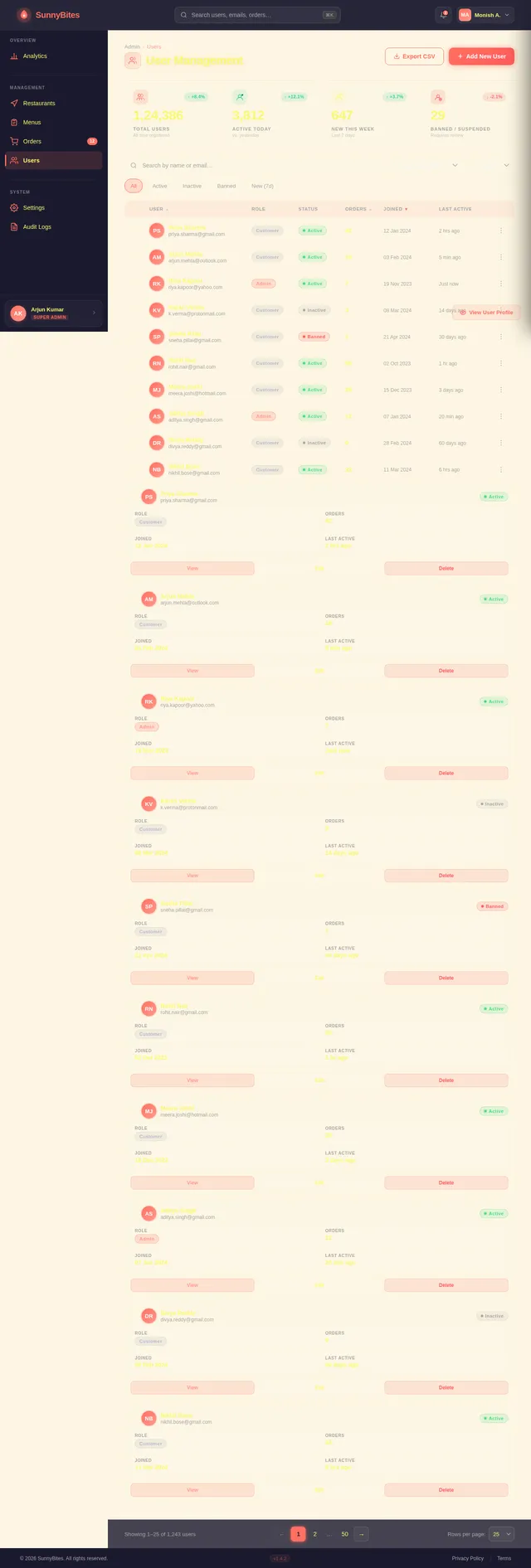
- As an Admin, I should be able to manage restaurants (add, edit, delete).
- As an Admin, I should be able to manage menus (add, edit, delete).
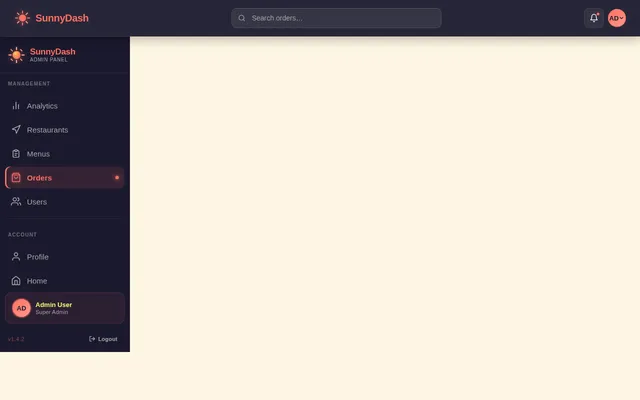
- As an Admin, I should be able to manage orders (view, update status).
- As an Admin, I should be able to manage users (view, edit, delete).
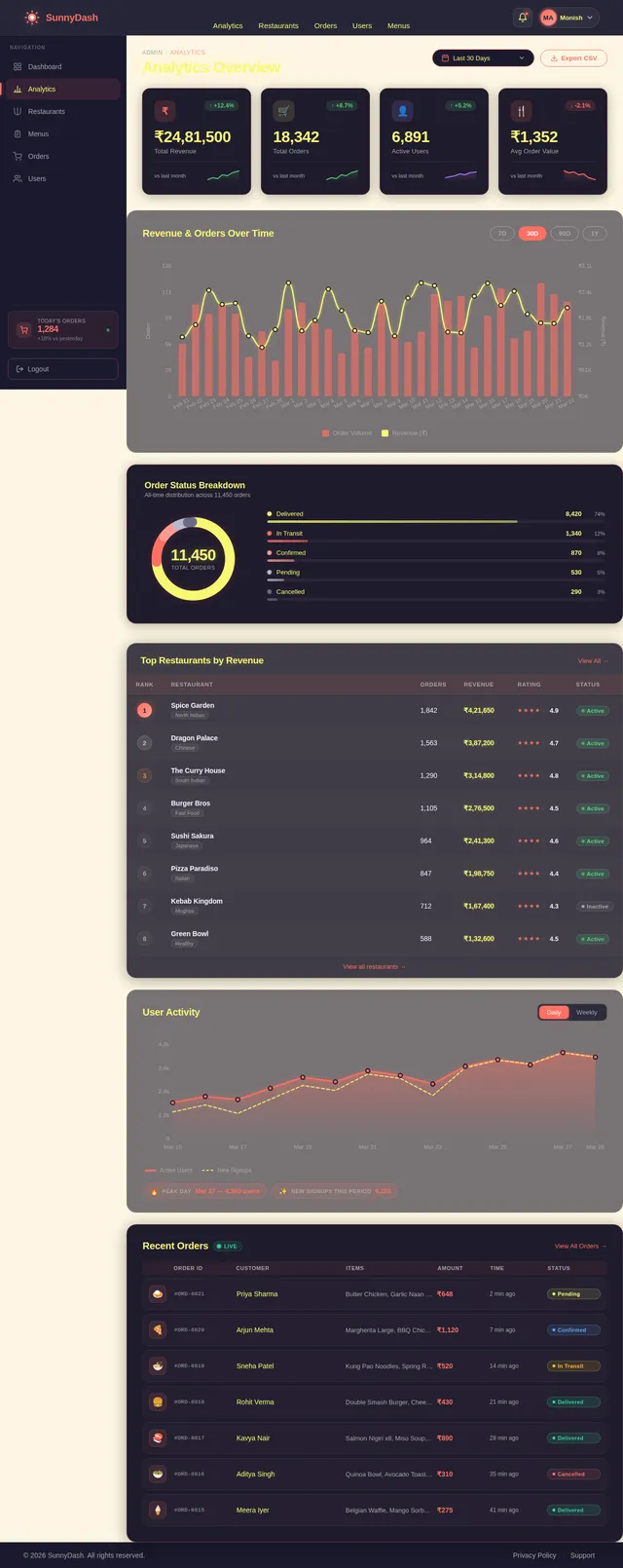
- As an Admin, I should be able to view an analytics dashboard displaying orders, revenue, and user activity.
Additional Requirement
- As a User, I should be able to trigger selective re-run capability to regenerate specific SRD sections.
4. User Personas
-
Visitor:
- A potential customer exploring the platform for food options.
- Needs: Easy navigation, quick access to restaurants and menus, and engaging AI recommendations.
-
User (Customer):
- A registered customer who orders food through the platform.
- Needs: Personalized recommendations, seamless ordering process, real-time order tracking, and access to order history.
-
Admin:
- A platform administrator responsible for managing restaurants, menus, orders, and users.
- Needs: Intuitive tools for managing platform operations and access to analytics for decision-making.
5. Visuals Colors and Theme
The sunny-dashboard will feature a bold, Gen Z-inspired color palette with vibrant gradients and dynamic contrasts to create an engaging and modern aesthetic.
- Background: #FFF8E7 (Warm Creamy Peach)
- Surface: #1F1B2C (Rich Indigo Black)
- Text: #F4F4F9 (Soft Off-White)
- Accent: #FF5C5C (Bright Coral Red)
- Muted Tones: #B8B8D1 (Muted Lavender Gray)
This palette ensures a visually striking interface that resonates with younger audiences while maintaining usability and clarity.
6. Signature Design Concept
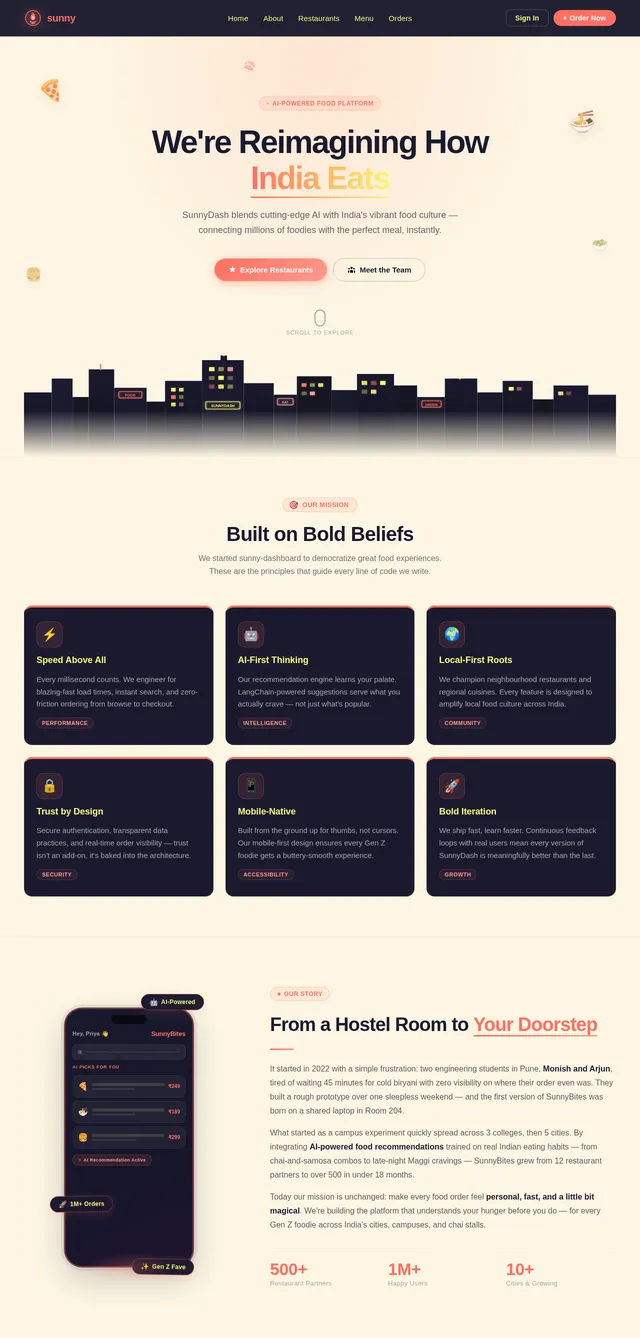
The sunny-dashboard will feature a "Neon Cityscape" homepage inspired by the vibrant and dynamic aesthetics of Gen Z.
Concept Details:
- Hero Section: The homepage will feature a bold, full-screen hero section with a neon cityscape animation. The cityscape will have glowing neon signs representing different cuisines (e.g., sushi, pizza, burgers) that animate and light up as users hover over them.
- Dynamic Background: The background will feature a gradient that shifts between vibrant hues of pink, purple, and blue, creating a sense of energy and motion.
- Interactive Elements: The hero section will include a prominent search bar with a glowing outline and animated placeholder text that cycles through popular food items (e.g., "Find your favorite pizza...").
- Typography and Icons: The platform will use the Satoshi font for a clean and modern look, paired with custom neon-style icons for navigation and interaction.
- Micro-Animations: Buttons, cards, and other UI elements will feature subtle animations, such as glowing effects, hover enlargements, and smooth transitions, to create a tactile and engaging experience.
This concept ensures that the sunny-dashboard stands out as a visually stunning and memorable platform, appealing to the Gen Z audience while maintaining functionality and ease of use.
7. Non-Functional Requirements
- Performance: The platform should load within 3 seconds on a 4G connection.
- Scalability: The system should support up to 1 million users concurrently.
- Security: Implement robust authentication and data encryption mechanisms.
- Localization: The platform should support Indian languages and regional preferences.
- Accessibility: Ensure WCAG 2.1 compliance for users with disabilities.
8. Tech Stack
Frontend
- React for Web
Backend
- Python
- FastAPI
Database
- MySQL (with Alembic for migrations)
AI Models
- GPT 5.2 for user-friendly responses
- Claude 4.5 Opas for coding and academic support
AI Tools
- Langchain
- Litellm for LLM Routing
Orchestration
- Docker
- Kubernetes
9. Assumptions and Constraints
- The platform will not include online payment functionality initially.
- The system will prioritize mobile-first design principles.
- The AI recommendation engine will rely on user interaction data and predefined algorithms.
- The platform will be hosted on cloud infrastructure for scalability.
10. Glossary
- AI: Artificial Intelligence
- LLM: Large Language Model
- WCAG: Web Content Accessibility Guidelines
- RDBMS: Relational Database Management System
- UI/UX: User Interface/User Experience
This document provides a comprehensive roadmap for the development of the sunny-dashboard platform. Monish, your vision for a modern, AI-powered food ordering system with a Gen Z-inspired aesthetic is both ambitious and exciting. This SRD ensures that every aspect of the project is clearly defined and aligned with your goals.
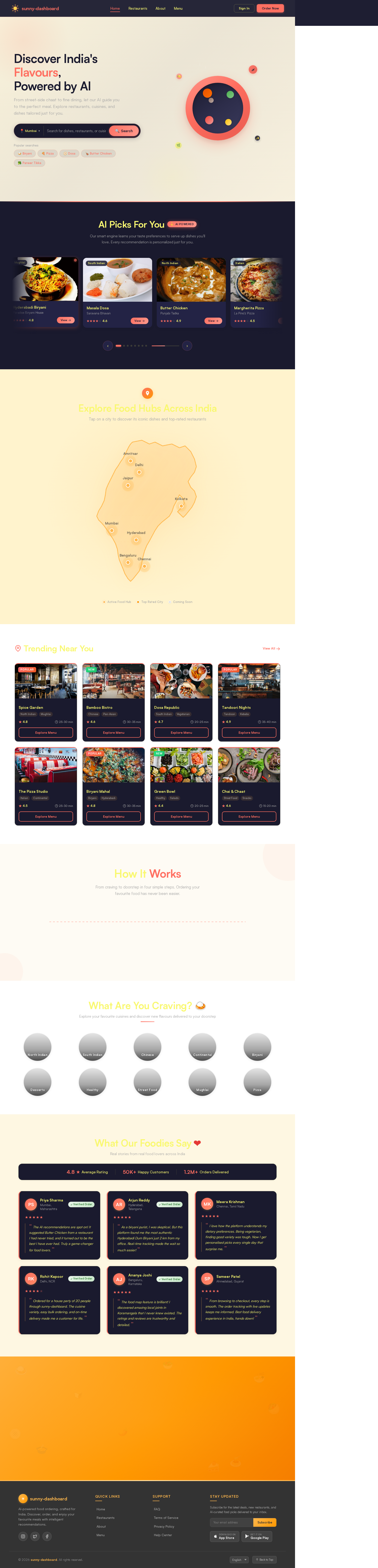
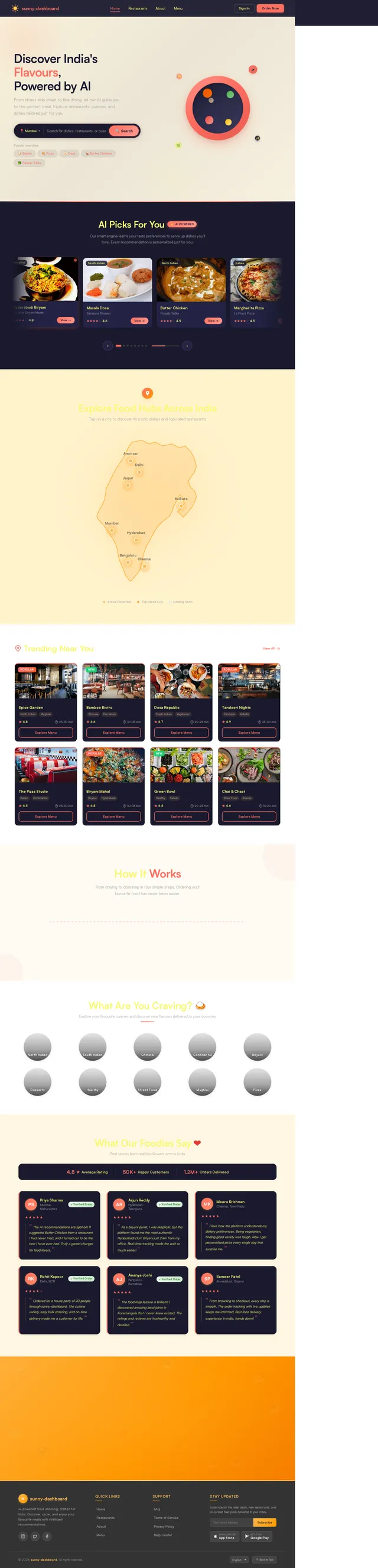
Discover India's Flavours,
Powered by AI
From street-side chaat to fine dining, let our AI guide you to the perfect meal. Explore restaurants, cuisines, and dishes tailored just for you.
AI Picks For You
✨AI PoweredOur smart engine learns your taste preferences to serve up dishes you'll love. Every recommendation is personalized just for you.
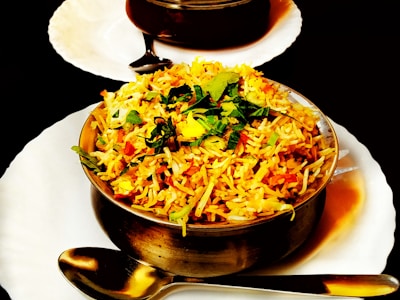 Mughlai
Hyderabadi Biryani
Paradise Biryani House
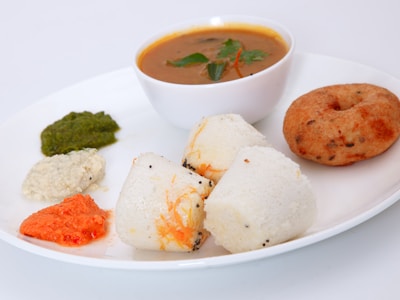 South Indian
Masala Dosa
Saravana Bhavan
 North Indian
Butter Chicken
Punjabi Tadka
 Italian
Margherita Pizza
La Pino'z Pizza
 Tandoor
Paneer Tikka
Barbeque Nation
 Street Food
Vada Pav
Jumboking
 North Indian
Chole Bhature
Haldiram's
 Desserts
Gulab Jamun
Kailash Sweets
Explore Food Hubs Across India
Tap on a city to discover its iconic dishes and top-rated restaurants
Trending Near You


How It Works
From craving to doorstep in four simple steps. Ordering your favourite food has never been easier.
Search & Discover
Browse thousands of restaurants and cuisines near you with our AI-powered search.
Choose Your Meal
Explore menus, read reviews, and pick from personalized recommendations.
Place Your Order
Add to cart, apply offers, and checkout seamlessly with secure payment.
Track in Real-Time
Watch your order move from kitchen to doorstep with live GPS tracking.
Search & Discover
Browse thousands of restaurants and cuisines near you with our AI-powered search.
Choose Your Meal
Explore menus, read reviews, and pick from personalized recommendations.
Place Your Order
Add to cart, apply offers, and checkout seamlessly with secure payment.
Track in Real-Time
Watch your order move from kitchen to doorstep with live GPS tracking.


What Our Foodies Say
Real stories from real food lovers across India
“ The AI recommendations are spot on! It suggested Butter Chicken from a restaurant I had never tried, and it turned out to be the best I have ever had. Truly a game-changer for food lovers. ”
“ As a biryani purist, I was skeptical. But this platform found me the most authentic Hyderabadi Dum Biryani just 2 km from my office. Real-time tracking made the wait so much easier! ”
“ I love how the platform understands my dietary preferences. Being vegetarian, finding good variety was tough. Now I get personalised picks every single day that surprise me. ”
“ Ordered for a house party of 20 people through sunny-dashboard. The cuisine variety, easy bulk ordering, and on-time delivery made me a customer for life. ”
“ The food map feature is brilliant! I discovered amazing local joints in Koramangala that I never knew existed. The ratings and reviews are trustworthy and detailed. ”
“ From browsing to checkout, every step is smooth. The order tracking with live updates keeps me informed. Best food delivery experience in India, hands down! ”
Ready to Start Your Food Journey?
✨Let our AI-powered engine craft the perfect meal recommendations just for you. Discover flavours from across India, tailored to your taste.
No comments yet. Be the first!