student-attendence-system
 sarvesh gadage
MINI PROJECT DEVELOPMENT PROMPT Build a complete, beginner-friendly mini project called Student Attendance Management System based on the 10 weekly mini-project reports I have provided. Project Objective Create a web-based application to digitally manage student attendance, maintain student records, calculate attendance percentages, and generate attendance reports. Technology Stack - Frontend: HTML5, CSS3, Bootstrap - Backend: Python Flask - Database: MySQL - IDE: Visual Studio Code Required Modules 1. Login Module - Admin login - Teacher login - Username and password authentication - Role-based dashboard access - Logout functionality 2. Student Registration Module - Add student - Roll number - Student name - Class - Department - Semester - Edit student details - Delete student details - Validate inputs 3. Admin Dashboard - Total students - Total teachers - Total subjects - Total attendance records - Clean dashboard with statistic cards 4. Attendance Management - Select class - Select subject - Select attendance date - Display students - Mark students as Present or Absent - Save attendance in the database - Prevent duplicate attendance records for the same student, subject and date 5. Attendance Records - View attendance history - Search using roll number - Filter by date - Filter by subject - Display records in a table 6. Attendance Percentage Calculate the attendance percentage using: Attendance Percentage = (Total Present Classes / Total Conducted Classes) × 100 Display each student's attendance percentage. 7. Low Attendance Alert - Identify students having attendance below 75% - Display a warning message - Show the students in a low-attendance list 8. Attendance Reports - Student-wise attendance report - Subject-wise attendance report - Total present and absent count - Attendance percentage - Print report option 9. Teacher and Subject Management - Add teachers - Add subjects - Assign subjects to teachers - Manage basic teacher details Database Create MySQL database "attendance_db" with appropriate tables such as: - users - students - teachers - subjects - attendance Use proper primary keys, foreign keys and relationships. UI Design Create a modern, professional college project dashboard. Design requirements: - Sidebar navigation - Top navigation bar - Dashboard statistic cards - Clean tables - Search box - Responsive design - Attractive blue and white color theme - Professional login page - Easy navigation between modules Development Requirements 1. Generate a complete working project, not just sample code. 2. Create all required Python, HTML, CSS and SQL files. 3. Use Flask for backend development. 4. Connect the application to MySQL. 5. Include sample students, teachers and subjects. 6. Create a default admin account for demonstration. 7. Make all buttons and forms functional. 8. Handle errors and invalid inputs. 9. Keep the code simple enough for a second-year engineering student to understand and explain. 10. Do not use unnecessary advanced technologies. Deliverables Provide: - Complete project folder structure - All source code files - MySQL database setup script - requirements.txt - README.md - Installation instructions - How to run the project in VS Code - Sample login credentials - Test cases - Project abstract - Future scope - Conclusion IMPORTANT I have very little time to complete this mini project. Prioritize a fully functional, simple project that can run locally. Build the core modules first and avoid complicated features. Provide every file with complete code and exact setup steps. Do not leave unfinished placeholders or missing functions.


Comments (0)
Sign in to leave a comment
Project Tasks
120 tasksGenerate system requirement document
Generate personas & user flows
Architecture
Workspace task plan
Create flow for Admin
Create flow for Teacher
Landing
Login Module
Admin Dashboard
Student Registration Module
Teacher and Subject Management
Attendance Management
Attendance Records
Attendance Percentage
Low Attendance Alert
Attendance Reports
Landing / Split Hero
Landing / Module Summary
Landing / Navigation
Landing / Footer
Navigation
Footer
Login Module / Login Navigation Slot
Login Module / Login Split Panel
Login Module / Login Footer Slot
Admin Dashboard / Sidebar
Admin Dashboard / Top Bar
Admin Dashboard / Stat Cards
Admin Dashboard / Footer
Admin Dashboard Sidebar
Student Registration Module / Student Registration Sidebar
Student Registration Module / Student Registration Top Bar
Student Registration Module / Student Registration Workspace
Student Registration Module / Student Registration Footer
Teacher and Subject Management / Teacher Subject Sidebar Slot
Teacher and Subject Management / Teacher Subject Top Bar Slot
Teacher and Subject Management / Teacher Subject Page Intro
Teacher and Subject Management / Teacher Subject Teacher Panel
Teacher and Subject Management / Teacher Subject Subject Panel
Teacher and Subject Management / Teacher Subject Assignment Panel
Teacher and Subject Management / Teacher Subject Footer Slot
Attendance Management / Sidebar
Attendance Management / Top Bar
Attendance Management / Roster
Attendance Management / Footer
Attendance Records / Sidebar
Attendance Records / Top Bar
Attendance Records / Page Intro
Attendance Records / History
Attendance Records / Footer
Fix Student Registration Module: Student list columns are inaccessible at mobile width because the table overflows its…
Fix Student Registration Module review finding: Student list columns are inaccessible at mobile width…
Fix Teacher and Subject Management: Mobile subject and assignment tables are clipped horizontally; the table wrappers do not…
Attendance Percentage / Sidebar
Attendance Percentage / Top Bar
Attendance Percentage / Page Intro
Attendance Percentage / Table
Attendance Percentage / Footer
Fix Teacher and Subject Management review finding: Mobile subject and assignment tables are clipped…
Fix Attendance Management: The shared top bar hardcodes the page title () and eyebrow , so on the Attendance…
Low Attendance Alert / Sidebar
Low Attendance Alert / Top Bar
Low Attendance Alert / Intro
Low Attendance Alert / List
Low Attendance Alert / Footer
Fix Attendance Management review finding: frontend/src/components/Admin Dashboard Top Bar.jsx: the…
Attendance Reports / Sidebar
Attendance Reports / Top Bar
Attendance Reports / Intro
Attendance Reports / Workspace
Attendance Reports / Footer
Fix Attendance Percentage: The mobile table requires horizontal scrolling, but the screenshot shows its right-side…
Fix Teacher and Subject Management review finding: Mobile subject and assignment tables are clipped…
Fix Attendance Percentage review finding: The mobile table requires horizontal scrolling, but the…
Fix Attendance Reports: The print control never produces a print view of the current report only (FR-22). only…
Fix Attendance Reports: The button is disabled until a report is generated (), yet the always-visible note and…
Fix Attendance Reports review findings: frontend/src/components/Attendance Reports Workspace.jsx… (+1 more)
Fix Attendance Reports review finding: frontend/src/components/Attendance Reports Workspace.jsx…
Create backend_modules diagram
Create er_diagram diagram
Create frontend_modules diagram
Create sequence diagram
Create service_network diagram
Mark and save class attendance with duplicate protection
Database setup, seeded demo data, and role-based sign-in
Admin dashboard totals and signed-in user display
Select class, subject and date to load the student roster
Attendance percentage page with per-student gauges
Student-wise and subject-wise attendance reports
Manage teachers, subjects and subject-teacher assignments
Calculate and display each student's attendance percentage
Search attendance by roll number with date and subject filters
Filter attendance history by subject and date
Attendance history table with roll-number search and date filter
Low attendance alert listing students below 75%
Admin adds, edits and deletes students with validation
Admin manages teachers, subjects and subject assignments
Teacher marks and saves attendance without duplicates
Printable student-wise and subject-wise attendance reports
Sign-in, role-based sessions, logout and the attendance_db schema
Student registration submission with validation and list refresh
Add, edit, search and delete students with integrity protection
Admin dashboard totals and sidebar navigation to management pages
Teacher and subject management with assignment and edit
Run all pages from one local Flask process backed by My SQL
Application-owned sign-in gate for protected pages
Role separation between Admin and Teacher pages
Seed demo students, teachers, subjects and a default admin
Instant 120ms state feedback on buttons and toggles
Sign in with username and password and open the matching role dashboard
Make student registration fully live: add, edit, delete and validate
Wire the login page to real authentication, roles and logout
Live Admin Dashboard totals, navigation and logout
Live attendance history with roll number search and date and subject filters
Live student-wise and subject-wise reports with print
Show live attendance percentages per student
Mark and save class attendance without duplicates
Manage teachers, subjects and assignments live
Flag students below 75% attendance
Route visitors from the landing page to sign in
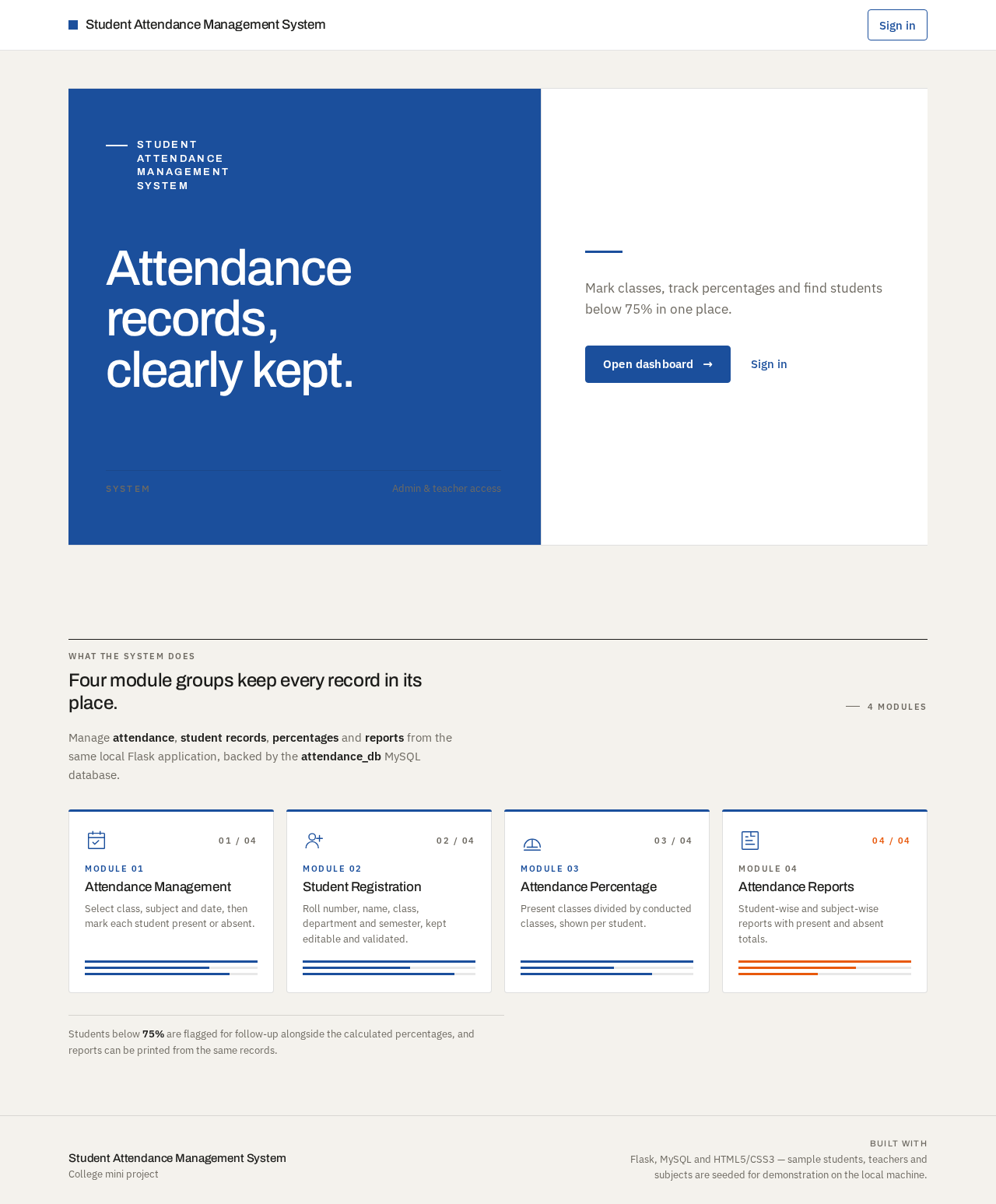
Student Attendance Management System
Attendance records, clearly kept.
Mark classes, track percentages and find students below 75% in one place.
Four module groups keep every record in its place.
Manage attendance, student records, percentages and reports from the same local Flask application, backed by the attendance_db MySQL database.
Module 01
Attendance Management
Select class, subject and date, then mark each student present or absent.
Module 02
Student Registration
Roll number, name, class, department and semester, kept editable and validated.
Module 03
Attendance Percentage
Present classes divided by conducted classes, shown per student.
Module 04
Attendance Reports
Student-wise and subject-wise reports with present and absent totals.
Students below 75% are flagged for follow-up alongside the calculated percentages, and reports can be printed from the same records.
Student Attendance Management System
Attendance records, clearly kept.
Mark classes, track percentages and find students below 75% in one place.
Four module groups keep every record in its place.
Manage attendance, student records, percentages and reports from the same local Flask application, backed by the attendance_db MySQL database.
Module 01
Attendance Management
Select class, subject and date, then mark each student present or absent.
Module 02
Student Registration
Roll number, name, class, department and semester, kept editable and validated.
Module 03
Attendance Percentage
Present classes divided by conducted classes, shown per student.
Module 04
Attendance Reports
Student-wise and subject-wise reports with present and absent totals.
Students below 75% are flagged for follow-up alongside the calculated percentages, and reports can be printed from the same records.
No comments yet. Be the first!