stud-flow

bylayla

Build a simple student task manager where students can create, edit, delete and mark tasks as completed

LandingLoginTasksNew TaskTask Details
Landing

Comments (0)

No comments yet. Be the first!

Project Tasks

51 tasks
#1

Generate system requirement document

0m 36s0.1 cr used
Done
#2

Generate personas & user flows

0m 19s0.1 cr used
Done
#7

Create flow for Student

0m 7sCredits in parent
Done
#8

Landing

4m 15sCredits in subtasks
Done
#19

Repair Landing JSX

0m 28s0.2 cr used
Done
#13

Landing / Header

0m 32s0.8 cr used
Done
#14

Landing / Hero

0m 57s0.8 cr used
Done
#15

Landing / Feature Explanation

0m 44s0.8 cr used
Done
#16

Landing / Footer

0m 17s0.8 cr used
Done
#17

Stud Flow Shared Header

0m 32sCredits in parent
Done
#18

Stud Flow Shared Footer

0m 17sCredits in parent
Done
#9

Login

5m 8sCredits in subtasks
Done
#34

Repair Login JSX

0m 35s0.2 cr used
Done
#21

Login / Stud Flow Shared Header

0m 0s0.8 cr used
Done
#20

Login / Access Card

0m 50s0.8 cr used
Done
#22

Login / Stud Flow Shared Footer

0m 0s0.8 cr used
Done
#10

Tasks

6m 32sCredits in subtasks
Done
#35

Repair Tasks JSX

0m 34s0.2 cr used
Done
#24

Tasks / Stud Flow Shared Header

0m 0s0.8 cr used
Done
#23

Tasks / Workspace

2m 2s0.8 cr used
Done
#25

Tasks / Stud Flow Shared Footer

0m 0s0.8 cr used
Done
#11

New Task

8m 48sCredits in subtasks
Done
#26

New Task / Shared Header

0.8 cr needed
Queued
#32

New Task / Stud Flow Shared Header

0m 0s0.8 cr used
Done
#27

New Task / Creation Form

0m 29s0.8 cr used
Done
#28

New Task / Shared Footer

0m 0s0.8 cr used
Done
#12

Task Details

10m 32sCredits in subtasks
Done
#36

Repair Task Details JSX

0m 39s0.2 cr used
Done
#29

Task Details / Header

0.8 cr needed
Queued
#33

Task Details / Stud Flow Shared Header

0m 0s0.8 cr used
Done
#30

Task Details / Editor

1m 47s0.8 cr used
Done
#31

Task Details / Footer

0m 1s0.8 cr used
Done
#5

Architecture

1m 8s0.1 cr used
Done
#37

Create backend_modules diagram

0m 39sCredits in parent
Done
#38

Create er_diagram diagram

0m 39sCredits in parent
Done
#39

Create frontend_modules diagram

0m 39sCredits in parent
Done
#40

Create sequence diagram

0m 39sCredits in parent
Done
#41

Create service_network diagram

0m 39sCredits in parent
Done
#6

Workspace task plan

3m 43s0.1 cr used
Done
#42

Edit, complete, and delete tasks from the task details view

60 cr estimated
To Do
#43

Student sign-up and login for the personalized task list

70 cr estimated
To Do
#44

Create, view, edit, complete, and delete tasks in the task list

60 cr estimated
To Do
#45

View, sort, and complete tasks in an up-to-date task list

60 cr estimated
To Do
#46

Create and save a new task with title, description, and due date

40 cr estimated
To Do
#47

View task details and edit, complete, or delete a task

60 cr estimated
To Do
#48

Require authentication for task management features

50 cr estimated
To Do
#49

Filter the task list by the selected option

30 cr estimated
To Do
#50

Connect Tasks page to live task data

60 cr estimated
To Do
#51

Connect Task Details page to live task data

60 cr estimated
To Do
#52

Connect Login page to live account access

60 cr estimated
To Do
#53

Connect New Task page to live task creation

50 cr estimated
To Do
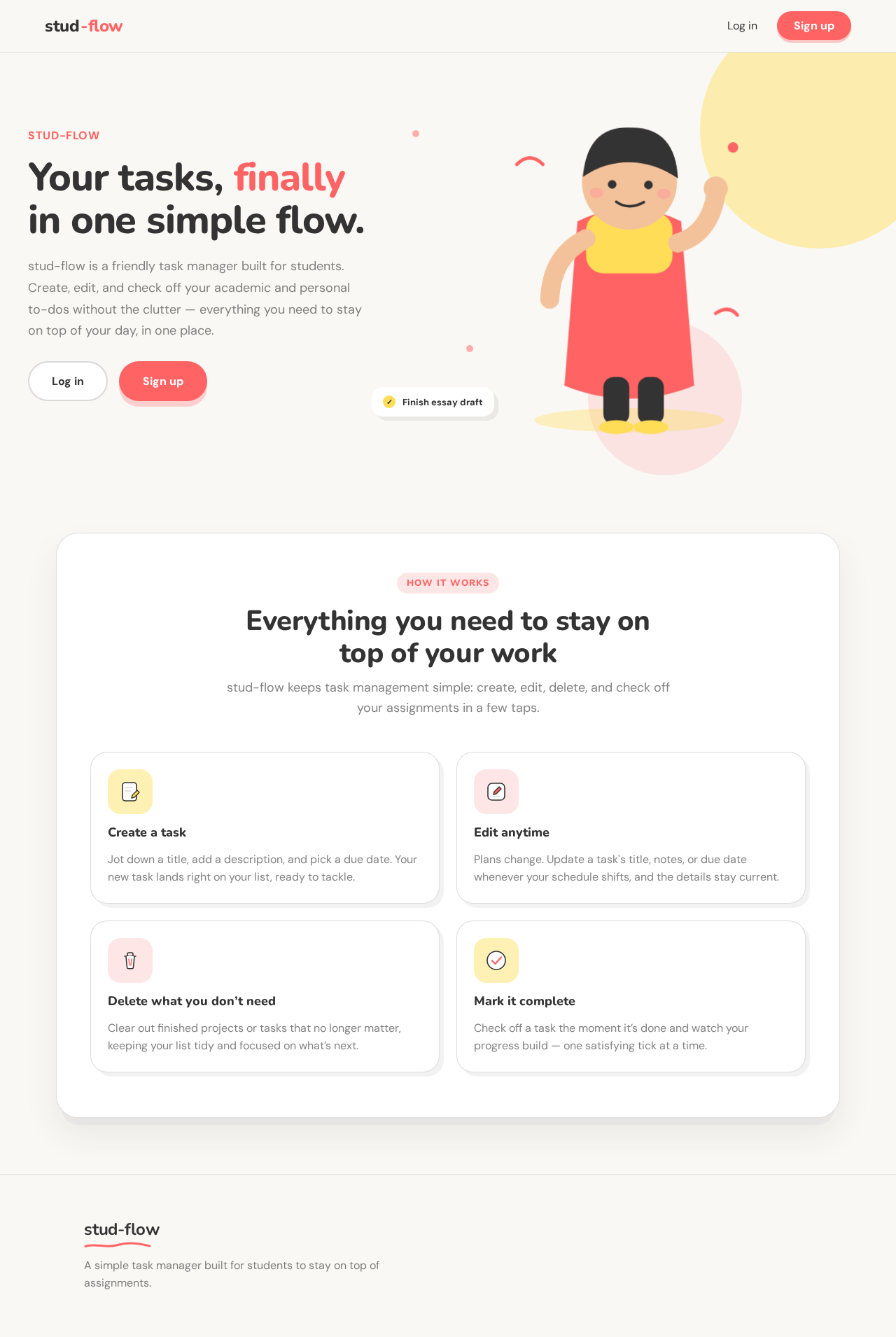
Landing design preview
Landing: View intro
Login: Sign up new account
Login: Submit login credentials
Tasks: View task list
New Task: Enter task details
New Task: Save new task
Tasks: 1. View updated task list
Tasks: 2. Select task to edit
Task Details: 3. Modify task details
Task Details: 4. Save task changes
Tasks: 5. Select task to delete
Task Details: 6. Delete task
Tasks: 7. Select task to complete
Task Details: 8. Mark task completed
Landing design preview
Landing: View intro
Login: Sign up new account
Login: Submit login credentials
Tasks: View task list
New Task: Enter task details
New Task: Save new task
Tasks: 1. View updated task list
Tasks: 2. Select task to edit
Task Details: 3. Modify task details
Task Details: 4. Save task changes
Tasks: 5. Select task to delete
Task Details: 6. Delete task
Tasks: 7. Select task to complete
Task Details: 8. Mark task completed