strong-design
build a to-do with single page design and minimal design

Comments (0)
Sign in to leave a comment
Project Tasks14
Implement HomeHeader for Home
As a frontend developer, implement the HomeHeader section for the Home page. This section renders a sticky/fixed header using framer-motion with a scroll-driven logo color transition: `useScroll` + `useTransform` interpolates the logoColor state from `#2E3A59` to `rgb(244,162,97)` over 0–200px scroll via `useMotionValueEvent`. The animated SVG logo (`motion.svg`) draws a rounded-rect stroke and checkmark path via `pathLength` animation with staggered delays (0s and 0.5s) using a cubic-bezier `svgStrokeTransition`. The brand text fades in from x:-10 at delay 0.6s (`brandVariants`) and the tagline fades in from y:6 at delay 0.9s (`taglineVariants`). Includes `.hh-accent-line` decorative bar. Apply HomeHeader.css styles.
Tasks DB Model Migration
As a Backend Developer, define the SQLAlchemy ORM model for the Task entity (id UUID primary key, text VARCHAR(120), status ENUM(todo/inprogress/completed), priority VARCHAR(20), order INT, created_at DATETIME, updated_at DATETIME). Create Alembic migration scripts to initialize the tasks table in MySQL/MariaDB. Include seed data with a few sample tasks for development. Ensure the DB connection is configured via environment variables (DATABASE_URL).
Setup Global Task State
As a Frontend Developer, set up global state management (React Context or Zustand) for tasks shared across sections: TaskCanvas, TaskInput, TaskStats. The store should hold the tasks array and expose actions: addTask, updateTask (status/order), deleteTask, fetchTasks. Integrate an API client (axios or fetch) pointed at the FastAPI backend. This ensures all frontend sections share a single source of truth. Note: this task depends on temp_backend_tasks_api being available.
Setup Design System Theme
As a Frontend Developer, configure the global design system for the strong-design project. Define CSS custom properties (or a theme config) for all brand tokens: primary (#2E3A59), primary_light (#4A5A7A), secondary (#F4A261), accent (#E76F51), highlight (#F4A261), bg (#F1FAEE), surface (rgba(255,255,255,0.9)), text (#1D3557), text_muted (#A8DADC), border (rgba(29,53,87,0.2)). Set up global base styles, font imports, and responsive breakpoints. Ensure framer-motion and D3 are installed as dependencies.
Implement HomeHero for Home
As a frontend developer, implement the HomeHero section for the Home page. This section renders a full hero area with a per-letter staggered headline animation using `splitIntoLetters` helper that splits the HEADLINE constant into individual `motion.span` characters with `staggerChildren: 0.04` and spring letterVariants (`stiffness:300, damping:24`). Uses `useInView` with `once:false, amount:0.3` so animations replay on scroll. An accent line scales in via `scaleX` with a cubic-bezier ease after letter animation completes (`totalLetterDuration * 0.5` delay). Subheadline fades up at `totalLetterDuration * 0.7` delay. Three decorative blurred circles (`.hh-decor-circle--1/2/3`) provide background atmosphere. Apply HomeHero.css styles.
Implement TaskCanvas for Home
As a frontend developer, implement the TaskCanvas section for the Home page. This is the core interactive kanban board with three columns (todo, inprogress, completed) driven by `INITIAL_TASKS` state. Key sub-components: `DragHandle` (6-dot 2x3 grid), `CelebrationBurst` (8 particles using framer-motion with randomized angles/distances and 5-color palette), and `TaskCard` (with checkbox complete action, delete button, drag handle, priority badge, `isCompleted` strikethrough state). Task cards use `AnimatePresence` for mount/unmount. D3 is imported for potential visualizations within the canvas. Drag-and-drop is implemented with `onDragStart`/`onDragEnd` callbacks and `springTransition`/`bounceTransition` spring configs. `CelebrationBurst` fires on checkbox click using `cardRef.getBoundingClientRect()` for position. Apply TaskCanvas.css styles.
Implement TaskInput for Home
As a frontend developer, implement the TaskInput section for the Home page. This section renders a task creation form with `useState` hooks for `taskText`, `isFocused`, `showSuccess`, and `isSubmitting`. A D3 micro-visualization renders a circular progress arc in an SVG ref (`arcRef`) that updates on every `taskText` change — it draws a background track circle and a filled arc path whose color transitions through `#2E3A59` → `#F4A261` → `#E76F51` based on character usage thresholds (60% and 85% of `maxChars=120`). On submit (Enter key or button click), a 300ms simulated delay fires before resetting state and showing a `showSuccess` toast via `AnimatePresence` for 2s. Border color and box-shadow interpolate between focused/unfocused states via inline styles. The `ti-label` fades in from y:8 at delay 0.1s. Apply TaskInput.css styles.
Implement TaskStats for Home
As a frontend developer, implement the TaskStats section for the Home page. This section displays three animated stat cards (Total Tasks, Completed, Remaining) using `statsConfig` array with Lucide icons (`ListTodo`, `CheckCircle`, `Clock`). The `AnimatedCount` sub-component uses `useMotionValue` + `useTransform` with framer-motion `animate()` to tween numeric values, displaying via a `rounded.on('change')` subscription; each count change also triggers a scale-pop via `motion.span key={value}` with `spring stiffness:400`. Cards stagger in via `containerVariants`/`cardVariants` (y:24, scale:0.96 → visible) triggered by `useInView` with `once:true, margin:'-60px'`. Three interactive buttons (`addTask`, `completeTask`, `resetStats`) mutate the `counts` and `updateKey` state to demo live counter updates. Apply TaskStats.css styles.
Implement HomeFeatures for Home
As a frontend developer, implement the HomeFeatures section for the Home page. This section renders three feature cards using the `features` array with Lucide icons (`Move`, `CheckCircle`, `Sparkles`) and per-icon color class variants (`hf-icon-wrap--drag/check/clean`). Cards animate in with `containerVariants` stagger (`delayChildren:0.2, staggerChildren:0.15`) and `cardVariants` slide-in from x:-40. Icons use a spring overshoot (`iconVariants` with `ease:[0.34,1.56,0.64,1]`) scaling from scale:0/rotate:-30. A `pulseVariants` accent bar uses an infinite `opacity` keyframe loop combined with a one-time `scaleX` reveal. All animations trigger on `useInView` with `once:true, margin:'-80px'`. Section heading block fades up independently. Includes `.hf-bg-dots` decorative background pattern. Apply HomeFeatures.css styles.
Implement HomeCTA for Home
As a frontend developer, implement the HomeCTA section for the Home page. This section renders a call-to-action with a D3-animated decorative SVG background (`svgRef`) that draws 5 concentric arc rings using `d3.arc()` with staggered `transition().delay(i*300).duration(1400)` reveal via `attrTween` interpolating `endAngle`, plus 3 pulsing dot circles with `easeElasticOut` entrance. The primary CTA button (`btnRef`) implements magnetic cursor tracking via `handleMouseMove` that calculates offset from button center and applies it as `magnetOffset` state to a framer-motion `x/y` transform. Click ripple effects are managed via a `ripples` state array rendered through `AnimatePresence`. Section content (heading, subheading, button) animates in via `useInView` with `once:true, margin:'-80px'`. Apply HomeCTA.css styles.
Build Tasks CRUD API
As a Backend Developer, implement the FastAPI CRUD endpoints for tasks: POST /tasks (create), GET /tasks (list all), PATCH /tasks/{id} (update status/order), DELETE /tasks/{id} (delete). Each task model should include: id, text, status (todo/inprogress/completed), priority, order, created_at, updated_at. Use Pydantic schemas for request/response validation. Enable CORS for frontend origin. This API supports the TaskCanvas, TaskInput, TaskStats, and TaskInput sections.
Integrate TaskCanvas Backend
As a Tech Lead, verify the end-to-end integration between the TaskCanvas frontend implementation and the Tasks CRUD backend API. Ensure drag-and-drop status changes (todo/inprogress/completed) trigger PATCH /tasks/{id} correctly, task deletions call DELETE /tasks/{id}, and the initial board state is loaded from GET /tasks. Confirm API responses are handled properly in the UI, error states are gracefully shown, and optimistic UI updates are consistent with server state.
Integrate TaskInput Backend
As a Tech Lead, verify the end-to-end integration between the TaskInput frontend section and the POST /tasks backend API. Ensure that submitting the task creation form calls POST /tasks with the correct payload, the new task appears in global state and is reflected across TaskCanvas and TaskStats, and error/success states are handled properly. Confirm the 300ms submit delay and success toast work correctly with real API latency.
Integrate TaskStats Backend
As a Tech Lead, verify the end-to-end integration between the TaskStats frontend section and the Tasks CRUD backend API. Ensure the stat counters (Total Tasks, Completed, Remaining) reflect real data from GET /tasks rather than local demo state. Confirm the animated count transitions work correctly as backend data changes, and that interactive demo buttons are replaced or supplemented by live API-driven updates.
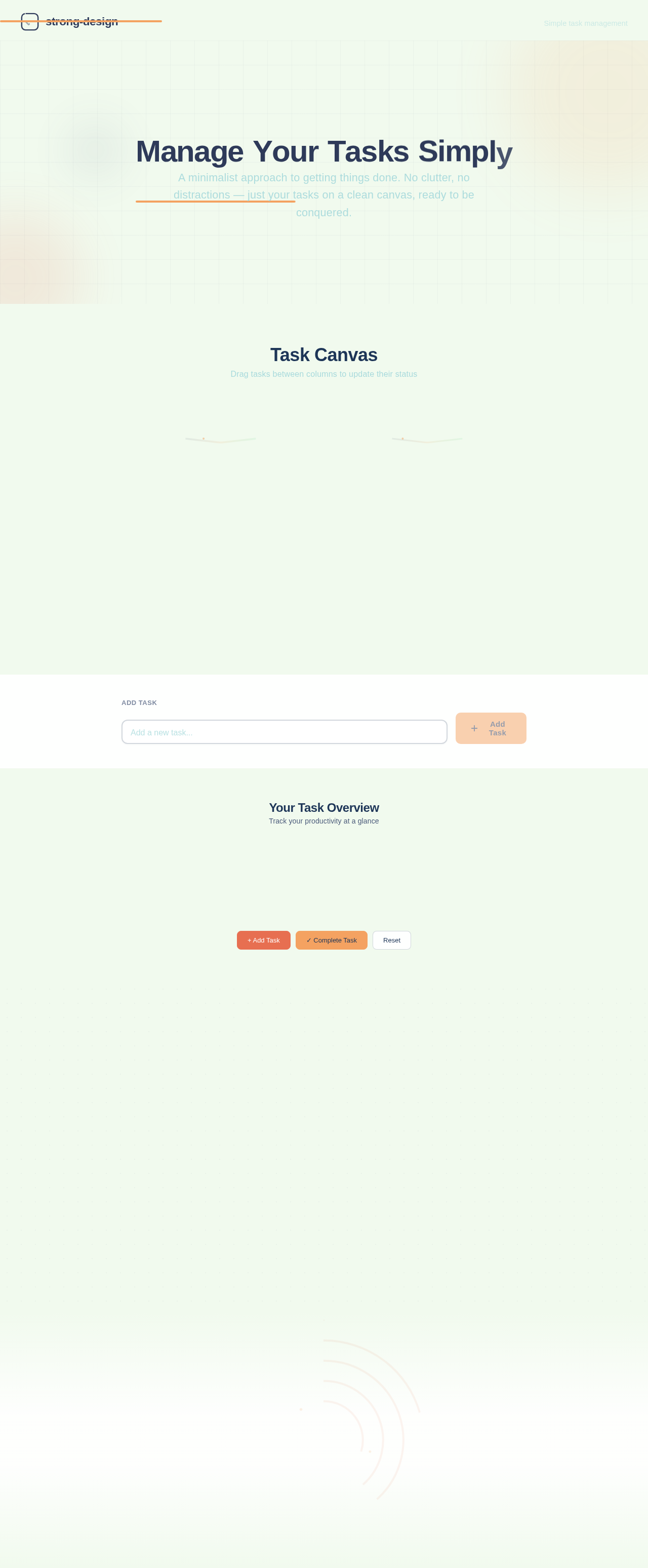
Manage Your Tasks Simply
A minimalist approach to getting things done. No clutter, no distractions — just your tasks on a clean canvas, ready to be conquered.
Task Canvas
Drag tasks between columns to update their status
Your Task Overview
Track your productivity at a glance
Everything you need, nothing you don't
Built for people who value simplicity. Three core features that make task management feel effortless.
Drag & Drop
Move tasks effortlessly between To Do, In Progress, and Completed columns with a simple drag gesture.
Mark Complete
Tap once to mark any task as done. Completed tasks animate smoothly into their column so you can see your progress.
Simple & Clean
No clutter, no distractions. A minimal interface that keeps you focused on what matters — getting things done.
Start Managing Your Tasks
A clean, distraction-free workspace for everything you need to get done. Add tasks, track progress, and stay focused — all on a single page.
No sign-up required — jump right in
No comments yet. Be the first!