strong-design
build a to-do with single page design and minimal design

Comments (0)
Sign in to leave a comment
System Requirements
Strong-Design System Requirements Document
Introduction
The purpose of this document is to outline the system requirements for the "strong-design" project. This project focuses on creating a single-page, minimalistic to-do application that emphasizes simplicity and core functionality. The application will cater to users who prefer a clean and straightforward interface for managing their tasks.
System Overview
The "strong-design" project aims to deliver a single-page to-do application with a minimal design approach. The application will be developed to ensure ease of use and a seamless user experience. It will focus on basic task management without additional features like categories or reminders, aligning with the user's request for simplicity.
Functional Requirements
- As a User, I should be able to add new tasks to my to-do list.
- As a User, I should be able to view all my tasks on a single page.
- As a User, I should be able to mark tasks as completed.
- As a User, I should be able to delete tasks from my list.
User Personas
- User: An individual looking for a simple and efficient way to manage their daily tasks using a minimalistic to-do application.
Visuals Colors and Theme
The color palette for the "strong-design" project is crafted to reflect its minimalistic nature while providing a visually appealing interface:
- primary: #2E3A59 (Deep Indigo)
- primary_light: #4A5A7A (Light Indigo)
- secondary: #F4A261 (Sandy Orange)
- accent: #E76F51 (Coral Red)
- highlight: #F4A261 (Sandy Orange)
- bg: #F1FAEE (Soft Mint)
- surface: rgba(255, 255, 255, 0.9) (Soft White)
- text: #1D3557 (Dark Slate)
- text_muted: #A8DADC (Muted Aqua)
- border: rgba(29, 53, 87, 0.2) (Subtle Slate)
Signature Design Concept
The "strong-design" project will feature an interactive "Task Canvas" on the homepage. This canvas will allow users to drag and drop tasks into different sections of the page, such as "To Do," "In Progress," and "Completed." The tasks will animate smoothly as they are moved, providing a tactile and engaging experience. The design will utilize framer-motion for animations and transitions, ensuring a fluid interaction model. The canvas will have a clean, grid-like layout with subtle animations that highlight task transitions, making task management both intuitive and visually appealing.
Interaction Model & Motion Direction
The interaction model for the "strong-design" project will be "animated." The application will feature moderate scroll-triggered reveals and hover transitions, enhancing the user experience without overwhelming the minimalistic design. The use of framer-motion will ensure that interactive elements respond with spring physics, providing a polished and responsive feel.
Non-Functional Requirements
- The application must load within 2 seconds on a standard broadband connection.
- The design should be responsive and accessible on both desktop and mobile devices.
- The application should maintain a consistent performance with up to 100 tasks.
Tech Stack
- Frontend: React for Web
- Backend: Python with FastAPI
- Database: MySQL or MariaDB, using Alembic for migrations
- Local Orchestration: Docker, docker-compose
Assumptions and Constraints
- The application will be developed for English-speaking users in India, considering local timezone and currency formats.
- The application will not include advanced features like reminders or task categorization.
- The design will focus on a single-page layout to maintain simplicity and ease of use.
Glossary
- Task Canvas: The interactive area where users can manage their tasks by dragging and dropping.
- Minimalistic Design: A design approach that emphasizes simplicity and the removal of non-essential elements.
- Framer-motion: A library used for creating animations and transitions in React applications.
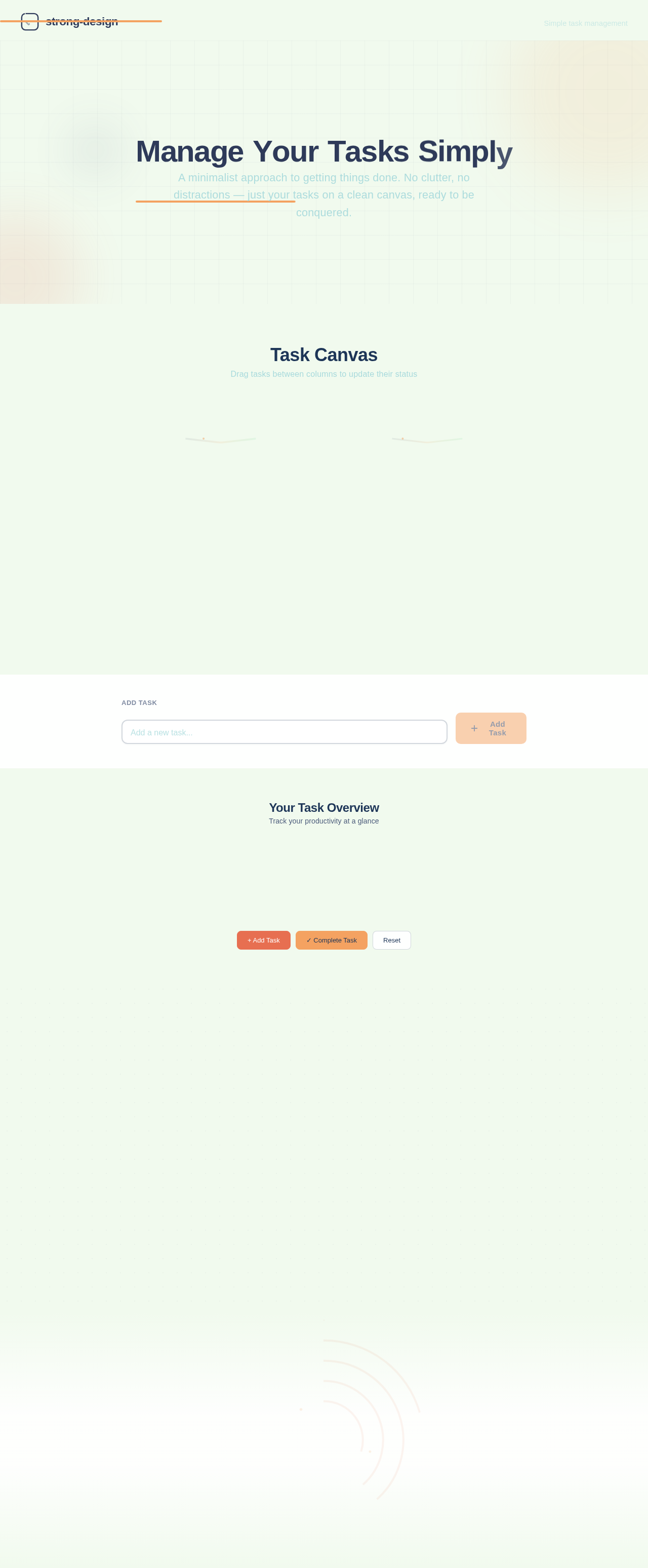
Manage Your Tasks Simply
A minimalist approach to getting things done. No clutter, no distractions — just your tasks on a clean canvas, ready to be conquered.
Task Canvas
Drag tasks between columns to update their status
Your Task Overview
Track your productivity at a glance
Everything you need, nothing you don't
Built for people who value simplicity. Three core features that make task management feel effortless.
Drag & Drop
Move tasks effortlessly between To Do, In Progress, and Completed columns with a simple drag gesture.
Mark Complete
Tap once to mark any task as done. Completed tasks animate smoothly into their column so you can see your progress.
Simple & Clean
No clutter, no distractions. A minimal interface that keeps you focused on what matters — getting things done.
Start Managing Your Tasks
A clean, distraction-free workspace for everything you need to get done. Add tasks, track progress, and stay focused — all on a single page.
No sign-up required — jump right in
No comments yet. Be the first!