steel-project

byALi Ghaly

مساء الفل

Landing
Landing

Comments (0)

No comments yet. Be the first!

Project Tasks

16 planning tasks
#1

Generate system requirement document

0m 44s0.1 cr used
Done
#2

Generate personas & user flows

0m 5s0.1 cr used
Done
#7

Create flow for AI Image Creator

0m 4sCredits in parent
Done
#8

Landing

7m 54sCredits in subtasks
Done
#18

Repair Landing JSX

0m 47s0.2 cr used
Done
#16

Landing / Navigation

0m 18s0.8 cr used
Done
#13

Landing / Hero

0m 35s0.8 cr used
Done
#14

Landing / Sample Rail

0m 35s0.8 cr used
Done
#15

Landing / Footer

0m 34s0.8 cr used
Done
#17

Navigation

0m 18sCredits in parent
Done
#9

Sign Up

Credits in subtasks
Backlog
#10

Login

Credits in subtasks
Backlog
#11

Library

Credits in subtasks
Backlog
#12

Editor

Credits in subtasks
Backlog
#5

Architecture

0.1 cr needed
Backlog
#6

Workspace task plan

0.1 cr needed
Backlog
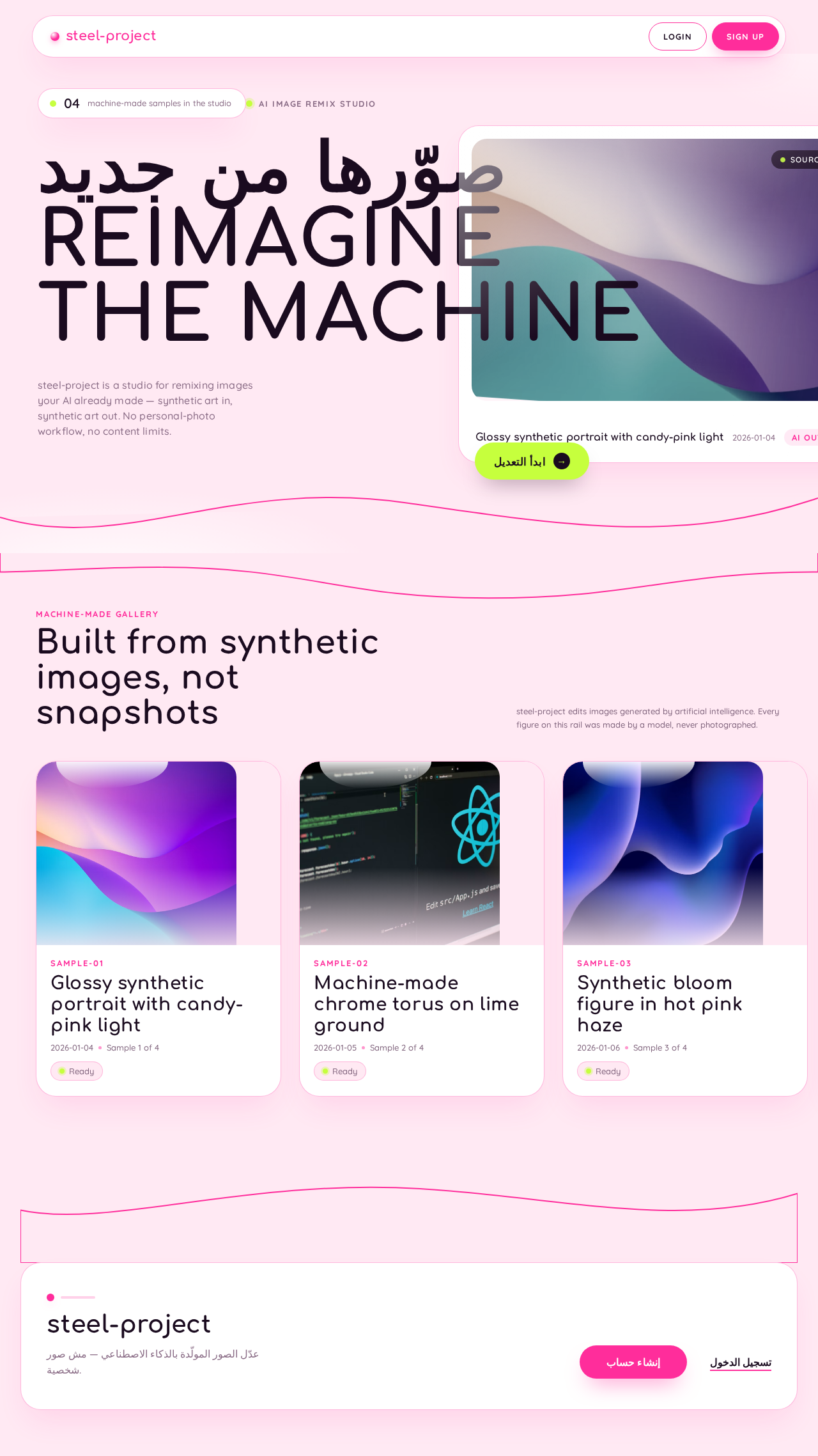
Landing design preview
Landing: 1. Read AI-image editing pitch
Landing: Press ابدأ التعديل
Sign Up: Enter email and password
Sign Up: 1. Correct flagged field
Sign Up: 2. Submit enrollment
Library: Add AI-generated image
Library: Retry or re-add image
Library: Select image tile
Editor: 1. Pick tool from rail
Editor: 2. Adjust parameters in inspector
Editor: 3. Discard pending edit
Editor: 4. Commit with طبّق
Library: 5. Reopen edited result
Login: 2. Submit credentials
Login: 3. Retry or open Sign Up
Landing design preview
Landing: 1. Read AI-image editing pitch
Landing: Press ابدأ التعديل
Sign Up: Enter email and password
Sign Up: 1. Correct flagged field
Sign Up: 2. Submit enrollment
Library: Add AI-generated image
Library: Retry or re-add image
Library: Select image tile
Editor: 1. Pick tool from rail
Editor: 2. Adjust parameters in inspector
Editor: 3. Discard pending edit
Editor: 4. Commit with طبّق
Library: 5. Reopen edited result
Login: 2. Submit credentials
Login: 3. Retry or open Sign Up