steady-chat

byHenrich Lancz

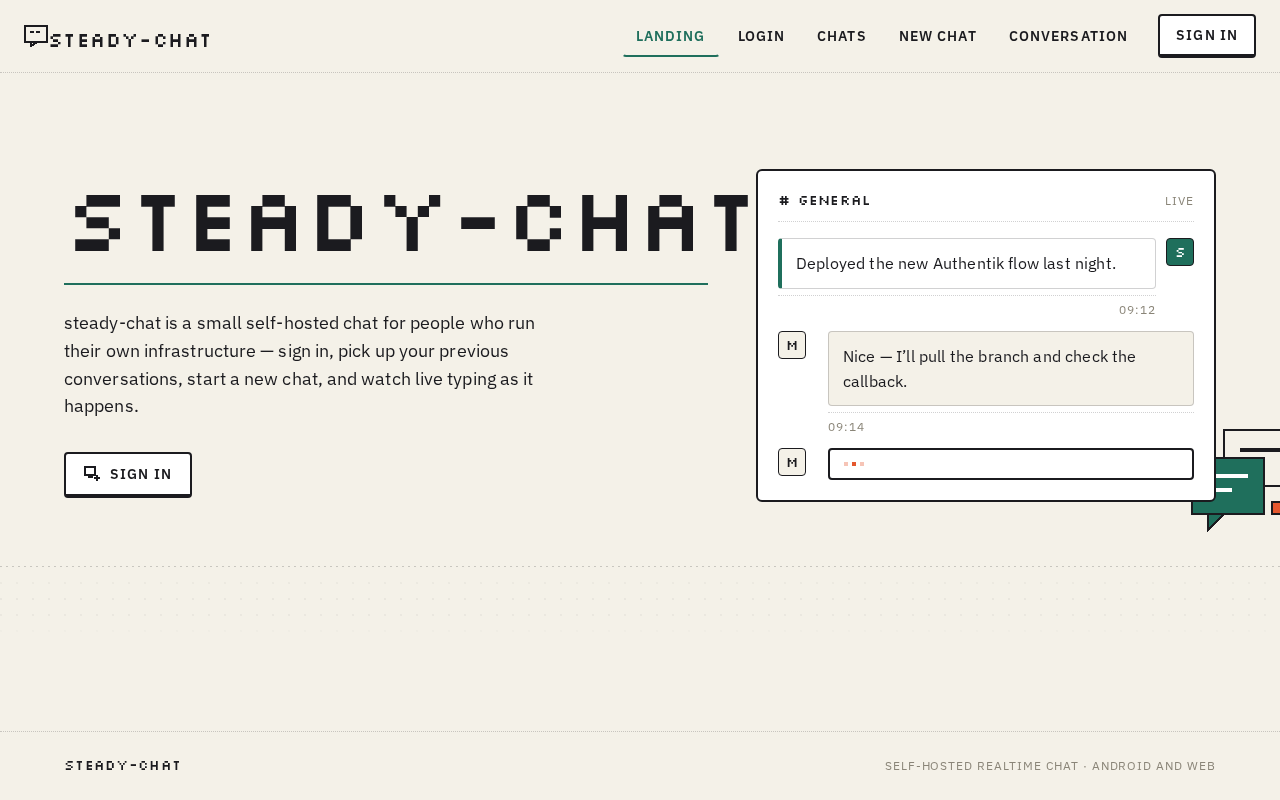
I want to build a small chat app, which will work on Android and also will have a web version as well. The backend should be Node.js or .NET c#. Database MongoDB. Server for authentication will be Authentik. Chat app needs to sign in the user, then show previous chats. There will be users only available from MongoDB. New user we will add manually to Authentik, after login we will add to MongoDB. In the app user can create a new chat. It will be interactive user can see if other user typing.

Landing
Landing

Comments (0)

No comments yet. Be the first!

Project Tasks

17 planning tasks
#1

Generate system requirement document

1m 4s0.2 cr used
Done
#2

Generate personas & user flows

0m 29s0.2 cr used
Done
#7

Create flow for Chat User

0m 28sCredits in parent
Done
#8

Landing

2m 27sCredits in subtasks
Done
#19

Fix Landing review findings: Tablet navbar items overlap, obscuring the brand wordmark; (+1 more)

0m 23s0.4 cr used
Done
#15

Landing / Navigation

0m 25s0.85 cr used
Done
#13

Landing / Hero Band

0m 25s0.85 cr used
Done
#14

Landing / Dotted Grid Band

0m 25s0.85 cr used
Done
#16

Landing / Footer

0m 16s0.85 cr used
Done
#17

Navigation

0m 25sCredits in parent
Done
#18

Footer

0m 16sCredits in parent
Done
#9

Login

Credits in subtasks
Backlog
#10

Chats

Credits in subtasks
Backlog
#11

New Chat

Credits in subtasks
Backlog
#12

Conversation

Credits in subtasks
Backlog
#5

Architecture

0.2 cr needed
Backlog
#6

Workspace task plan

0.2 cr needed
Backlog
Landing design preview
Landing: 1. View product description and mock
Landing: 2. Proceed to sign in
Login: 3. Start sign-in with Authentik
Login: 4. Read operator-provisioning rejection
Login: 5. Retry sign-in handoff
Login: 6. Abandon sign-in attempt
Chats: 7. View previous chats list
Chats: 8. Retry loading failed list
Chats: 9. Open a previous chat
Chats: 10. Start a conversation
Chats: 11. Sign out
Chats: 12. Retry sign out
New Chat: 13. View available participants
New Chat: 14. Select participant and create
New Chat: 15. Retry creation keeping selection
New Chat: 16. Cancel empty participant list
Conversation: 17. View loaded message history
Conversation: 18. Scroll back through history
Conversation: 19. Retry loading failed thread
Conversation: 20. View empty thread prompt
Conversation: 21. Type in composer
Conversation: 22. Send message
Conversation: 23. Retry send with text preserved
Conversation: 24. Watch typing indicator
Conversation: 25. Read incoming message
Conversation: 26. Return to list
Landing design preview
Landing: 1. View product description and mock
Landing: 2. Proceed to sign in
Login: 3. Start sign-in with Authentik
Login: 4. Read operator-provisioning rejection
Login: 5. Retry sign-in handoff
Login: 6. Abandon sign-in attempt
Chats: 7. View previous chats list
Chats: 8. Retry loading failed list
Chats: 9. Open a previous chat
Chats: 10. Start a conversation
Chats: 11. Sign out
Chats: 12. Retry sign out
New Chat: 13. View available participants
New Chat: 14. Select participant and create
New Chat: 15. Retry creation keeping selection
New Chat: 16. Cancel empty participant list
Conversation: 17. View loaded message history
Conversation: 18. Scroll back through history
Conversation: 19. Retry loading failed thread
Conversation: 20. View empty thread prompt
Conversation: 21. Type in composer
Conversation: 22. Send message
Conversation: 23. Retry send with text preserved
Conversation: 24. Watch typing indicator
Conversation: 25. Read incoming message
Conversation: 26. Return to list