starry-projetc
 Diya Trivedi
start a projetc to build a simple todo application

Comments (0)
Sign in to leave a comment
Project Tasks
22 planning tasksGenerate system requirement document
Generate personas & user flows
Create flow for Todo User
Landing
Fix Landing review findings: Reduced-motion marquee stickers are clipped by the… (+3 more)
Landing / Navigation
Landing / Hero
Landing / How It Works
Landing / Statement Marquee
Landing / Return Link
Landing / Footer
Fix Landing: Reduced-motion marquee stickers are clipped by the non-scrollable band at desktop…
Fix Landing: The hero headline contradicts the required cream headline: renders “then get on” lime…
Fix Landing: The required sticker cluster is not positioned to the right of the headline; places it…
Fix Landing: The required sample-task sticker is missing its strikethrough: is present in source, but…
Navigation
Footer
Sign Up
Login
Todos
Architecture
Workspace task plan
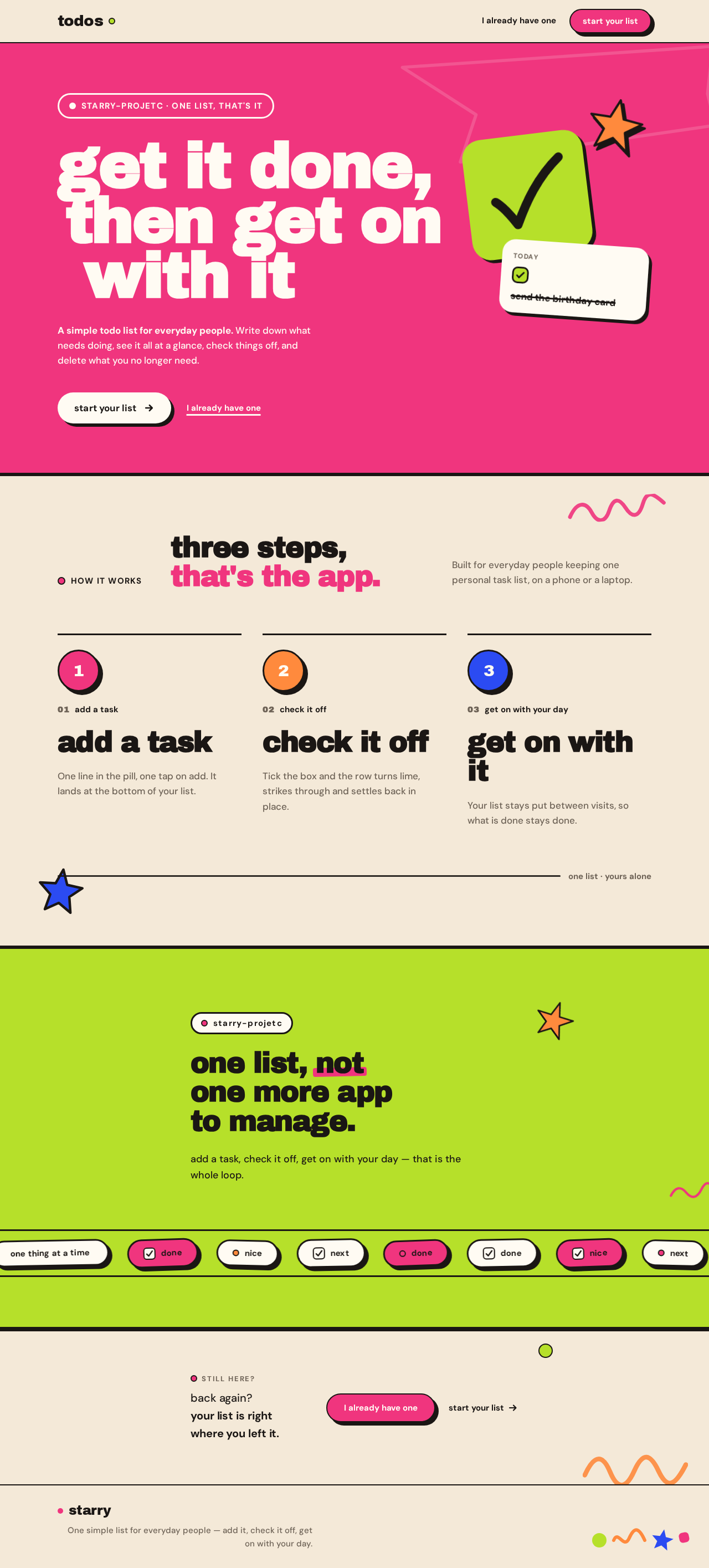
get it done,then get onwith it
A simple todo list for everyday people. Write down what needs doing, see it all at a glance, check things off, and delete what you no longer need.
how it works
three steps, that's the app.
Built for everyday people keeping one personal task list, on a phone or a laptop.
01add a task
add a task
One line in the pill, one tap on add. It lands at the bottom of your list.
02check it off
check it off
Tick the box and the row turns lime, strikes through and settles back in place.
03get on with your day
get on with it
Your list stays put between visits, so what is done stays done.
one list · yours alone
starry-projetc
one list, not one more app to manage.
add a task, check it off, get on with your day — that is the whole loop.
back again? your list is right where you left it.
get it done,then get onwith it
A simple todo list for everyday people. Write down what needs doing, see it all at a glance, check things off, and delete what you no longer need.
how it works
three steps, that's the app.
Built for everyday people keeping one personal task list, on a phone or a laptop.
01add a task
add a task
One line in the pill, one tap on add. It lands at the bottom of your list.
02check it off
check it off
Tick the box and the row turns lime, strikes through and settles back in place.
03get on with your day
get on with it
Your list stays put between visits, so what is done stays done.
one list · yours alone
starry-projetc
one list, not one more app to manage.
add a task, check it off, get on with your day — that is the whole loop.
No comments yet. Be the first!