
space-spec

byMarcelino Justo

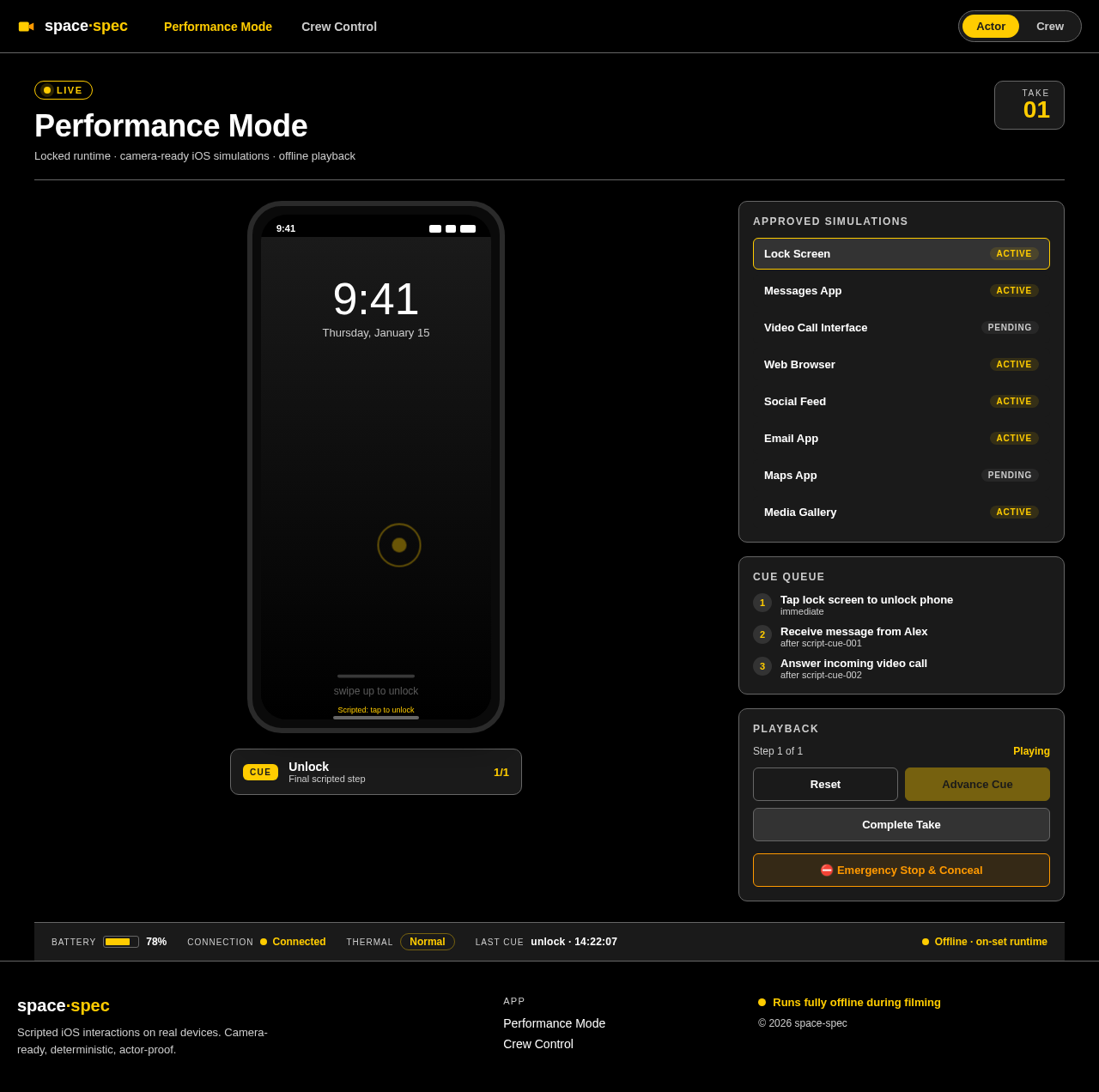
SPEC-1-On-Set Prop Phone Mobile Application Background Film and television productions frequently need actors to interact with believable phones and tablets on camera. Traditional approaches—green screens, static mockups, prerecorded screen captures, or improvised messaging applications—create limitations during filming and often require expensive post-production replacement. This mobile application provides a production-controlled environment for creating and performing scripted iOS interactions directly on physical iOS. It is an original clean-room implementation inspired by publicly described on-set prop-phone workflows. The system consists of two connected experiences: Crew Control is an off-camera desktop or tablet workspace where crew members create productions, configure scenes, edit simulated interfaces, connect devices, rehearse interactions, trigger cues, and monitor the devices currently used on camera. Performance Mode is a locked, full-screen runtime used on the actor’s device. It renders camera-ready simulations without editor controls, operating-system notifications, visible cursors, or unapproved navigation. Actor input is constrained through scripted typing, guided gestures, deterministic transitions, and approved interaction paths. The product must support iOS simulations including messaging, video calls, web browsing, social feeds, email, maps, media galleries, notifications, lock screens, and other extensible interface templates. Because filming environments may have unreliable or prohibited internet access, the scene engine, scripts, assets, device control, authentication bypass, and Performance Mode must operate locally without requiring cloud services. Optional cloud infrastructure may support preparation, backup, collaboration, and synchronization before or after filming, but must never become a runtime dependency during a take. The system prioritizes: Reliable and deterministic playback across repeated takes Low-latency control of one or more performance devices Fast recovery, resetting, and emergency concealment Accurate continuity through versioning and take records Actor-proof interaction that prevents accidental deviations Extensible separation between the scene engine and visual interface templates A dark, high-contrast, production-oriented interface suitable for busy sets

Performance ModeCrew Control
Performance Mode

Comments (0)

No comments yet. Be the first!

Performance Mode design preview
Performance Mode: Launch Simulation
Performance Mode: View Lock Screen
Performance Mode: Messaging Interaction
Performance Mode: Video Call Interaction
Performance Mode: Web Browsing
Performance Mode: Social Feed
Performance Mode: Email Interaction
Performance Mode: Maps Interaction
Performance Mode: Media Gallery
Performance Mode: Follow Scripted Path
Performance Mode: Complete Take
Performance Mode design preview
Performance Mode: Launch Simulation
Performance Mode: View Lock Screen
Performance Mode: Messaging Interaction
Performance Mode: Video Call Interaction
Performance Mode: Web Browsing
Performance Mode: Social Feed
Performance Mode: Email Interaction
Performance Mode: Maps Interaction
Performance Mode: Media Gallery
Performance Mode: Follow Scripted Path
Performance Mode: Complete Take